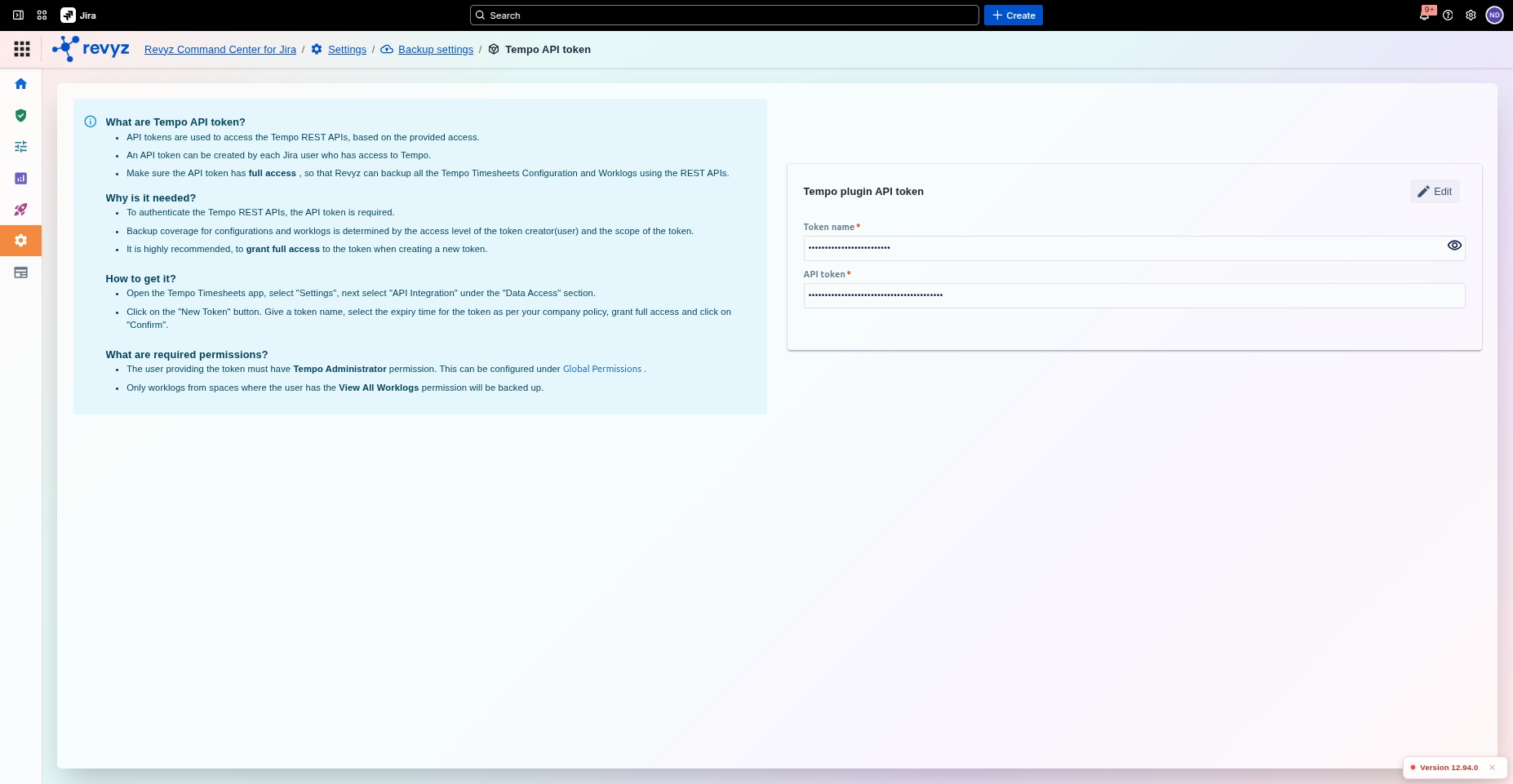
This token is required for the Revyz application to authenticate with the Tempo API and gain the necessary permissions to read your timesheet and configuration data.
What is the use case?
The use case is to enable the backup of your third-party Tempo data. An administrator must generate this token in Tempo and save it here so that Revyz can access and back up all critical timesheet data, worklogs, and team configurations, which are not included in a standard Jira backup.
Configuring Tempo Plugin API Token for Backup
The Tempo plugin API token page is where you securely store the authentication token required for Revyz to back up your Tempo Timesheets data.
This setting is applicable to:
command center for jiraconfig manager for jira
This configuration is essential for authorizing Revyz to access and interact with the Tempo REST APIs, ensuring all your critical timesheet and configuration data is included in the backup.
Why is a Tempo API Token Needed?
Tempo Timesheets is a third-party application that stores its data (like timesheets, worklogs, accounts, and teams) separately from core Jira data. Access to this data is controlled by Tempo's own REST API.
Authentication: The API token is required to authenticate Revyz with the Tempo application.
Access: A valid token with full access permissions grants Revyz the ability to read all necessary Tempo plugin configurations and user data.
Complete Backup: Without this token, Revyz cannot access your timesheet data, and it will be skipped during the backup process.
How to Get a Tempo API Token?
You must generate the API token from within the Tempo app's settings in Jira.
Log in to your Jira instance as a Jira Administrator.
Open the Tempo app from your main Jira navigation.
Navigate to Settings within the Tempo app (usually found in the sidebar).
Under the "Data Access" section, select API Integration.
Click the "New Token" button.
Fill in the required fields:
Token Name: Give it a clear, identifiable name (e.g., "Revyz-Backup-Token").
Expiration: Set the token expiration policy according to your company's security standards. (For an automated backup service, a non-expiring token is often preferred).
Access: Grant Full access to ensure Revyz can back up all necessary configurations.
Click "Confirm" to generate the token.
Immediately copy the generated API token. You will not be able to see it again after you close the window. Store it securely (like in a password manager) until you paste it into Revyz.
Best Practice: While tokens are generated by specific users, they provide broad access. Ensure the Jira user generating the token has the appropriate permissions (e.g., a service account or a Jira administrator).
What are the required permissions?
Administrator Permission: The user providing the token must have Tempo Administrator permission. This can be configured under Global Permissions in Jira.
View Permissions: Only worklogs from spaces where the user has the View All Worklogs permission will be backed up.