
About this Page
This page talks about Restore Settings, the administrative section for managing the application's internal settings. It controls which users can access the app, how notifications are configured, and other internal parameters.
What is the Use Case?
Use this to manage user permissions for the Revyz app itself (separate from Jira permissions) and to configure how and when the app sends notifications about its activities.
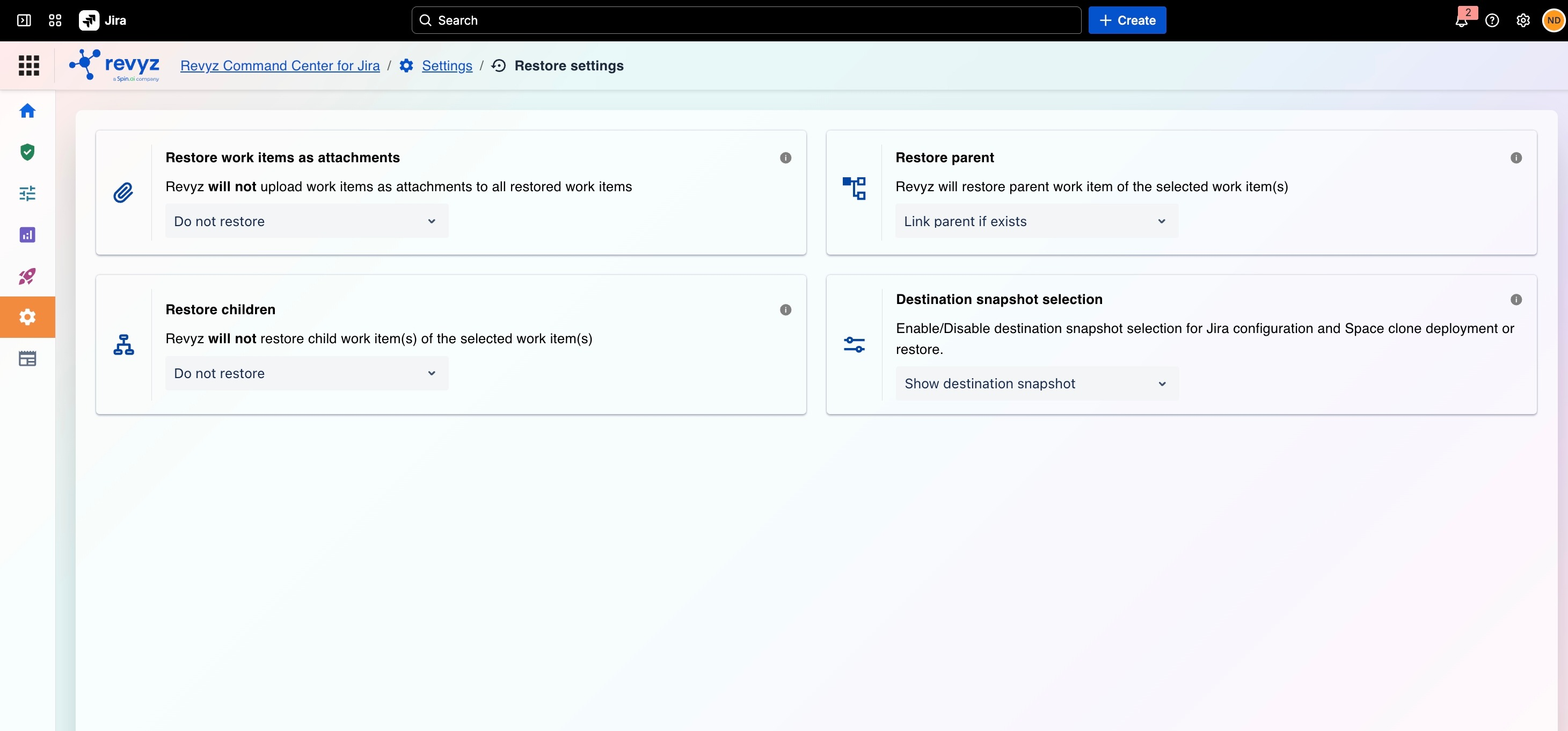
Restore Settings Options:
This feature is applicable to:
command center for jira
This page is divided into three main configuration cards:
1. Restore Work Items as Attachments:
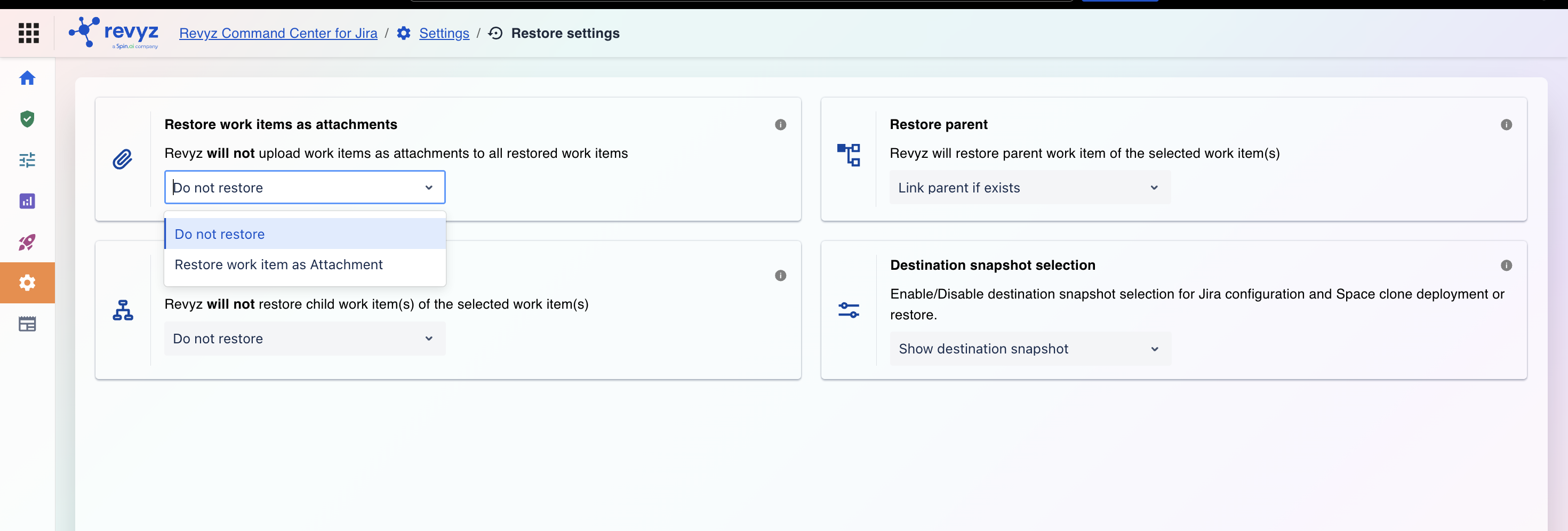
Controls whether a raw backup data file is attached to the restored Jira work items.
-
Do not restore: Restores the issue normally. No extra backup files are added to the attachments section.
-
Restore work item as Attachment: Attaches the original raw data file directly to the restored Jira work item. This is ideal for compliance, auditing, or maintaining a permanent historical record.
2. Restore Parent:
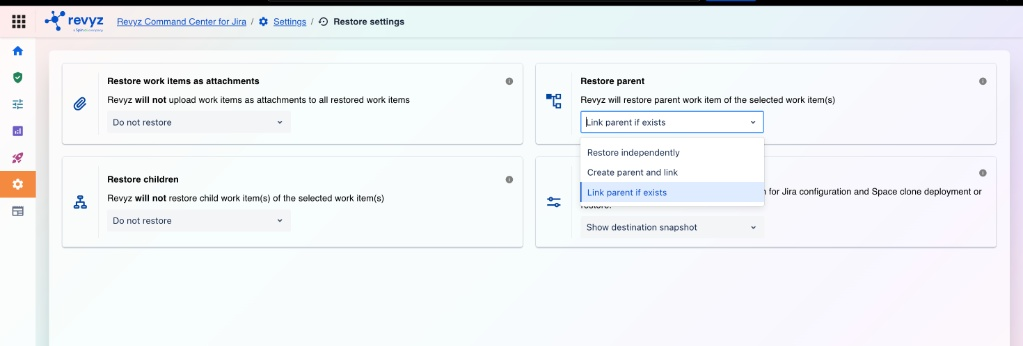
This configuration determines how Revyz handles hierarchical relationships when you restore a child work item (such as a sub-task or a Story) whose parent issue is either not explicitly selected for restore or is missing from the target destination.
You can choose one of the following three behaviors from the dropdown menu:
-
Description: This setting defines the default behavior for handling an issue's parent link (e.g., an Epic, or a parent task) when you restore a child issue.
-
Current Setting: The dropdown is set to
Link parent if exists. This means if you restore a sub-task, the system will automatically try to find and re-link it to its parent, provided the parent issue already exists on the target site.
Restore independently
-
Behavior: Revyz restores the selected work item as a standalone issue.
-
Details: The system will completely bypass the parental hierarchy. It will not search for, recreate, or attempt to link the restored item back to any original parent issue.
-
Create parent and link
-
Behavior: Revyz automatically recreates the missing parent work item to preserve the issue hierarchy.
-
Details: If the parent issue does not exist in the destination environment, Revyz will automatically restore/create the parent first, and then correctly link the selected child item back to it.
-
Link parent if exists
-
Behavior: Revyz looks for an existing parent in the destination before attempting a link.
-
Details:
-
If the parent work item already exists in the destination environment, Revyz will automatically re-establish the link and attach the restored child item to it.
-
If the parent work item does not exist, the child item will still be restored, but it will not be linked to a parent.
-
3. Restore Children:
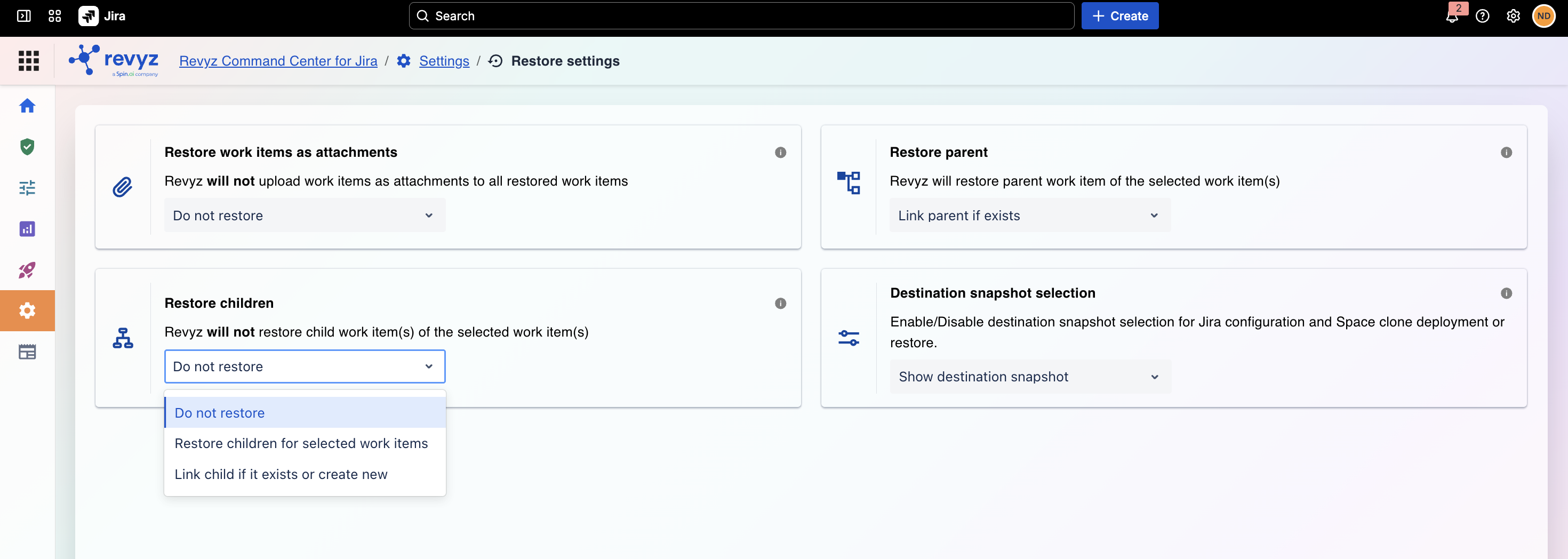
Restore Children Settings
This configuration determines how Revyz handles child work items (such as sub-tasks) when a parent work item (such as a Story or Task) is being restored.
You can choose one of the following three behaviors from the dropdown menu:
1. Do not restore
-
Behavior: Revyz will only recover the selected parent work item.
-
Details: The system will completely bypass and will not restore or recreate any of the associated child work items or sub-tasks.
2. Restore children for selected work items
-
Behavior: Revyz will automatically find and restore all child work items alongside the parent.
-
Details: If you initiate a restore for a parent issue, the system will actively recover all of its linked sub-tasks/child items and maintain their original relationships.
3. Link child if it exists or create new
-
Behavior: Revyz evaluates the destination environment to match existing child items before deciding to create new ones.
-
Details:
-
If the child work item already exists in the target destination, Revyz will simply re-establish the link between the restored parent and that existing child item.
-
If the child work item does not exist in the target destination, Revyz will automatically create a brand new copy of the child item and link it to the restored parent.
-
Note that this option “Link child if it exists or create new:” is not available for cross-site spaces.
4. Destination Snapshot Selection
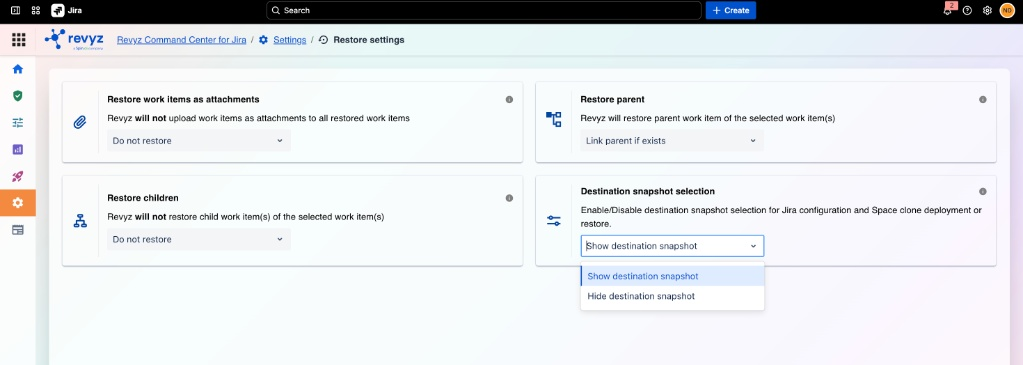
Destination Snapshot Selection
This setting determines whether users are prompted to choose a specific target snapshot when executing a restore, Jira configuration recovery, or Space clone deployment.
1. Show destination snapshot
-
Behavior: Enables the target snapshot selection step during the restore or deployment process.
-
Details: When initiating a restore or a Space clone, the system will prompt you to explicitly select the specific destination snapshot you wish to target. This is useful for precise control over which state of the destination system you are interacting with.
2. Hide destination snapshot
-
Behavior: Disables and hides the destination snapshot selection prompt.
-
Details: This option simplifies the user interface and workflow by bypassing the target snapshot selection step. Revyz will run the restore or clone deployment using default destination settings without requiring manual snapshot selection.