About this Page
This page talks about how you can add the Revyz App to the IP allow list, depending on the data residency.
-
If you are using IP allow list to your Atlassian site, you need to add IP address to access Revyz app on your Atlassian site.
-
Below are the list of IP addresses depending on your data residency.
-
EU -> 18.156.158.11
-
US -> 3.226.127.21
-
AP -> 13.54.125.21
-
CA -> 35.182.79.108
-
-
Example
-
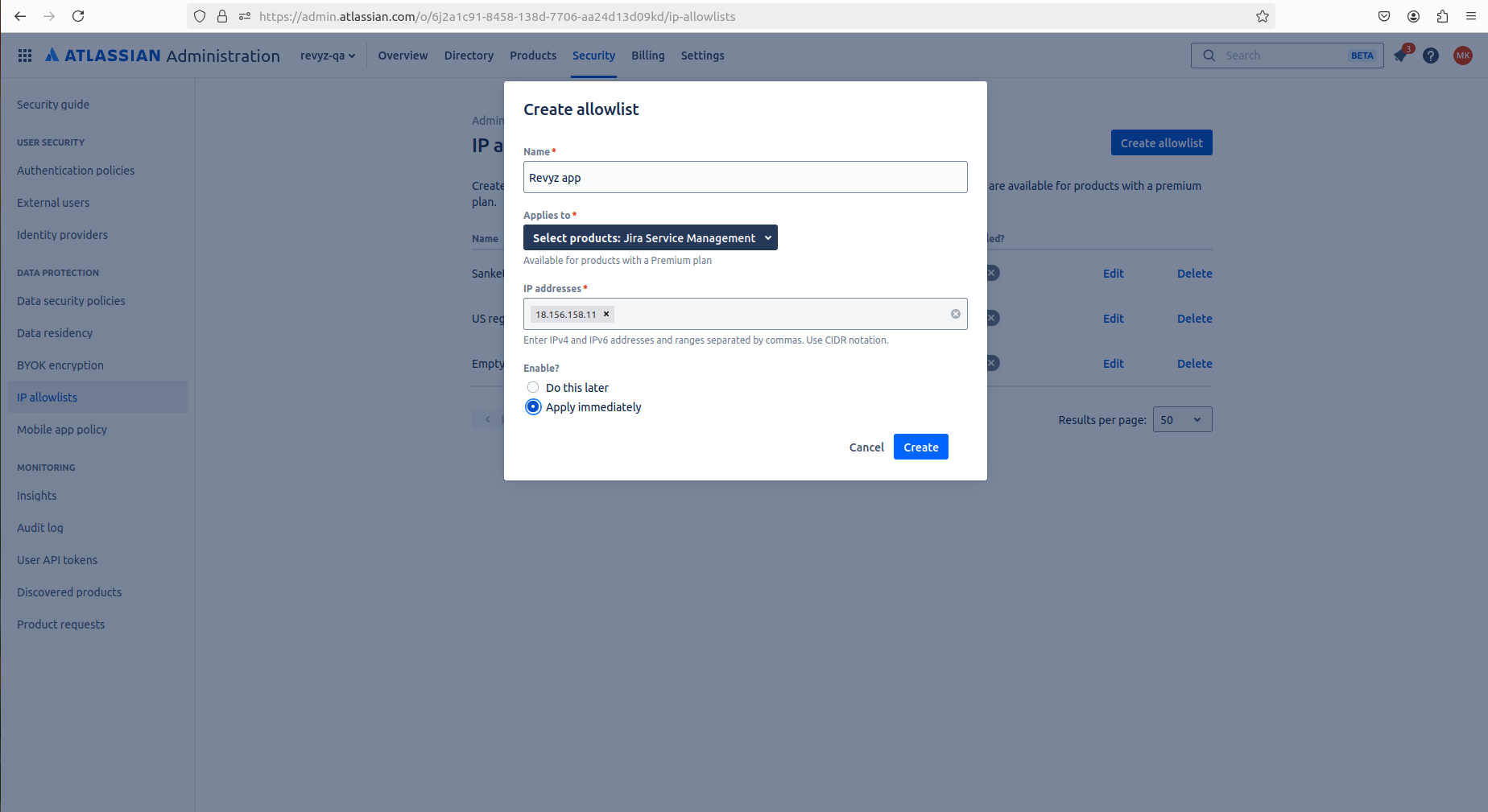
If your data residency is Europe region then you will have to add 18.156.158.11 in IP allow list.
-
Go to admin.atlassian.com
-
Enter name - e.g., Revyz app
-
Select Jira product - Jira software Management, Jira service management etc.
-
Paste IP address according to your region
-
Select Enable option and create
-