
About this Page
The Approval Path API Token settings page is where you provide Revyz with the necessary credentials to communicate with the Approval Path app. This page allows you to input and manage the API token required for Revyz to authenticate and perform backup operations on your approval configurations.
What is the Use Case?
-
Authentication: The API token is required to authenticate Revyz when it attempts to access the Approval Path REST APIs.
-
Data Access: Without a valid token, Revyz cannot retrieve the "Conditions" and "Definitions" that make up your approval workflows.
-
Permissions Management: The specific configurations that Revyz can back up are directly dependent on the privileges granted to the token during its creation in Jira.
How to set up the Approval Path Plugin API token?
To successfully set up the connection, follow these steps:
Generate the Token in Jira
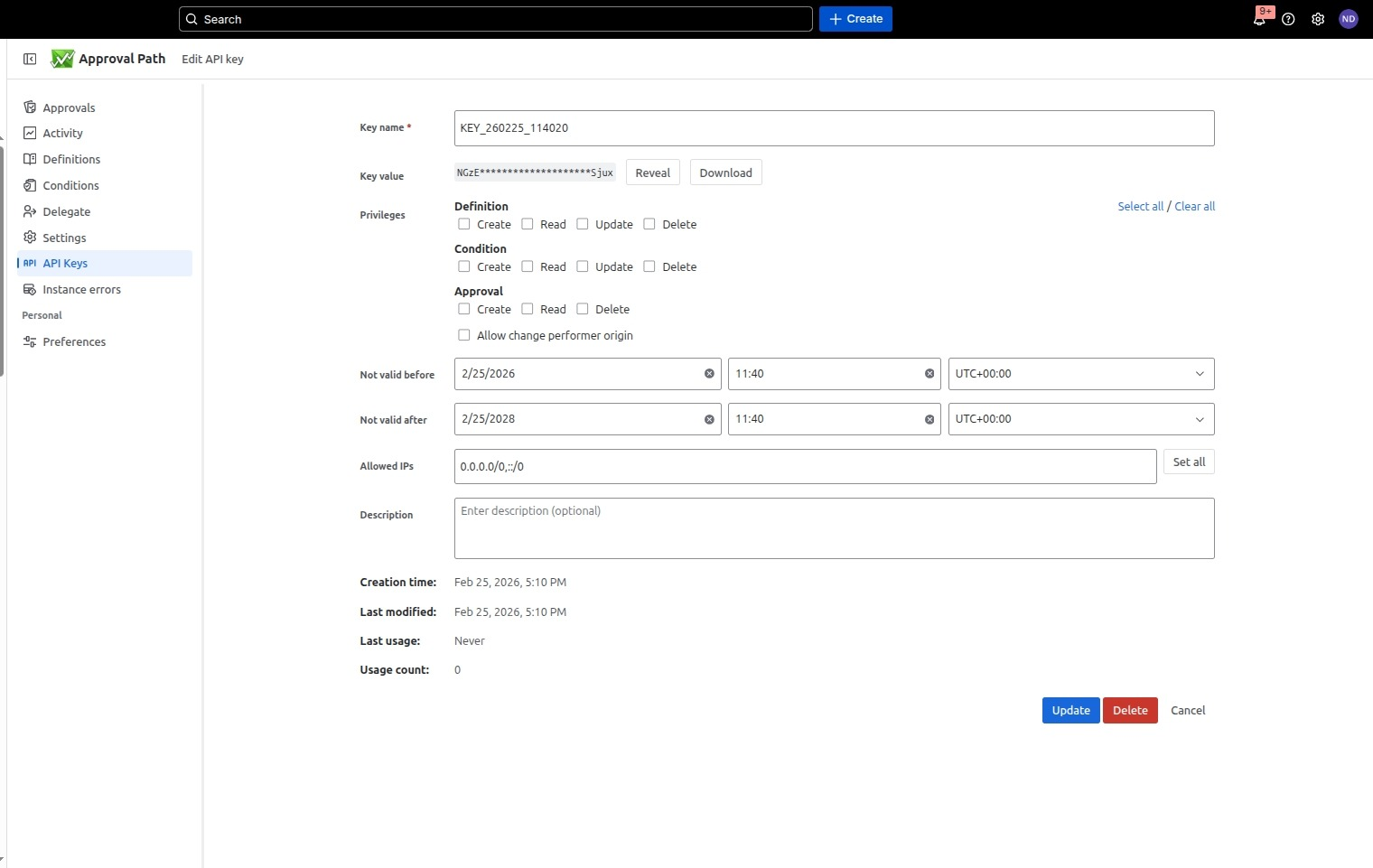
Before configuring Revyz, you must generate a token within the Approval Path app itself:
-
Open the Approval Path app in Jira and select API Keys from the menu.
-
Click the Create button to generate a new token.
-
Crucial Step: Ensure the token is granted "Read" privileges for both conditions and definitions so Revyz can successfully capture the configuration data.
Input the Token into Revyz
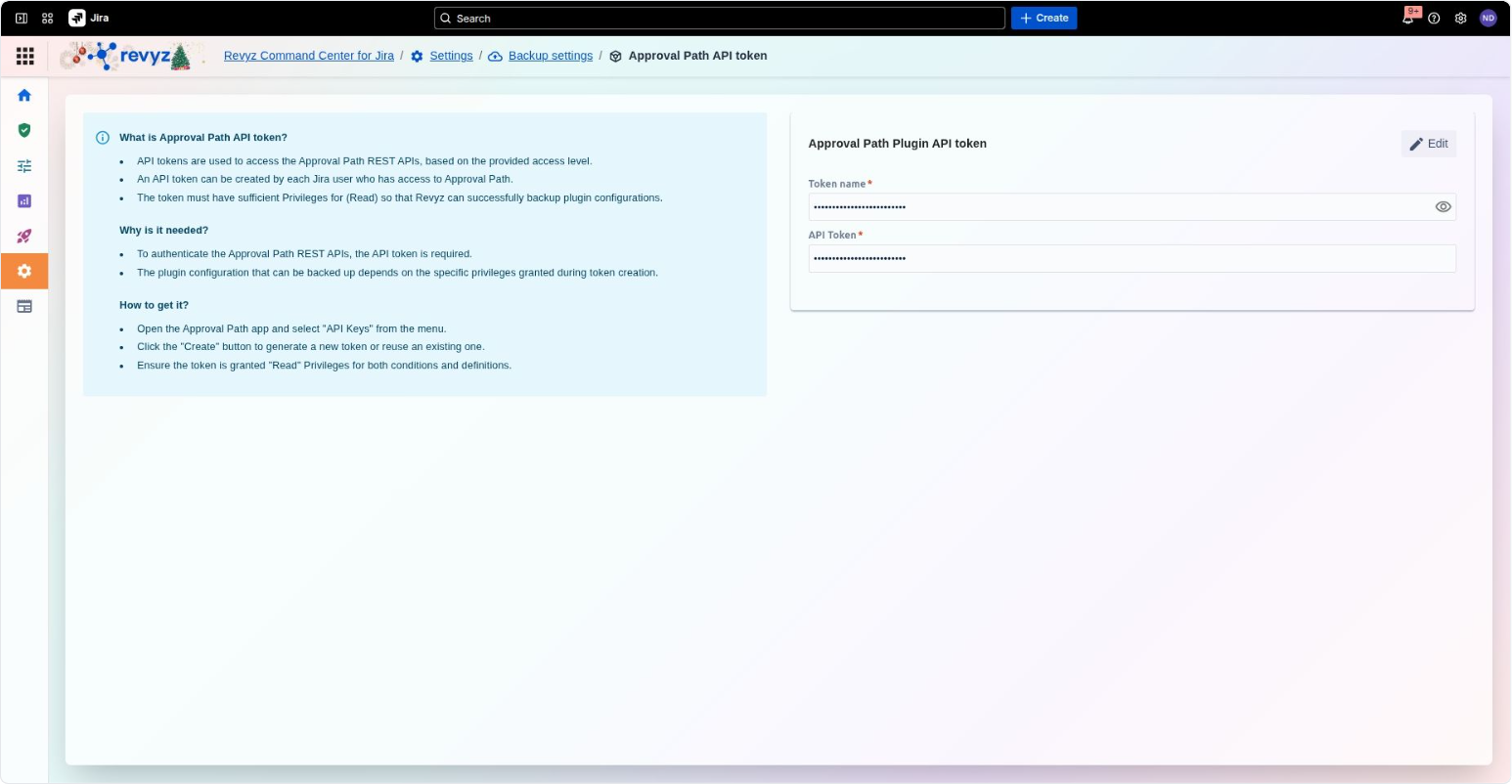
Once you have your token, navigate to the Revyz Command Center and follow these steps:
-
Go to Settings > Backup settings > Approval Path API token.
-
In the Approval Path Plugin API token card, click the Edit button.
-
Token Name: Enter a descriptive name for the token to help you identify it later.
-
API Token: Paste the token string generated from the Approval Path app into the API Token field.
-
Save your changes to finalize the connection.