
About this Page
To provide comprehensive backup and restoration of your Tempo worklogs, the Revyz Token Owner must be granted specific Global Permissions within Jira and Tempo. Relying on project-level permissions is inconsistent and often leads to partial backups or failed restorations.
To provide comprehensive backup and restoration of your Tempo worklogs, the Revyz Token Owner must be granted specific Global Permissions within Jira and Tempo. Relying on project-level permissions is inconsistent and often leads to partial backups or failed restorations.
1. Prerequisites
-
Tempo App: Must be installed on your Jira instance.
-
API Configuration: A Tempo API token must be configured within Revyz.
2. Configuration Steps
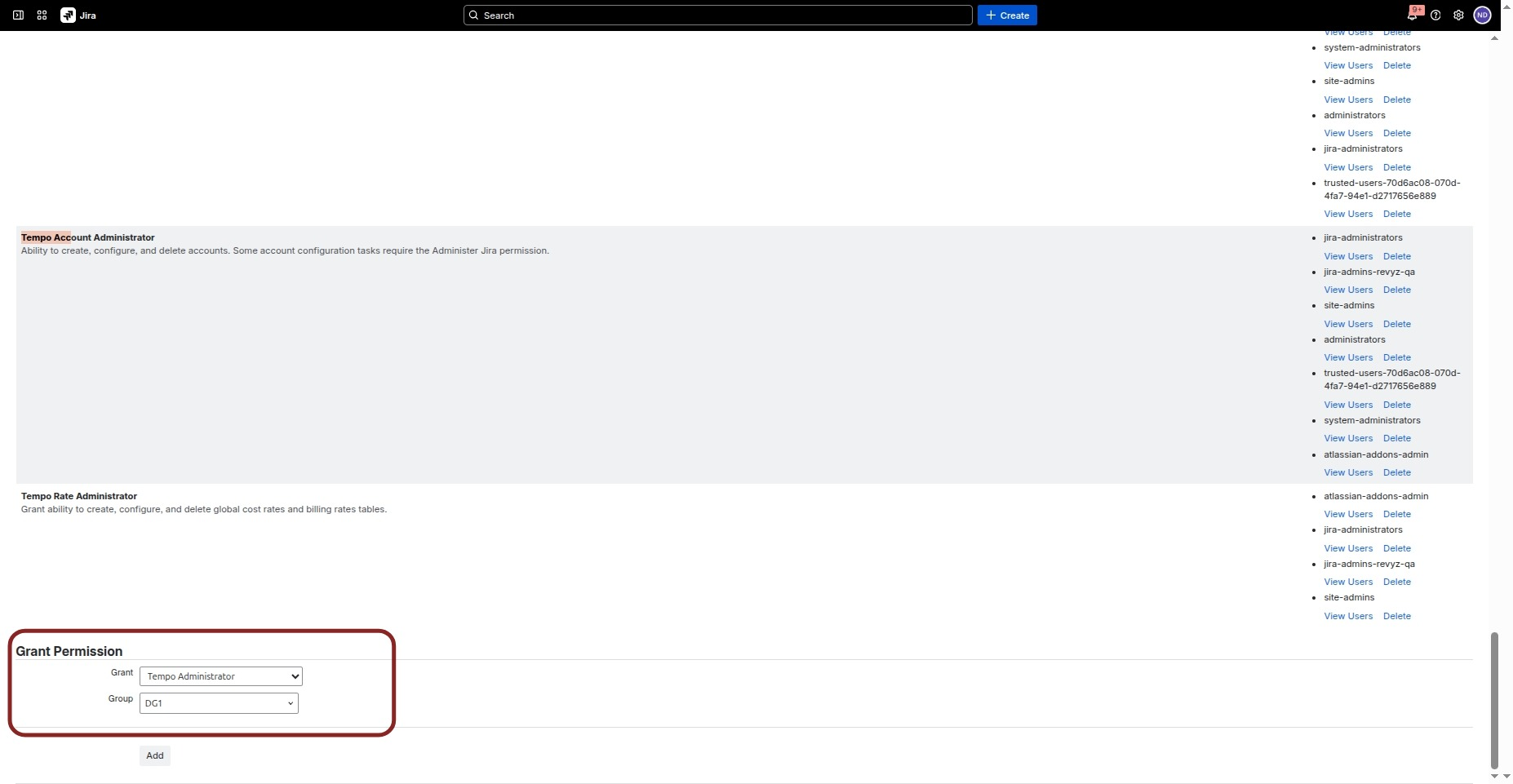
Step I: Assign Tempo Administrator Group
-
Navigate to Jira Settings > System > Global Permissions.
-
Locate the Tempo Administrator permission.
-
Add the Token Owner to this group.
3. Create a Global Permission Role
This step ensures Revyz can access and write worklogs even in restricted projects.
-
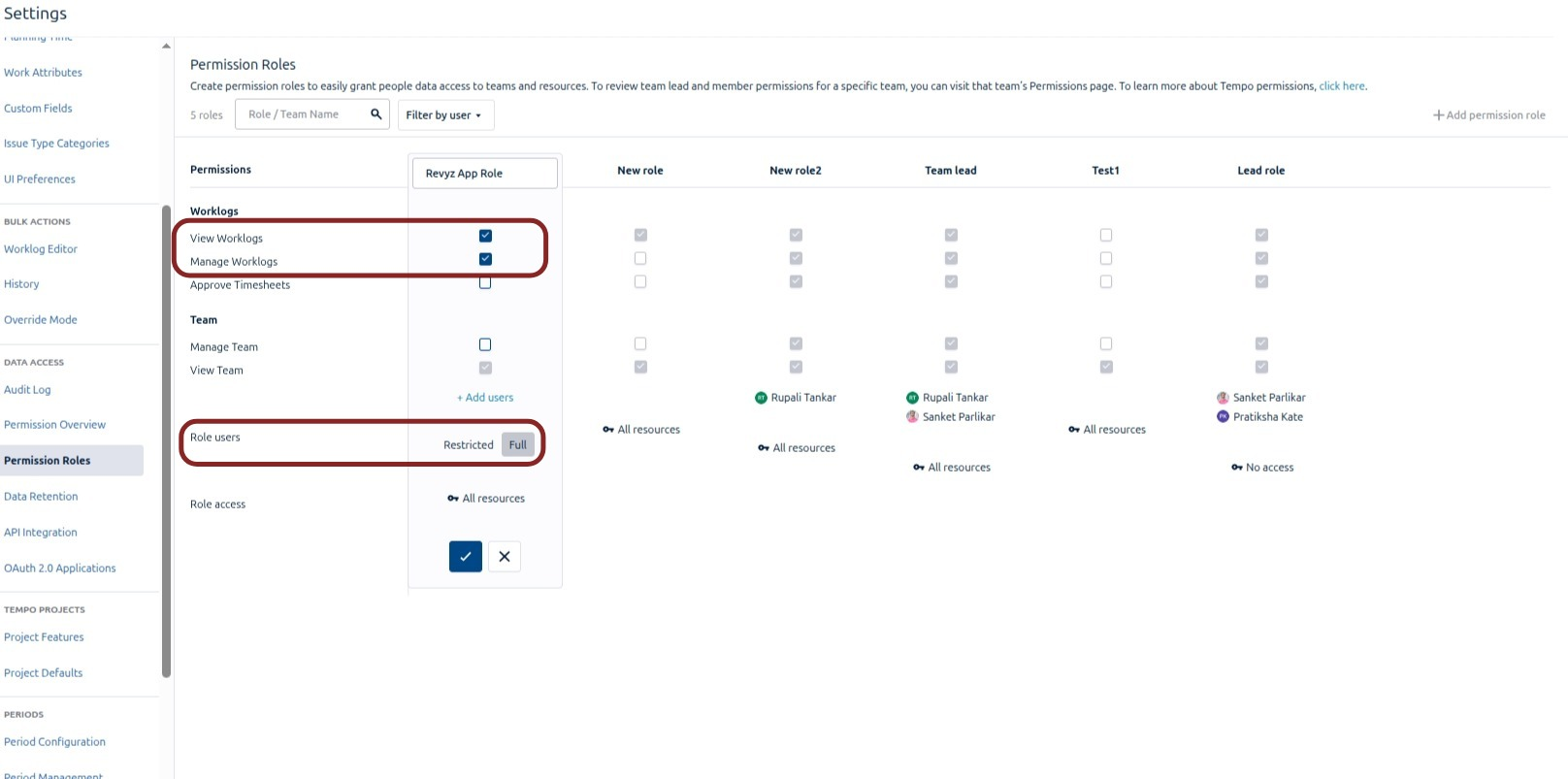
Navigate to Apps > Tempo > Settings > Permission Roles.
-
Create a new role (e.g., "Revyz App Role") and assign the Token Owner to it.
-
Set the Access Level to Full Access (Global) and enable:
-
View All Worklogs: Required for full backup coverage.
Manage Worklogs: Required for successful restoration.
4. Enable Override Mode
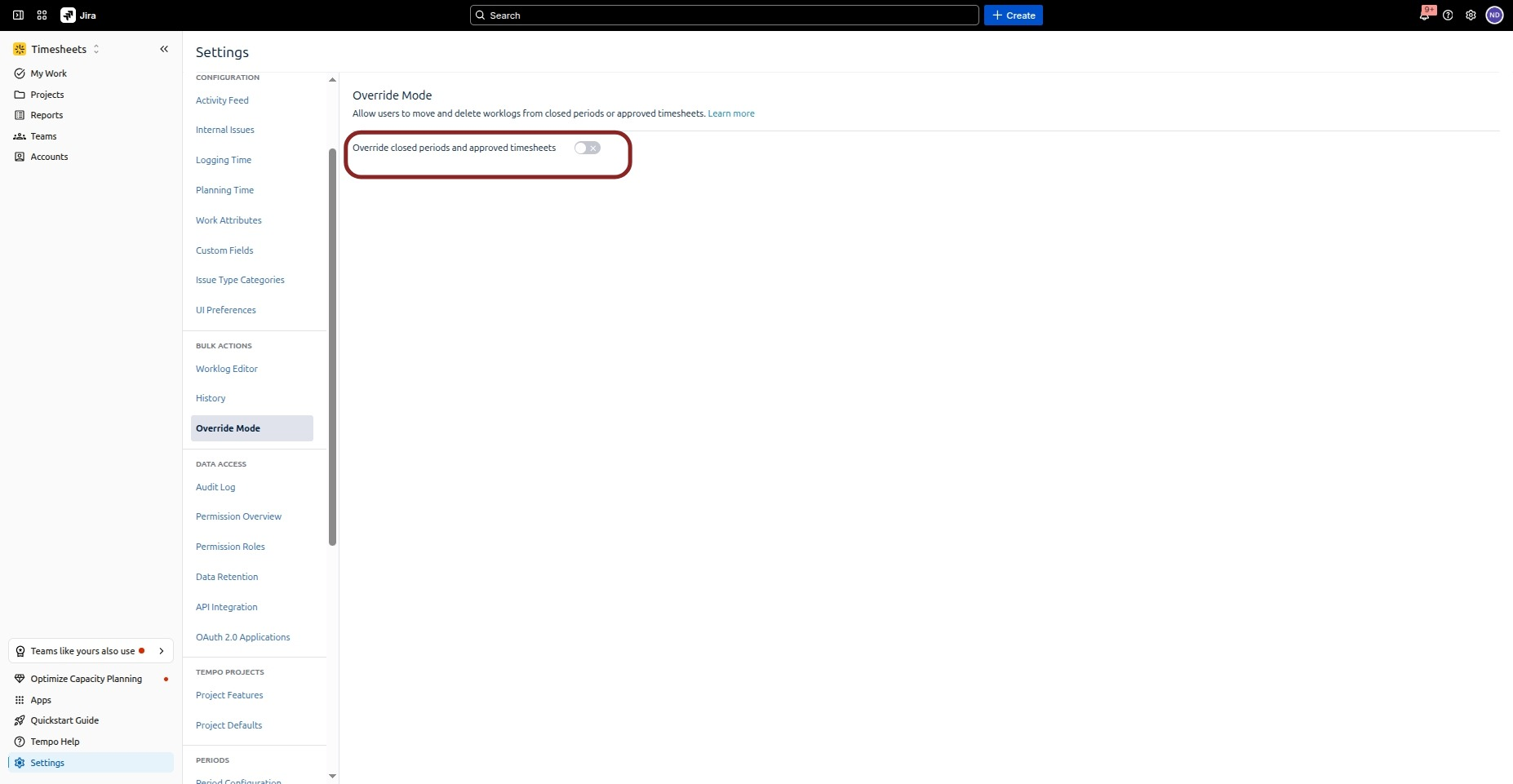
Ensure Override Mode is enabled on the destination site before attempting a restoration.
To ensure 100% data protection for your Tempo worklogs, the Token Owner must have Global Permissions. Relying on project-level settings is inconsistent and often leads to data loss during backups or failures during restoration.
FAQs