
This is the central control panel for managing the core operational tasks and configuration of your Revyz application. It provides access to job monitoring, configuration cloning, user analysis, and site connection management.
What is the use case?
Use this section for day-to-day administrative tasks, such as checking the status of your backups, managing connections to other Jira sites, or running reports on your user base to maintain a healthy instance.
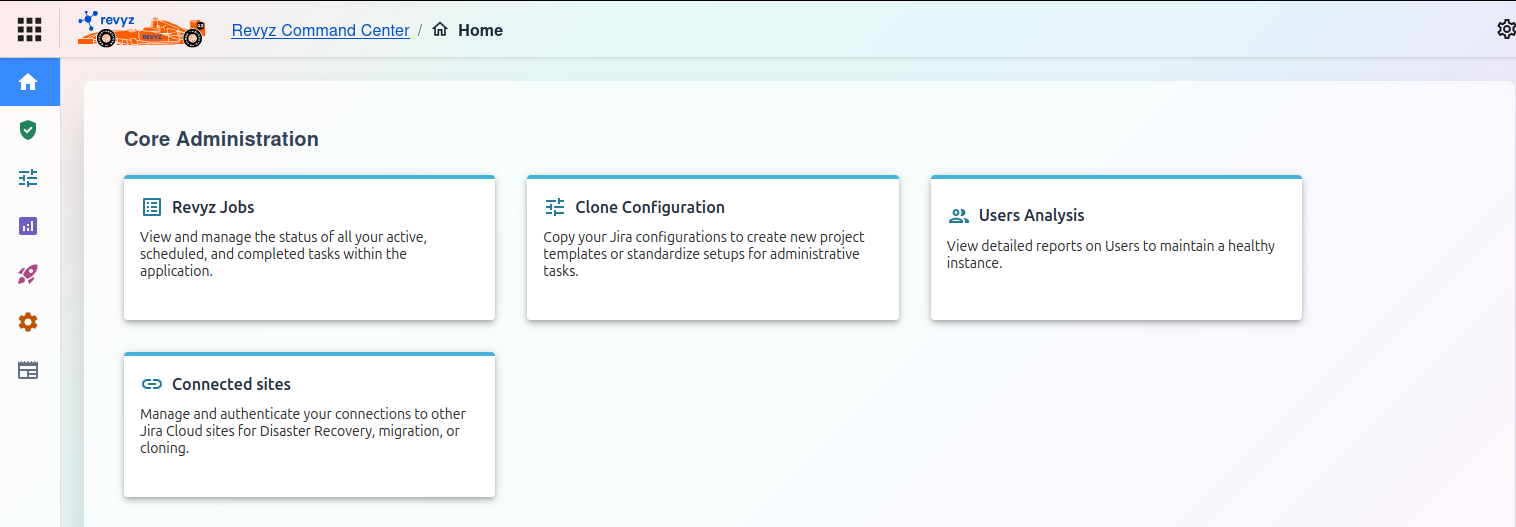
Core Administration
Core Administration Features
The "Core Administration" dashboard provides access to the following key functions:
Note:
Check the product tags on the respective pages to see which features are relevant to your product.
1. Revyz Jobs
View and manage the status of all your active, scheduled, and completed tasks within the application.
Use Case: This is your primary dashboard for monitoring the health of your backups, restores, and cloning jobs. You can check here to see if a backup completed successfully, is currently running, or has failed.
Copy your Jira configurations to create new project templates or to standardize setups for administrative tasks.
Use Case: Use this to save time and ensure consistency. For example, you can clone a complex project's setup (workflows, screens, fields) to use as a template for all new projects of that type.
View detailed reports on Users to maintain a healthy instance.
Use Case: This tool helps you manage user licenses and security. Run reports to identify inactive users, analyze user permissions, or get an overview of user activity to ensure your instance is secure and not wasting user seats.
Manage and authenticate your connections to other Jira Cloud sites.
Use Case: This is essential for setting up multi-site operations. You must come here to establish the secure connection required for Disaster Recovery, migrating projects to another instance, or cloning data between sites.