
About this Page
The Assets Configurations option initiates a targeted backup that secures the entire structure and setup (the blueprint) of your Assets (formerly Insight) database.
What is the Use Case?
This feature is used to secure the administrative structure and blueprint of your Assets database, providing a crucial restore point before making structural changes to object schemas, types, or attributes, or after successfully setting up a new configuration.
This feature is applicable to
command center for jira assets data manager for jira
This backs up the schema, object types, attributes, and other configurations for your Assets database.
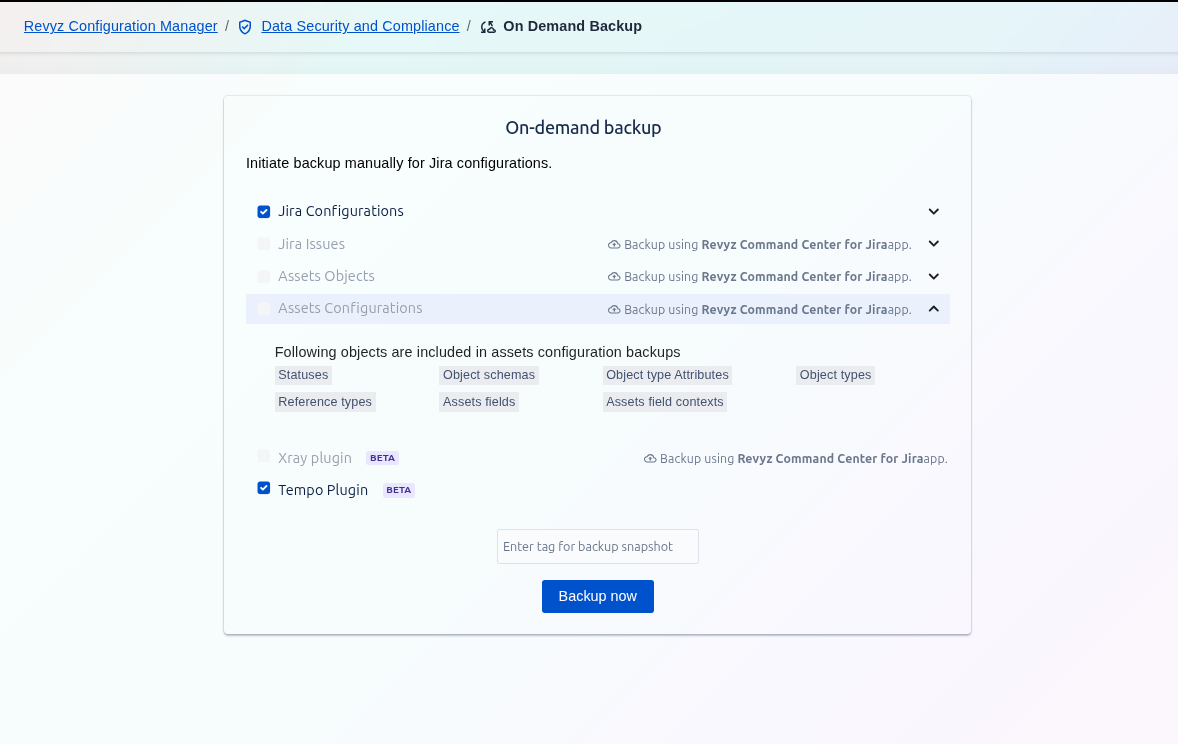
Selecting Assets Configurations backs up the entire structure and setup of your Assets (formerly Insight) database. This includes the "blueprint" of your asset management system, such as how objects are defined, their attributes, and how they relate to each other.
This option backs up the structure itself, not the individual data entries (which are handled by Assets Objects).
Included Objects in Assets Configuration Backups
The following configuration objects are included in this backup:
-
Statuses: The different status options available for objects (e.g., "In Stock," "In Repair," "Disposed").
-
Object schemas: The high-level containers that hold your object types, attributes, and references (e.g., "IT Assets," "Employees").
-
Object type Attributes: The specific fields and attributes defined for each object type (e.g., "Serial Number," "RAM," "Owner" for a laptop object).
-
Object types: The different categories or templates for your assets (e.g., "Laptops," "Servers," "Software").
-
Reference types: The definitions of how different objects can be linked together (e.g., "is used by," "is installed on").
-
Assets fields
NEW: Custom fields related to Assets that can be used in Jira. -
Assets field contexts
NEW: The contexts that define where and how Assets fields are applied within Jira.