
To open the Command Center for Jira app, you must be a site admin.
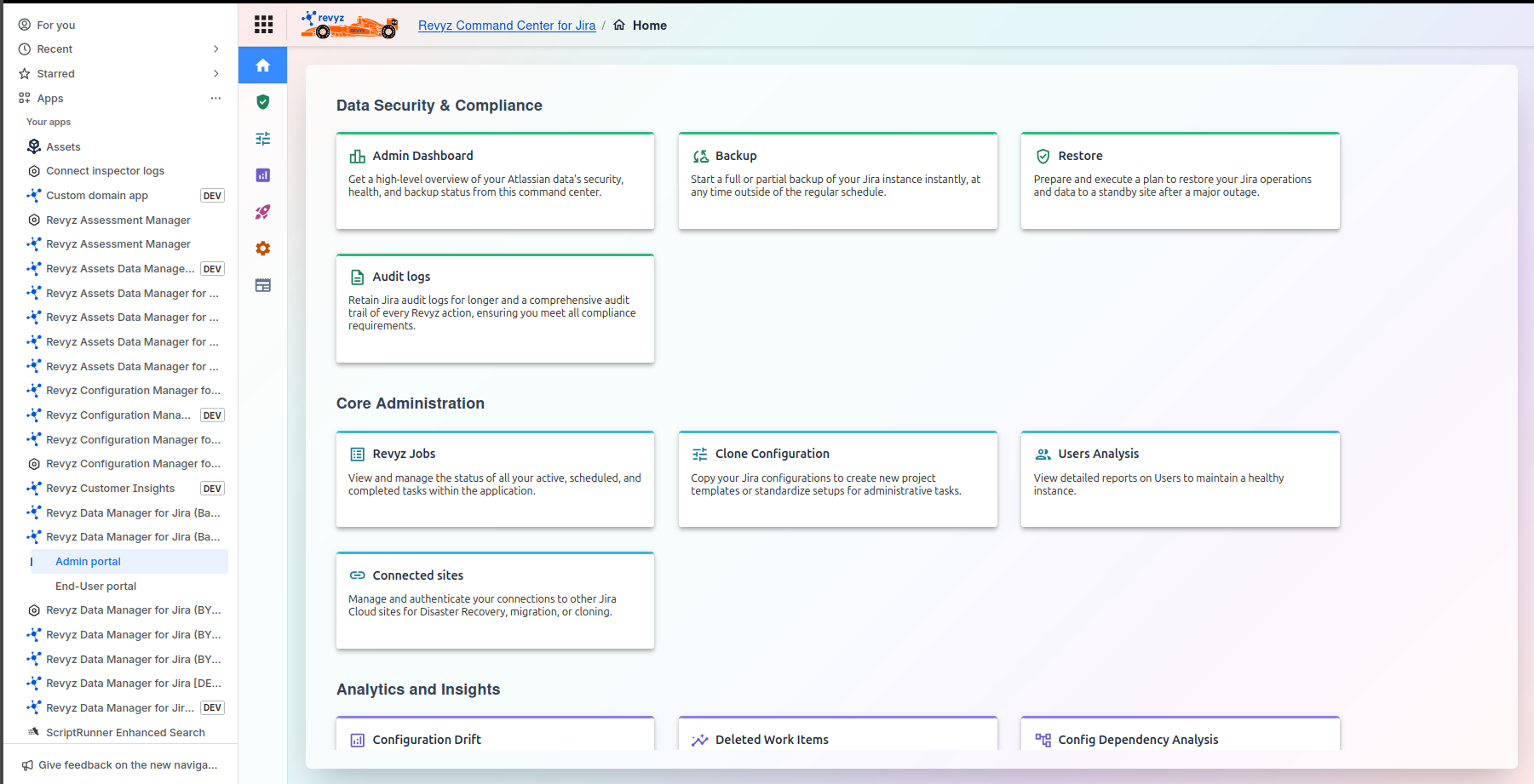
Log in to your Jira site as an admin
-
Click on “Apps” in left navbar.
-
In the left navigation of the “Apps” page you will see the “Command Center for Jira” menu
-
You could also go into the “Settings” menu within the Revyz app by clicking on the button “Get started” or “Configure”
Depending on what you want to do in the Revyz app you can select from the top level menu listed on the left hand side navigation
Top level menu options include:
-
Data Security & Compliance
-
Core Administration
-
Analytics & Insights
-
Reporting & Optimization
-
Settings
-
Resources
The entry point of this app is chosen such that, to restrict the access to app to only site admins