
About this Page
This support article guides you through preparing an AWS S3 bucket before installing the Revyz app. It outlines the essential configuration steps, including creating the bucket, blocking public access, and setting the encryption type to 'Amazon S3 managed key (SSE-S3)'.
Steps to prepare the AWS S3 bucket before using it in Command Center for Jira app.
Creating a S3 bucket
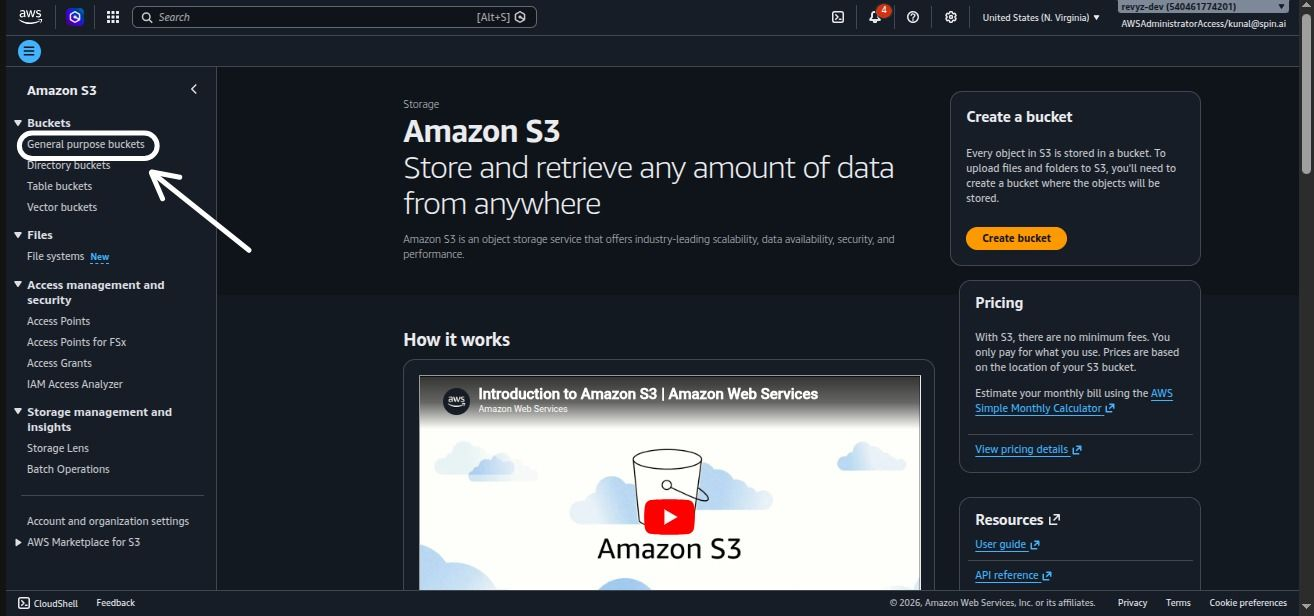
Login to the S3 bucket and click on “General Purpose Buckets”.
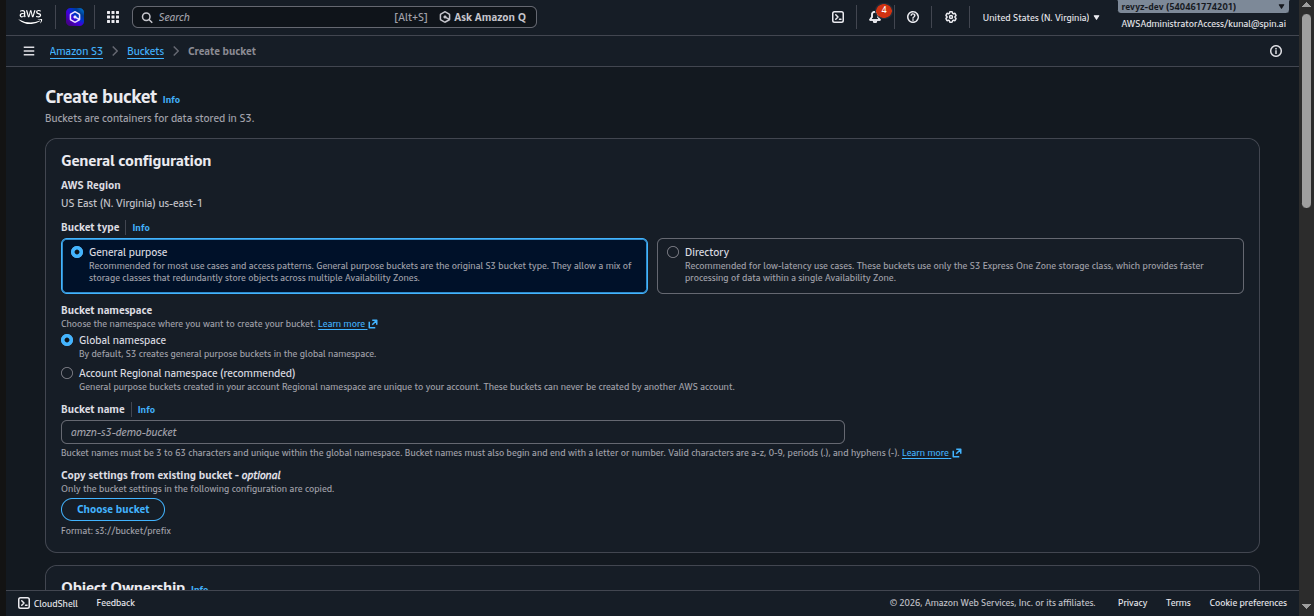
Select “General Purpose” bucket.
Follow the steps as mentioned in → https://docs.aws.amazon.com/AmazonS3/latest/userguide/create-bucket-overview.html
Important notes:
-
Bucket name character limit is between 3 to 63 characters long. Review https://docs.aws.amazon.com/AmazonS3/latest/userguide/bucketnamingrules.html?icmpid=docs_amazons3_console#general-purpose-bucket-names document to know more details.
-
Ensure to block public access
-
Enable versioning if required
-
Under ‘Encryption Type’ select the default option i.e. 'Amazon S3 managed key (SSE-S3)'.
-
This ensures that the data is always encrypted at rest and the encryption key is managed by AWS resulting in secure & cost efficient solution
-
We do not support other encryption methods at this point in time, please reach out to support if you need support for other options.
-