
About this Page
This page is about Restore Audit Log, which provides a comprehensive record of all data recovery activities, detailing who performed the restore, the type of restore (e.g., issues, configurations, assets), and the specific data that was recovered.
What is the Use Case?
Review all data recovery activities. This log details who performed the restore, what type of restore it was, and what specific data was recovered.
This feature is applicable to:
Command center for jira config manager for jira assets data manager for jira
How to View Audit Logs for Restore Operations?
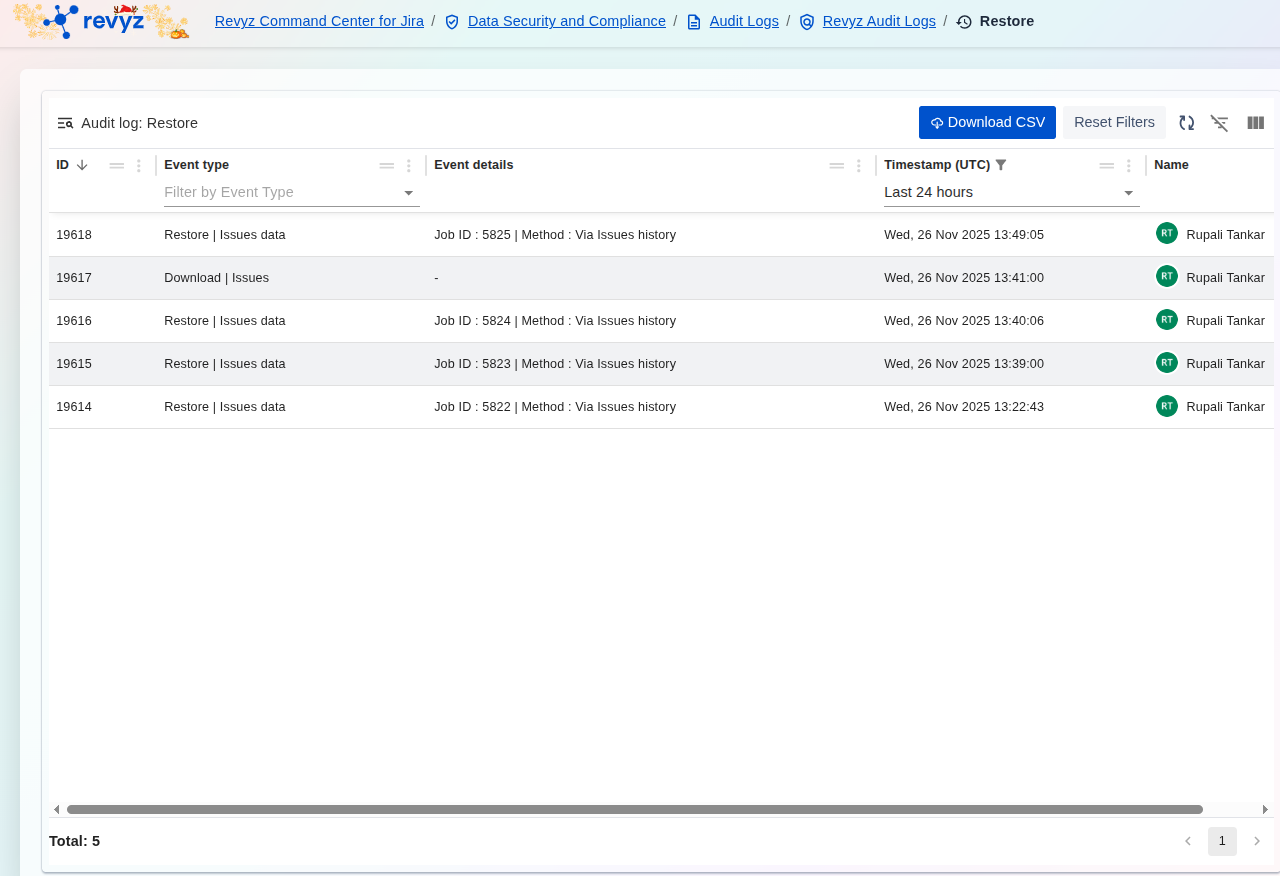
Access the logs via the breadcrumb path: Revyz Command Center for Jira > Data Security and Compliance > Audit Logs > Revyz Audit Logs > Restore.
You can use the built-in tools to manage the data:
-
Filtering: Use the Filter by Event Type to view only restores or only downloads.
-
Time Range: Adjust the
Timestamp (UTC)filter (currently Last 24 hours) to check recent recovery attempts. -
Download: Use Download CSV to export the log data for external reporting or archiving.