
About this Page
The Site Health Audit Log provides a dedicated, detailed record of all export activities related to Jira Site Health metrics and User Analysis reports. This log is essential for security auditing, ensuring accountability for who downloads sensitive performance and user data.
What is the Use Case?
The primary use case is to enforce security and operational transparency by tracking the access and distribution of sensitive performance and user data.
This feature is applicable to:
Command center for jira config manager for jira assets data manager for jira
How to View Audit Logs for Site Health Metrics?
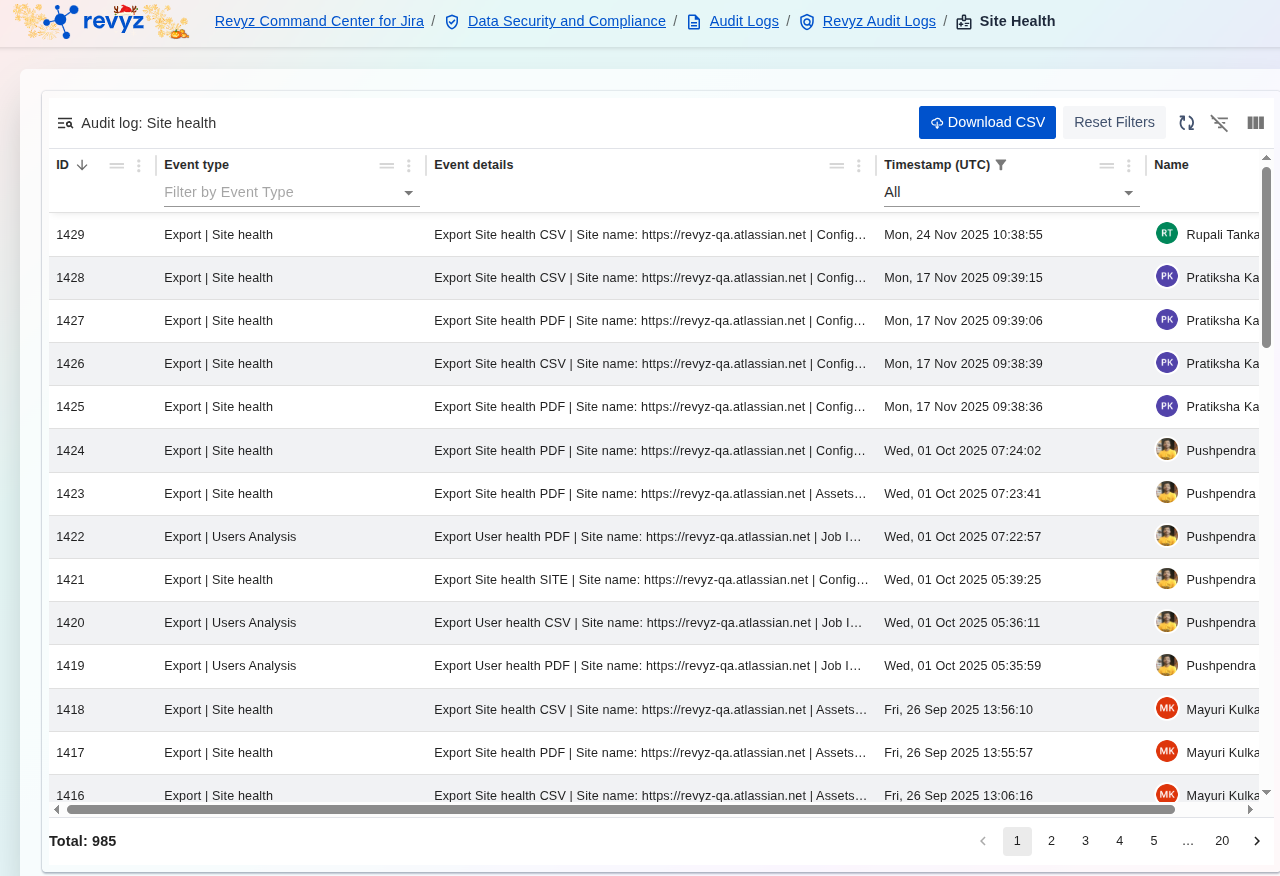
To access and manage these logs, follow these steps:
-
Access Path: Navigate through the application breadcrumb: Revyz Command Center for Jira > Data Security and Compliance > Audit Logs > Revyz Audit Logs > Site Health.
-
Filtering: Use the Filter by Event Type dropdown to narrow down the view to specific report types, such as viewing only
Export | Site healthorExport | Users Analysisevents. -
Time Range: The Timestamp (UTC) filter allows you to focus the log on a specific time period for targeted review.
-
Export: Click the Download CSV button to export the entire log data for analysis, regulatory reporting, or long-term record-keeping.