
About this Page
This page talks about Audit Logs for Tempo Timesheets, which helps Jira administrators see a detailed, immutable record of every historical change, configuration modification, and worklog event captured for the third-party Tempo Timesheets application.
What is the Use Case?
See an immutable record of Tempo Timesheets data changes to troubleshoot configuration drift, track down modified or missing worklog metrics, and fulfill strict compliance or security auditing requirements.
This feature is applicable to:
Command center for jira Advanced
How to View Audit Logs for Tempo Timesheets?
Step 1: Access Tempo Audit Logs
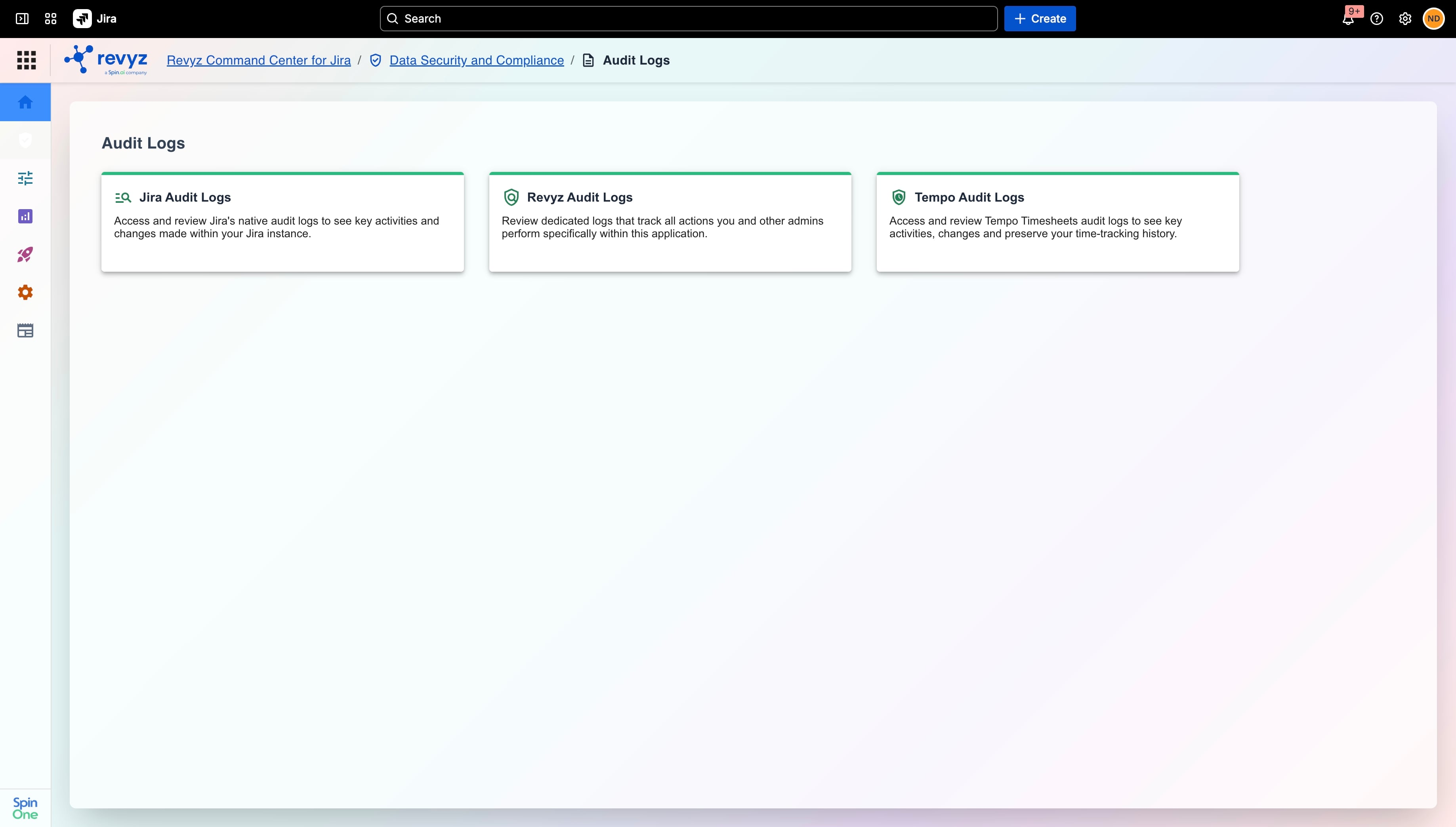
Access the logs by following the breadcrumb path: Revyz Command Center for Jira > Data Security and Compliance > Audit Logs > Tempo (or selecting the Tempo application card from the dashboard).
Step 2: Snapshot Selection
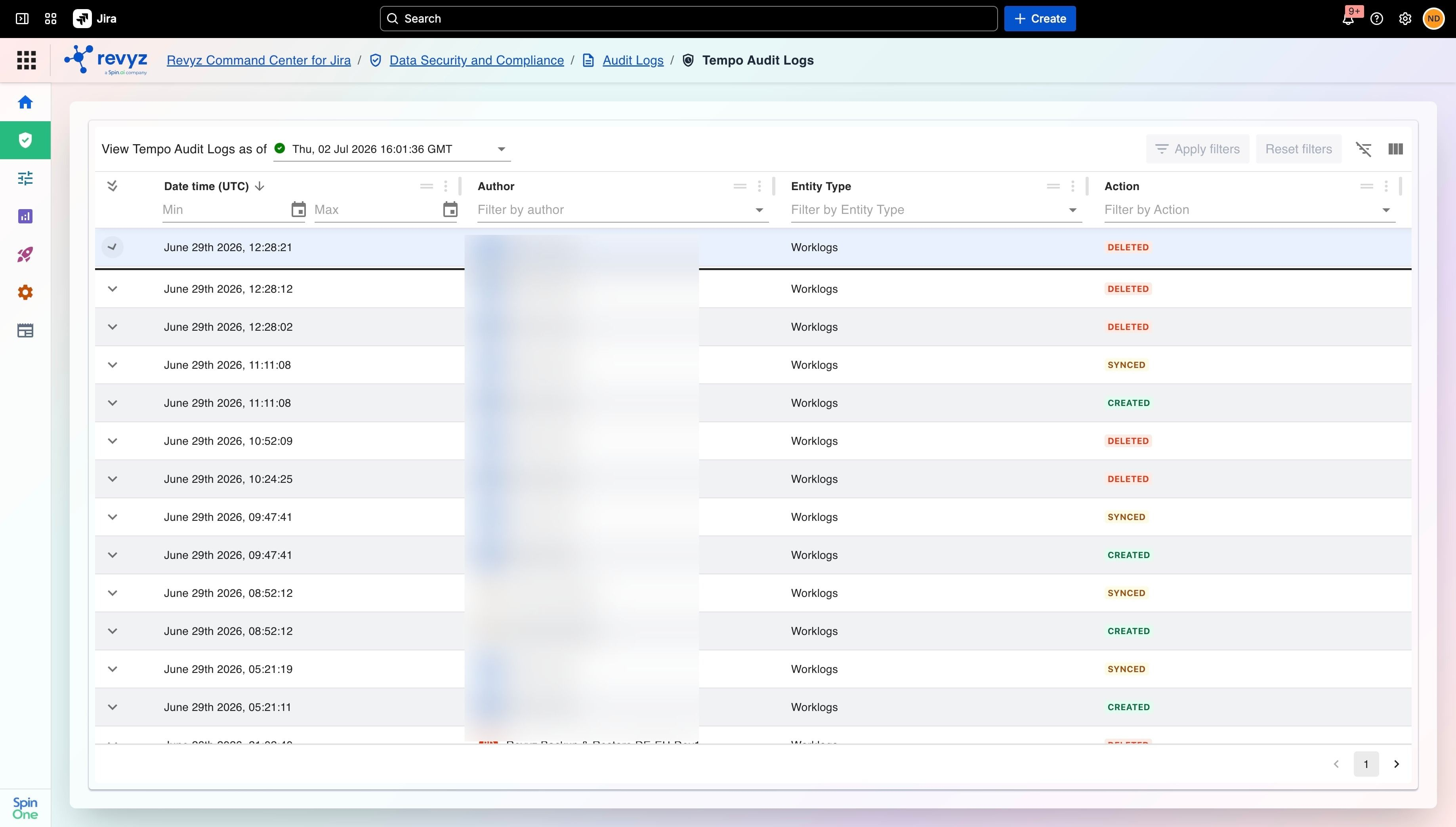
Snapshot Selection:
Use the Select Snapshot dropdown menu at the top of the log viewer to choose a specific historical backup point in time. Revyz will load the exact state of your Tempo data from that moment, bypassing standard native platform retention limits.
Step 3: Filtering
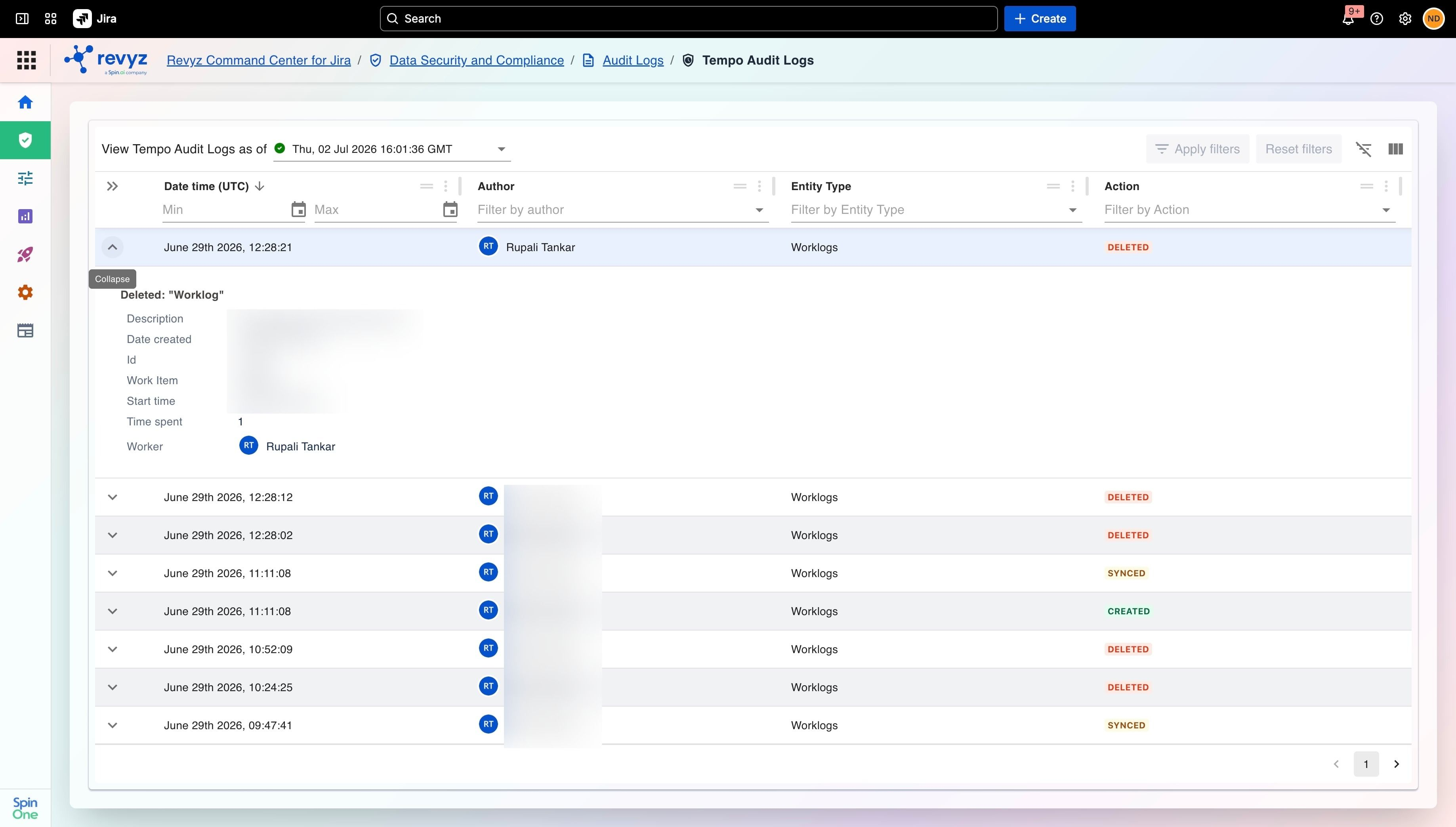
You can easily find specific events using the interactive filters located directly below the column headers:
-
Filter by Event Type: Use the dropdown or search bar under the
Event Typecolumn to narrow down the logs to specific actions (e.g., only show worklog creations, modifications, or deletions). -
Filter by Author: Use the input field under the
Authorcolumn to search for events initiated by a specific user or administrator to audit operational accountability. -
Timestamp Filter: Use the
Timestamp (UTC)column to isolate and filter log records by a precise historical date or time window.