
About this Page
The Settings Audit Log captures all administrative changes made across the core application settings of Revyz, including configuration changes for storage, credentials, access control, and Disaster Recovery (DR) connections.
What is the Use Case?
The primary use case is to ensure security, control, and compliance by maintaining an immutable record of all system-level configuration changes. This log allows administrators to:
-
Audit Configuration Security: Track modifications to Storage settings (where backups are saved) and Credential updates (for plugins or assets).
-
Monitor Access Control: Record changes to user groups and permissions (e.g.,
Groups added | jira-users) for security compliance. -
Trace DR Changes: Log the Activation, Deactivation, and Token Reset of Disaster Recovery connections, which are critical security events.
-
Troubleshooting: Quickly identify the last system configuration change before an issue occurred.
This feature is applicable to:
Command center for jira config manager for jira assets data manager for jira
How to View Audit Logs for Application Settings?
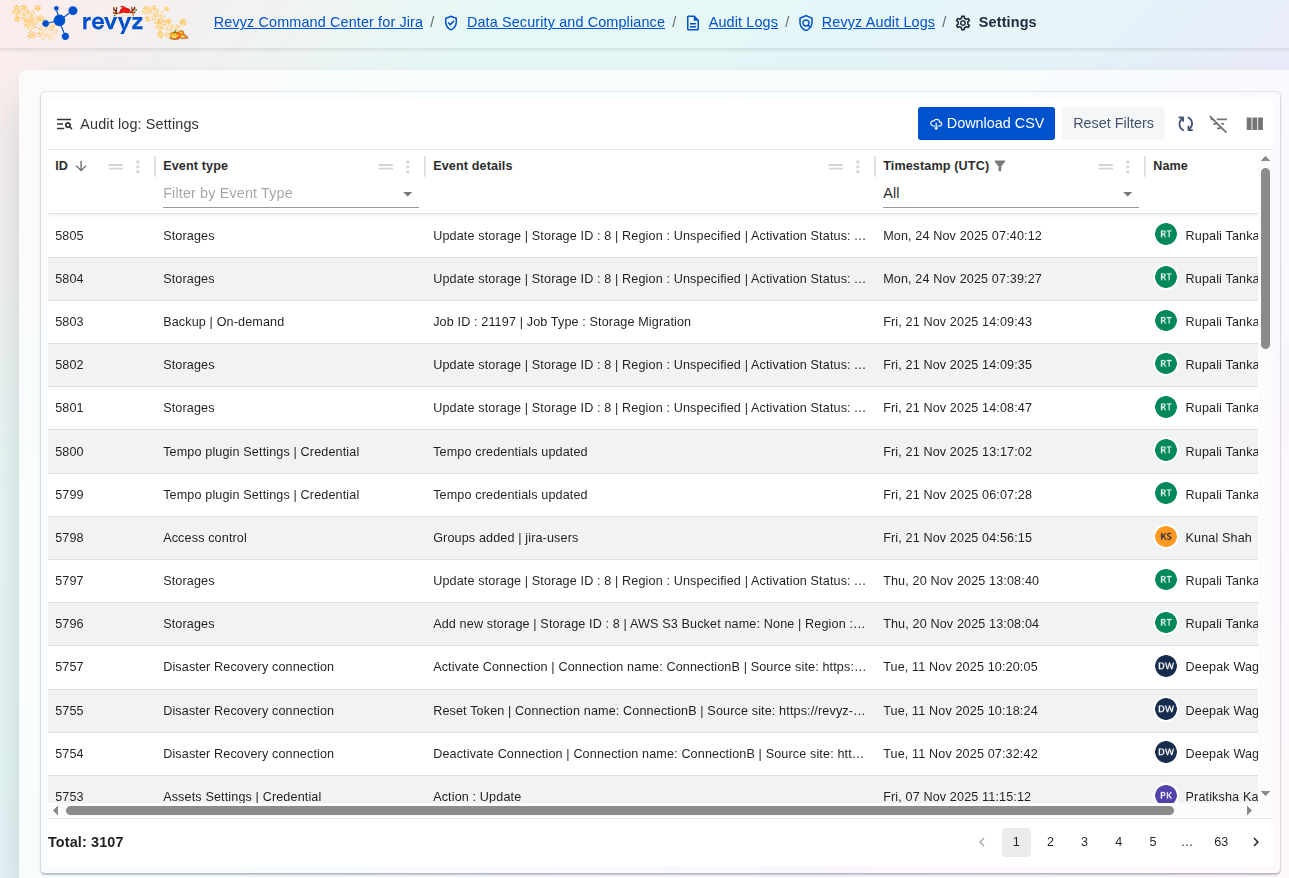
To access and manage the records of system configuration changes:
-
Access Path: Navigate through the application breadcrumb: Revyz Command Center for Jira > Data Security and Compliance > Audit Logs > Revyz Audit Logs > Settings.
-
Filtering: Use the Filter by Event Type dropdown to narrow the results to specific areas like
Storages,Access control, orDisaster Recovery connection. -
Time Range: Use the Timestamp (UTC) filter to focus the log on the period when the configuration was changed.
-
Export: Click Download CSV to export the entire log for external security reviews and detailed auditing.