
About this Page
The On-demand backup page provides administrators with the ability to initiate an immediate, comprehensive backup job covering their entire Jira environment. The Tempo Plugin option is vital for securing critical time-tracking, resource planning, and financial data managed by Tempo apps (such as Timesheets or Planner). This ensures the protection of Tempo Plans, Accounts, Teams, and related configurations, data which is not secured by standard Jira backups.
This page allows you to create a complete, tagged snapshot covering all selected components: Jira Issues, Configurations, Assets data, and other plugins like Xray (ADVANCED TIER) and Tempo.
What is the use case?
-
Configuration Versioning: Maintain a history of configuration versions. If incorrect settings are applied, refer to an older setup and roll it back.
-
Historical Tracking: View how configurations have changed over a period of time.
-
Impact Analysis: Identify how configurations are interconnected and understand how a change to one item could impact others.
This feature is applicable to:
Command center for jira config manager for jira
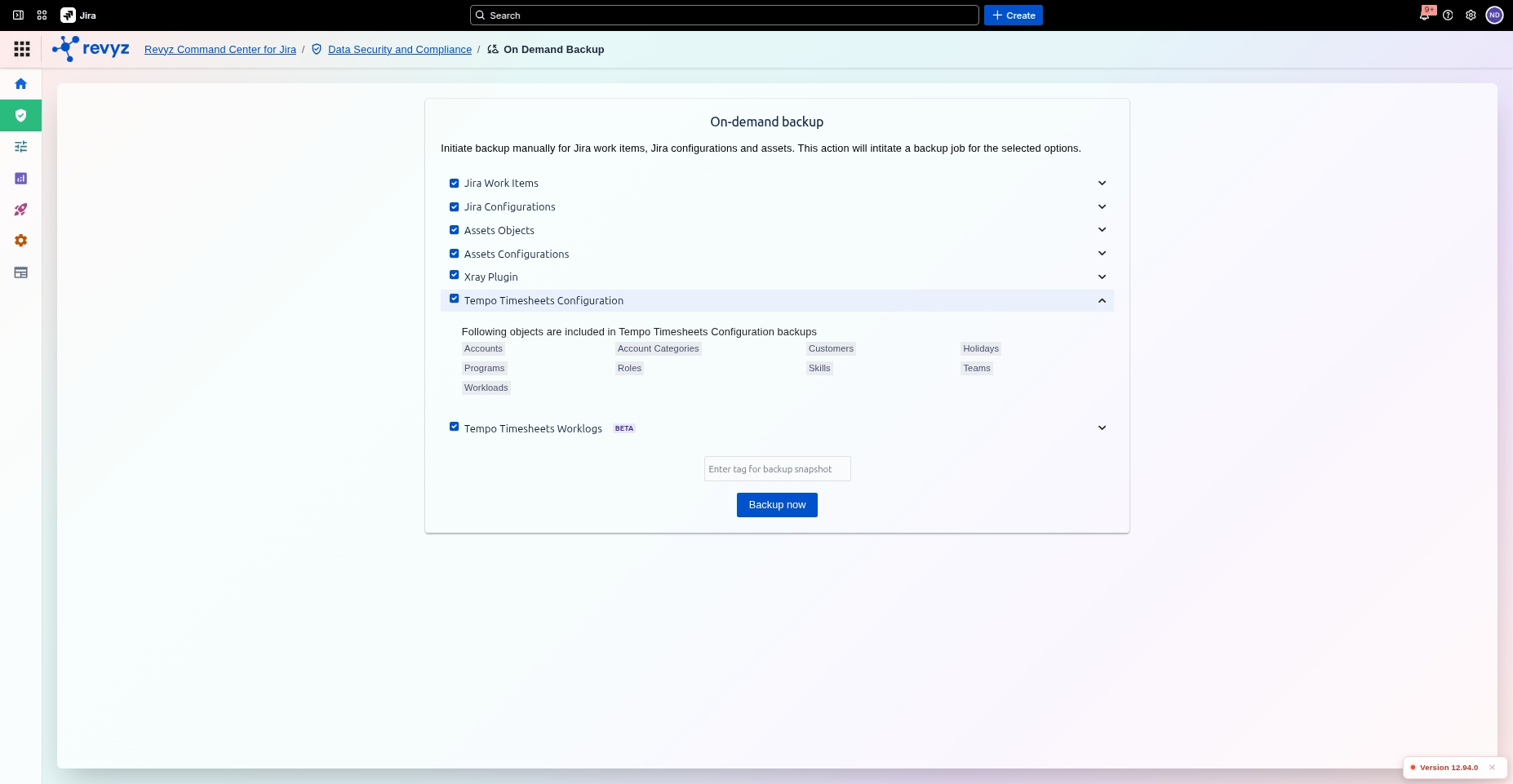
This option allows you to back up data for the Tempo Timesheets Configurations. Ensure that the Tempo API token is set up to enable the on-demand backup.
⚠️ To enable: This option may be disabled by default. If you see a warning icon and a "click here" link, you must follow the link and complete the required configuration steps before you can include Tempo data in your backups.
What items are included in the Tempo Time Sheets Configurations?
The Tempo Timesheets Configuration backup option allows administrators to capture the administrative framework of their Tempo environment.
How to Initiate a Backup?
-
Select Components: Check the boxes next to each data type you wish to include in the backup. Tag Your Backup (Recommended): In the text field labeled
Enter tag for backup snapshot, enter a unique and descriptive name for your backup. This will help you easily identify it later.-
Examples:
pre-upgrade-v9.1,eom-backup-oct-2025,before-workflow-cleanup
-
-
Start the Backup: Click the Backup now button.
Once you click Backup now, a backup job will be initiated in the background. You can typically monitor the progress of the job from the main backup or jobs dashboard.