
About this Page
This feature allows you to clone your native Jira automation rules from a backup snapshot. It's designed to capture and preserve all your critical business process automation logic.
What is the Use Case?
Use this to move your automation logic to a new instance during a migration without having to rebuild every rule. It is also essential for restoring your business processes after a site recovery.
This feature is applicable to:
command center for jira config manager for jira
How to Deploy Automation Rules?
Step 1: Define Source Site Details
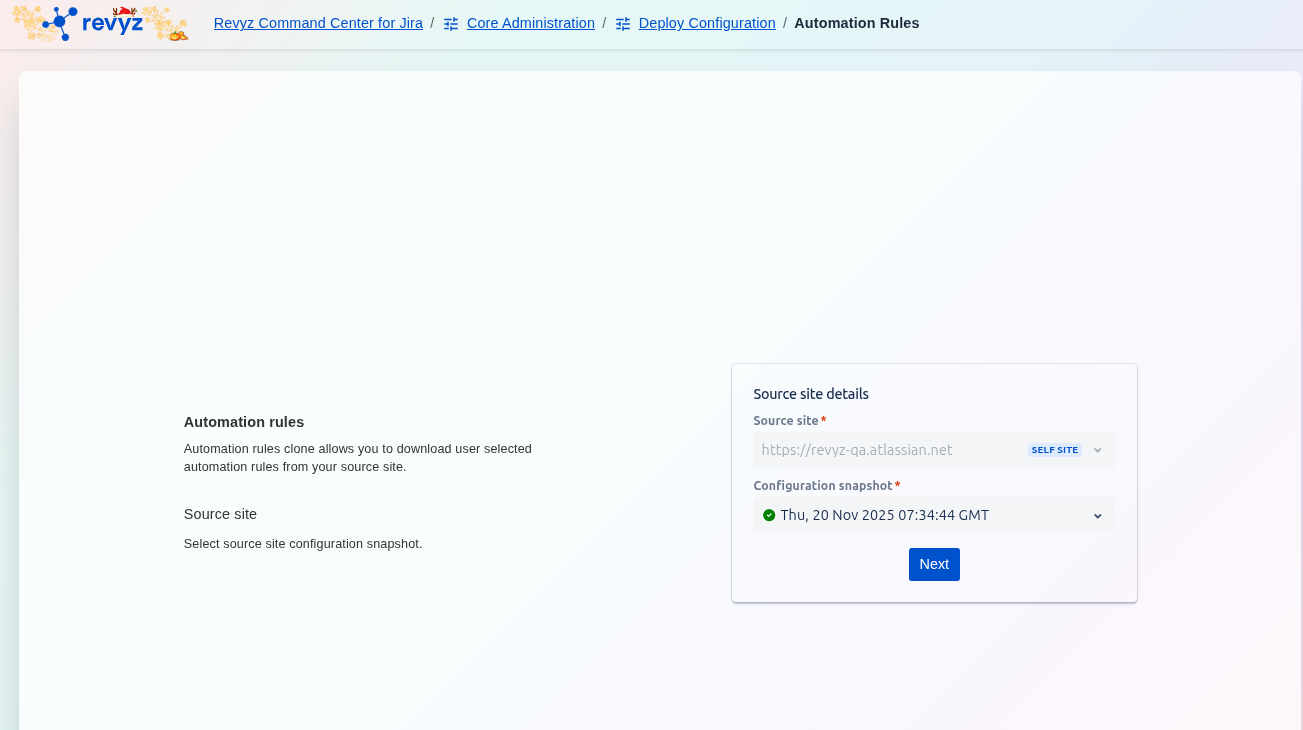
-
On the initial Automation rules screen, select the Source site* containing the rules you want to clone.
-
Choose the Configuration snapshot* that holds the desired automation rules data.
-
Click Next.
Step 2: Filter Automation Rules
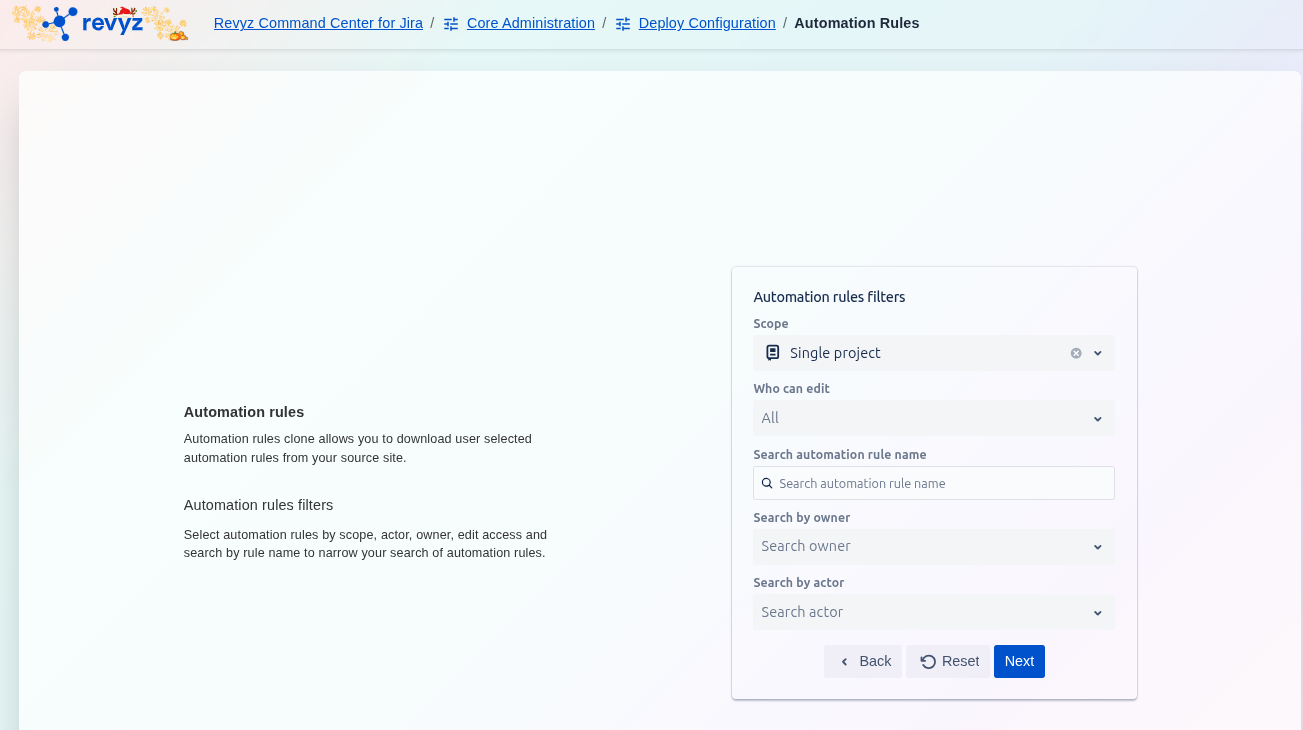
-
Use the Automation rules filters to narrow down the list of rules from the snapshot. You can filter by:
-
Scope (e.g., Single project, Global)
-
Who can edit
-
Search automation rule name
-
Search by owner or Search by actor
-
-
Click Next to proceed to the selection screen. (Alternatively, click Reset to clear all filters.)
Step 3: Select and Review Rules for Export
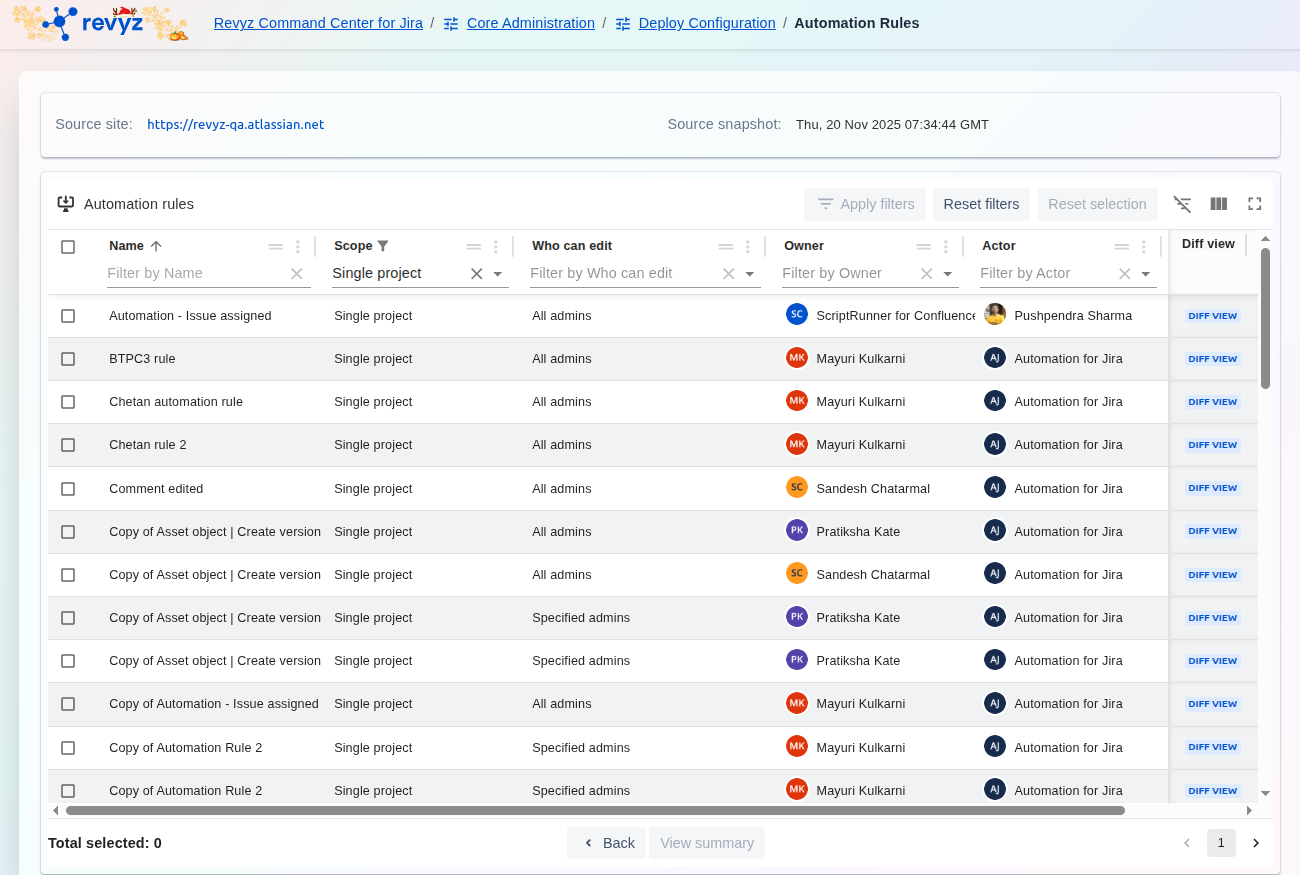
-
Review the filtered list of Automation rules displayed in the table.
-
Use the checkboxes to select the specific rules you wish to download or clone.
-
Optional: Click Diff view to compare any rule against the current live version (if the Diff View button is present).
-
Click View summary (implied action at the bottom of the selection screen) to finalize the selection and proceed with the export or clone process.
Step 4: Select Rules for Comparison
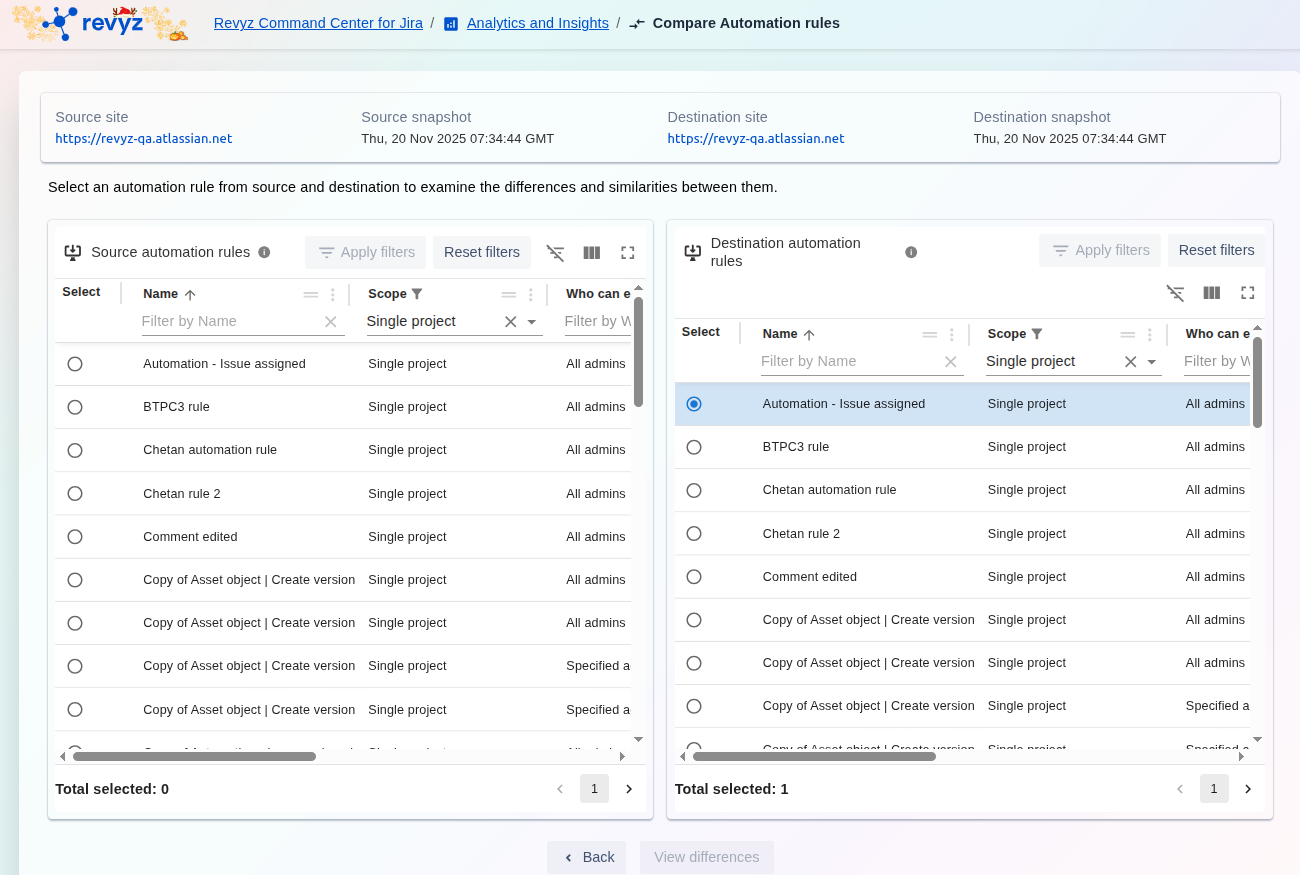
Process 2: Comparing Automation Rules
This process is used to compare the configurations of two specific automation rules across different environments or snapshots (found under the Analytics and Insights section).
-
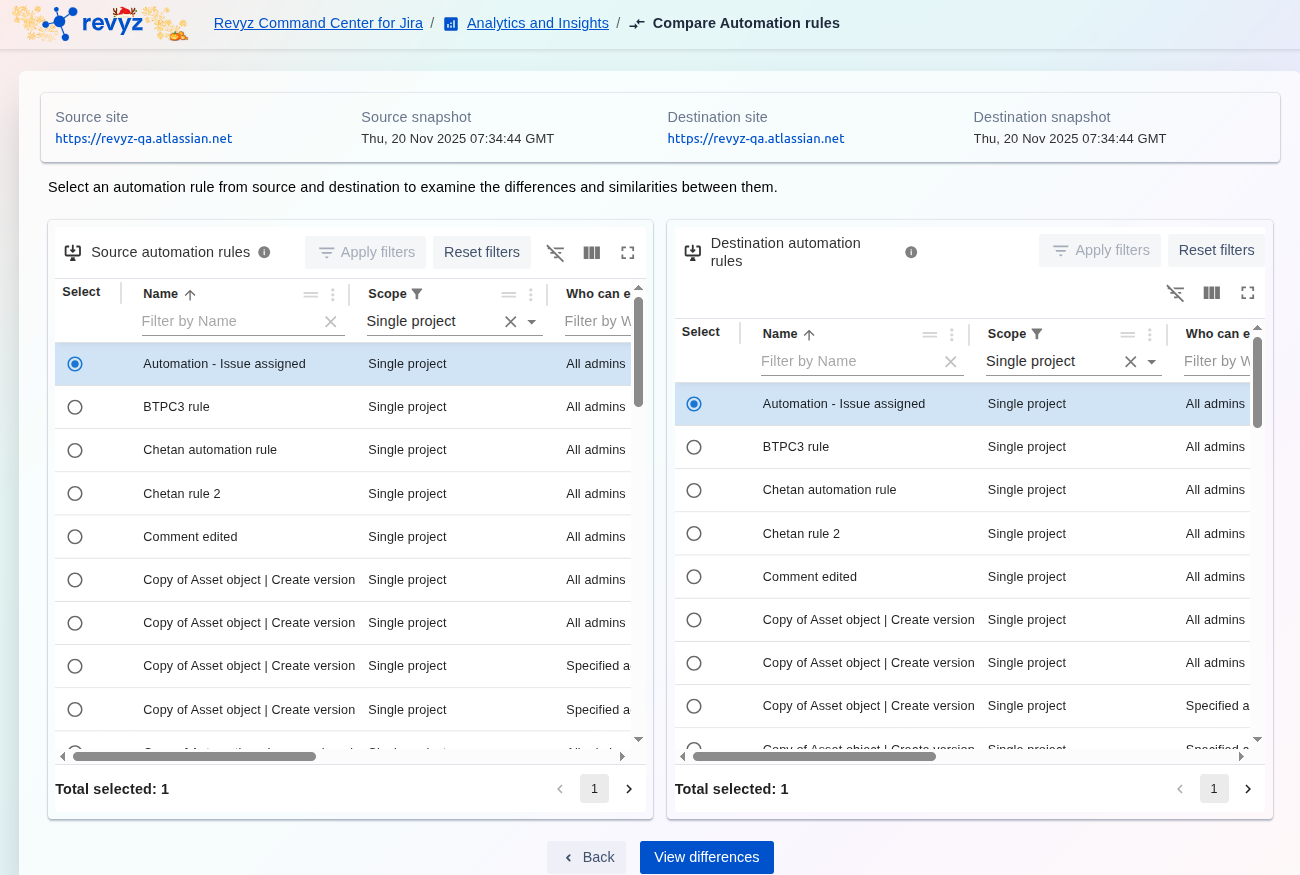
On the Compare Automation rules screen, select one rule from the Source automation rules list and one rule from the Destination automation rules list. The rules are generally paired for comparison (e.g., Automation - Issue assigned on both sides).
-
Verify that Total selected: 1 is shown for both lists.
-
Click View differences.
Step 5: Review High-Level Differences
-
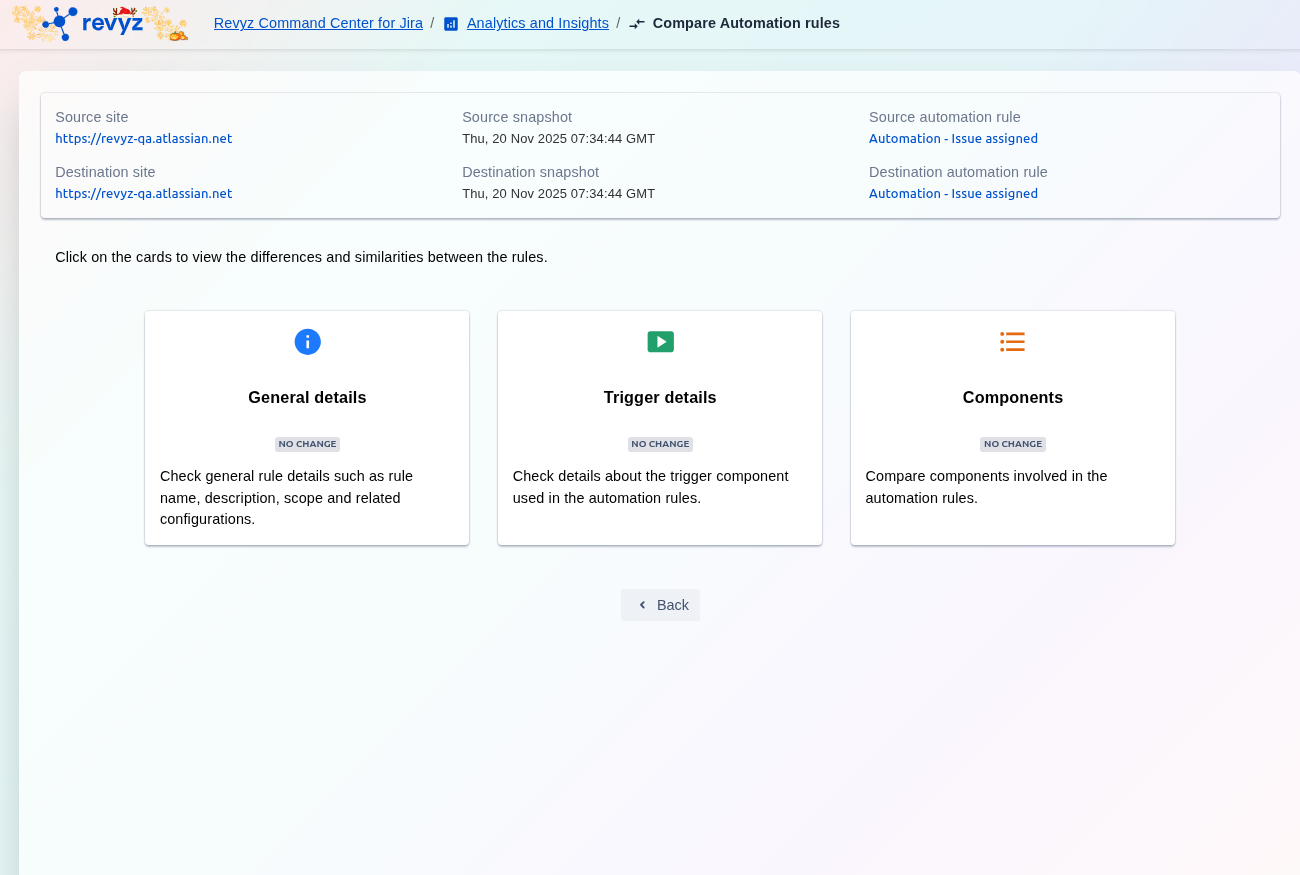
The screen displays three comparison cards summarizing the status of the rules' components:
-
General details: Rule name, description, scope, and related configurations.
-
Trigger details: The trigger component used in the rules.
-
Components: Other components involved (conditions, actions, etc.).
-
-
If a card shows NO CHANGE, the component is identical in both rules.
-
Click on any card to view the specific, detailed differences (e.g., clicking Trigger details).
Step 6: Analyze Detailed Differences (Trigger or General Details)
-
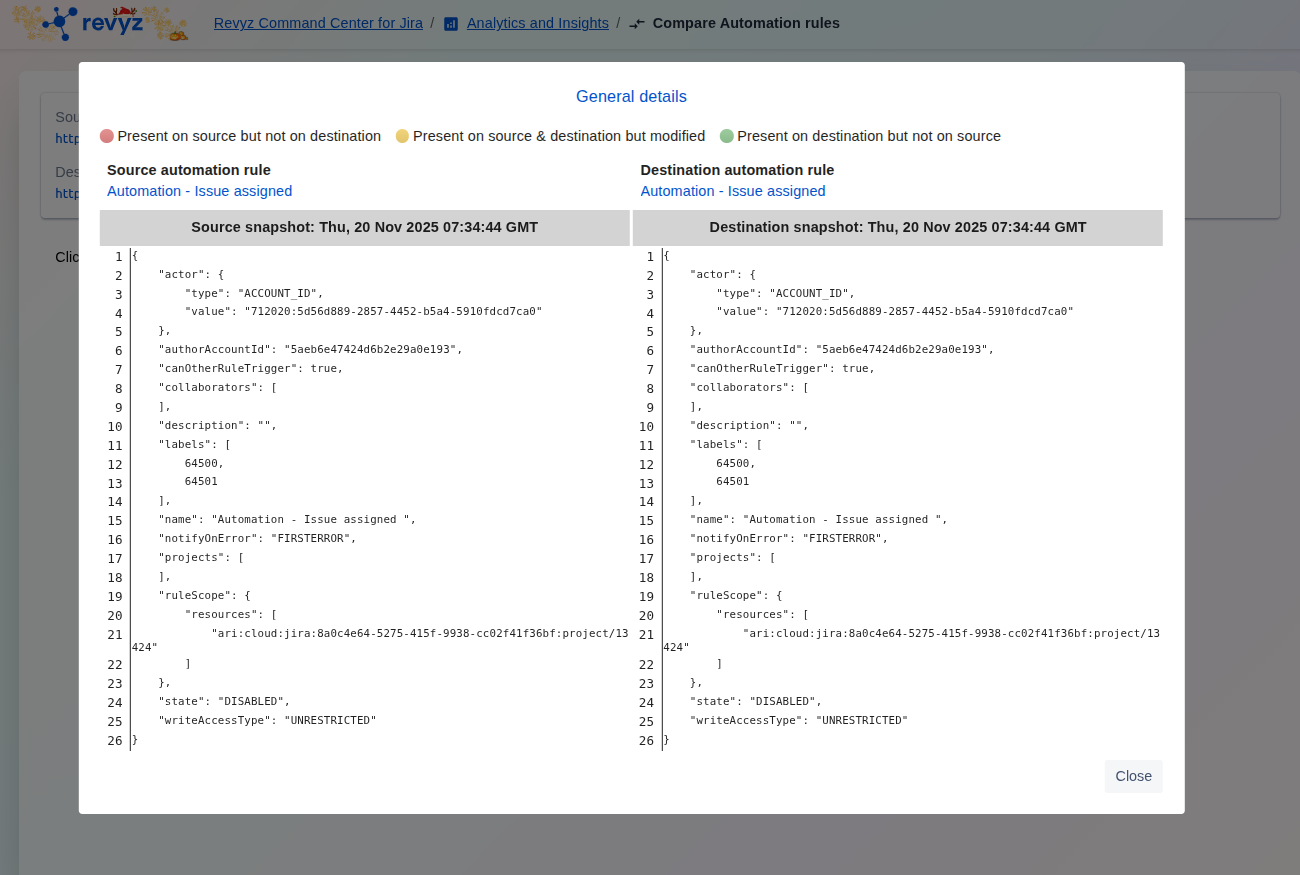
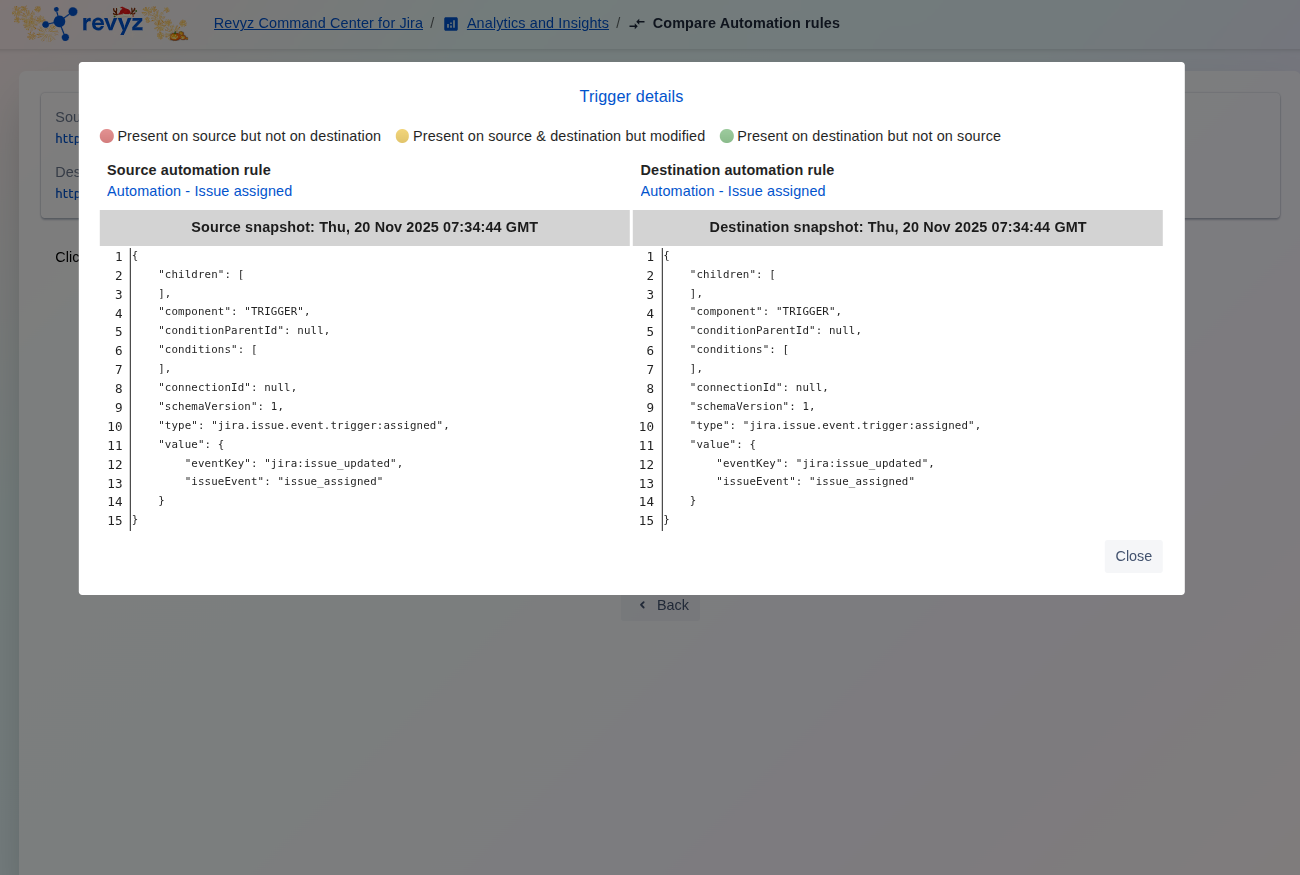
Clicking a card (e.g., General details or Trigger details) opens a side-by-side view showing the raw JSON configuration of that component for both the source and destination rules.
-
Review the color-coded highlights to identify differences:
-
Red: Present on source but not on destination (or modified).
-
Yellow: Present on source and destination but modified.
-
-
Click Close to exit the pop-up.
Step 7: Analyze Component Differences (Actions/Conditions)
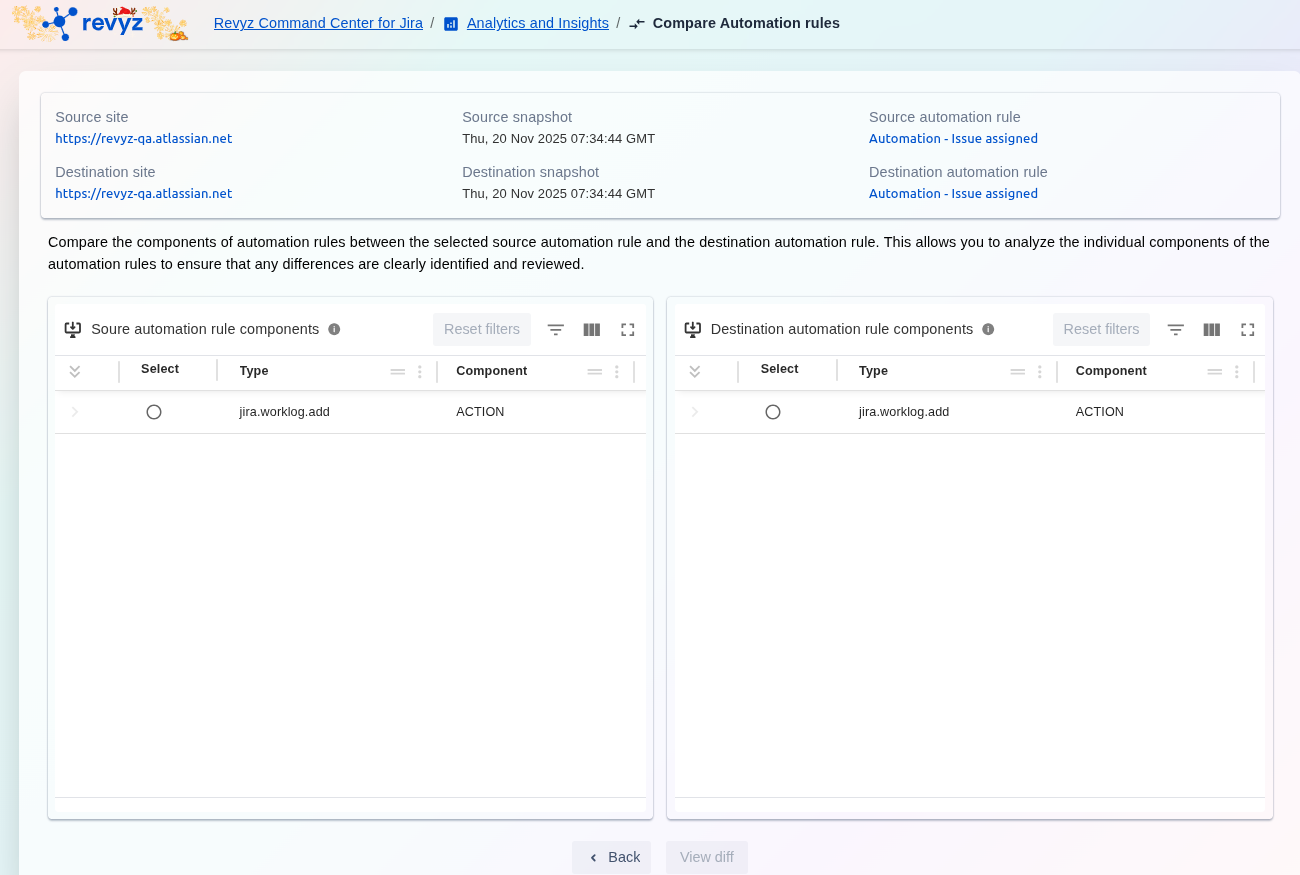
-
Clicking the Components card displays a table comparing the individual action or condition components between the source and destination rules.
-
Select specific components for granular review, if needed, and click View diff (implied button) to see the underlying code differences for that component.
-
Click Back to return to the high-level summary cards.
Step 8: Export Rules
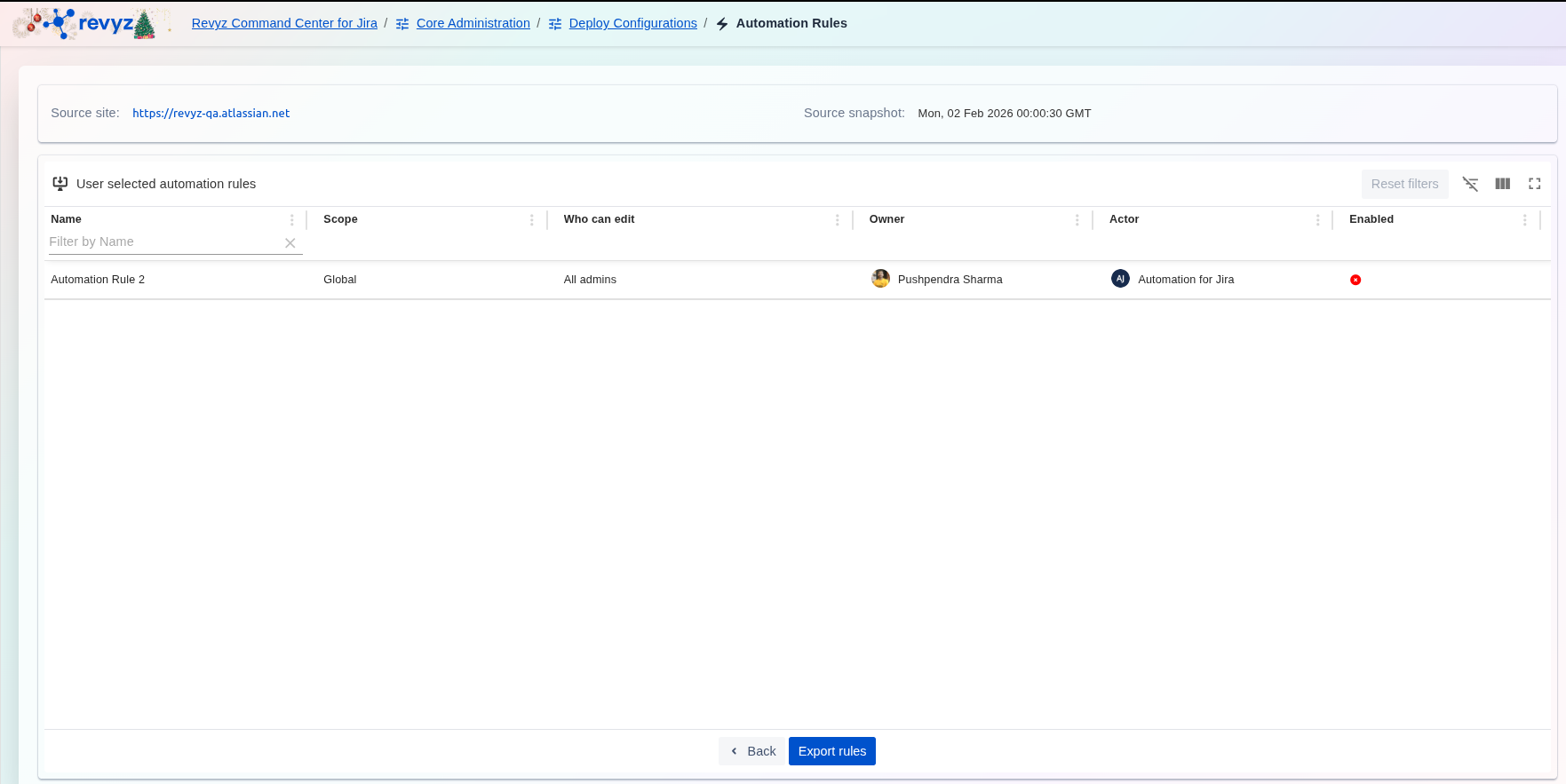
After reviewing the differences, click on “Export Rules”.
Step 9: Check Revyz Jobs
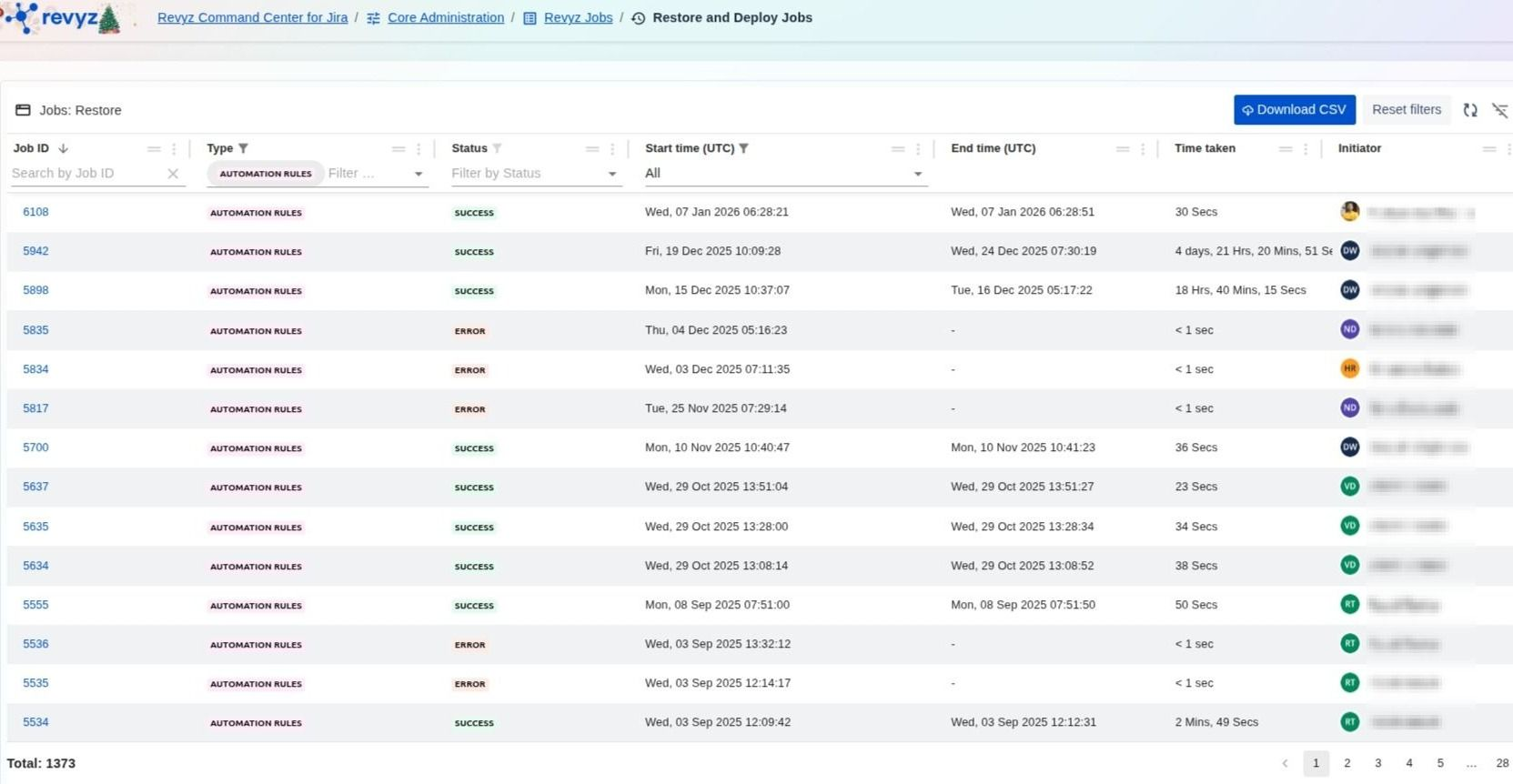
Triggered job will be shown on “Jobs” page. Select the relevant job ID.
Step 10: Download Export Rules
-
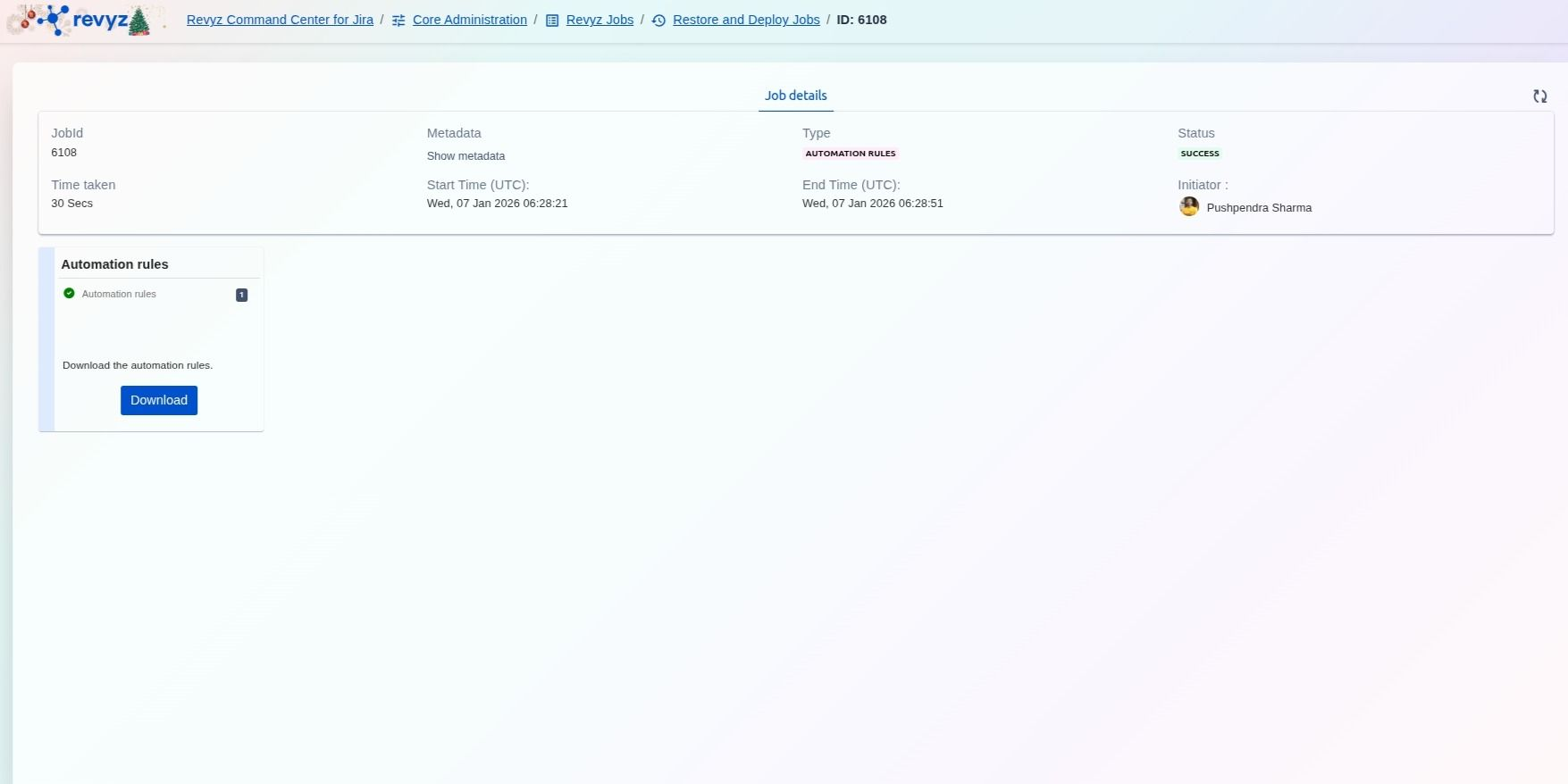
-
Job Status will transition from “Action Required” to “Success”. To download selected automation rules, Click on Download button which will give selected rule details in JSON format.
-
Confirm prompt message & again click on “Download“
How to upload the JSON file to the Jira site?
Step 1: Go to Settings
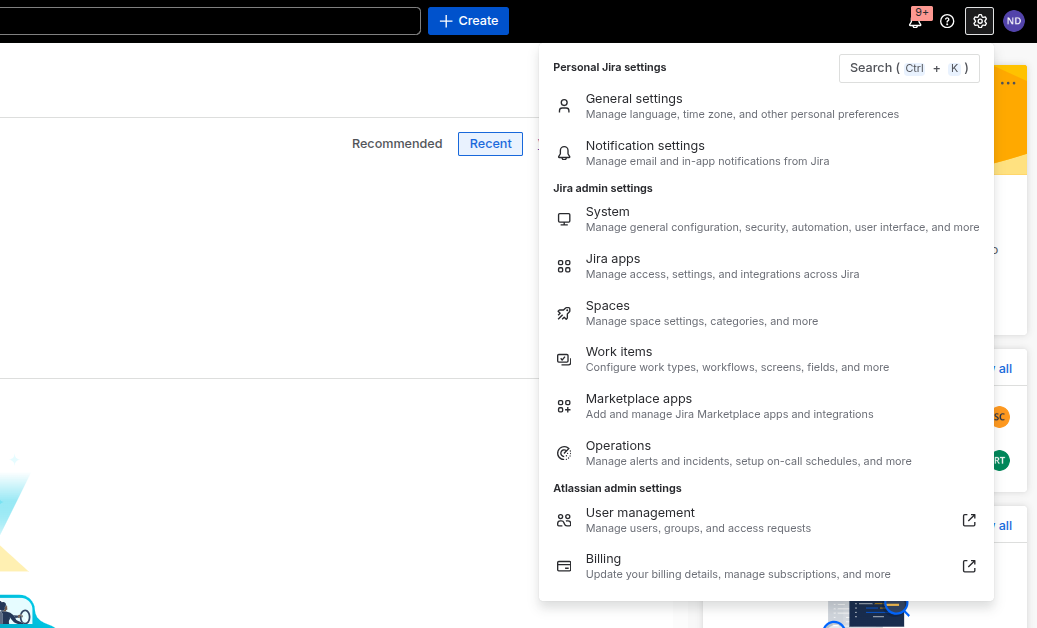
Login to your Jira site and click on Settings on the right navbar and Select “System”.
Step 2: Select relevant rule
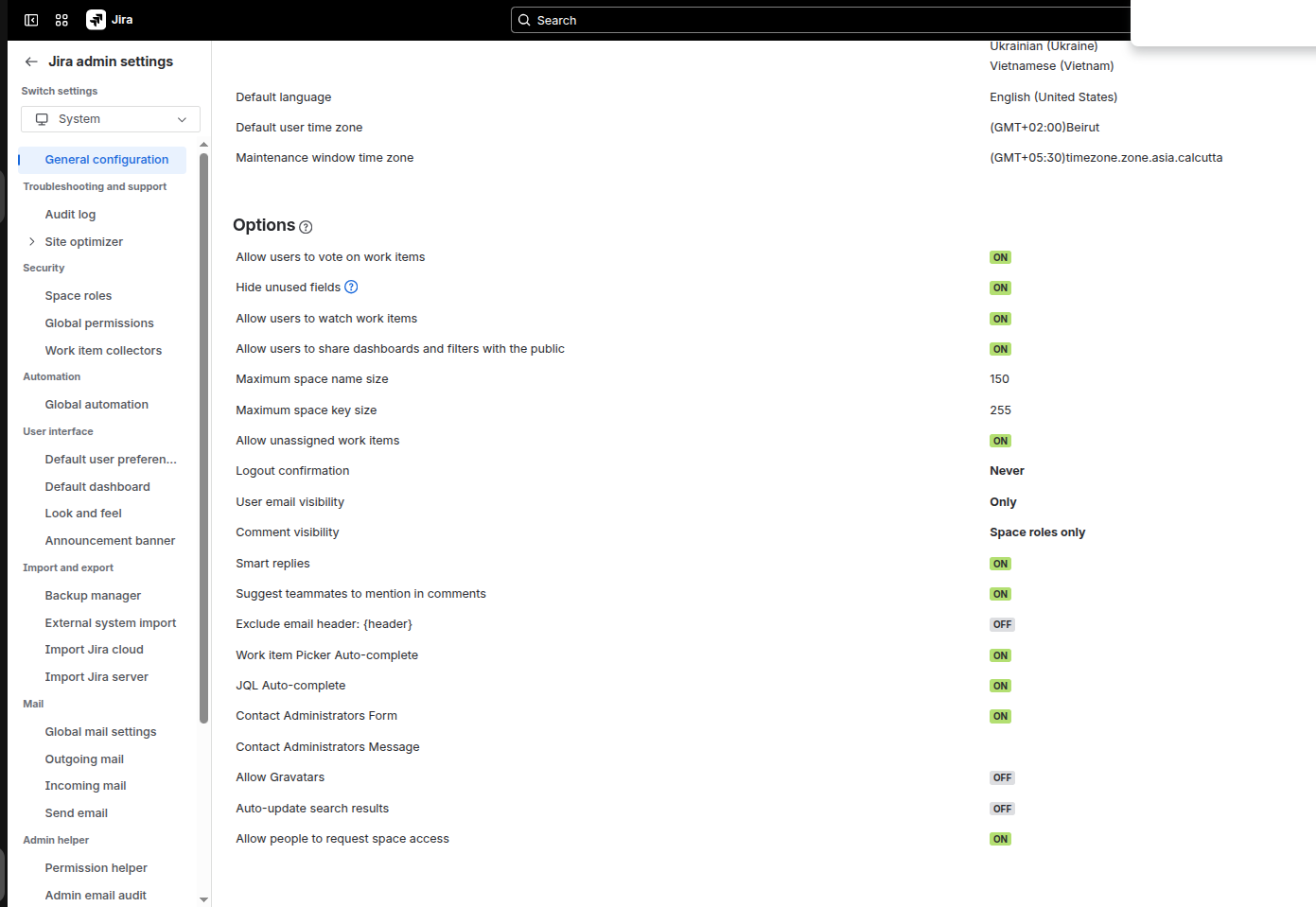
Click on “Global Automation”.
Step 3: Click on Import Rules
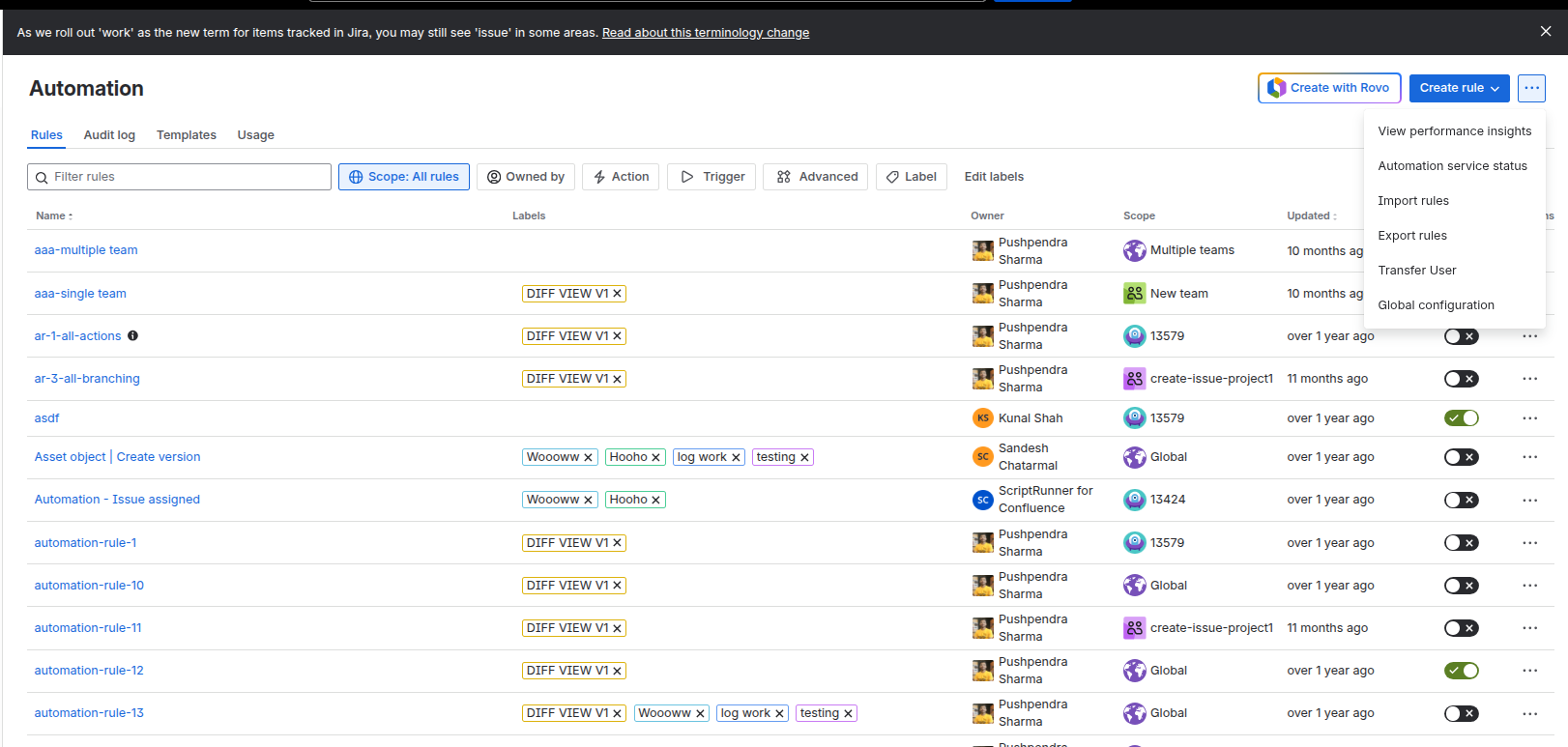
Click on the three dots on the right hand corner and select “Import Rules”
Step 4: Upload the JSON file
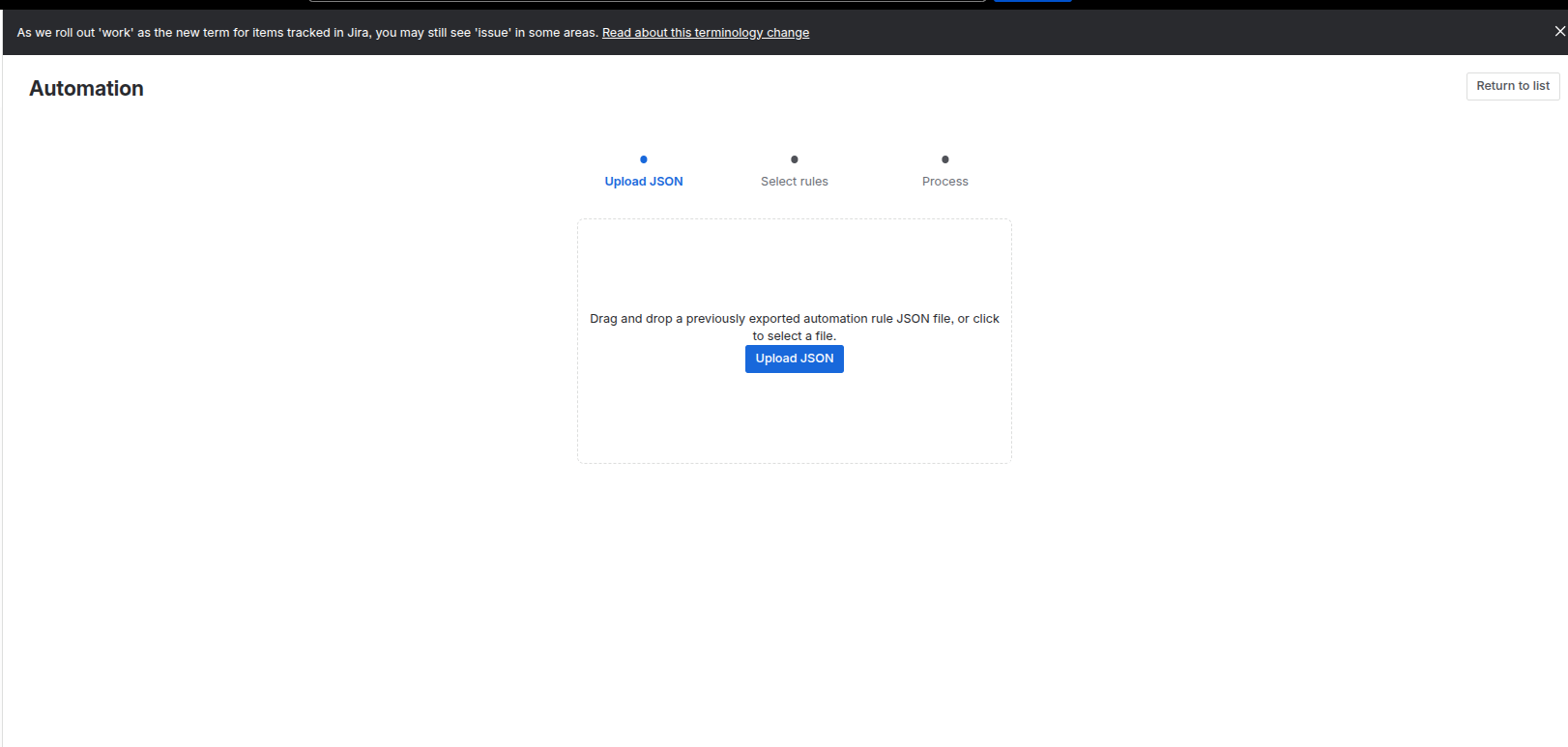
Upload the downloaded JSON file.
Note: Once the upload is complete, it is essential to review your configuration settings to ensure the environment is fully operational.
If you have performed a cross-site deployment, pay close attention to mapping and connectivity settings, as some parameters may require manual adjustment to align with the new site's environment.