
Skip table of contents

Revyz Jobs

About this Page

This is the central dashboard for monitoring all background tasks and operations running within the Revyz application. It categorizes all running and completed jobs by their function, such as backups, restores, and administrative tasks.

What is the Use Case?

Use this dashboard to check the real-time status of any active job (like a backup or restore), review the history of completed tasks, and access detailed logs for troubleshooting or validation.

Note:

Check the product tags on the respective pages to see which features are relevant to your product.
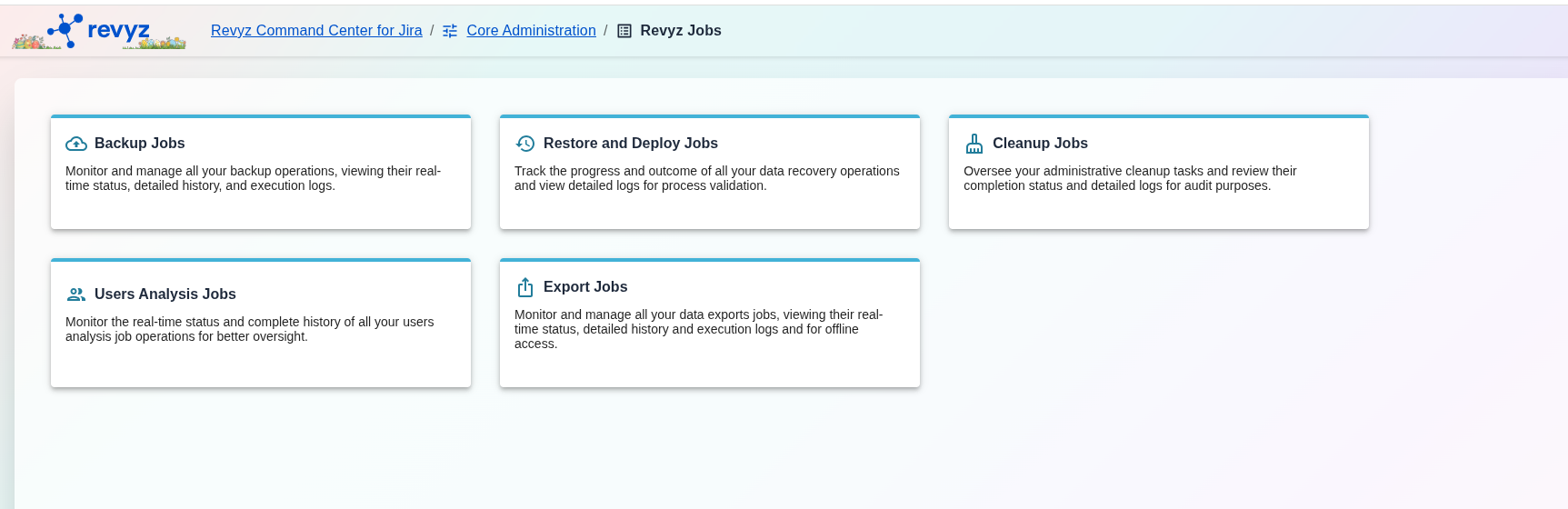
image-20251023-035756.png

Revyz Jobs

Dashboard

The "Revyz Jobs" dashboard is divided into the following categories:

1. Backup Jobs

Monitor and manage all your backup operations, viewing their status, history, and detailed logs. Click here to verify that your scheduled or on-demand backups have completed successfully, are still in progress, or have failed. The logs provide details for any troubleshooting.

To view details, refer: https://support.revyz.io/revyz-data-manager/backup-jobs

2. Restore Jobs

Track the progress and outcome of all your data recovery operations and view logs for validation. This is where you go to monitor an active restore (e.g., for a project, or a single issue) and to get confirmation and logs after the restore is complete.

To view details, refer: https://support.revyz.io/revyz-data-manager/restore-jobs

3. Cleanup Jobs

The Cleanup Jobs dashboard is the central audit log for all bulk deletion operations. It tracks every job initiated from the Site Optimization section (like deleting projects, filters, or roles) and records its status and who performed the action.

To view details, refer: https://support.revyz.io/revyz-data-manager/cleanup-jobs

4. Users Analysis Jobs

The Users Analysis Jobs dashboard is the central audit log for all user analysis tasks. It tracks every job run to analyze your user base (e.g., finding inactive users or licensing details), recording its status and who initiated it.

To view details, refer: https://support.revyz.io/revyz-data-manager/user-analysis-jobs

JavaScript errors detected

Please note, these errors can depend on your browser setup.

If this problem persists, please contact our support.