
About this Page
This page talks about the User Analysis feature, which allows you to generate comprehensive reports on user activity across your Atlassian products. You must first export a specific user list from Atlassian and then upload it here for analysis.
What is the use case?
Use this to maintain a healthy instance by identifying inactive accounts, optimizing license costs, and improving overall instance security. It helps you see who has access to what and who hasn't logged in recently.
This feature is applicable to:
command center for jira config manager for jira *Advanced
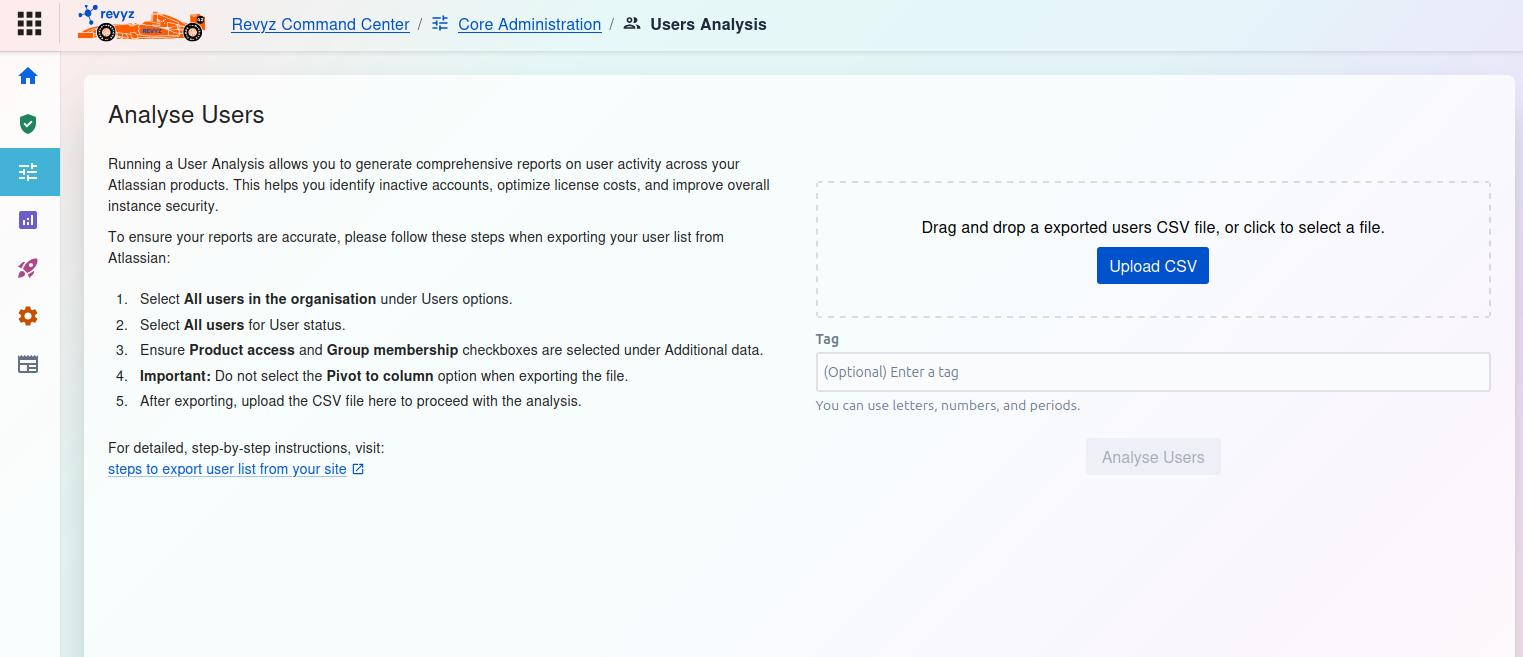
How to Analyse Users
This page allows you to upload a user list exported from your Atlassian organization to generate a detailed analysis report.
Prerequisites: Exporting Your User List
To ensure your reports are accurate, you must follow these specific steps when exporting your user list from Atlassian:
-
Select All users in the organisation under Users options.
-
Select All users for User status.
-
Ensure Product access and Group membership checkboxes are selected under Additional data.
-
Important: Do not select the Pivot to column option when exporting the file.
-
After exporting, upload the CSV file here to proceed with the analysis.
For detailed, step-by-step instructions, visit: steps to export user list from your site
How to Upload and Run Analysis