
About this Page
This page talks about Config Dependency Analysis feature, a historical audit log that specifically tracks all deleted Jira issues (work items), Assets, Xray, or Tempo configurations. It provides a centralized view of what was deleted, when, and by whom, with a quick restore option for easy recovery.
What is the use case?
Use this to quickly find and restore individual issues that were accidentally deleted, without needing to search through entire backup snapshots. It is also a critical audit tool for security and compliance.
Config Dependency Analysis Dashboard
Note:
Check the product tags in the respective sections to see which features are relevant to your product.
This page allows you to analyze the dependencies for all major parts of your configuration, which are organized into tabs.
To begin, you first select the configuration area you want to investigate (e.g., Jira, Assets, etc.). Then, you must select a specific backup snapshot to use as the data source for the analysis.
You can switch between different configuration areas:
1. Jira configurations
This feature is applicable to:
command center for jira config manager for jira
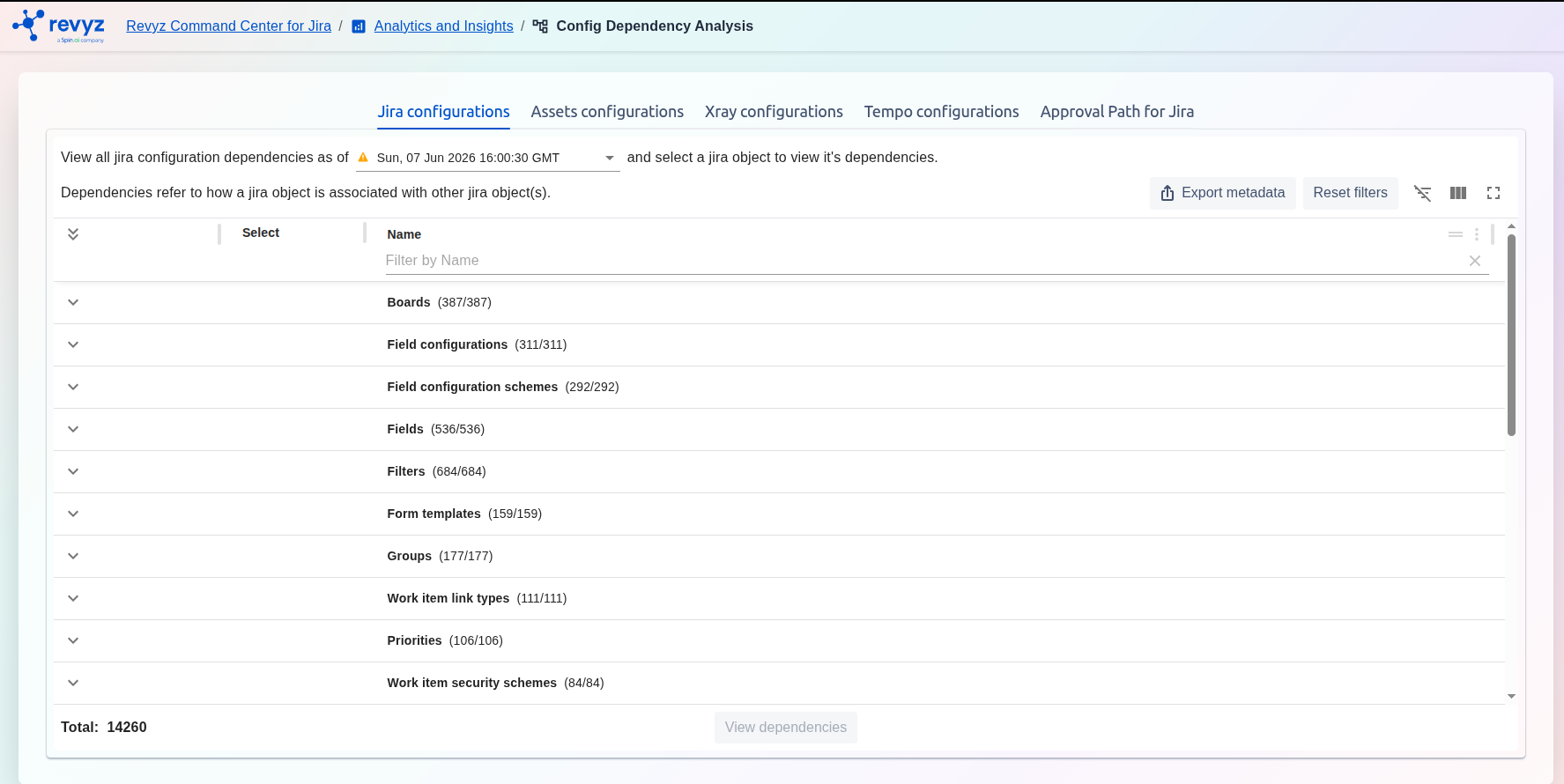
Configurations Dependency Analysis feature allows you to analyze dependencies for core Jira items like Boards, Field configurations, Fields, Groups, Workflows, etc. Dependencies refer to how a jira object is associated with other Jira object(s).
Newly introduced: Field Schemes
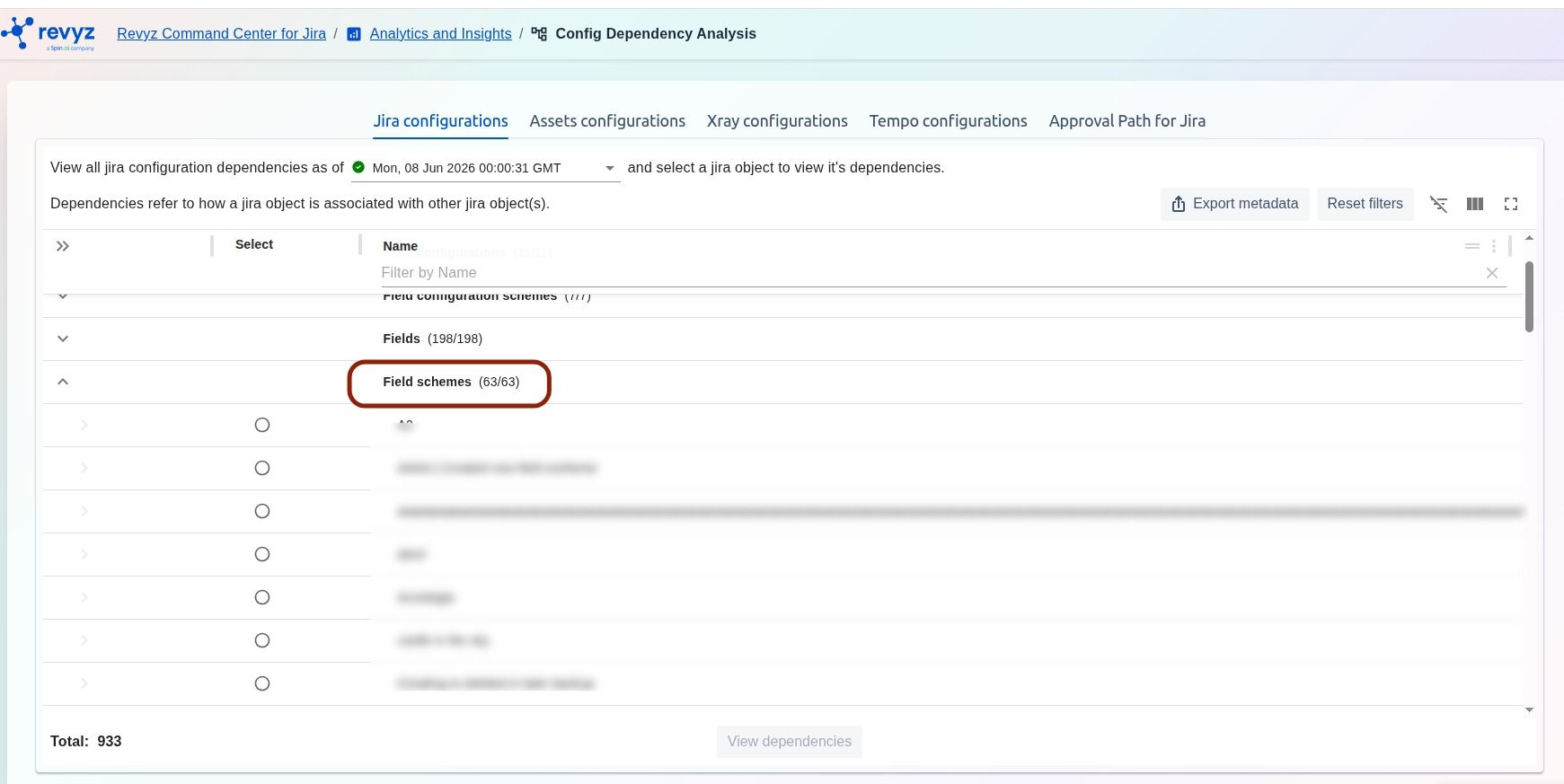
Configuration Dependency Analysis for Field Scheme.
This is useful before deleting or changing a scheme, so you can see what it affects. Review what this field scheme affects before making changes or deleting it.
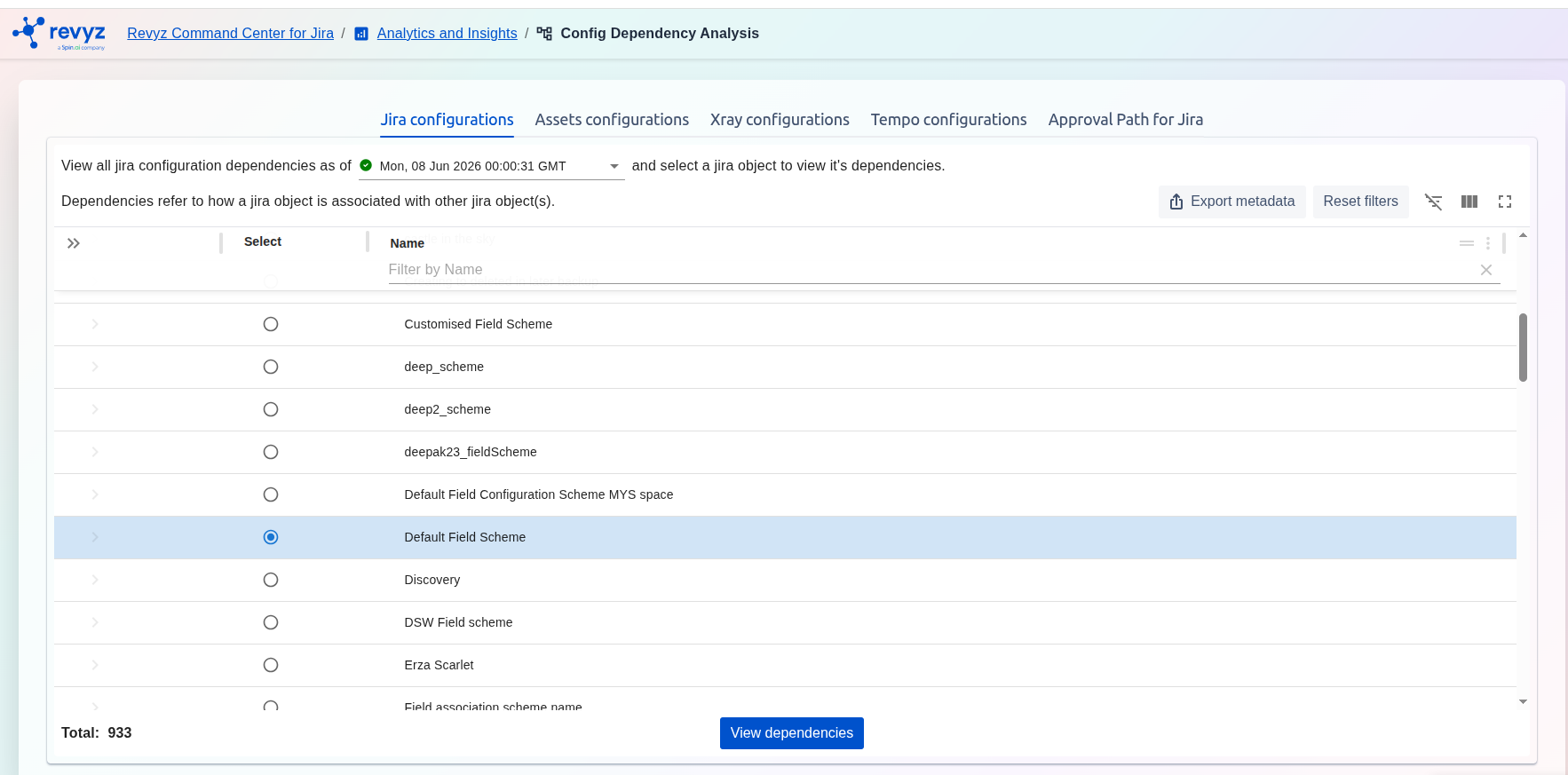
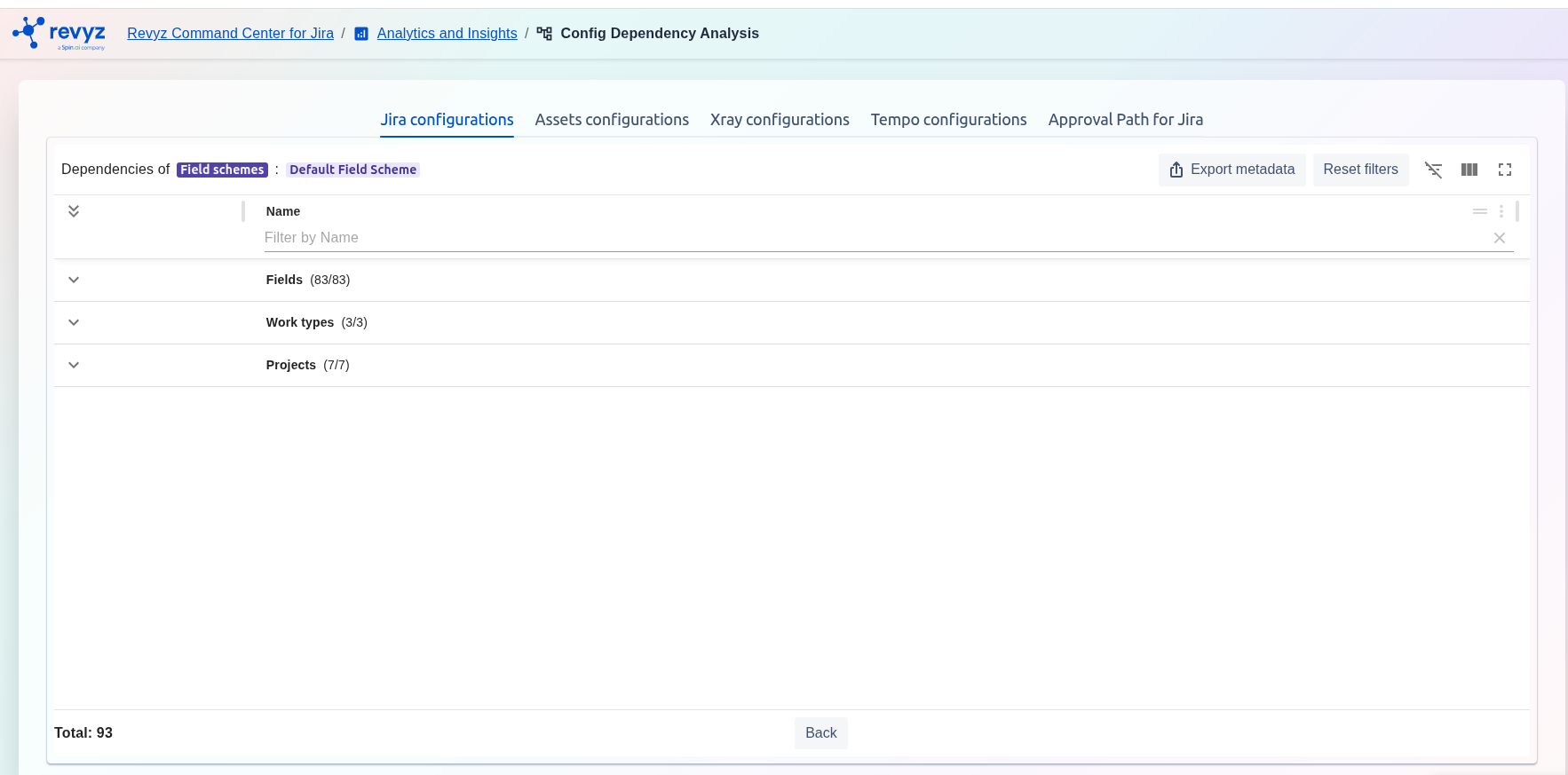
Selecting View Dependencies displays dependencies related to:
-
Fields
-
Work types
-
Spaces
Reports can be exported as CSV or PDF.
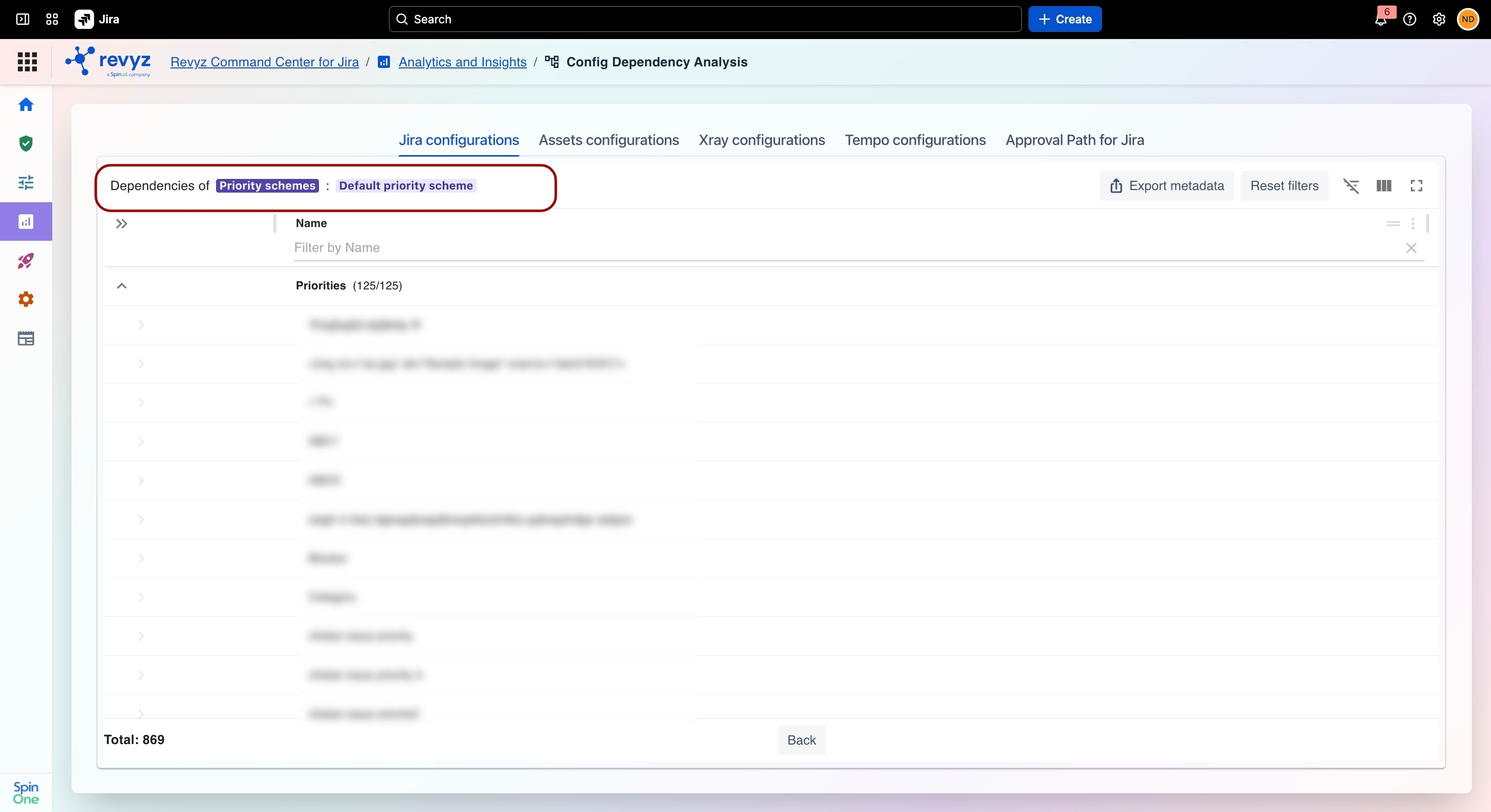
Newly introduced: Priority Schemes
Analyzing a Priority Scheme maps all linked priorities and dependent Jira objects to help you assess impact before making configuration changes, migrations, or deployments.
2. Assets configurations
This feature is applicable to:
command center for jira assets data manager for jira
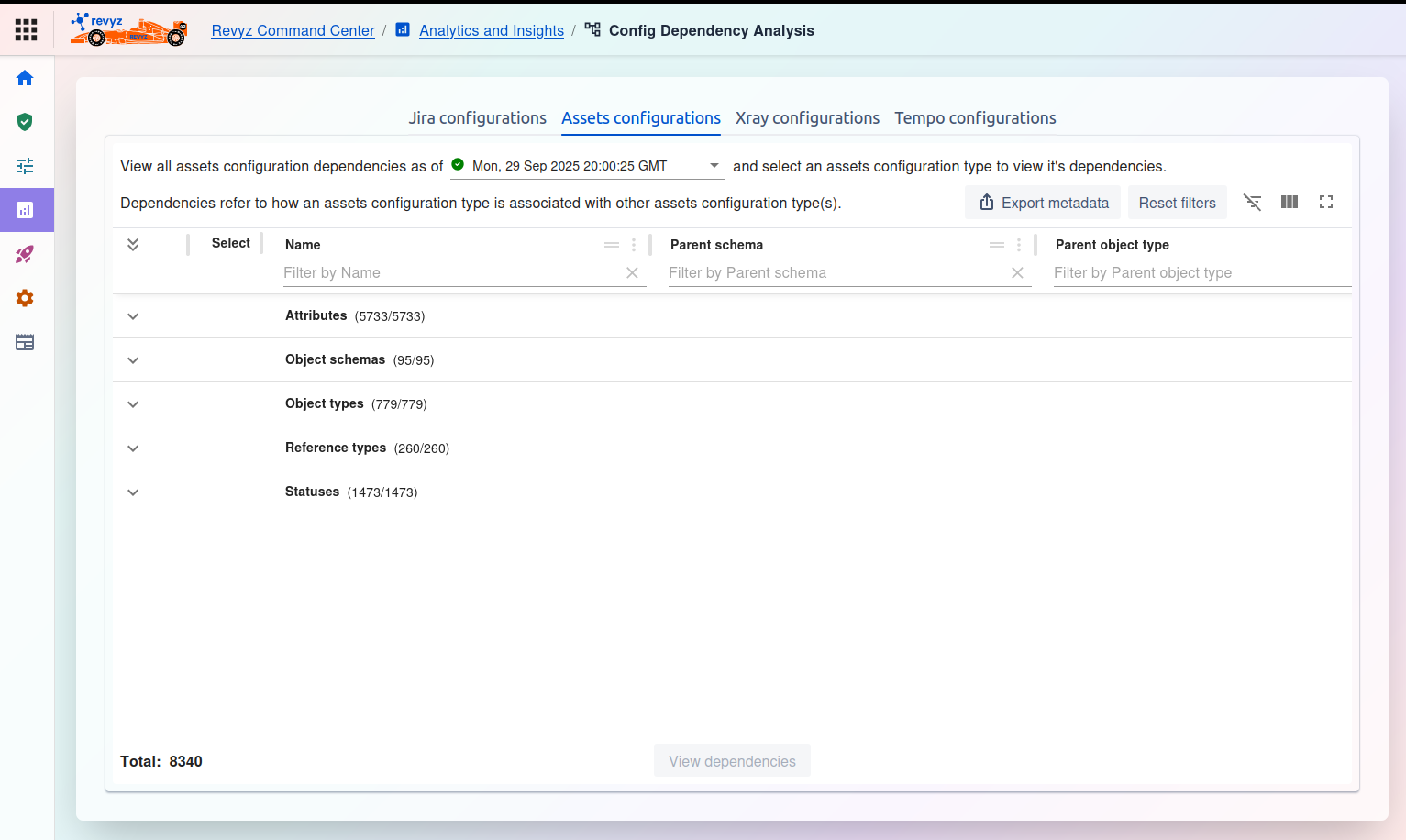
Allows you to analyze dependencies for JSM Assets items, such as Attributes, Object schemas, Object types, and Statuses.
3. XRay Configurations
This feature is applicable to:
command center for jira
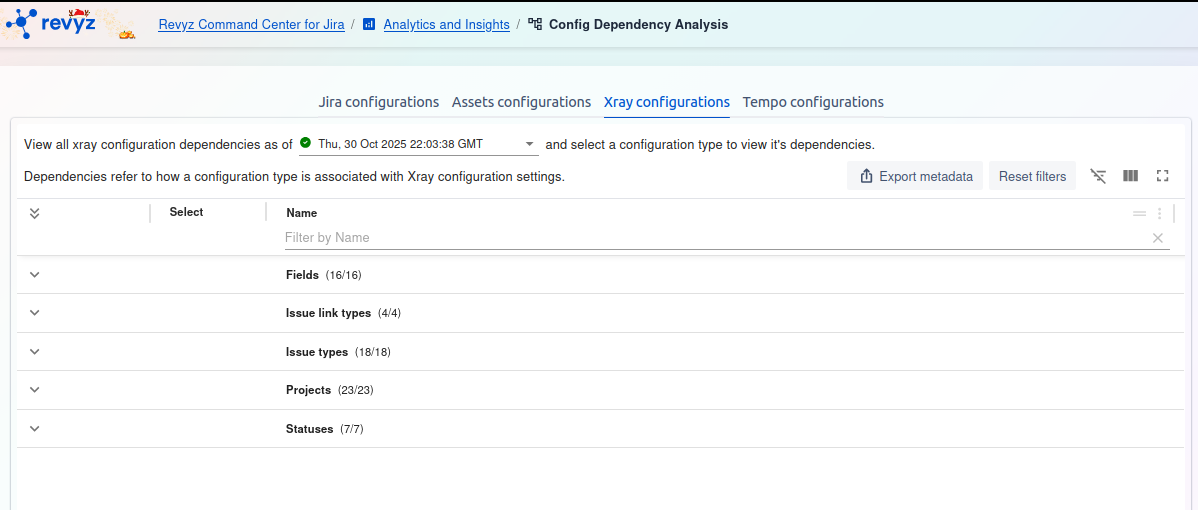
Xray configurations: (As seen in the third screenshot) Allows you to analyze dependencies for Xray Test Management items, including Fields, Issue link types, Projects, and Statuses.
4. Tempo Configurations
This feature is applicable to:
command center for jira config manager for jira
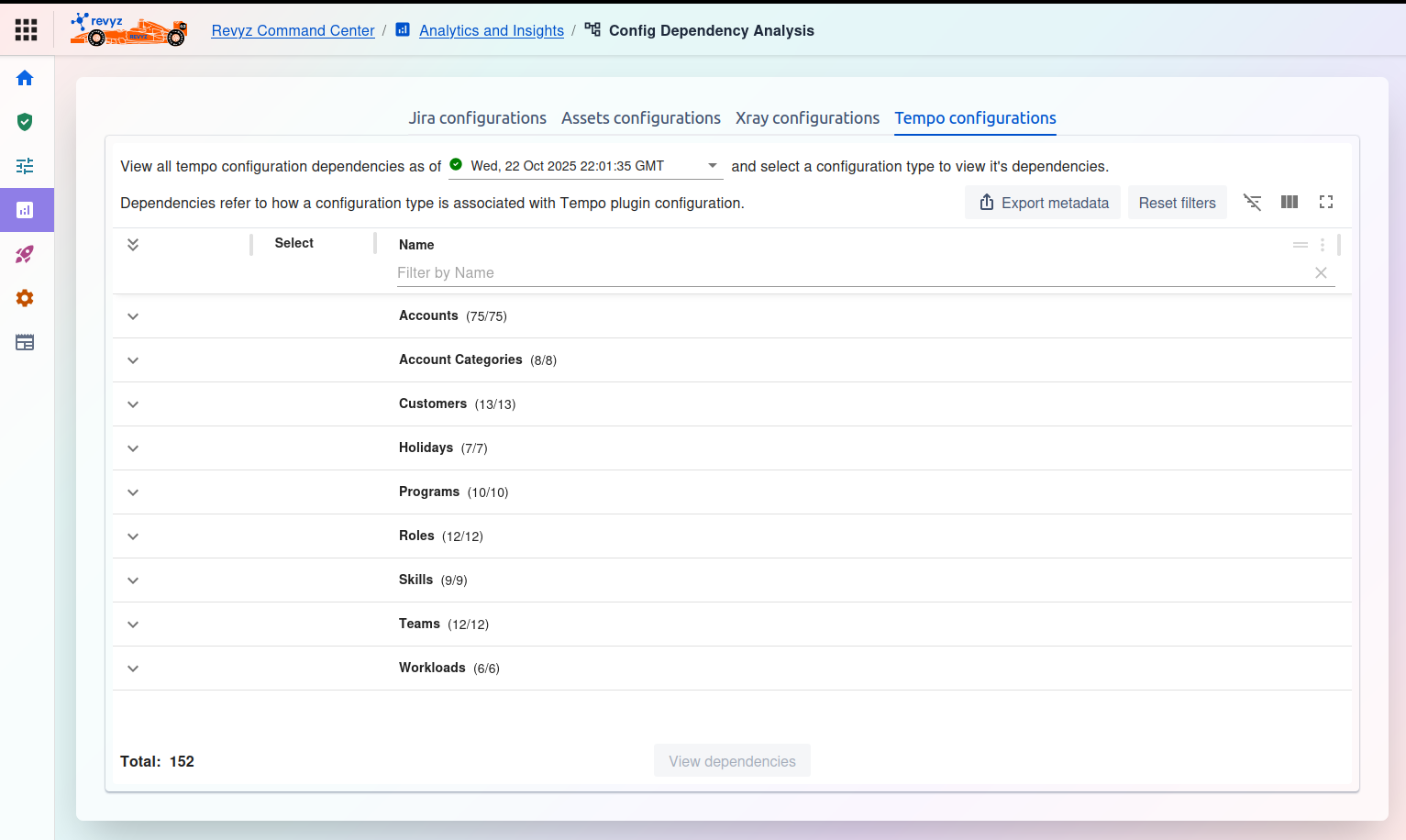
Tempo Configurations: Allows you to analyze dependencies for Tempo items, such as Accounts, Customers, Teams, and Workloads.
2. How to Run an Analysis
3. Common Controls