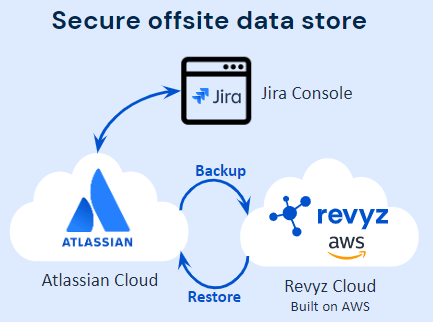
Once the Revyz Data Manager app has been installed in your site, data from your Jira cloud site is automatically backed-up every 24 hours into the secure Revyz cloud data store. The Revyz cloud is built on AWS’s public cloud infrastructure.
Backup - salient points
Data backup frequency
-
The first backup occurs automatically as soon as the app is installed into your Jira cloud site, no additional action is needed.
-
The first backup may take significant amount of time, depending on the number of issues that exist in your site along with the volume of attachment data.
-
-
Subsequent backups are automatically triggered at 12:00 AM UTC following the completion of the first backup.
-
Due to the incremental nature of the backup system, subsequent backups after the first backup are significantly faster as only data that has changed is backed-up
-
Data that is backed up
-
Supported Project types:
-
Jira Software (JSW)
-
Jira Service Management (JSM)
-
Jira Work Management (JWM)
-
Jira Project Discovery (JPD)
-
-
At this point of time we support the following Jira data objects to be backed-up:
-
Issues and associated objects:
-
Issue data
-
Attachments
-
Comments
-
Link
-
Worklogs
-
-
Configuration objects
-
-
Fields
-
Field configuration schemes
-
Field configurations
-
Fields
-
Issue attributes
-
Issue link types
-
Issue priorities
-
Issue security schemes
-
Notification schemes
-
Permission schemes
-
Statuses
-
-
Issue types
-
Issue type schemes
-
Issue types
-
-
Projects
-
Boards
-
Filters
-
Project categories
-
Project components
-
Project features
-
Project versions
-
Project role actors
-
Sprints
-
-
Screens
-
Issue type screen schemes
-
Screen schemes
-
Screens
-
Screen tab
-
Screen tabs fields
-
-
-
Workflows
-
Workflow schemes
-
Workflows
-
Conditions
-
Post functions
-
Transition rules
-
Transition properties
-
Validators
-
-
-
ScriptRunner Premium
-
Script Listeners
-
Scheduled jobs
-
Workflow scripts
-
Behaviours
-
Escalation Service
-
Scripted fields
-
Script Variables
-
Script Fragments
-
Settings
-
-
Xray Plugin Premium
-
Xray files
-
-
Miscellaneous
-
Automation rules
-
Issue link types
-
-
JSM Configurations
-
Request types
-
Form templates
-
-
More data objects being supported over the course of time - Please open a support ticket if you see something missing that you need ASAP
Data retention
Your backup data is retained for up to a period of 3 years
On demand backups
As an administrator you can trigger an on-demand backup at any point of time and also select what you would like to backup i.e. Jira issues data or Jira configuration data which includes Automation rules, Assets configurations & Assets objects or all of them.
On demand backups can be triggered from the “Backup” menu page
-
Backup Reports
-
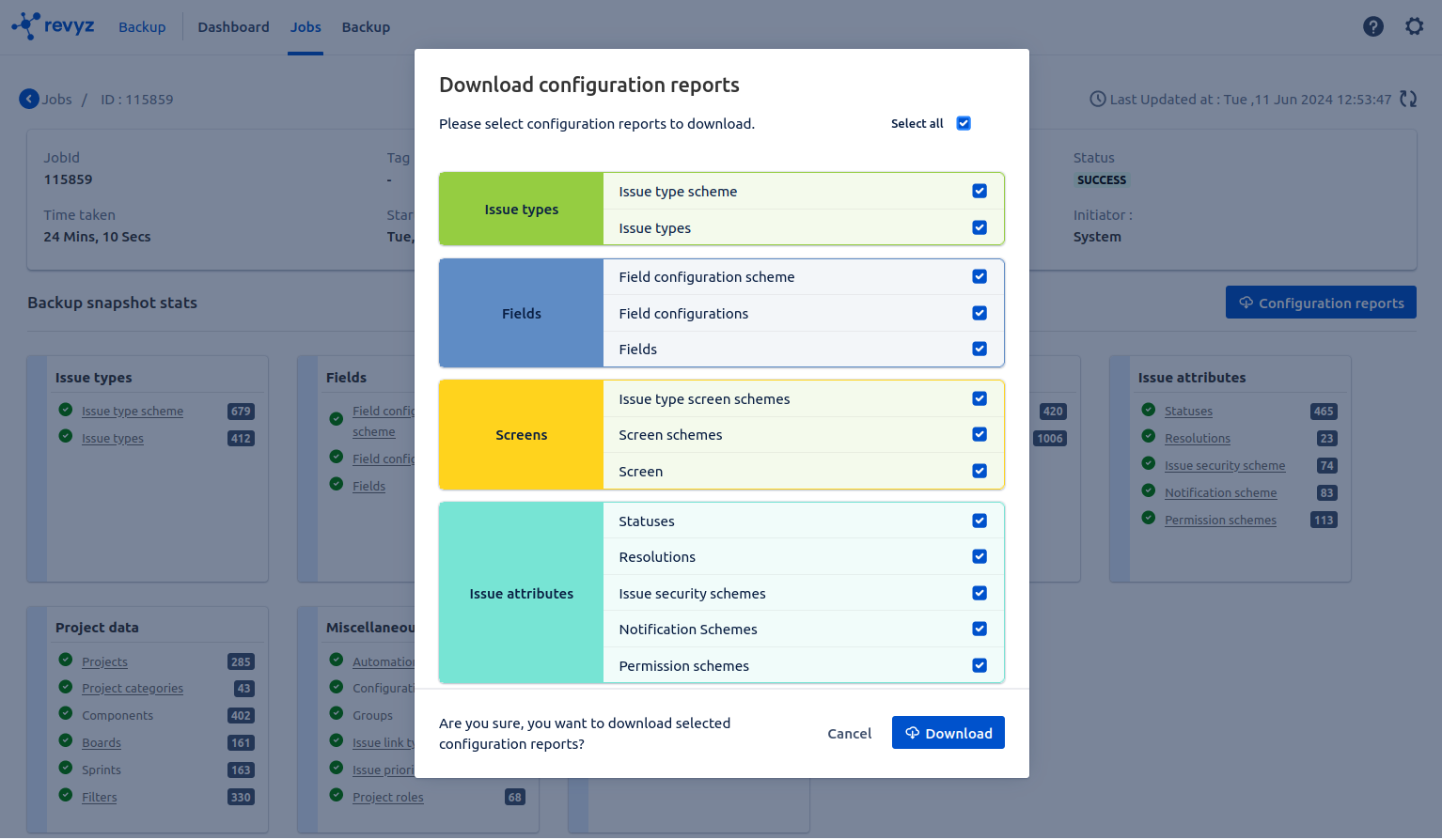
Now you can download backup configuration data reports in CSV format
-
-
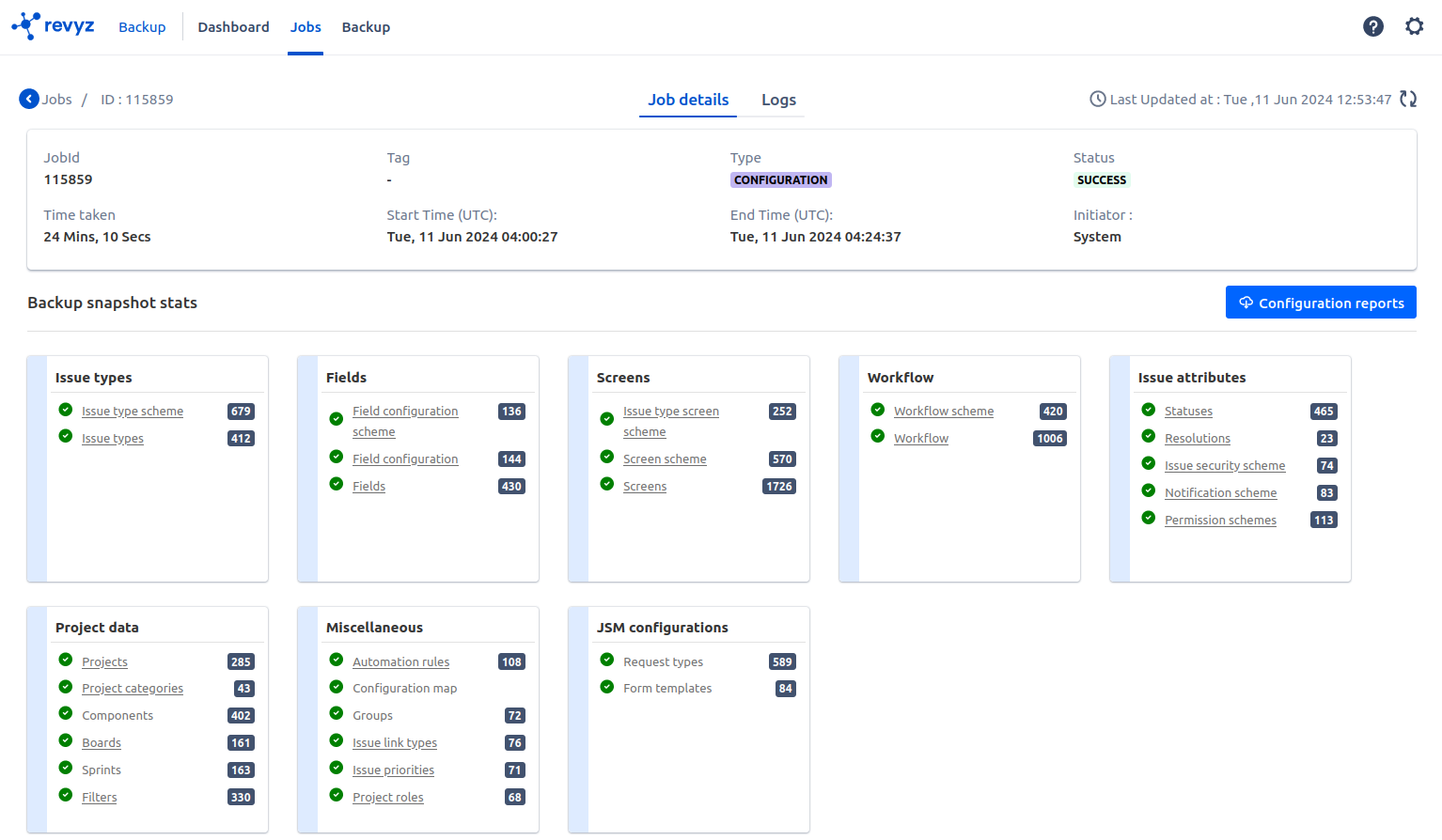
Jira Configurations report - Click on Configurations reports & select the objects for downloading the data
-
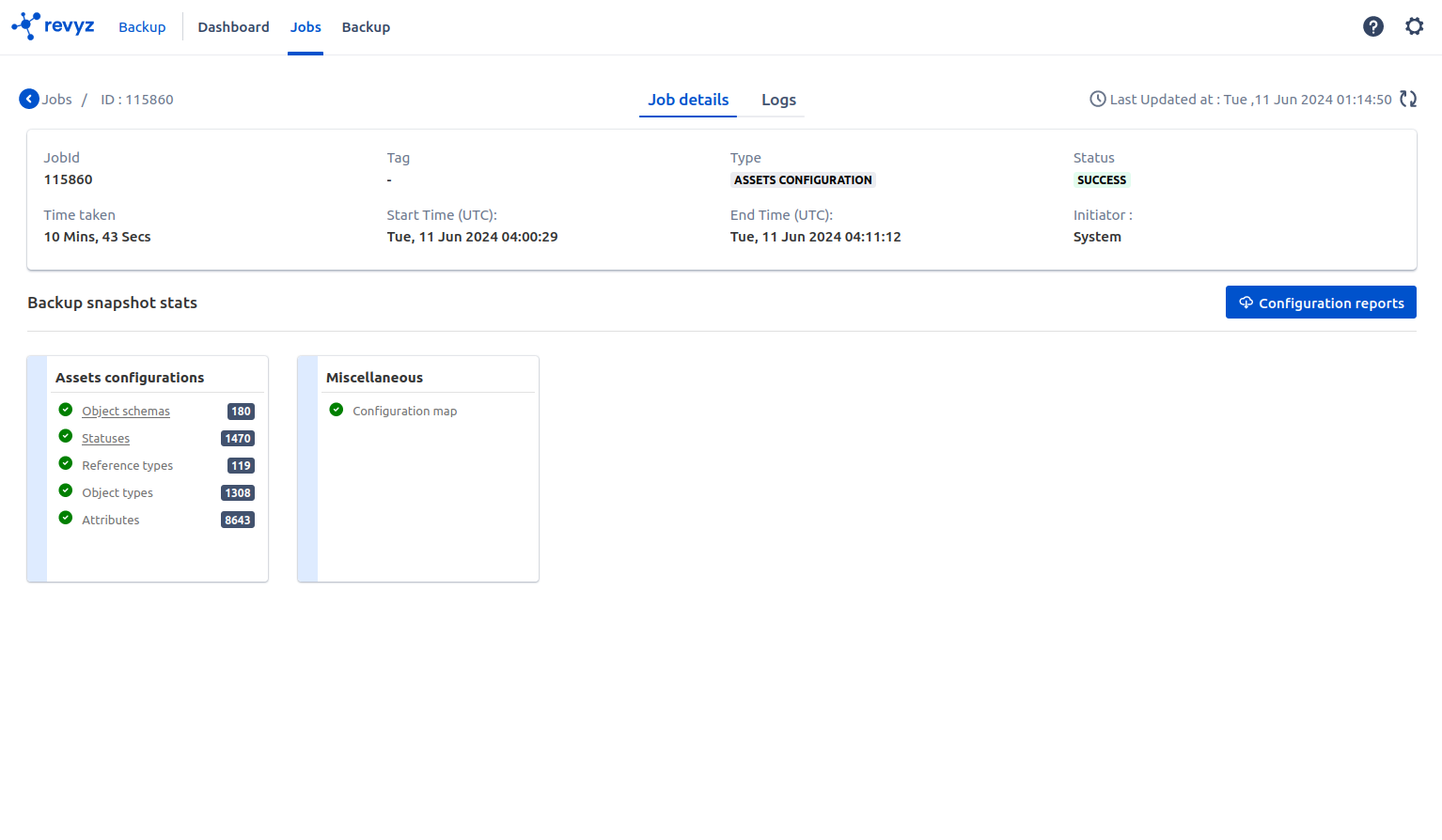
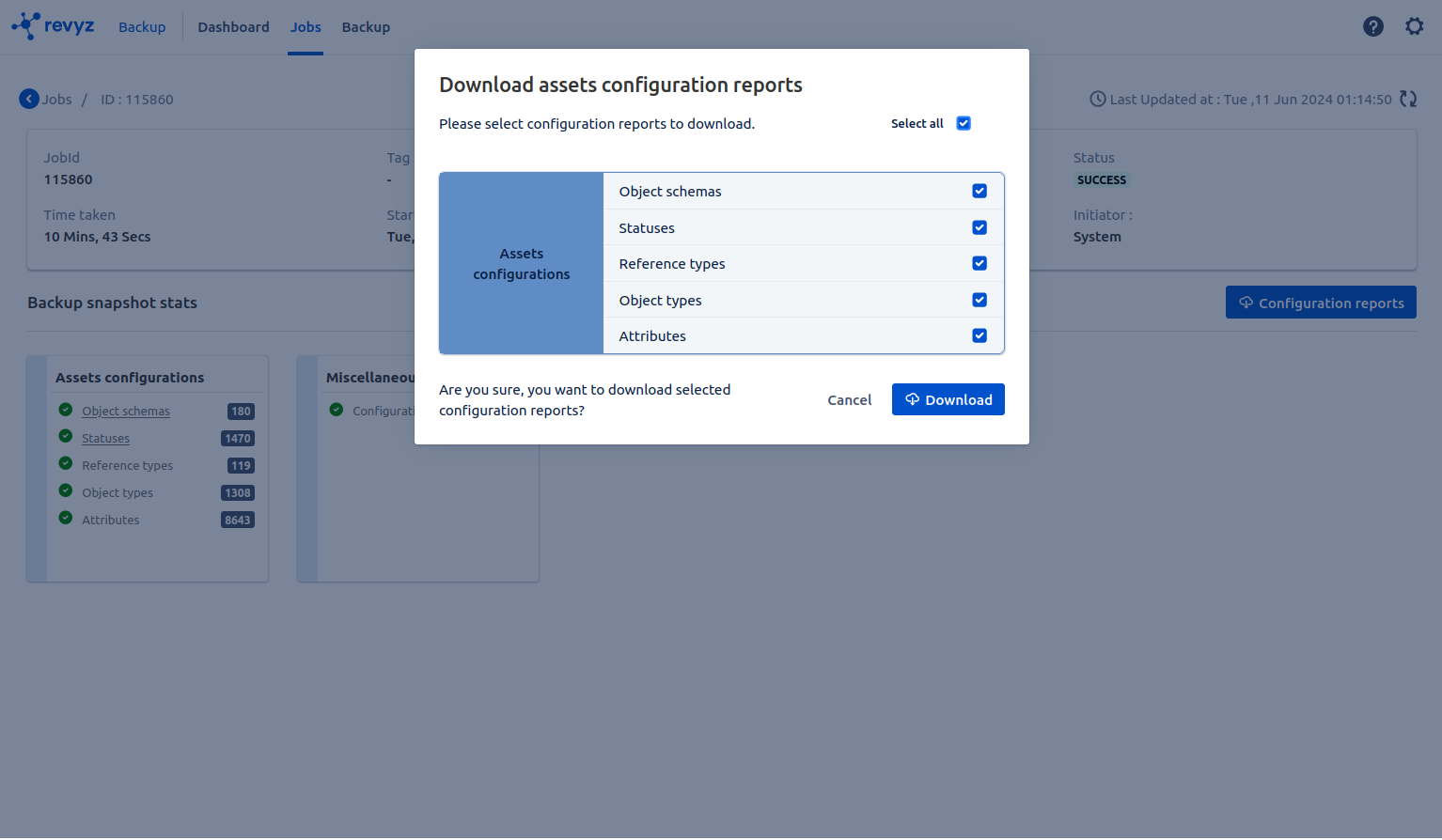
Assets Configurations reports - Click on Configurations reports & select the objects to downloading the data