
Skip table of contents

Attachment Insights

About this Page

This page talks about Attachment Insights, an analytical tool that scans all your Jira attachments across all backups. It generates detailed reports on storage usage, file types, and sizes, and includes information from malware scans.

What is the Use Case?

Use this to manage your instance's storage. You can easily identify and report on very large, old, or redundant files to clean up space. It also provides an overview of attachment-related security by showing malware scan results.
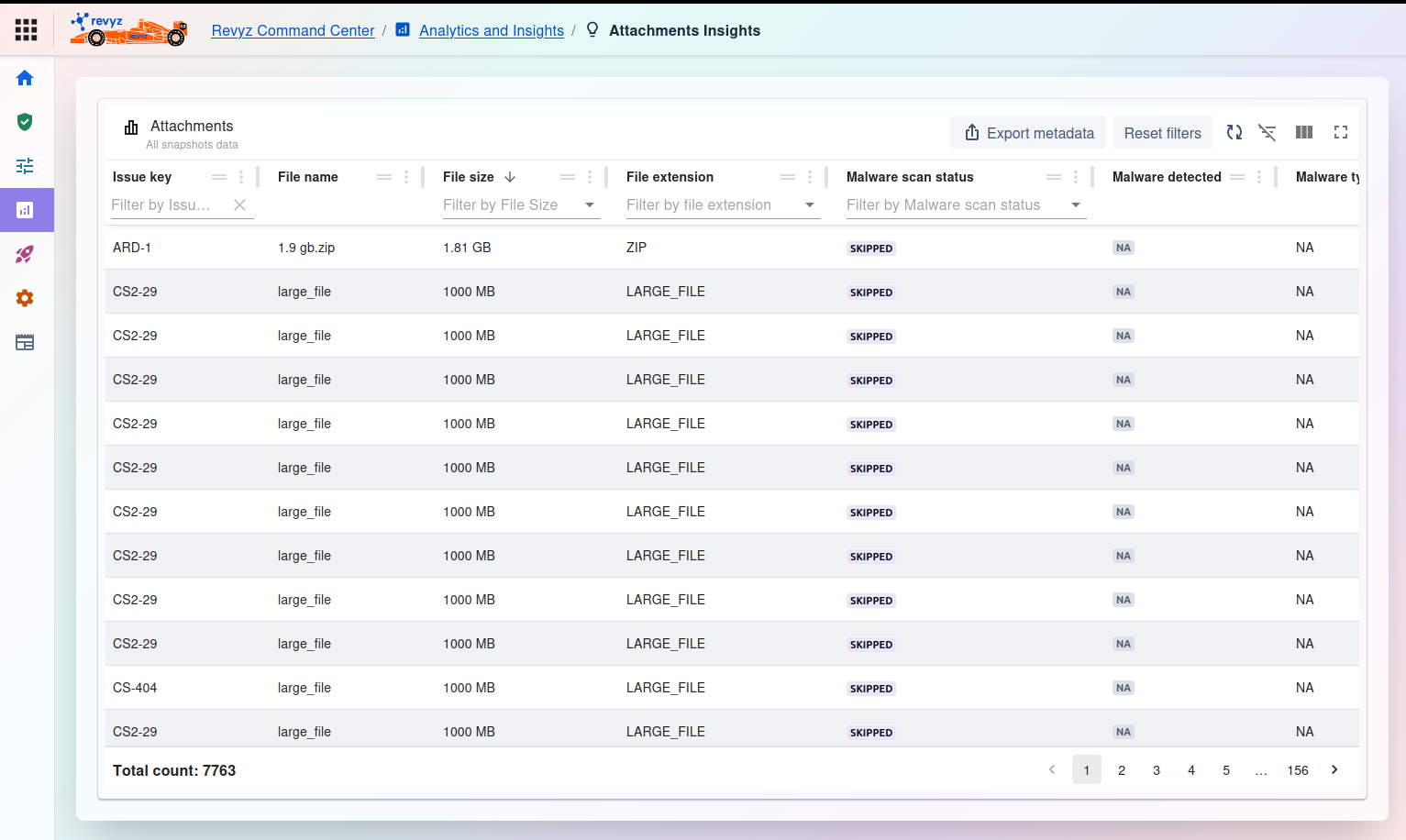
image-20251023-073400.png

Attachment Insights

Attachments Insights Dashboard

This page displays a comprehensive list of all attachments found in all your backup snapshots. It provides a searchable, filterable database to help you analyze storage consumption and security at a granular level.

This feature is applicable to:

COMMAND CENTER FOR JIRA

Management and Filtering

At the top of the table, you have several controls:

  • Export metadata: Click this to download a CSV or report of the attachments list you have filtered.

  • Reset filters: Clears all search/filter criteria from the columns.

  • Table tools (right side): Use these icons to toggle the filter row, customize visible columns, or enter a full-screen view.

Attachments Table

The main table lists every attachment and its metadata. You can filter by any of these columns:

  • Issue key: The Jira issue key the file is attached to (e.g., ARD-1, CS2-29).

  • File name: The name of the attachment (e.g., 1.9 gb.zip, large_file).

  • File size: The size of the file (e.g., 1.81 GB, 1000 MB).

  • File extension: The type of file (e.g., ZIP, LARGE_FILE).

  • Malware scan: The status of the malware scan for that file (e.g., SKIPPED, COMPLETE).

  • Malware detected: Indicates if malware was found (NA if not applicable or not scanned).

  • Malware type: If malware was detected, this column would list its type.

At the bottom of the page:
  • Total count: Displays the total number of attachments found across all snapshots (e.g., 7763).

JavaScript errors detected

Please note, these errors can depend on your browser setup.

If this problem persists, please contact our support.