
About this Page
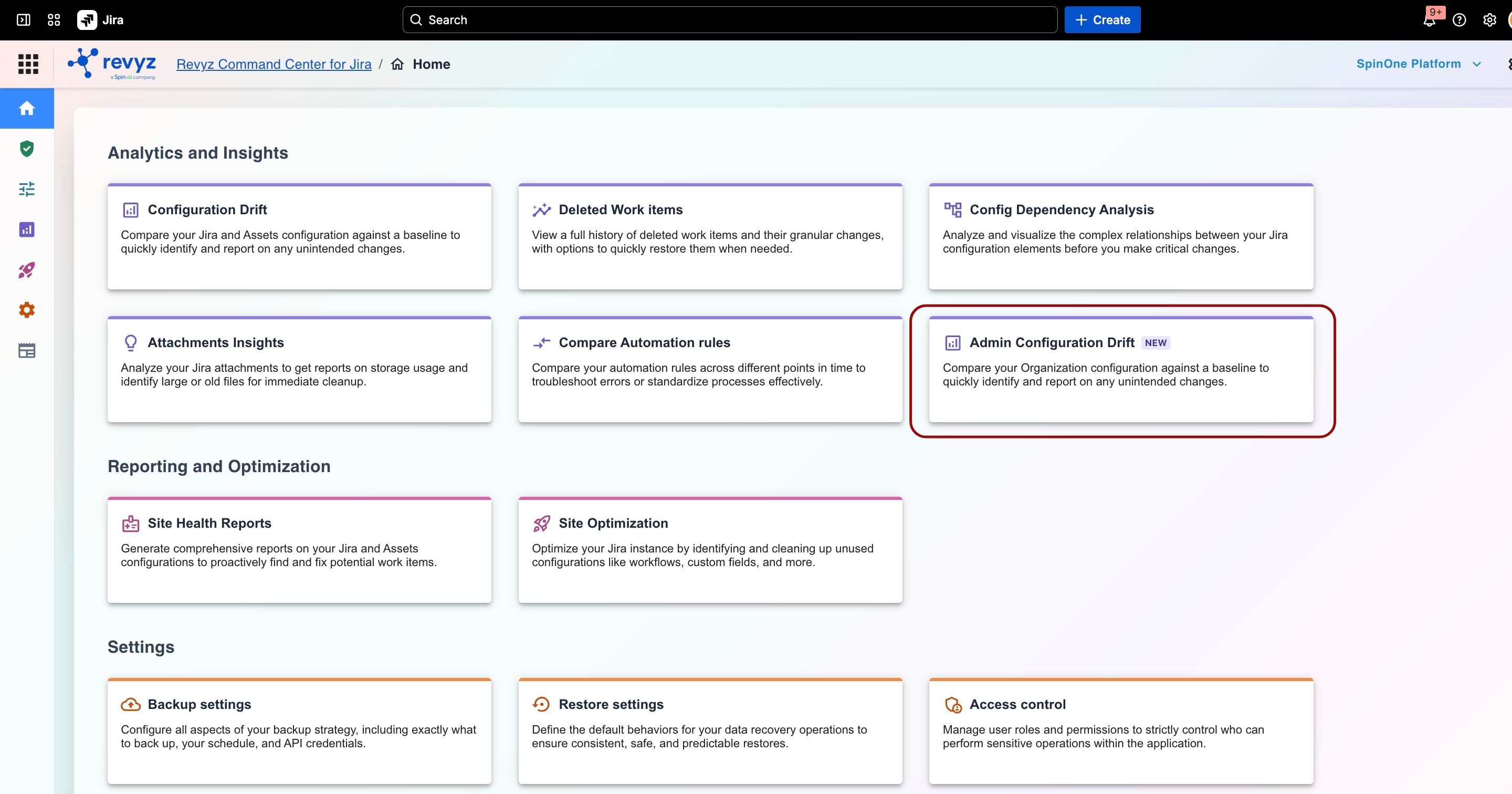
Unlike standard project-level configuration tracking, Admin Configuration Drift focuses strictly on your Jira Organization configuration. It acts as an early warning system, automatically highlighting differences between your current live environment setup and a chosen historical snapshot or golden baseline.
What is the Use Case?
-
Maintain Compliance: Easily audit who changed global settings and when.
-
Rapid Troubleshooting: Pinpoint exactly when a global configuration changed to resolve tenant-wide access or security issues quickly.
-
Configuration Integrity: Prevent "configuration sprawl" by ensuring your production organization settings match your approved architectural standards.
How It Works
1. Establish a Baseline
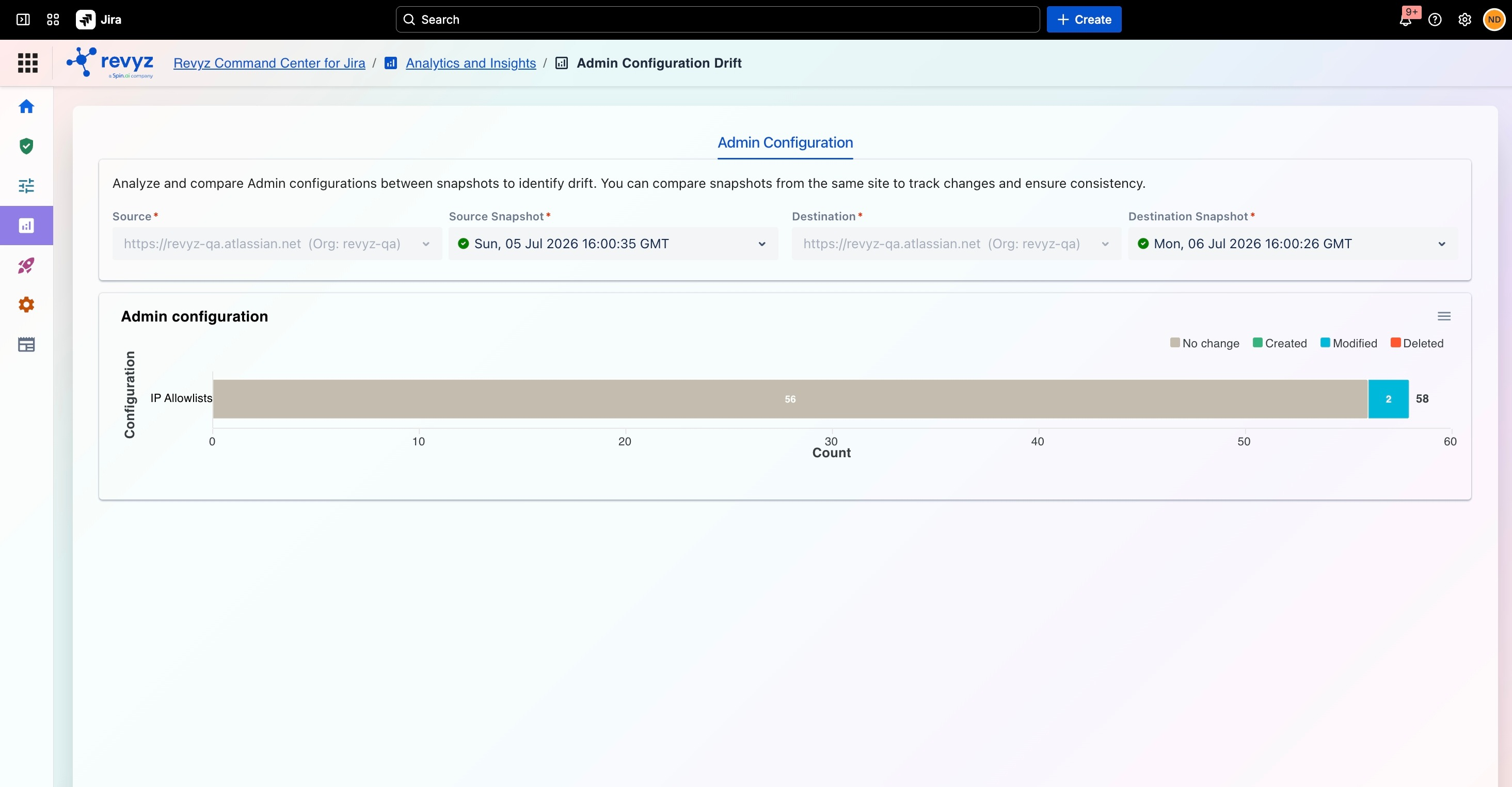
To detect drift, the system requires a point of reference. You can designate any successful backup snapshot or a specifically configured "golden state" as your baseline.
3. Review and Report
-
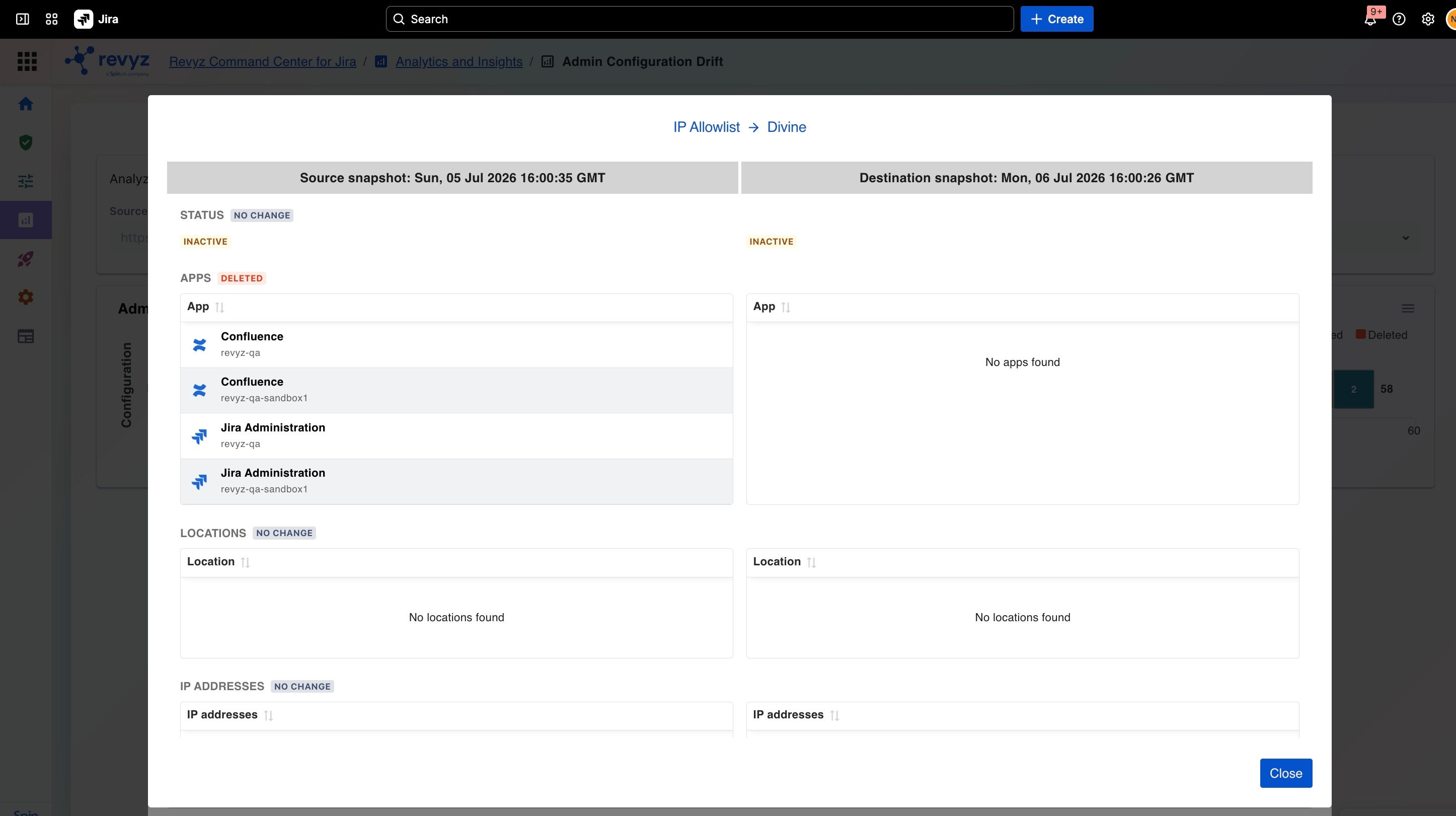
Visual Diff View: View side-by-side comparisons highlighting exactly what was added, modified, or deleted.
-
Drift Alerts & Reporting: Generate comprehensive reports detailing unauthorized changes to share with IT audit and security teams.
💡 Looking for Project or Asset Tracking? If you need to track changes down to individual workflows, custom fields, or Assets schemas, please refer to our main Configuration Drift guide.