
About this Page
This guide outlines the steps required to configure your Azure infrastructure to work with the Revyz application. The process involves creating a dedicated storage location and setting up specific permissions for the Revyz application to access it securely.
At the end of this process, you will perform a verification step, to confirm that all permissions are correctly configured.
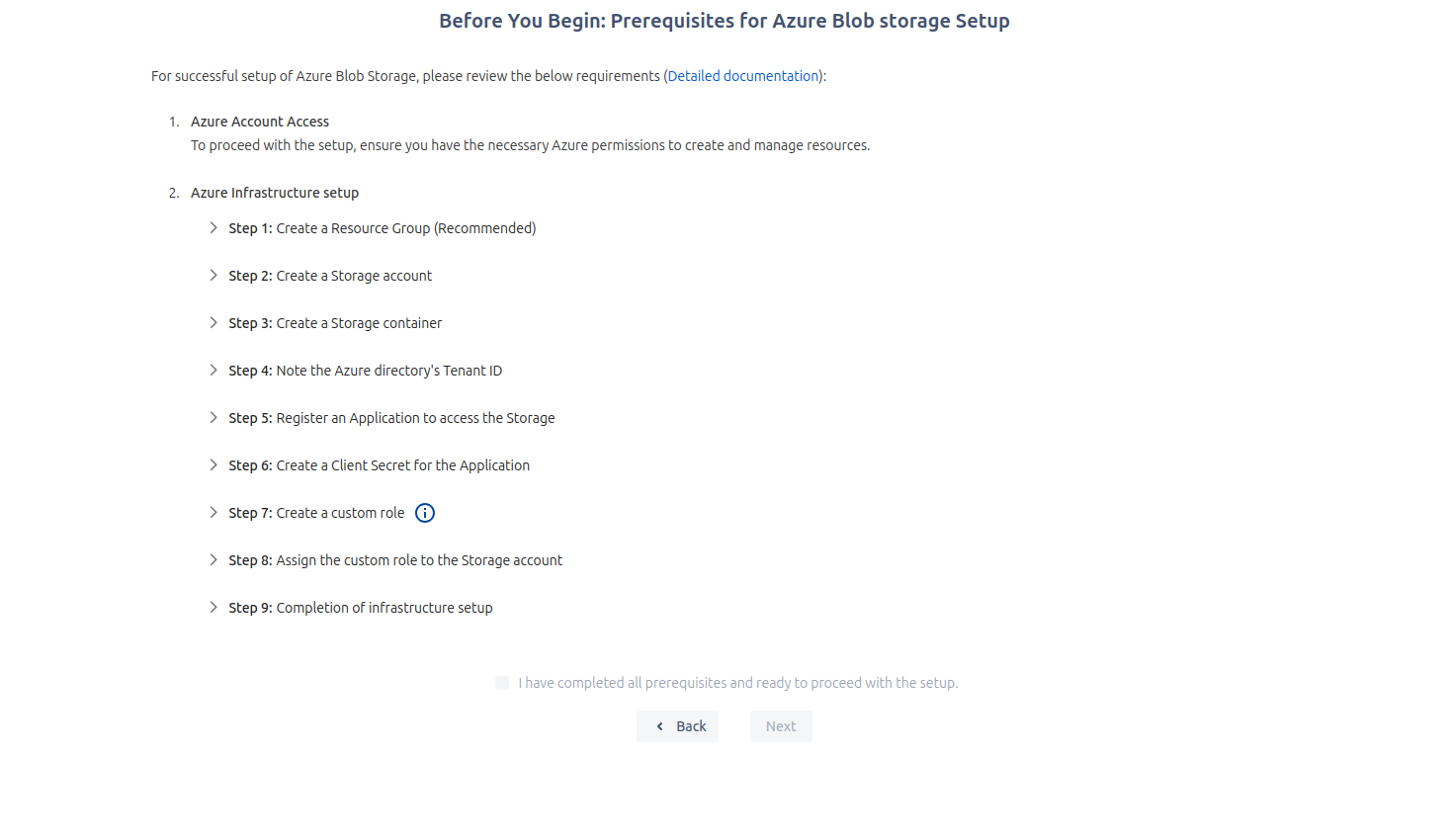
Prerequisites for Azure Blob Storage Setup
Details of how to complete steps 1 to 7 (Prerequisites for Azure Blob Storage Setup) are detailed below:
Step 2: Create a Storage Account
-
Inside the new resource group, create a new Storage account. This is the primary storage resource where your data will be managed.
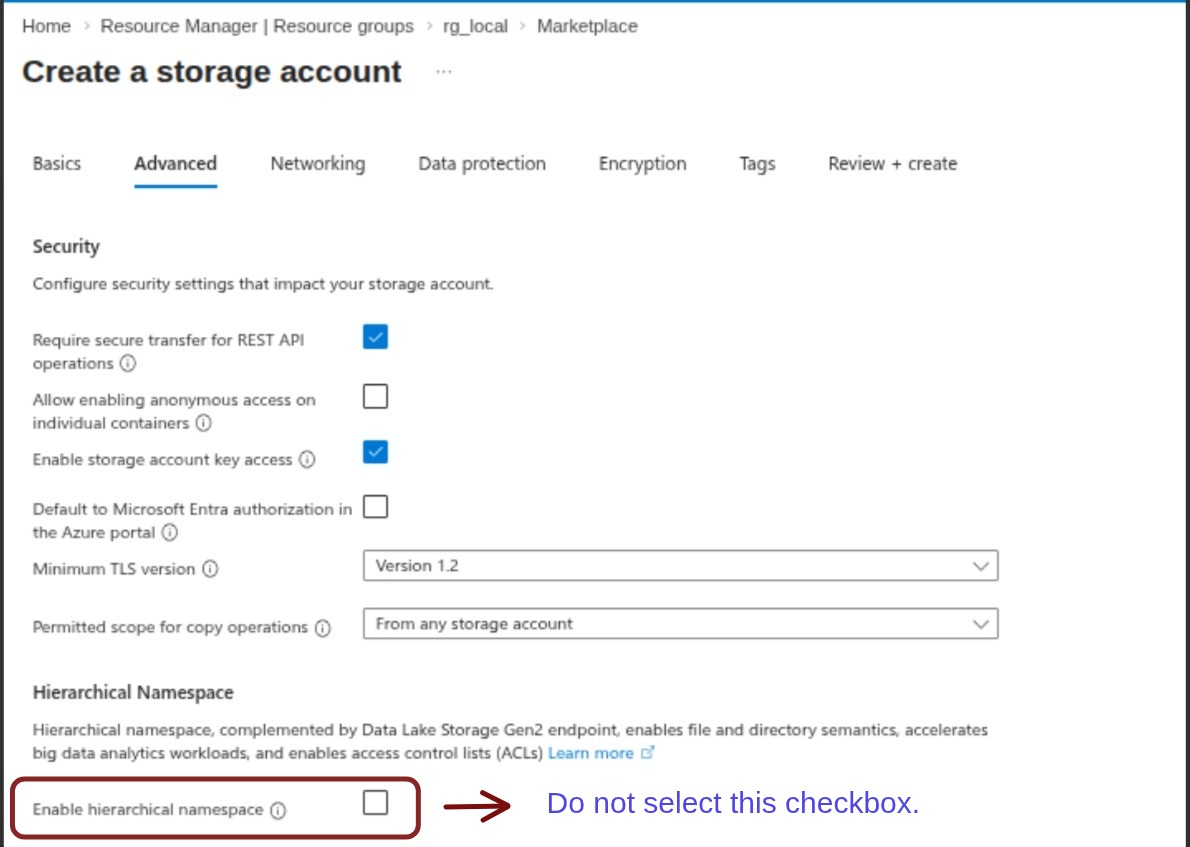
Note: While creating the storage account, ensure that Hierarchical Namespace is not enabled.
-
For details: Create a storage account