
About this Page
The Space Explorer (formerly, the Work Items Explorer) provides a read-only view of your space settings and configurations at any specific backup point.
What is the use case?
Use Case 1: Audit & Investigation
Space Explorer lets an auditor select a past snapshot and see exactly how an Asset object looked at that point in time—giving you a point-in-time view of your Jira Assets data for audit, review, or investigation purposes. This applies to both company-managed and team-managed spaces.
Use Case 2: Space Recovery After Data Loss
While Revyz supports automated restores for company-managed spaces, Atlassian API limitations prevent the direct restoration of team-managed spaces. The Space Explorer solves this challenge during a data loss event or disaster recovery scenario by letting you view your exact historical configurations so you can manually recreate the space and then restore its work items.
This feature is applicable to:
command center for jira (Work Items + Configurations view) CONFIG MANAGER FOR JIRA (Only Configurations view)
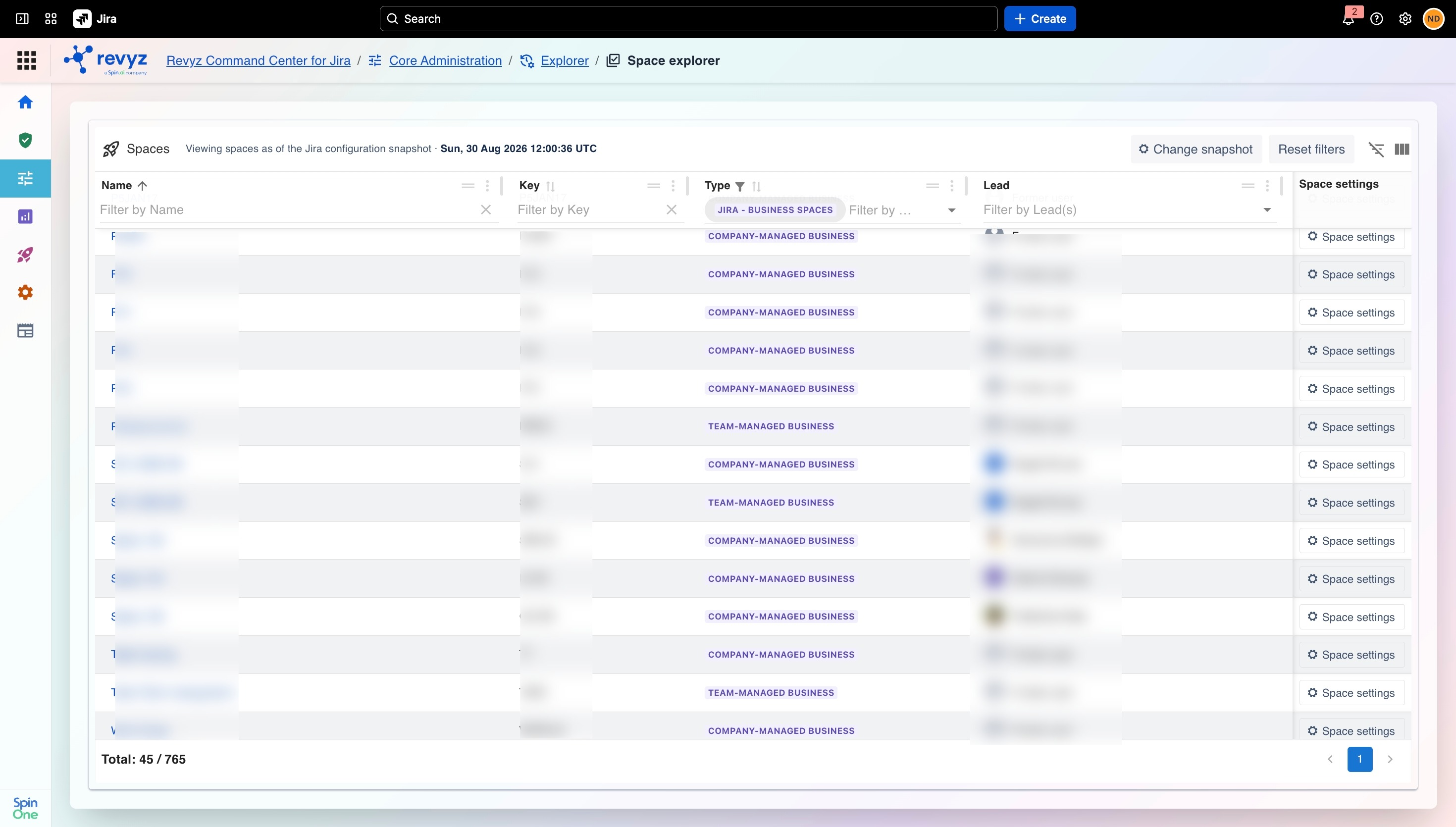
Upon entering the Spaces Explorer, you are presented with the Spaces view, which offers a consolidated, searchable index of all projects included in your selected backup snapshot.
This view acts as your central verification point to locate specific projects before initiating any restore actions.
Supported Space Types
Space Explorer tracks configurations for both company-managed and team-managed projects.
-
Company-Managed Spaces: Displays the Summary and Details sections (additional configuration tabs are on the roadmap).
-
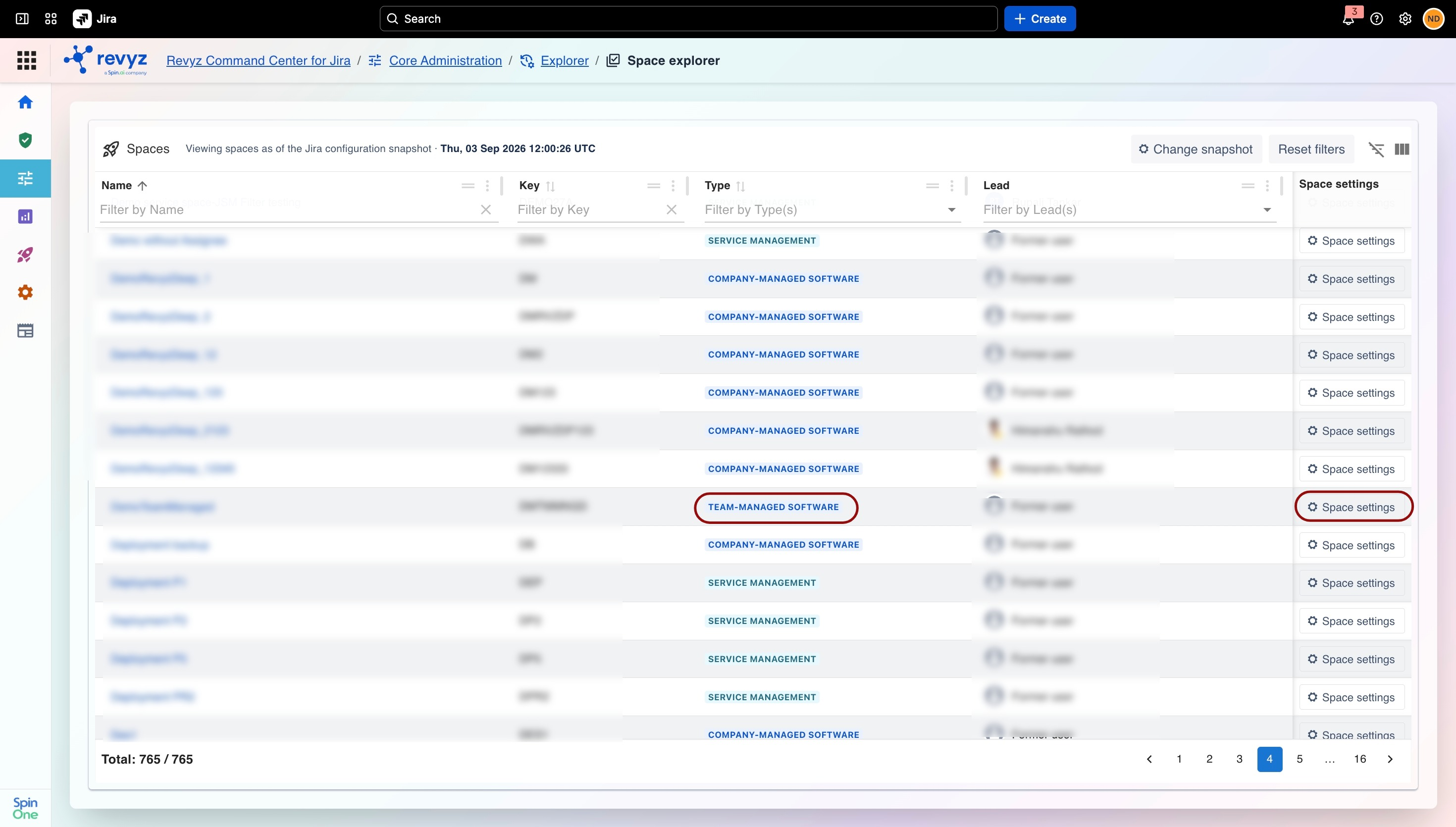
Team-Managed Spaces: Displays comprehensive supported settings for the following project types:
-
Team-Managed Software
-
Team-Managed Jira Service Management (JSM)
-
Team-Managed Jira Product Management
-
Jira Product Discovery
How to Use Space Explorer for Loss of a Space?
Team-managed spaces
Step 1: Browse Historical Configurations
-
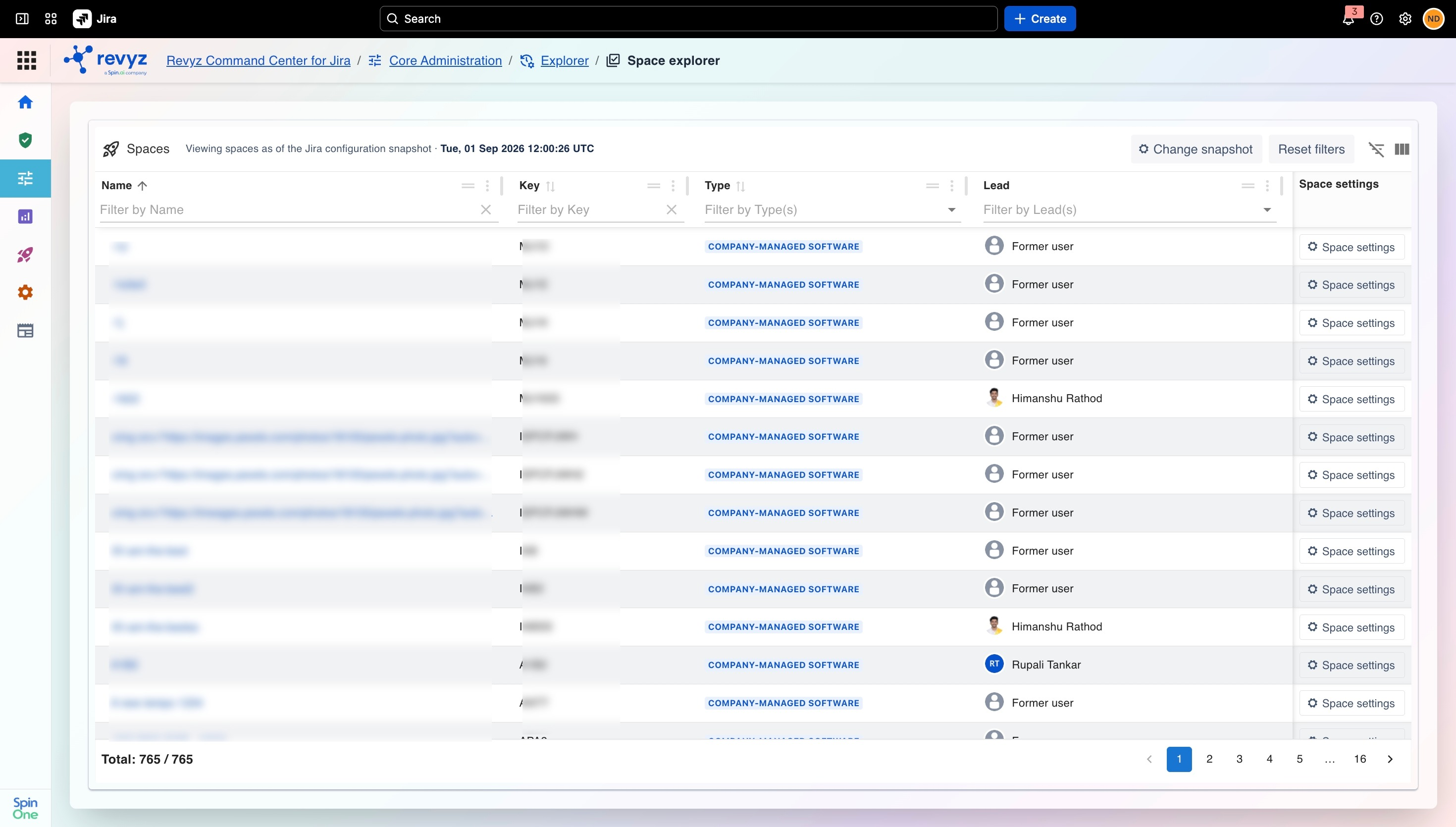
Navigate to the Explorer card section in the core administration panel.
-
Click into the Space Explorer.
-
Locate the deleted project from the consolidated list.
-
Choose the relevant historical backup snapshot to view the configurations from that point in time.
-
Click on the Space Settings column to open the read-only configuration UI.
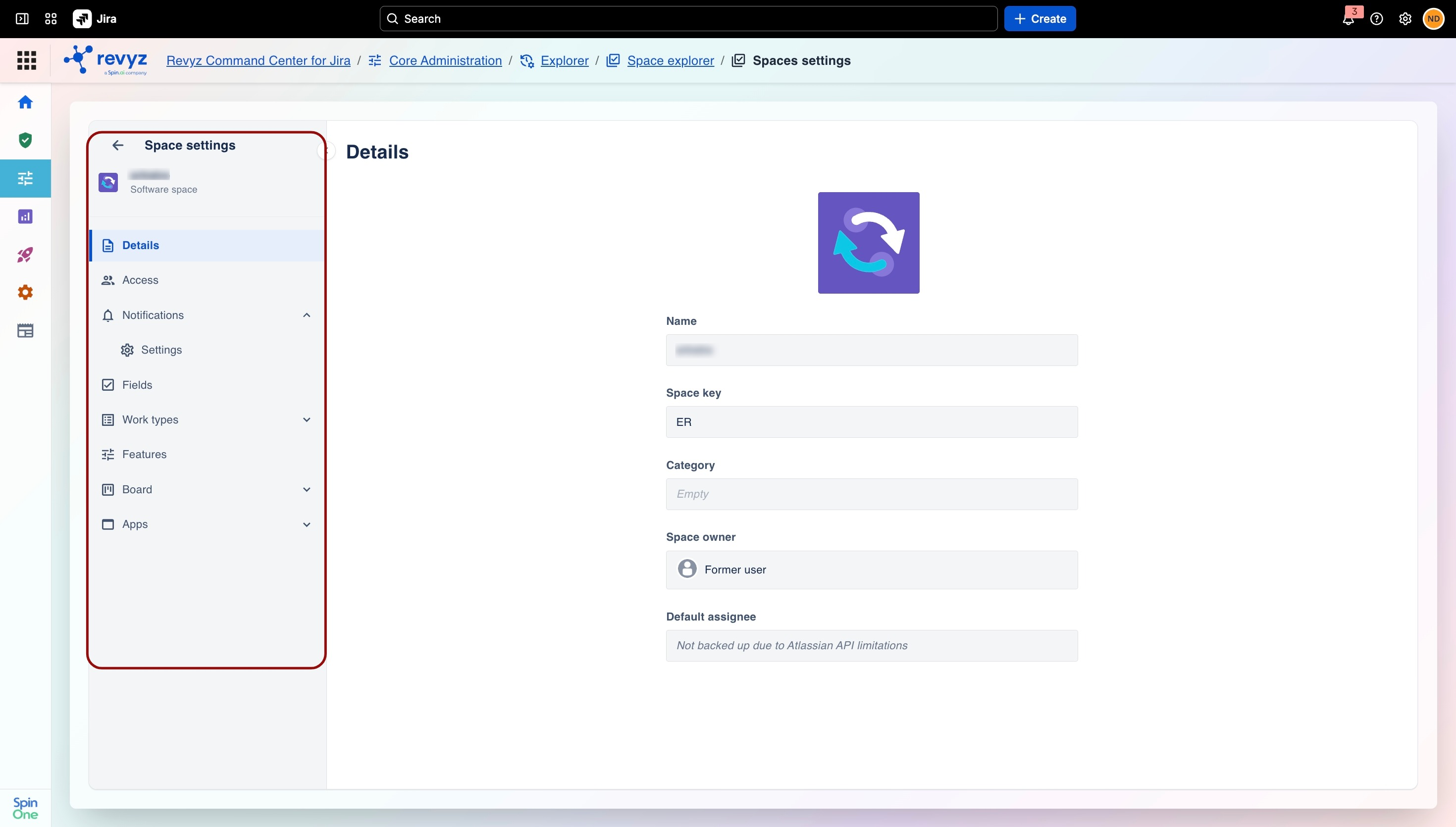
Note: Space Explorer's coverage is actively growing. A few elements—like visual workflow diagrams, certain fields, and some third-party apps—aren't available yet, either due to Atlassian API restrictions or because they're still on our roadmap.
Step 2: Team Managed Spaces: Recreate the Space
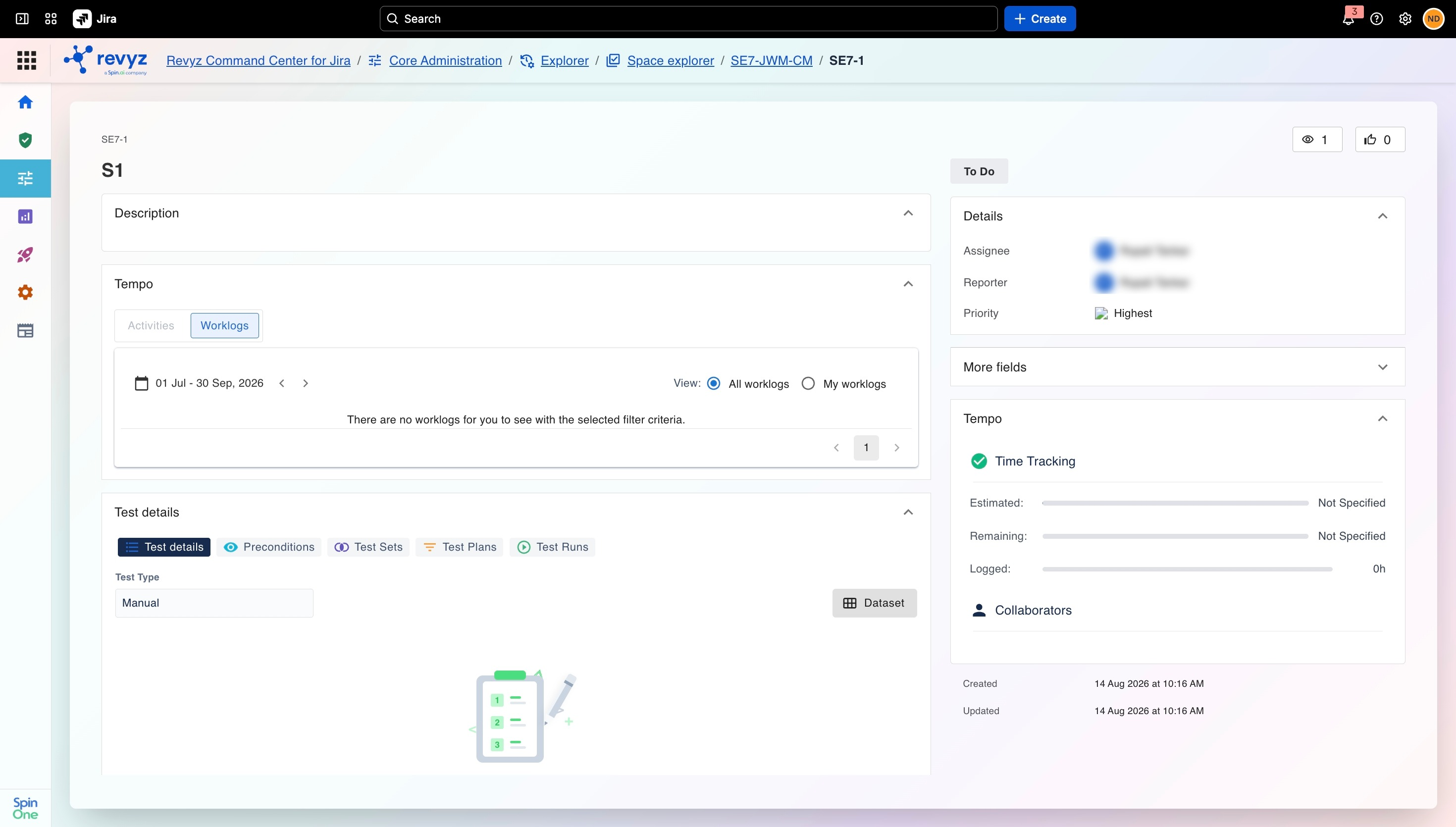
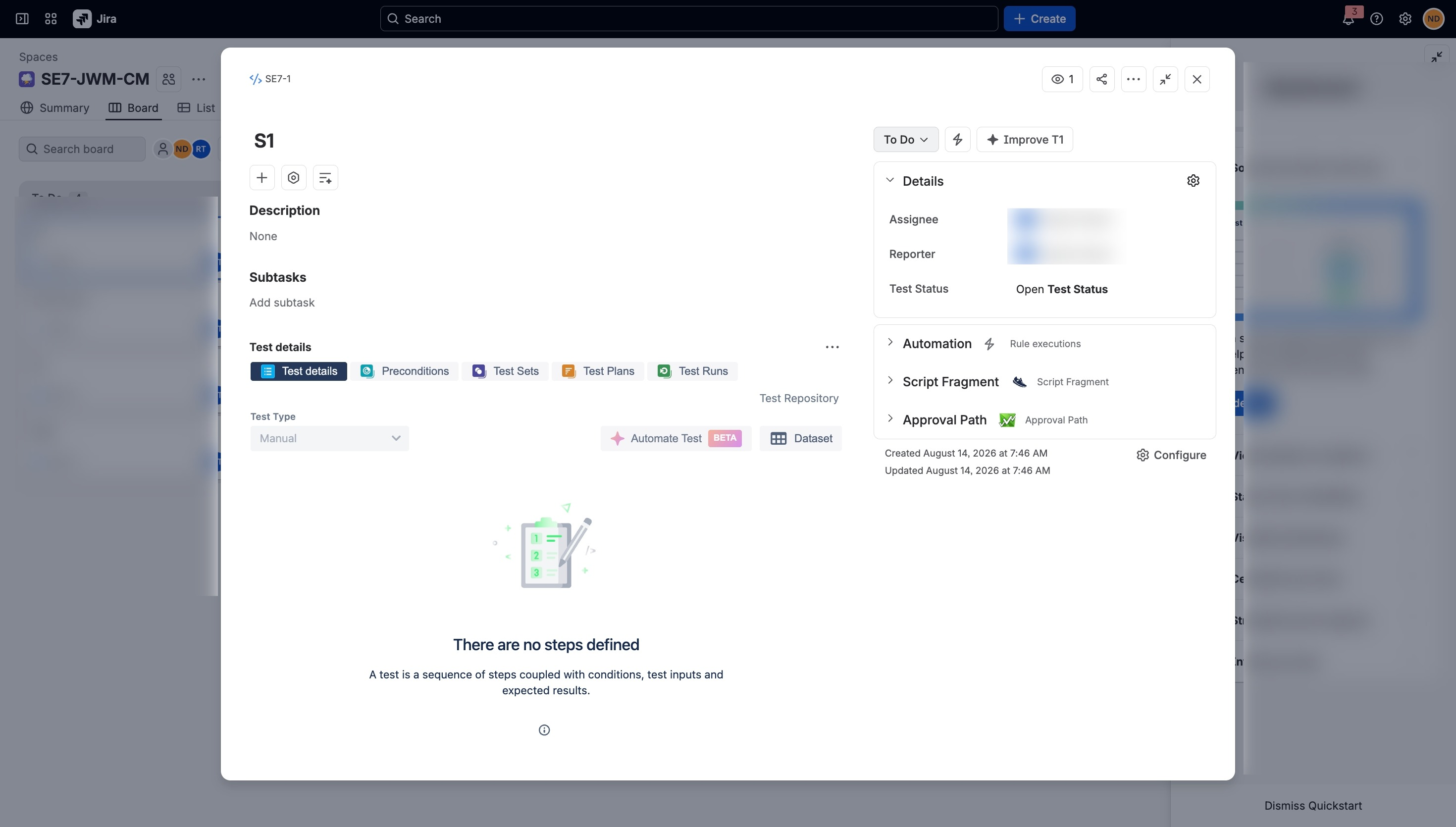
Using the read-only views in the Space Explorer as a reference, manually create a new space (project) in your Jira instance matching the original settings.
Company-managed spaces
Step 1: Browse Historical Configurations
-
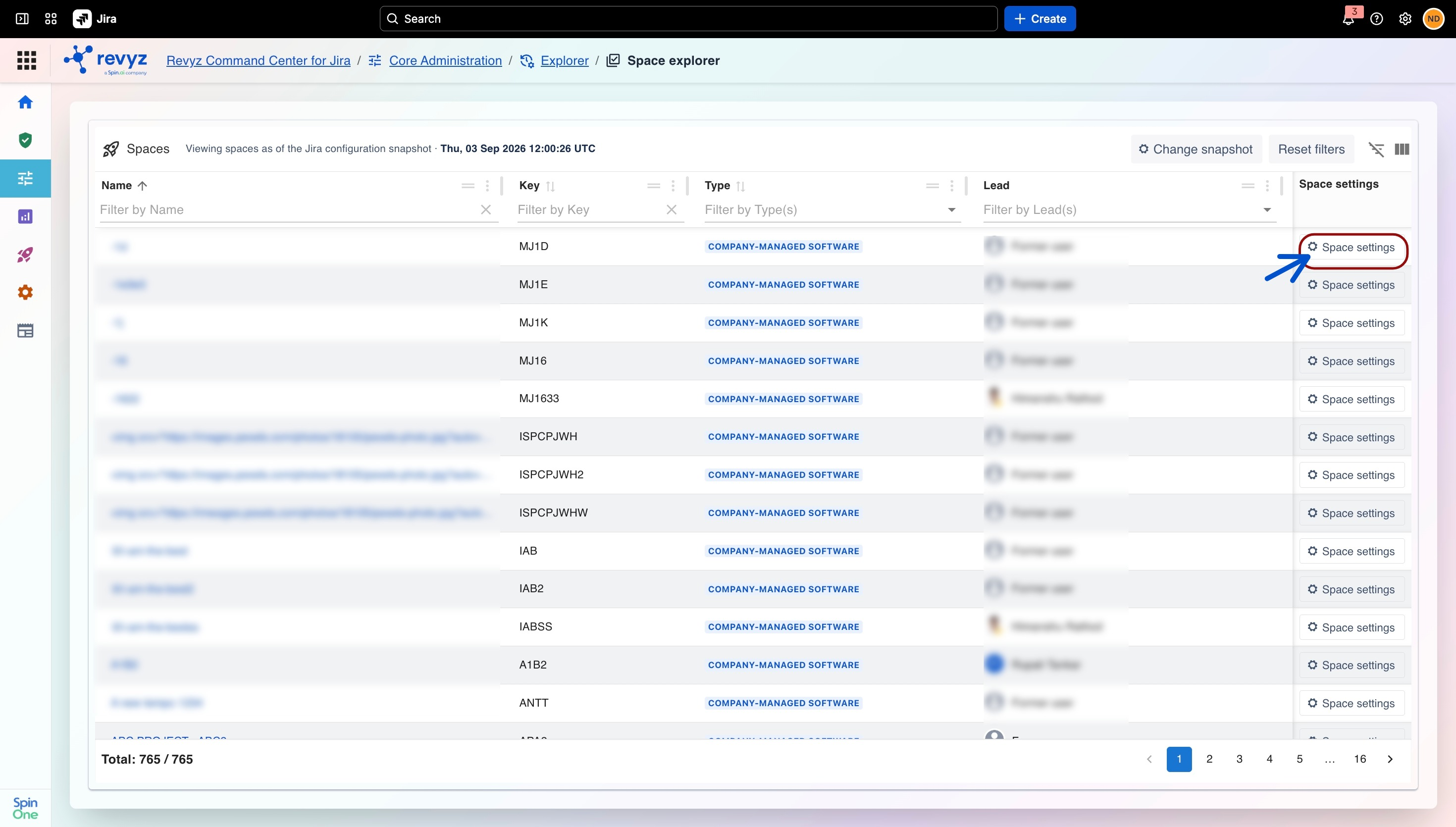
Navigate to the Explorer card section in the Core Administration panel.
-
Click into the Space Explorer.
-
Locate the deleted space from the consolidated list.
-
Choose the relevant historical backup snapshot to view the configurations from that point in time.
-
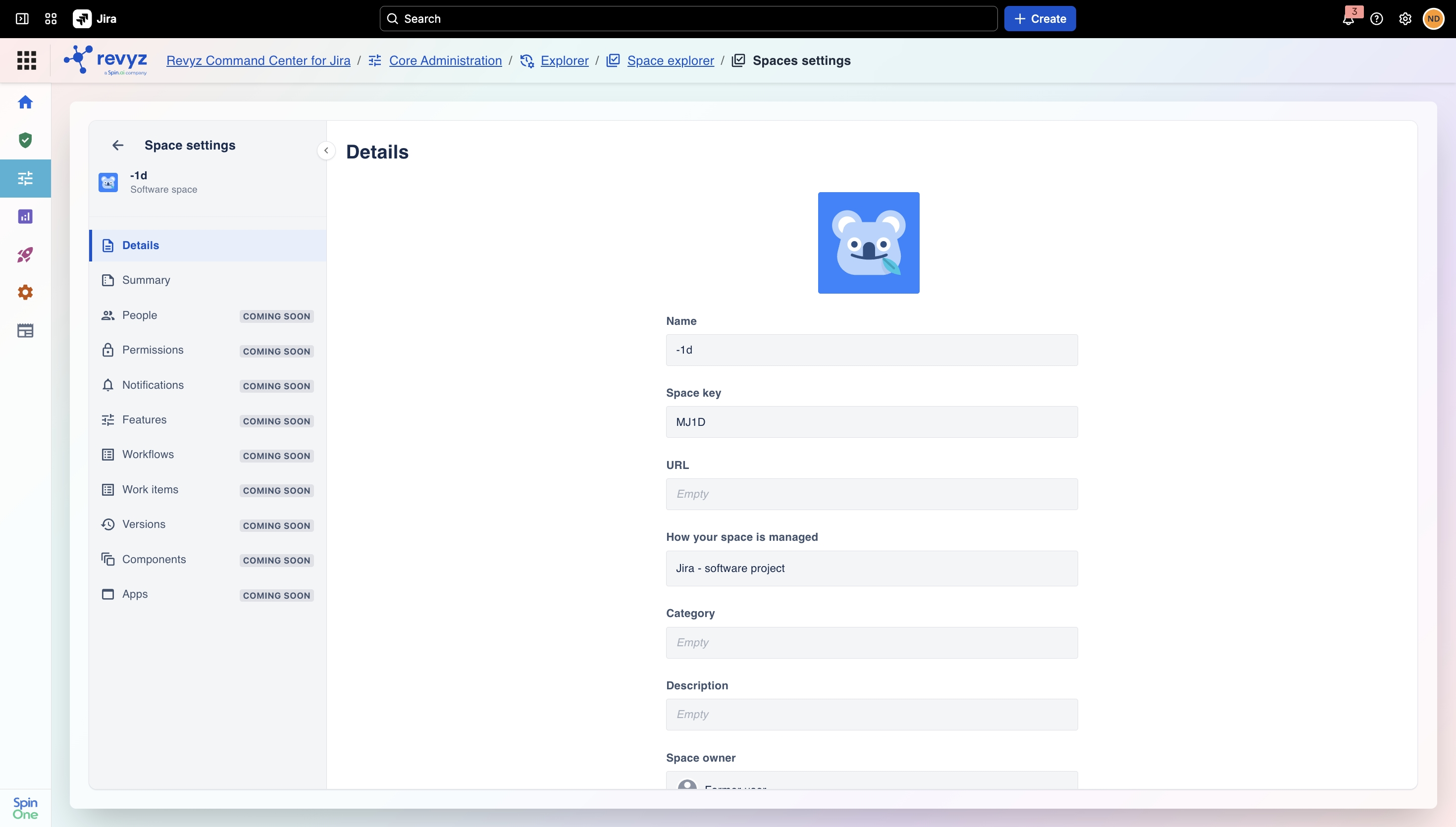
Click on the Space Settings column to view the read-only Details and Summary of the space. (Additional configuration views are on the roadmap.)
Note
We are continuously expanding Space Explorer's configuration coverage; however, certain elements—such as visual workflow diagrams, specific fields, and select third-party apps—are currently restricted by the Atlassian API or are planned for future updates.