
About this Page
The End-user portal is a dedicated, high-availability interface that enables authorized users to access and view backed-up Confluence data independently of the live production environment. This portal serves as a critical standby resource, allowing users to interact with pages and blogs even when the primary Atlassian site is unavailable.
What is the Use Case?
-
Business Continuity: Ensure that organizational operations do not halt during a disaster, site outage, or malicious deletion of spaces by providing a secondary access point for information.
-
Independent Data Access: Allow users to view critical information via the portal without needing a functioning connection to the main Atlassian instance.
-
Visibility: Configure the portal to preview data on the current site or Disaster recovery site as needed.
-
Version Verification: Enable users to view a specific "state" of the data, ensuring they are referencing the correct historical information during an incident.
How to Configure the End-user portal?
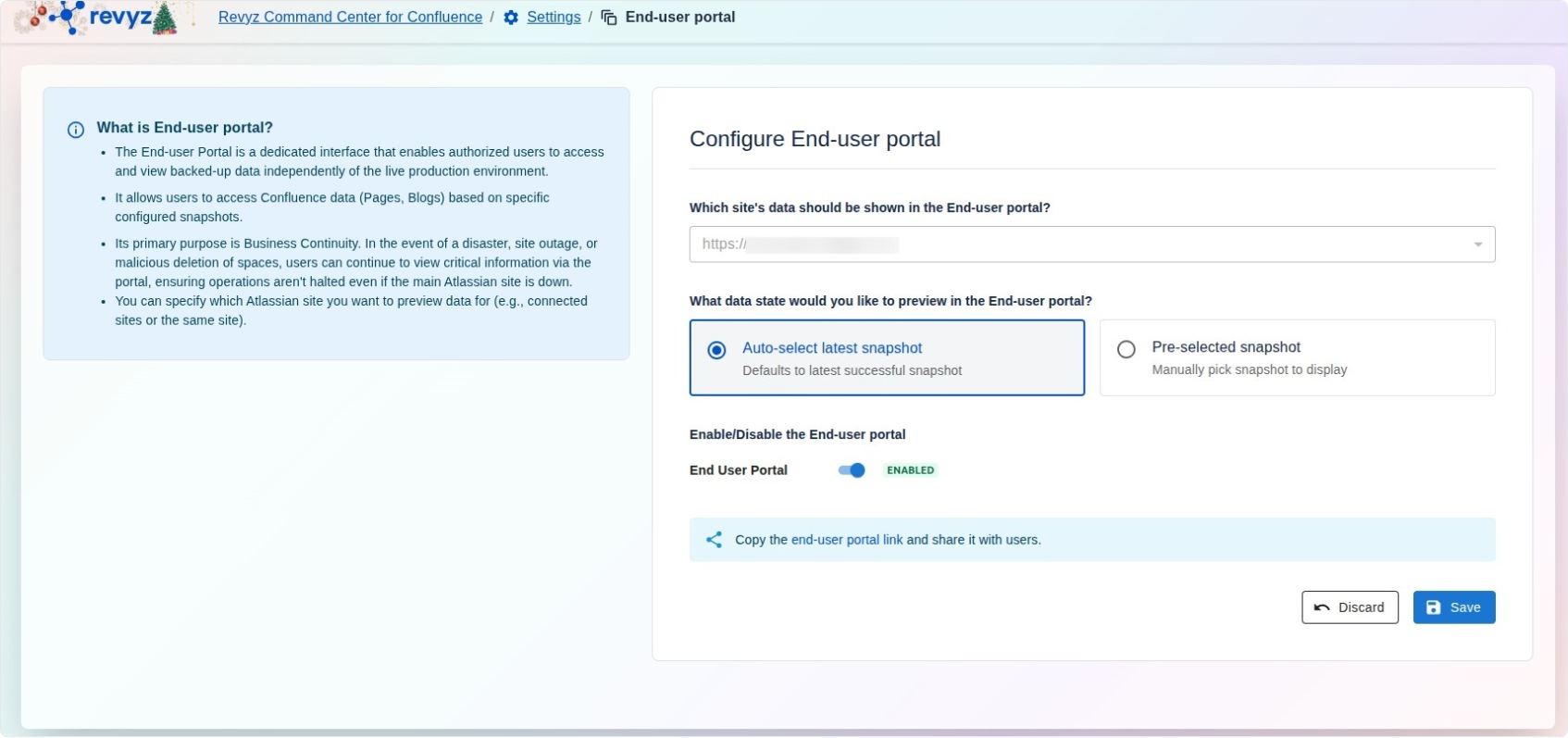
The configuration dashboard allows administrators to define exactly how the portal functions for end users:
-
Site Selection: Specify which site's data should be displayed in the portal using a dropdown of available environments.
-
Data State Preview: Choose which backup version users will see upon login:
-
Auto-select latest snapshot: Automatically defaults to the most recent successful backup.
-
Pre-selected snapshot: Allows an administrator to manually pick a specific historical snapshot to display.
-
-
Enable/Disable Toggle: Provides a master switch to turn the End-user portal on or off as required by security or recovery protocols.
-
Portal Sharing: A dedicated tool to copy the secure end-user portal link so it can be distributed to the relevant stakeholders.
Click on “Save” after configuring the portal. The link will provide access to site data to end users.