
About this Page
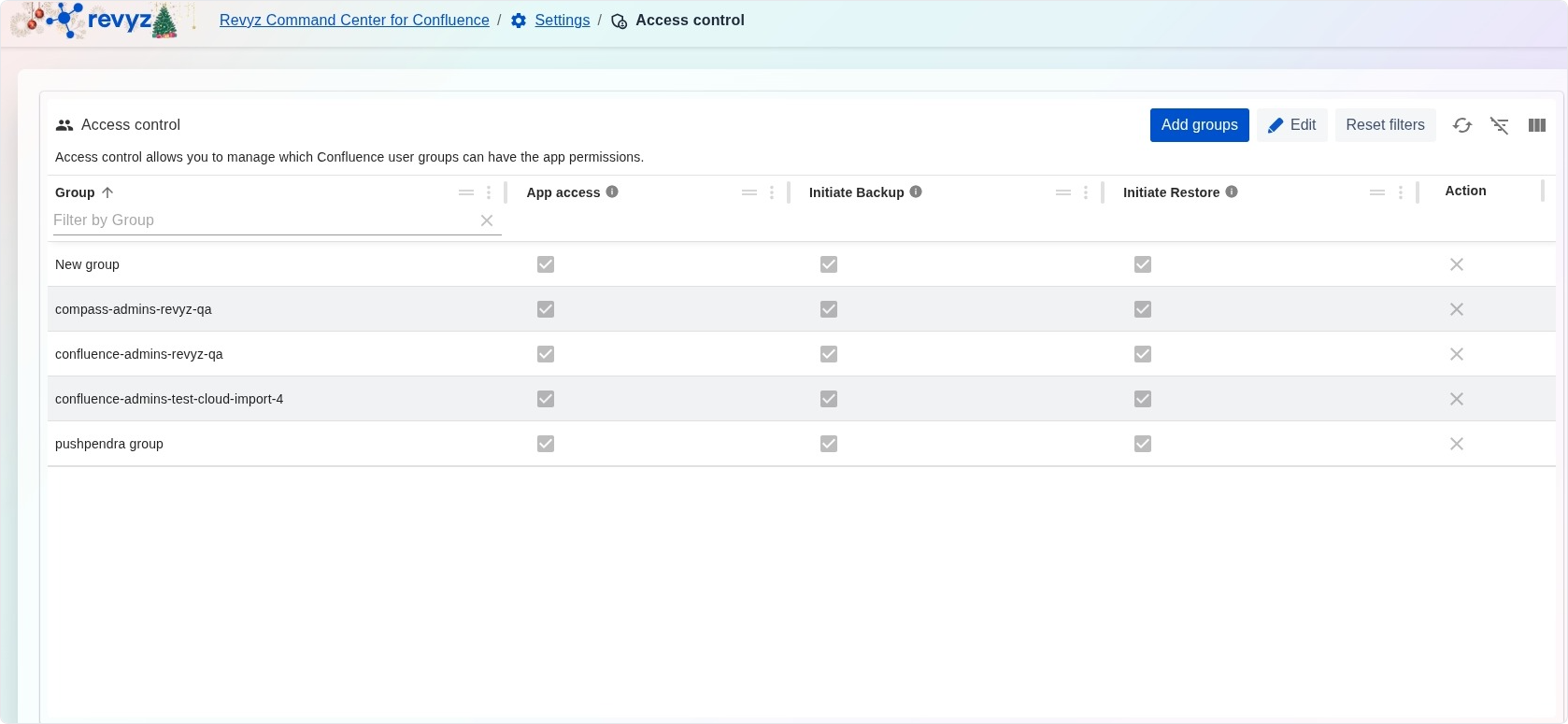
The Access control page is a critical security management interface that allows you to govern which Confluence user groups are authorized to interact with the Revyz application. By defining granular permissions at the group level, administrators can ensure that sensitive data protection and recovery operations are restricted to authorized personnel only.
What is the Use Case?
-
Security Governance: Implement the principle of least privilege by ensuring only specific administrative groups can perform high-impact actions like data restoration.
-
Permission Auditing: Maintain a clear overview of which Confluence groups (e.g., "confluence-admins") have full or partial access to application features.
-
Operational Delegation: Enable specific teams to trigger manual backups while restricting their ability to perform restorations.
-
Compliance Management: Provide evidence of restricted access to data management tools for internal or external security audits.
Feature Descriptions
The Access control dashboard manages permissions through a centralized table:
Management Tools
-
Add groups: Allows you to search for and import additional Confluence user groups into the access control list.
-
Edit: Enables the modification of existing check-box permissions for the listed groups.
-
Filter by Group: Rapidly locate specific groups within the list using the search bar.