
About this Page
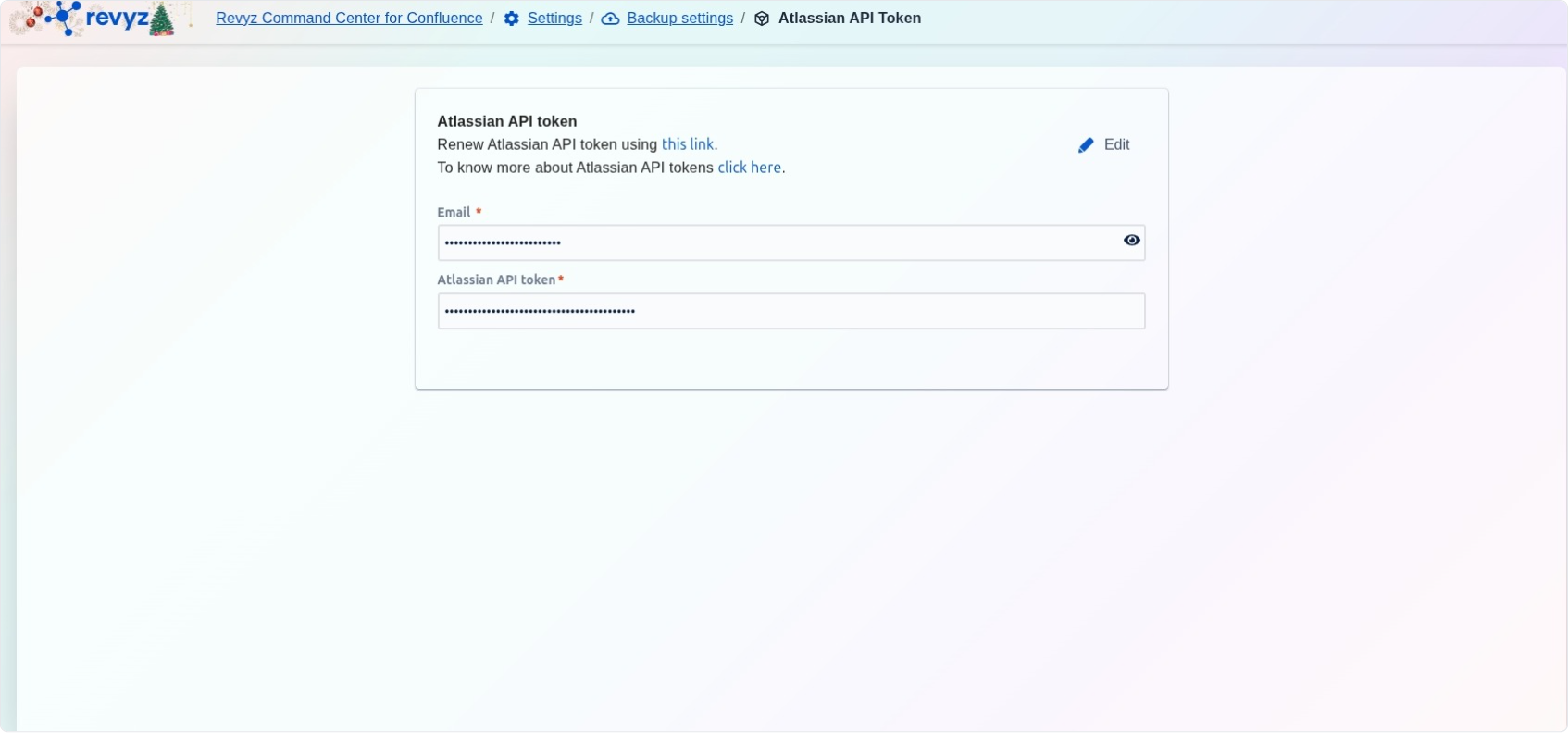
The Atlassian API token page is a critical security configuration interface used to manage the authentication credentials required for the Revyz application. This page allows administrators to securely store and update the API token that enables the Revyz Command Center to interact with and protect your Jira and Confluence Cloud instances.
What is the Use Case?
-
Application Authentication: Provide the necessary credentials (email and token) to authorize Revyz to perform automated data protection tasks across your Atlassian ecosystem.
-
Security Maintenance: Easily renew or rotate your API tokens to comply with internal security policies or in response to a potential credential compromise.
-
Access Management: Ensure the application has the persistent permissions needed to access cloud data for backups, restores, and configuration deployments.
-
Troubleshooting: Update invalid or expired credentials that may be causing backup job failures or authentication errors.
How to set up the Atlassian API token?
Follow below steps to add API token in the Revyz app:
-
In a new tab, open https://id.atlassian.com/manage-profile/security/api-tokens
-
Click on “Create API token” (without scopes)
-
Give a name and token expiry time
-
Click on Create
-
Copy the API token
-
-
Navigate to Apps → Revyz app → Settings
-
Select Backup settings card
-
Select Atlassian API token tab
-
Enable Editing: Click the Edit icon located at the top right of the configuration box to unlock the fields.
-
Enter Account Email: Type or paste the Email address associated with the Atlassian administrator account used to generate the token.
-
Input New Token: Paste your unique Atlassian API token into the designated field.
-
Save Changes: Click the Save button to securely store the new credentials and restore application authentication.