
About this Page
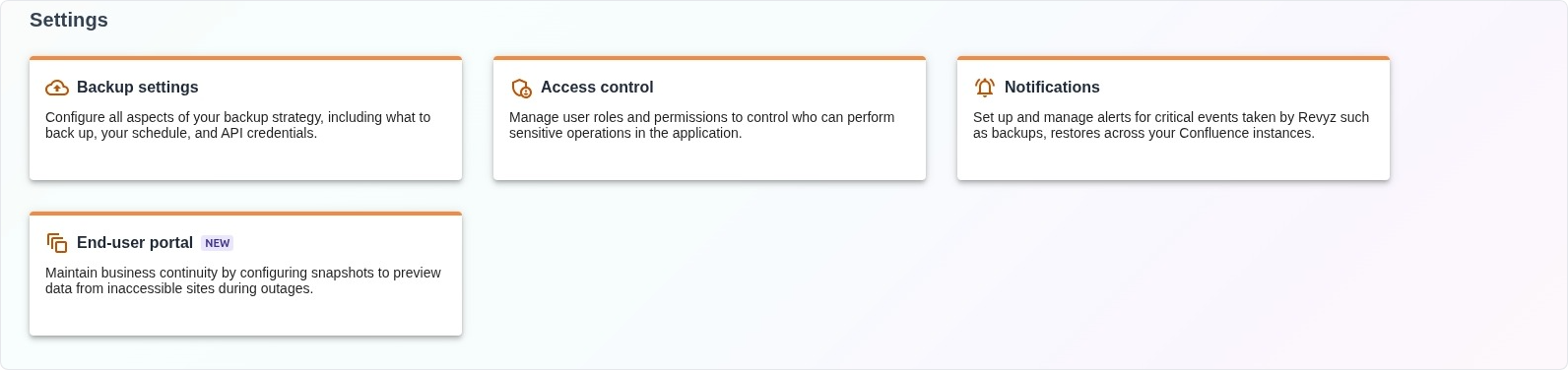
The Settings page serves as the foundational configuration hub for the Revyz Command Center. It provides administrators with the necessary tools to define backup strategies, establish security protocols through access management, and configure proactive system alerts to ensure the platform operates according to organizational requirements.
What is the Use Case?
This section is critical for system governance and security compliance. Key use cases include:
-
Strategic Backup Planning: Defining the frequency, scope, and technical credentials required for automated data preservation.
-
Security & Role Management: Ensuring the principle of least privilege by controlling which users can perform high-impact operations like data restoration.
-
System Alerting: Establishing notification rules so that stakeholders are immediately informed of the status of critical backup and restore events.
-
Business Continuity Configuration: Setting up the parameters for the end-user portal to ensure data remains viewable even during primary site downtime.
Features
The section contains four primary configuration modules: