What is Revyz notifications?
-
Revyz notifications enables you to receive Revyz app specific updates directly within your Jira site as "Work items".
-
You just need to create one software project on your Jira site where all the notification work items will be created.
-
Use this project to further customise it's notification scheme to get notified via emails and messenger app integrations (Slack, MS teams).
-
Note: Valid Atlassian API token should be a added in the app.
How to set Notifications project in Revyz data manager for confluence app
-
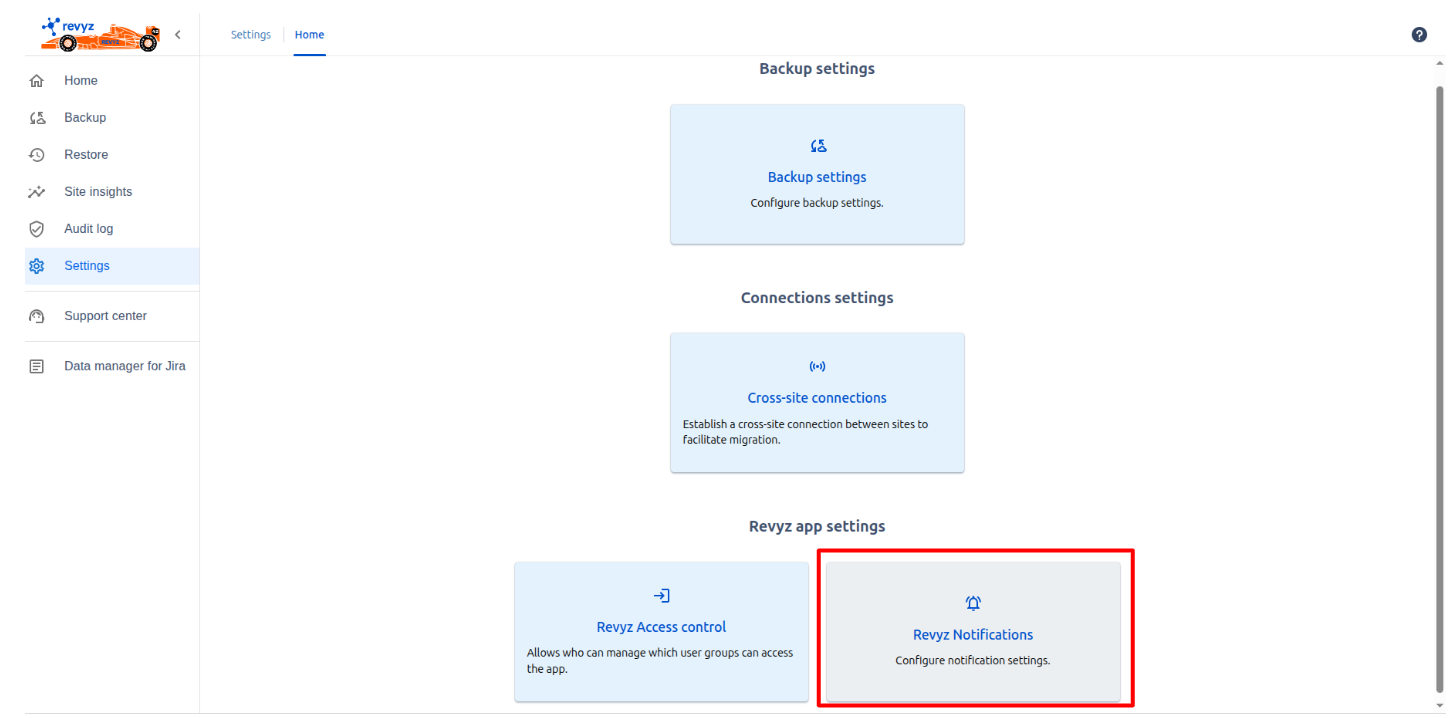
Navigate to ‘Settings' in left navbar and click on 'Revyz Notifications’ card.
-
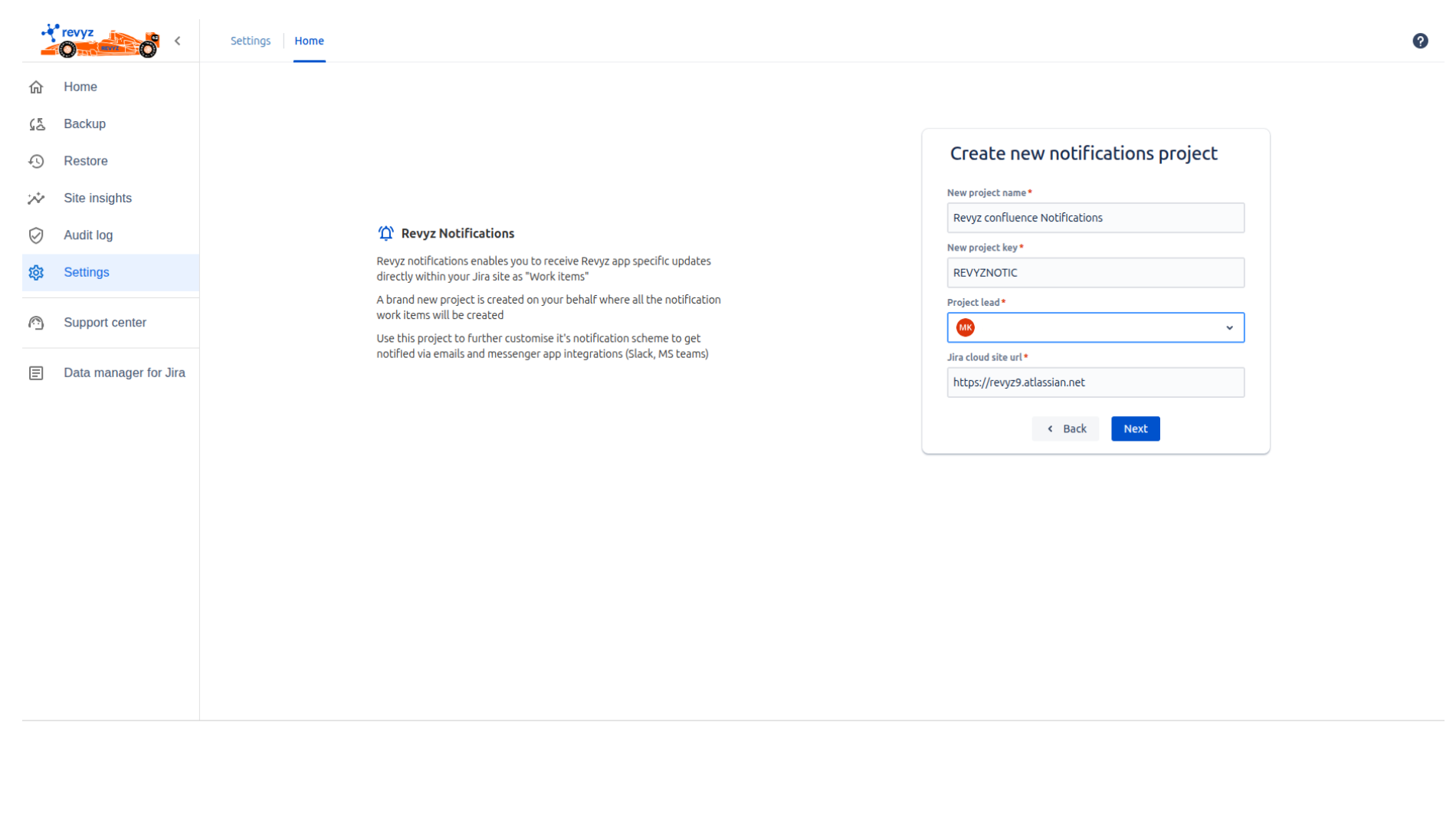
Create a project for creating Notification “Work items“.
-
Enter project name.
-
Enter project key.
-
Search for Project lead.
-
Enter Jira site URL where the project is created and work items will be generated.
-
Click on 'Next'
-
-
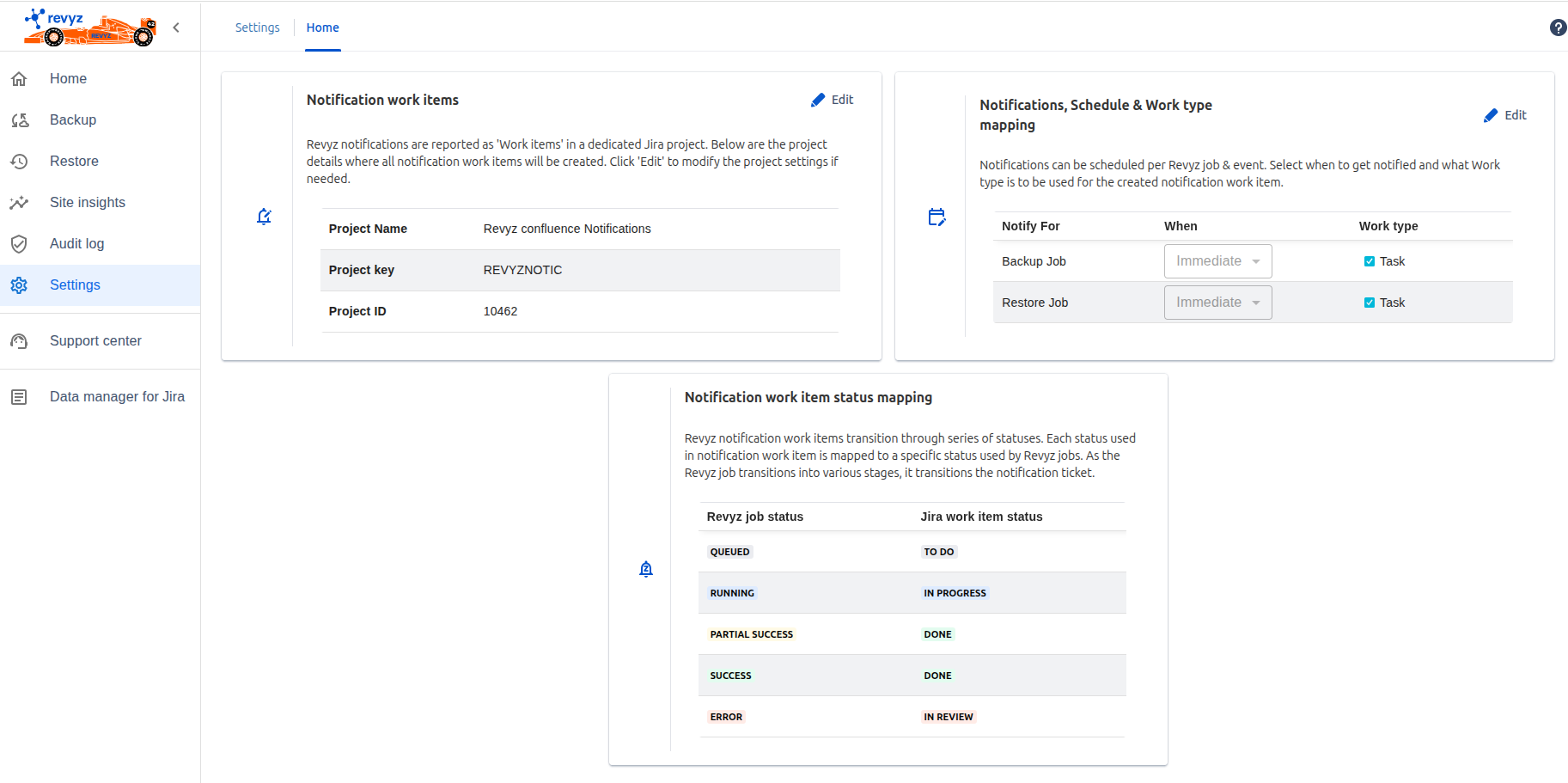
You will see three different cards.
-
Notification work items - Where you can see the project details which you have created. You can edit those details by clicking on 'Edit' button.
-
Notifications, Schedule & Work type mapping - Notifications can be scheduled per Revyz job & event. Select when to get notified (Immediate / Never) and what Work type is to be used for the created notification work item i.e all the work items are created as “Task“.
-
Notification work item status mapping - Revyz notification work items transition through series of statuses. Each status used in notification work item is mapped to a specific status used by Revyz jobs. As the Revyz job transitions into various stages, it transitions the notification ticket.
E.g. If Revyz backup / restore job is in ‘Running’ state then notification work item status will be 'In progress'.
-
How to check Notification work items in created project
-
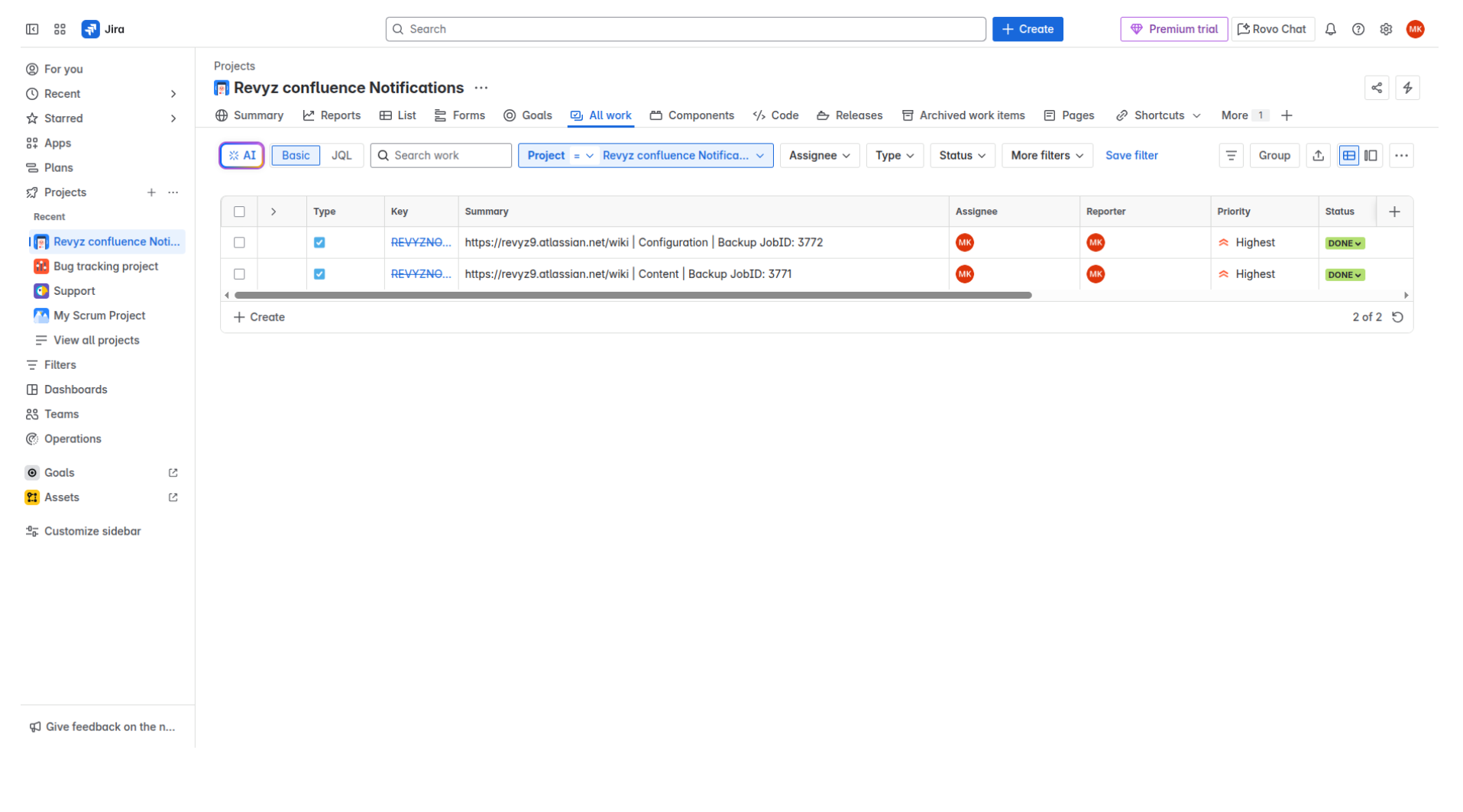
E.g Triggered 2 back job in Revyz data managed for confluence app.
-
Go to Jira site and open a created project.
-
Check Notification work items are created.