
What is this feature?
This is the main dashboard for all auditing functions within the Revyz Command Center for Confluence. It provides access to two separate and distinct sets of logs: the native audit logs from your Confluence site (which are captured in your backups) and the internal audit logs for all actions performed within the Revyz app itself.
-
Use Case: Use this for all your security, compliance, and troubleshooting needs. Select "Confluence Audit Logs" to investigate user activity that happened inside Confluence (like who changed a permission). Select "Revyz Audit Logs" to see who performed actions inside the backup tool (like who initiated a restore or changed a setting).
Audit Log Options:
-
Confluence Audit Logs Comprehensive Confluence audit logs that capture all relevant changes and activities, securely backed up by the Revyz app to ensure data integrity and traceability.
-
Revyz Audit Logs Detailed audit logs documenting all activities and actions performed within the Revyz app, providing insights into user interactions and system changes.
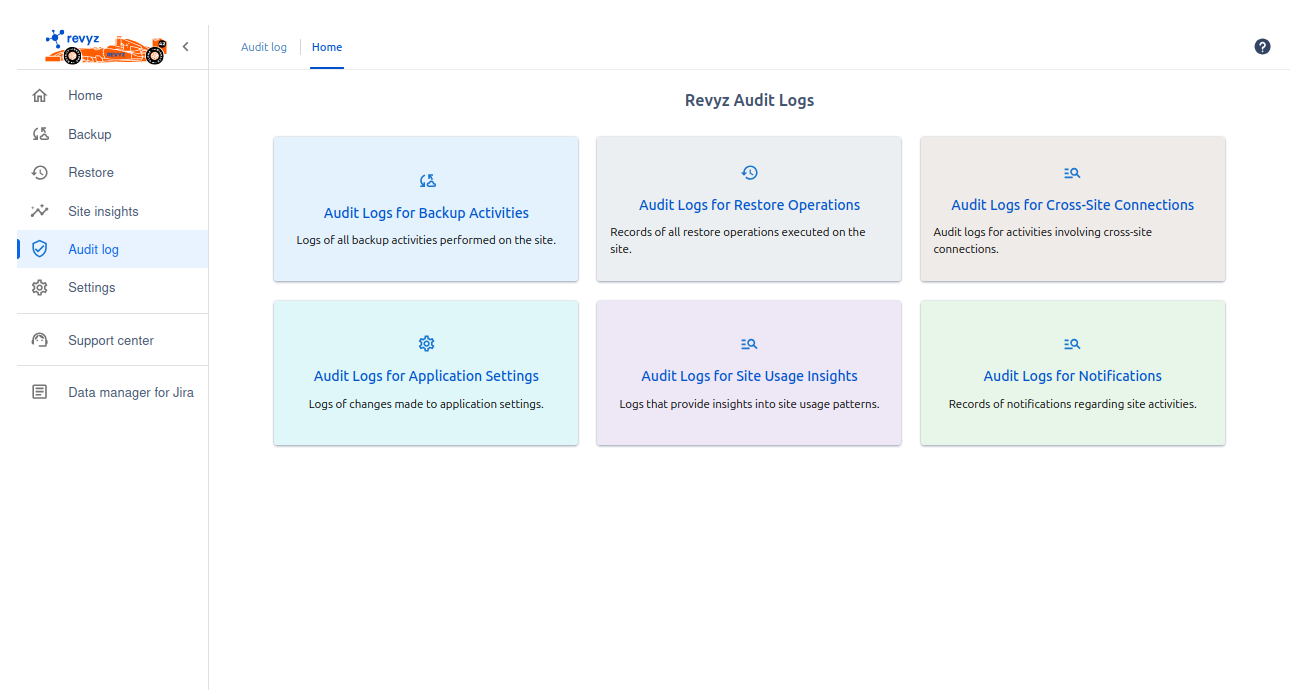
Revyz Audit Log Categories:
This dashboard is divided into six main categories to help you find the information you need:
-
Audit Logs for Backup Activities
-
Logs of all backup activities performed on the site. Click here to see the history of all on-demand and scheduled backup jobs.
-
-
Audit Logs for Restore Operations
-
Records of all restore operations executed on the site. Use this to find out who restored what data and when.
-
-
Audit Logs for Cross-Site Connections
-
Audit logs for activities involving cross-site connections. This is critical for monitoring the setup and use of migration or disaster recovery links.
-
-
Audit Logs for Application Settings
-
Logs of changes made to application settings. This will show you who changed a retention policy, updated API keys, or modified other app configurations.
-
-
Audit Logs for Site Usage Insights
-
Logs that provide insights into site usage patterns. This tracks who is generating or viewing reports from the "Site insights" section.
-
-
Audit Logs for Notifications
-
Records of notifications regarding site activities. Use this to review alerts that have been sent or changes to the notification settings.
-