
About this Page
The Restore and Deploy Jobs page provides a centralized monitoring dashboard for all data recovery and configuration deployment activities within the Revyz environment. This interface allows administrators to track the progress of granular restores, such as those for Pages, Blogs, Spaces, or Templates, ensuring full visibility into the recovery lifecycle.
What is the Use Case?
This dashboard is essential for recovery verification and operational accountability. Key use cases include:
-
Monitoring Restore Success: Verifying that critical content recovery tasks have reached a SUCCESS status.
-
Performance Benchmarking: Analyzing the Time taken for specific restore types to better estimate recovery time objectives (RTOs) for future incidents.
-
Audit Readiness: Maintaining a verifiable log of "Who, What, and When" for every restoration and deployment action taken on the site.
-
Troubleshooting: Identifying failed jobs and using unique Job IDs to investigate specific issues within the audit logs.
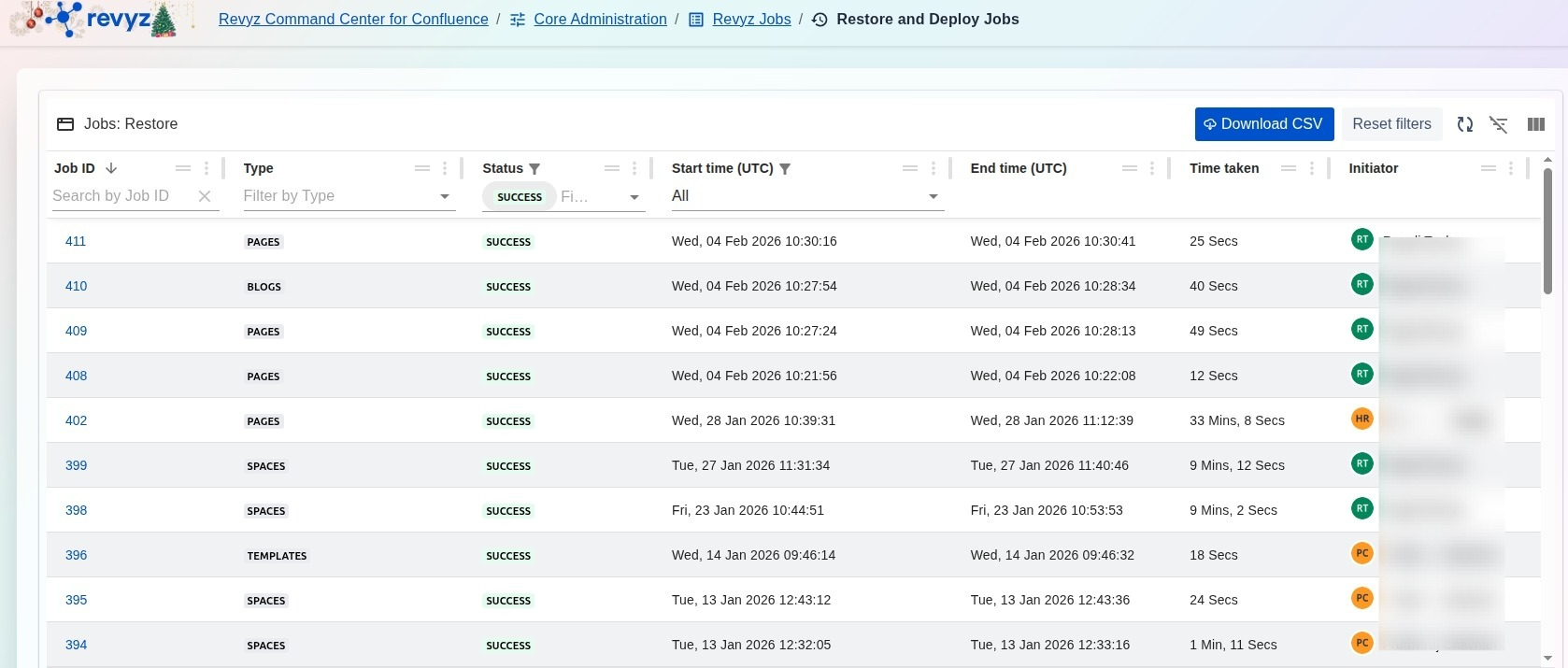
The interface provides a detailed table breakdown of every recovery operation:
-
Job ID: A unique, clickable identifier for each task used for precise tracking and cross-referencing.
-
Type: Categorizes the specific data being restored, such as PAGES, BLOGS, SPACES, ATTACHMENTS, or TEMPLATES.
-
Status: Displays the real-time state of the operation (e.g., SUCCESS).
-
Start and End Time (UTC): Lists the exact timestamps for the duration of the job in Coordinated Universal Time.
-
Time taken: Shows the total elapsed time for the job, ranging from a few seconds to several minutes depending on the data volume.
-
Initiator: Identifies the specific administrator account that triggered the restoration.
Management Tools
-
Filter and Search: Narrow down the job list by searching for a specific Job ID or filtering by Type and Status.
-
Download CSV: Export the historical list of restore and deploy jobs for external reporting or auditing.
-
Reset Filters: Quickly clear all active search parameters to view the complete job history.