
About this Page
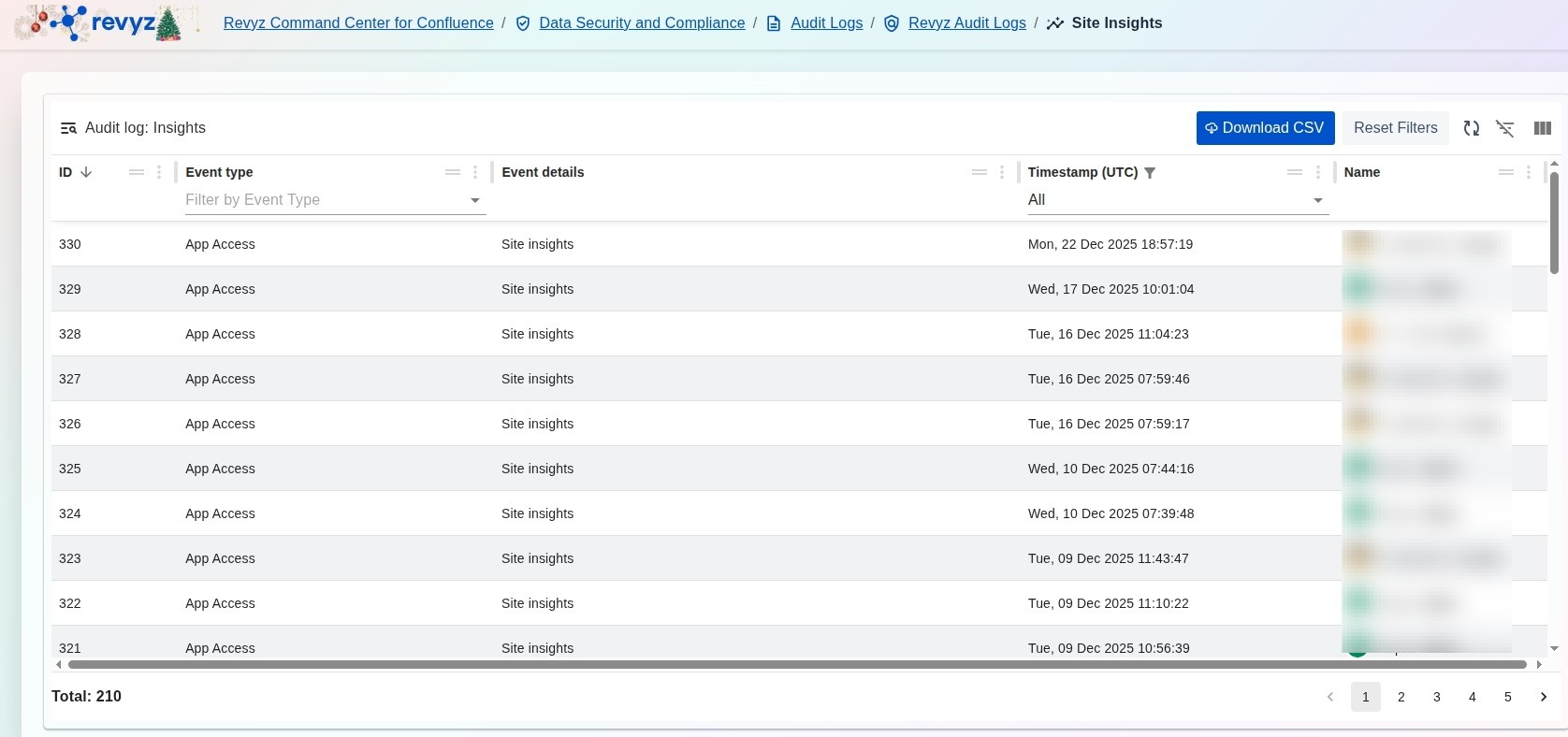
The Audit log: Insights page provides a specialized record of application access events related to site usage and analytical data. This log tracks when users interact with site patterns and insights, ensuring that access to sensitive site performance data is fully audited.
What is the Use Case?
-
Access Oversight: Monitor which administrators are accessing site usage analytics and insights to ensure data privacy and security.
-
Usage Verification: Review the frequency and timing of analytical reviews to track how often site insights are being utilized for operational decision-making.
-
Security Auditing: Identify the specific user account and UTC timestamp for every App Access | Site insights event to maintain a clear trail for internal security reviews.
How to View Audit Logs for Site Usage Insights
-
Navigate to the Data Security and Compliance section in the Revyz Command Center and select Audit Logs.
-
Select the Revyz Audit Logs card to view logs specific to this application.
-
Click the Audit Logs for Site Usage Insights card to open the specialized insights log view.
-
Review the Event type column to identify "App Access" events related to "Site insights".
-
Use the Timestamp (UTC) filter to search for activities during a specific period.
-
(Optional) Click Download CSV to export the analytics access history for your organization’s data governance reports.