
About this Page
This page is about Blogs Restore, an interface designed to help you restore the exact version of the blog data you wish to retrieve.
What is the Use Case?
The Restore blogs feature provides the flexibility to restore selected blog posts either to their original space or to a completely different space. This is particularly useful for recovering accidentally deleted content or moving historical posts to a new area.
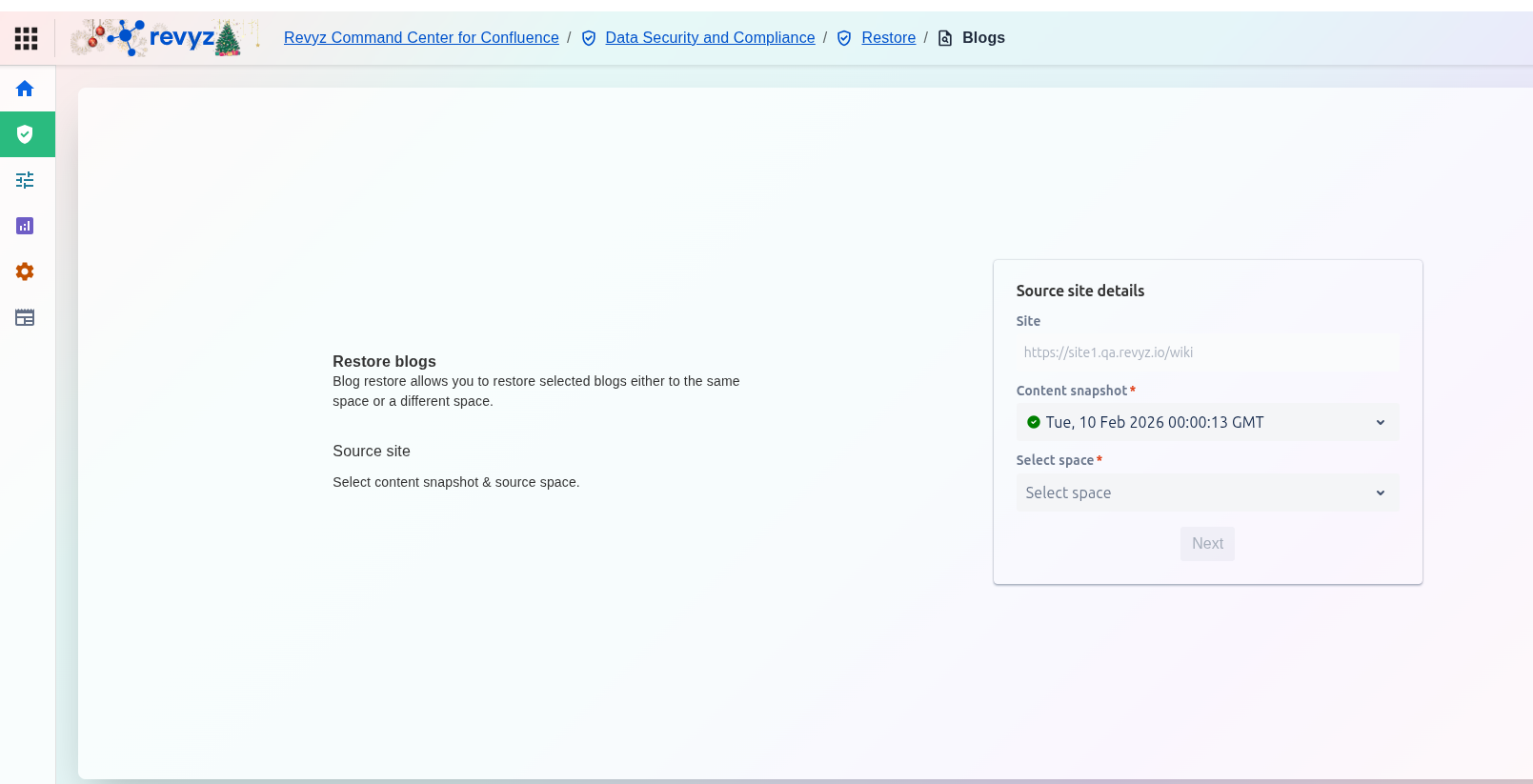
How to Restore Blogs?
Step 1: Source Site Details
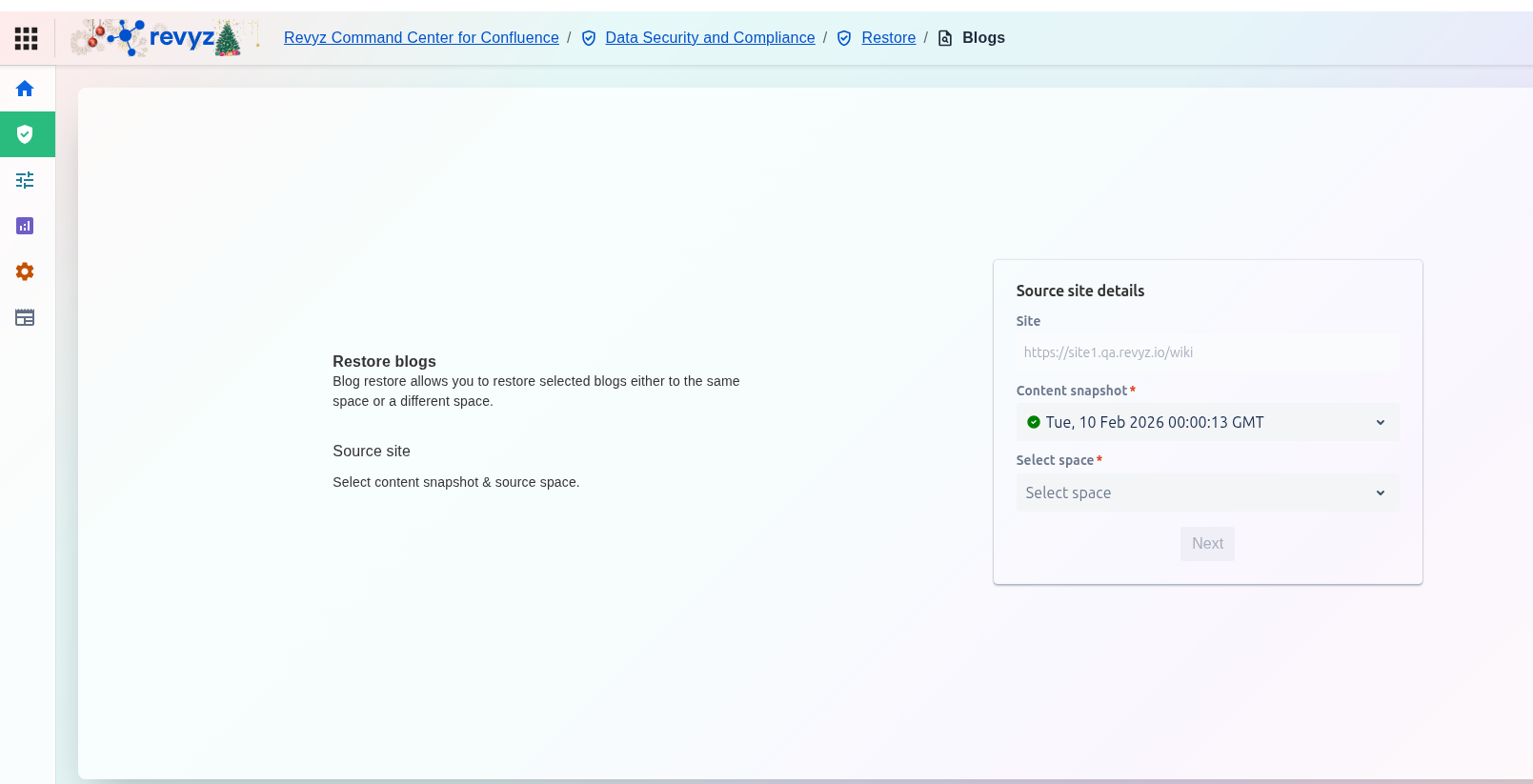
Enter the source site and snapshot details. Select the desired space.
Step 2: Destination Site Details
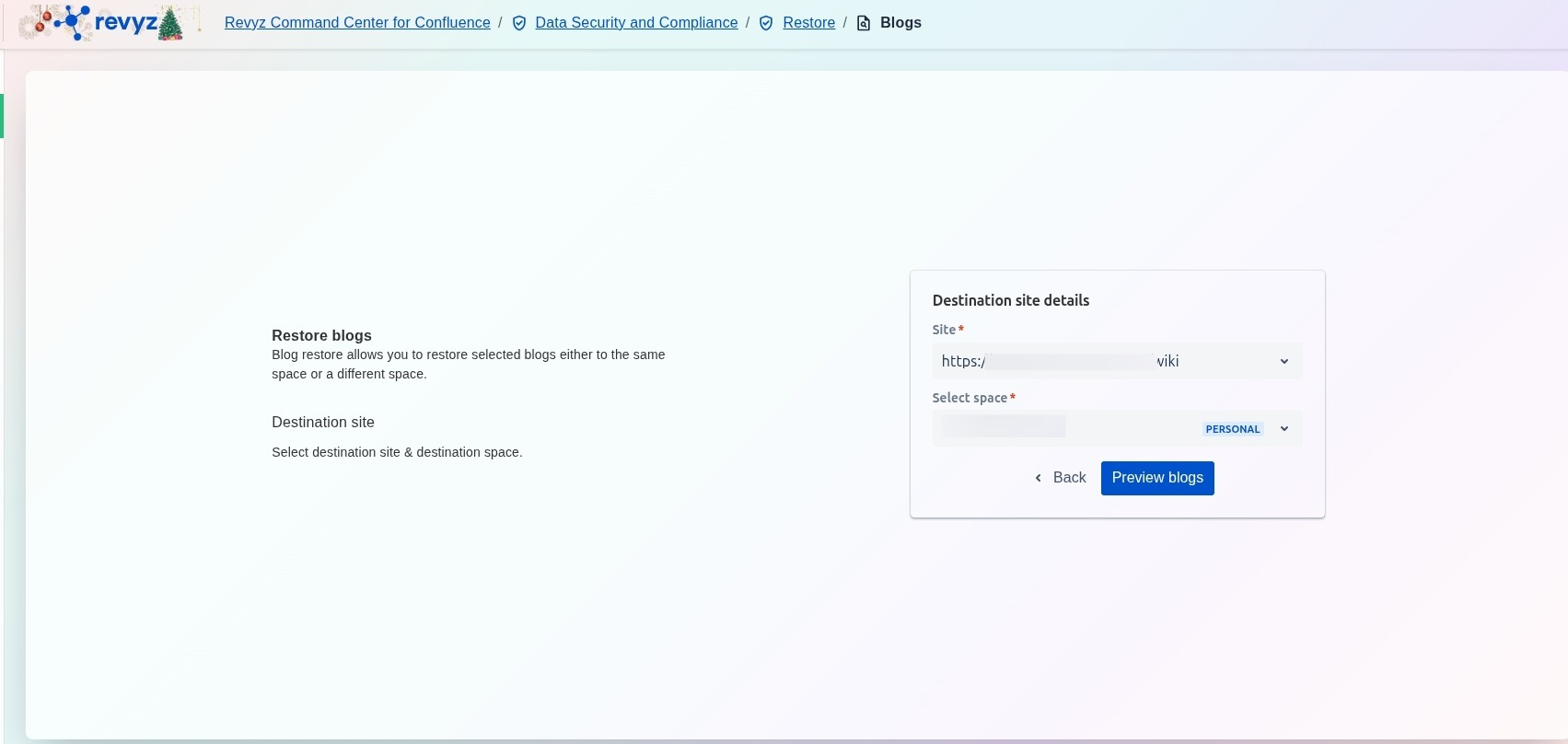
Enter the Destination site name and space you want to restore the blogs.
Step 3: Select destination site details
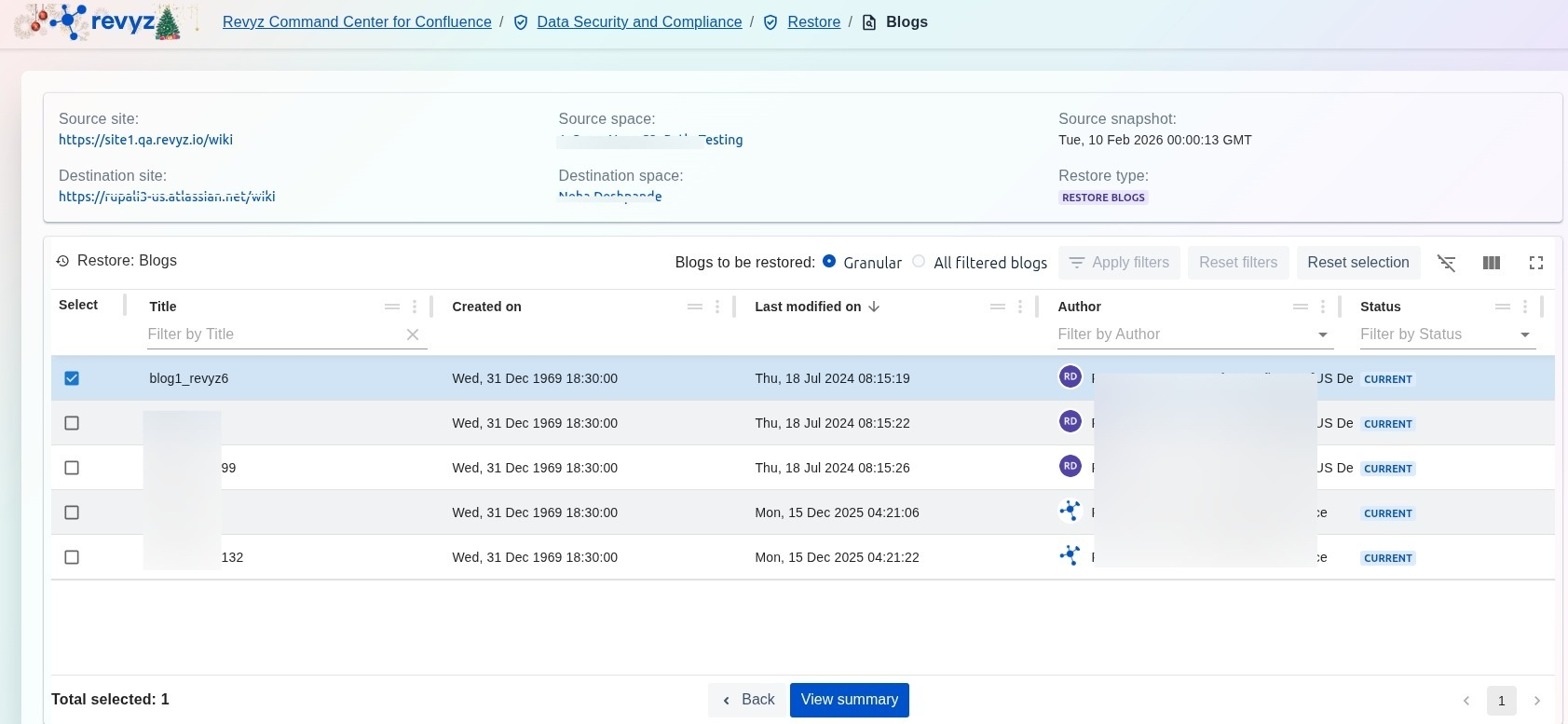
Once you have defined your source site and snapshot, the Restore: Blogs table populates with all available blog posts. You can use this interface to filter, identify, and select the specific content you need to restore.
Step 4: Review Information
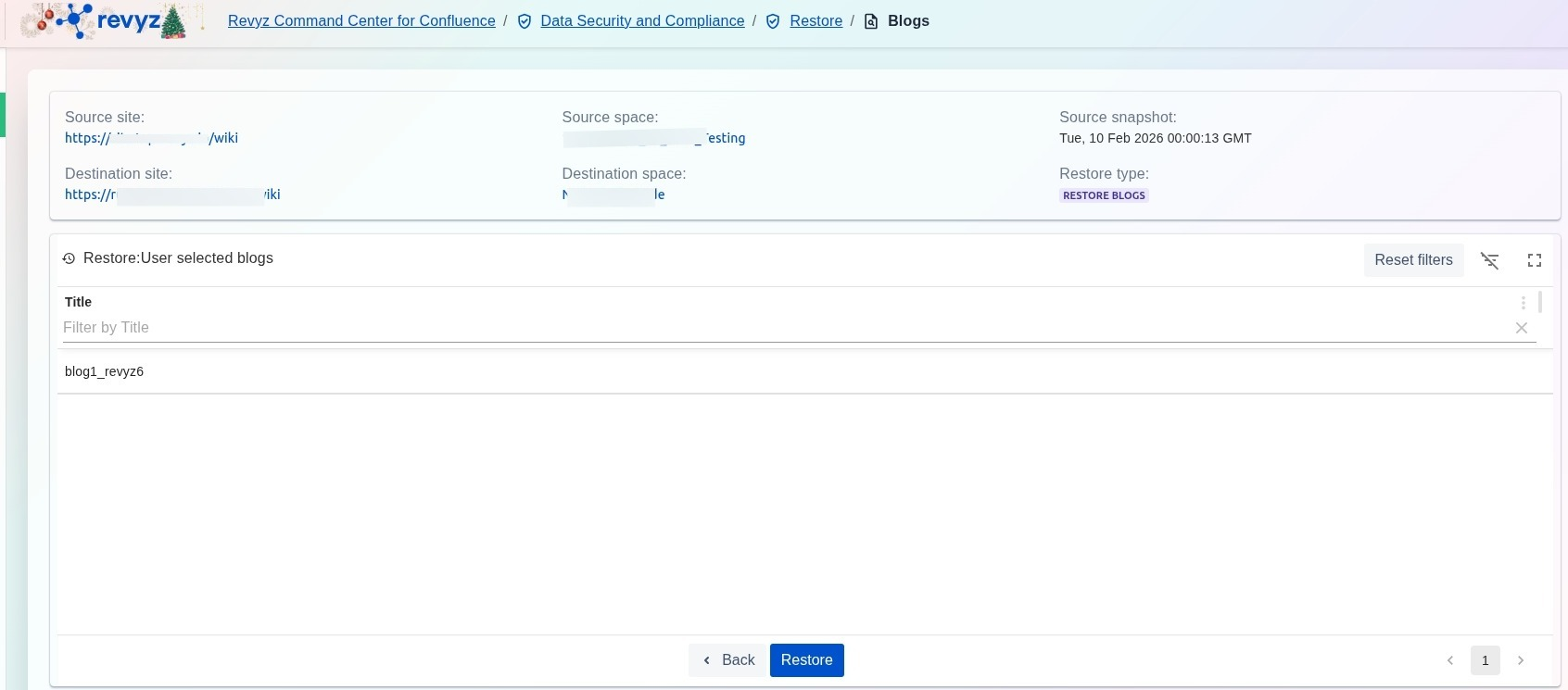
Review the desired information and click on “Restore”.
Step 5: Initiate Restore
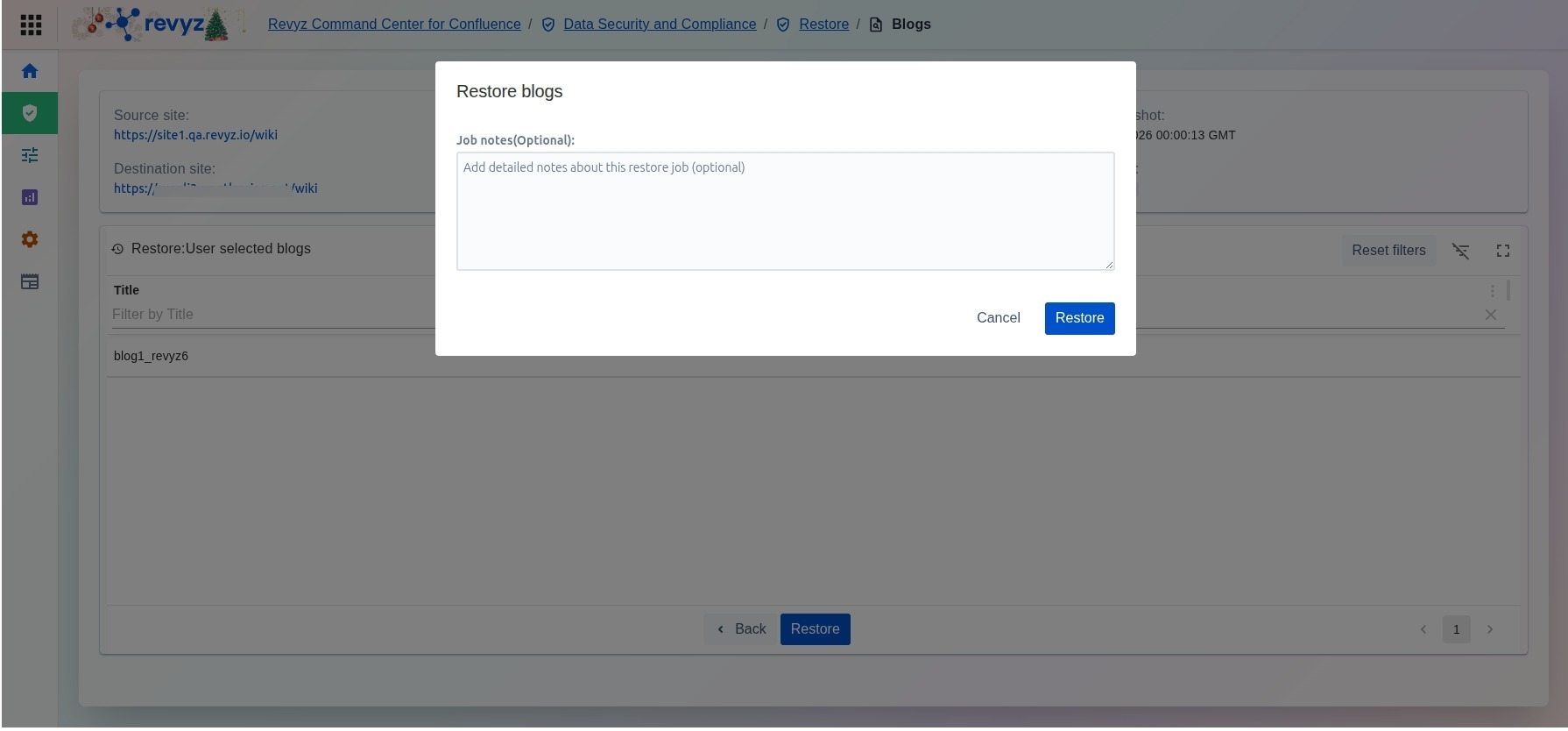
Add job notes and click on “Restore” to proceed further.
Step 6: Check Revyz Jobs
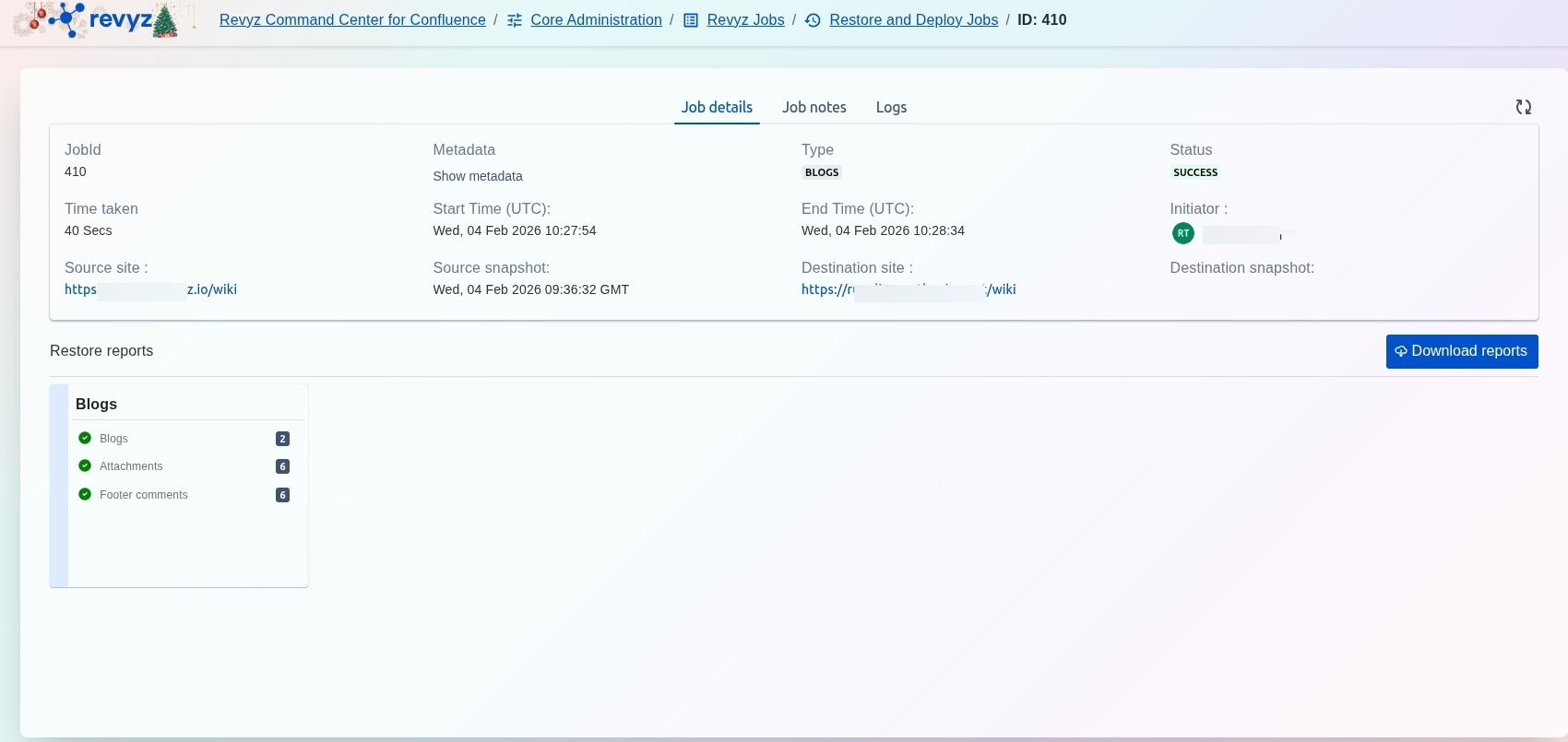
Go to Core Administration > Revyz Jobs > Restore and Deploy Jobs and select the relevant job id for blogs restore to check the success of the jobs. In case the job is marked as partial success or error, check the job logs for more information or contact support for further assistance.