
About this Page
The User Impersonation feature in Revyz Command Center for Confluence ensures that when data is restored, the original authorship and ownership metadata remains intact. Instead of the restored content appearing as if it were created by the "Revyz App" or the administrator who triggered the restore, Revyz "impersonates" the original user to maintain an accurate audit trail and historical record within Confluence.
What is the Use Case?
In a standard API-based restore, restored pages often show the person who initiated the restore (the Admin) as the author. This creates several issues that User Impersonation solves:
-
Audit & Compliance: Organizations need to know who originally created a document or comment for legal or internal compliance reasons.
-
Data Integrity: Maintaining the original "Created By" and "Author" information ensures the historical context of the documentation is preserved.
-
Collaboration: When footer comments are restored, seeing the original commenter’s name (rather than a generic app name) allows team members to know exactly who provided the feedback.
-
Fallback Protection: In scenarios where the original user no longer exists in the Atlassian directory, the system provides a graceful fallback to the Revyz App as the owner, preventing restore failures.
This feature is applicable to:
-
Spaces
-
Pages
-
Blogs
-
Footer Comments (associated with Pages and Blogs)
How this Feature Works
When you trigger a restore job through the Revyz Command Center, the User Impersonation logic runs automatically in the background.
Selection & Triggering
Navigate to the restore section (e.g., Data Security & Compliance > Pages Restore) and select the snapshot and items you wish to restore. During this process, you can select your destination space.
Let’s take an example: Select the desired page/blog you wish to restore and check its creator name.
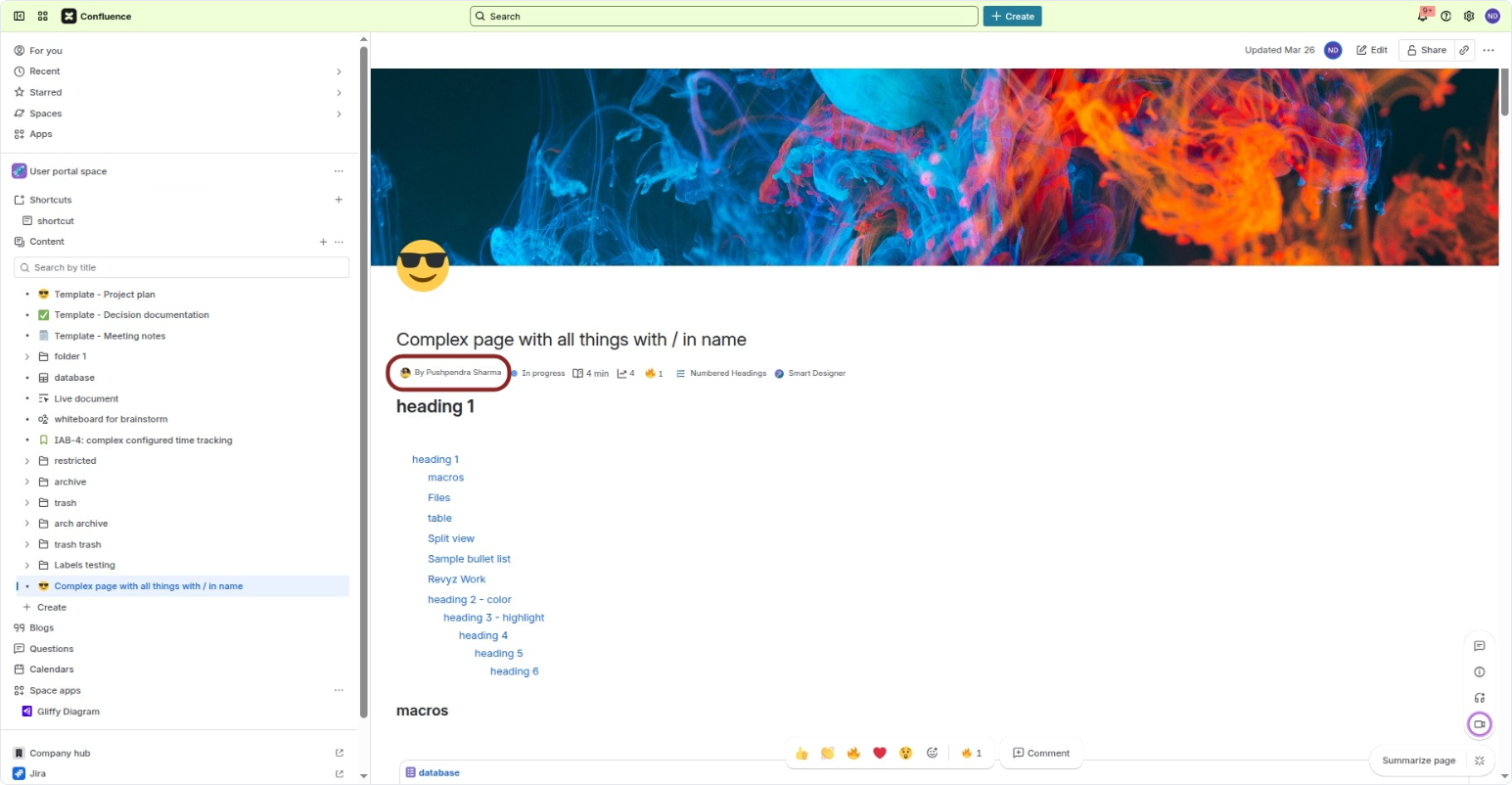
User Mapping
As the restore job progresses, Revyz identifies the original author of the Page, Blog, or Comment from the backup snapshot.
-
If the user exists: Revyz matches the user ID and attributes the restored content to that specific user.
-
If the user does not exist: If the original author has been deleted from your Atlassian site, the owner defaults to the Revyz App.
For more, refer the FAQs section below.
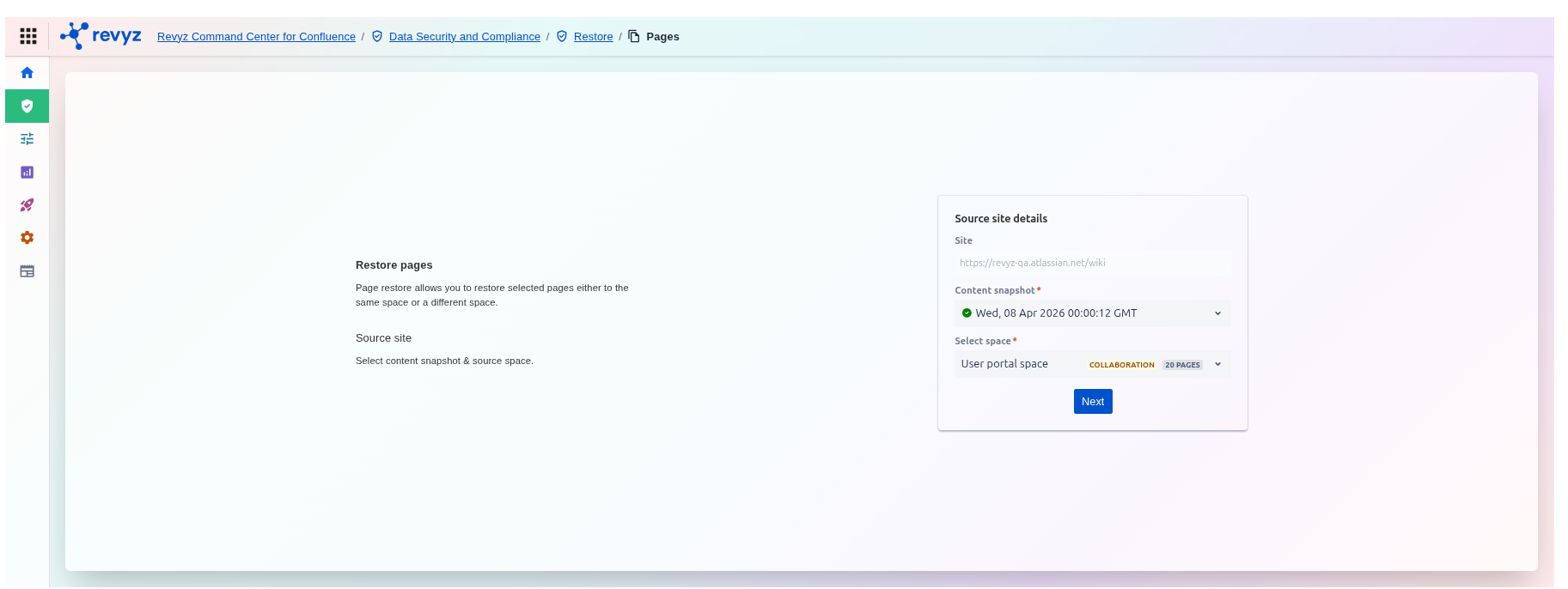
Step 1: Navigate to Data Security and Compliance > Restore > Pages. Select the desired source site, snapshot, and space.
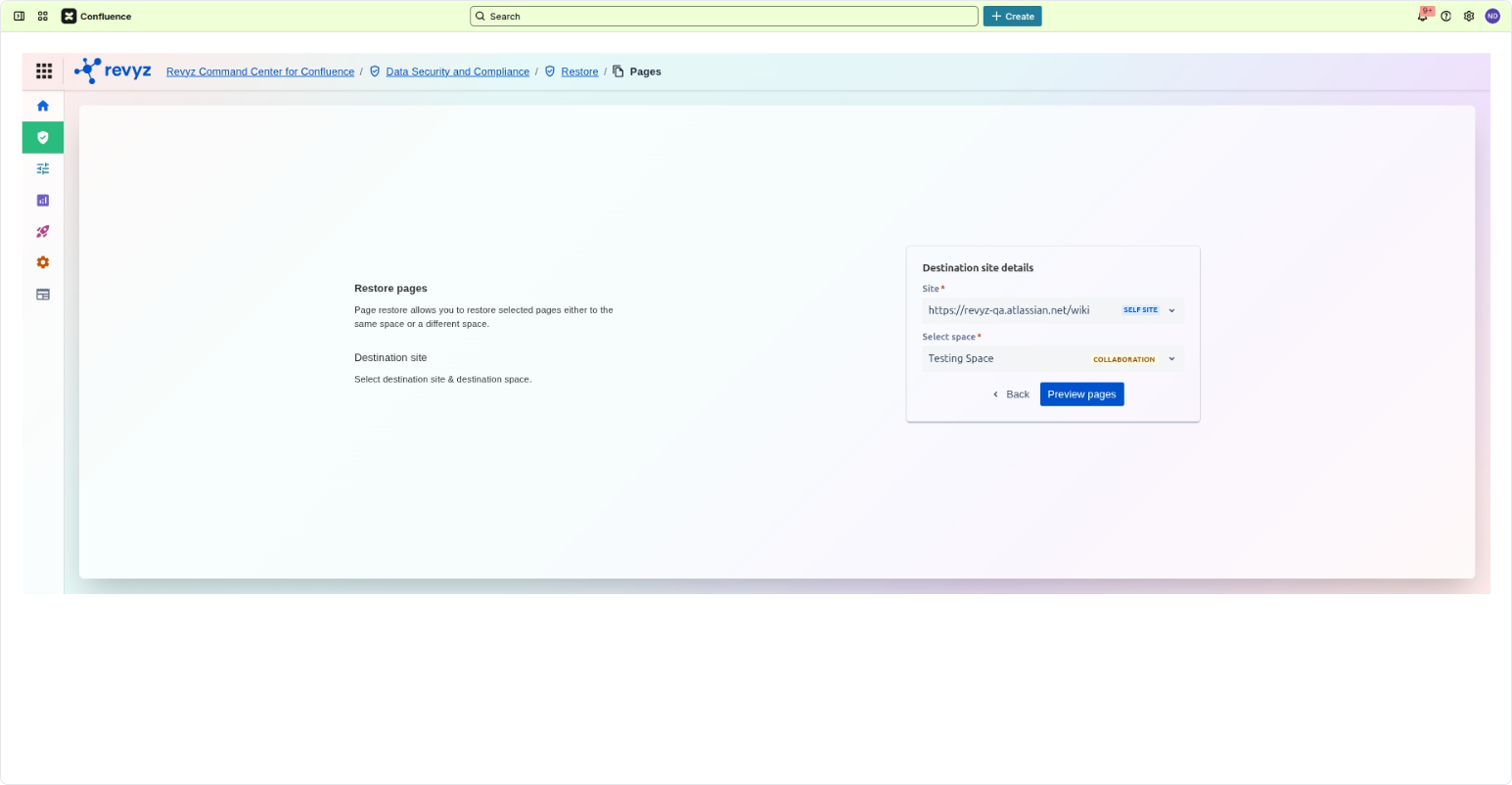
Step 2: Select the desired destination site, snapshot, and space.
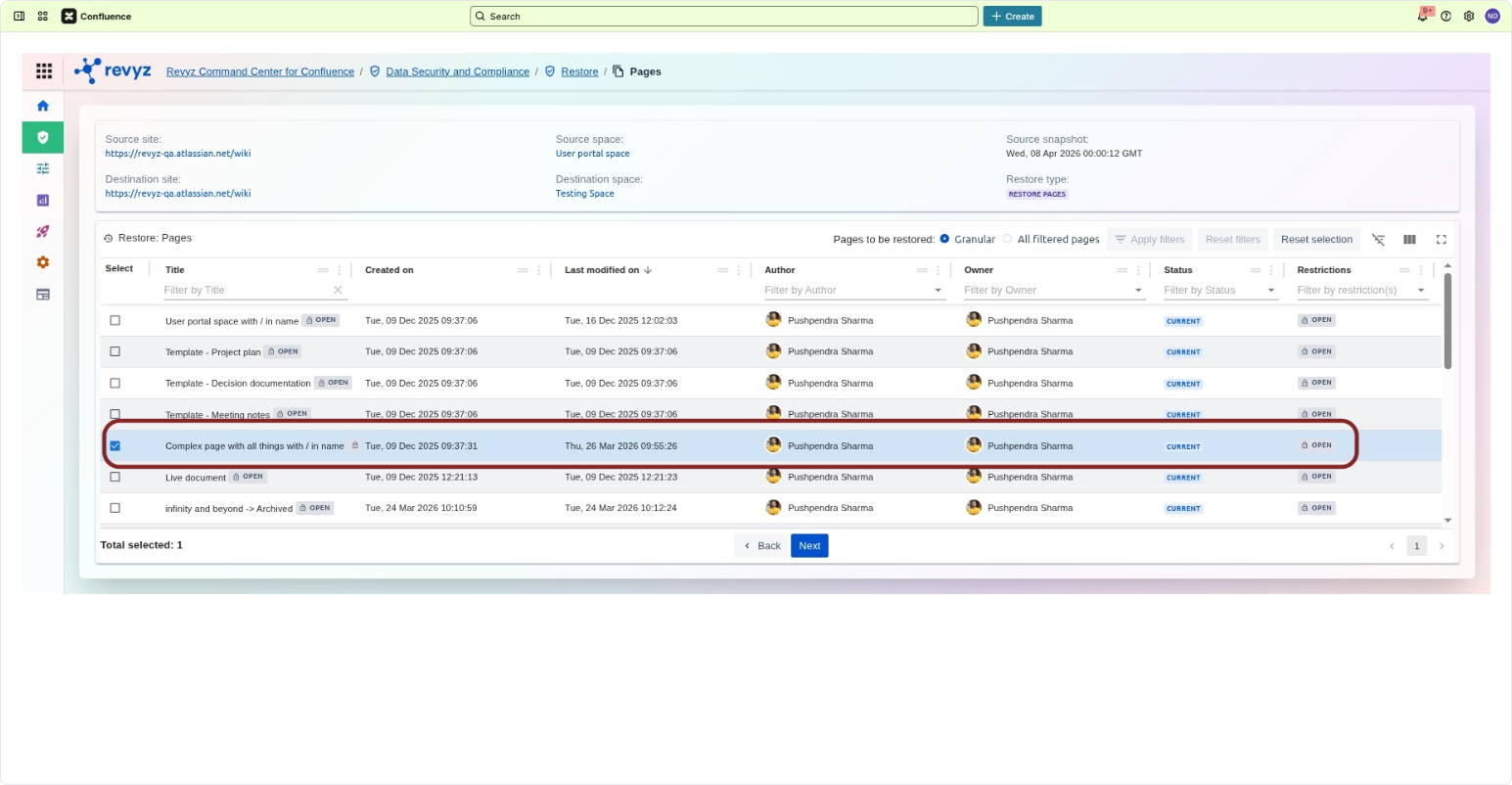
Step 3: Select the desired page you want to restore. Check its creator name.
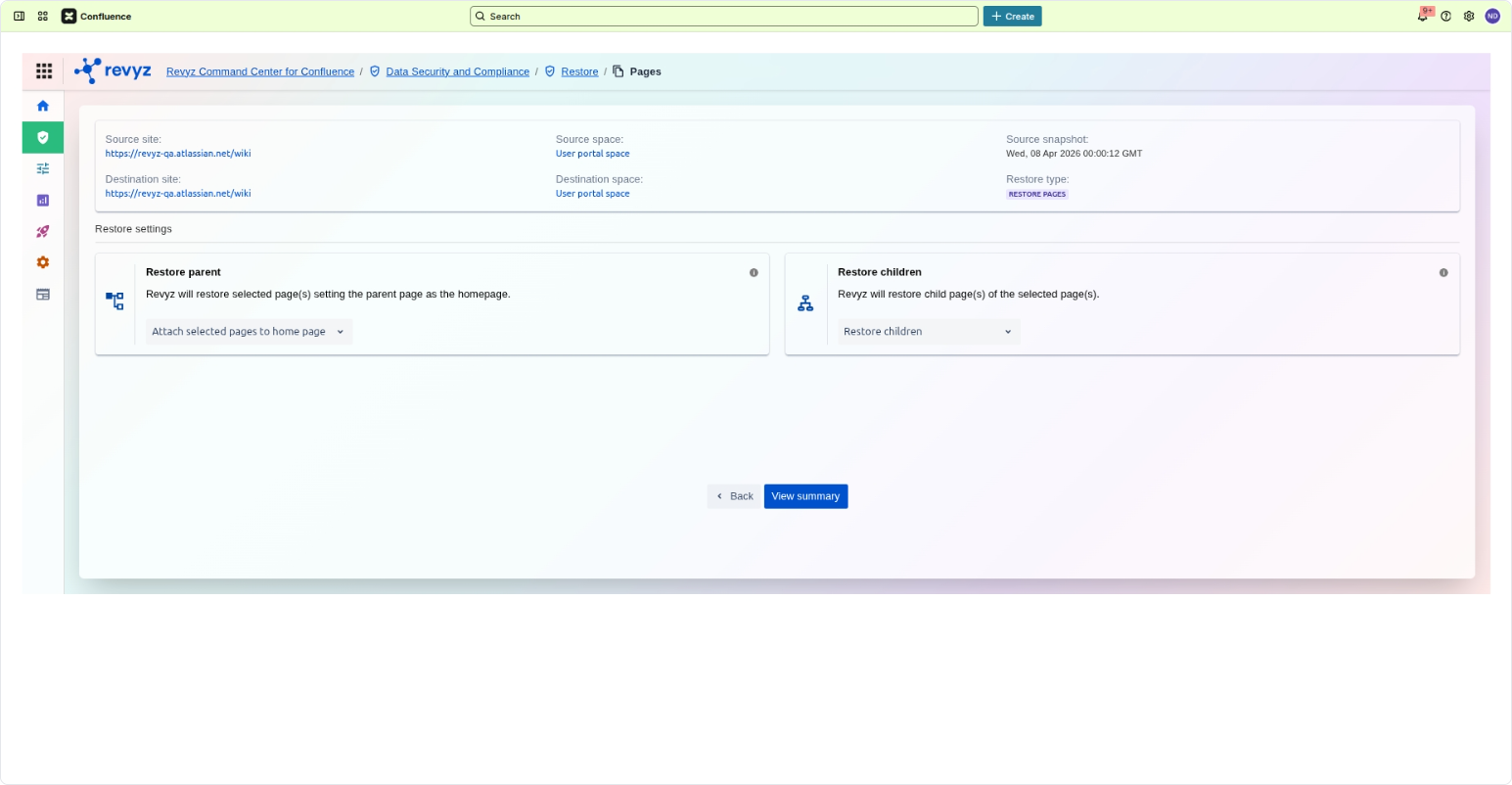
Step 4: Configure your parent and child page restoration settings and click View summary to review the details before proceeding.
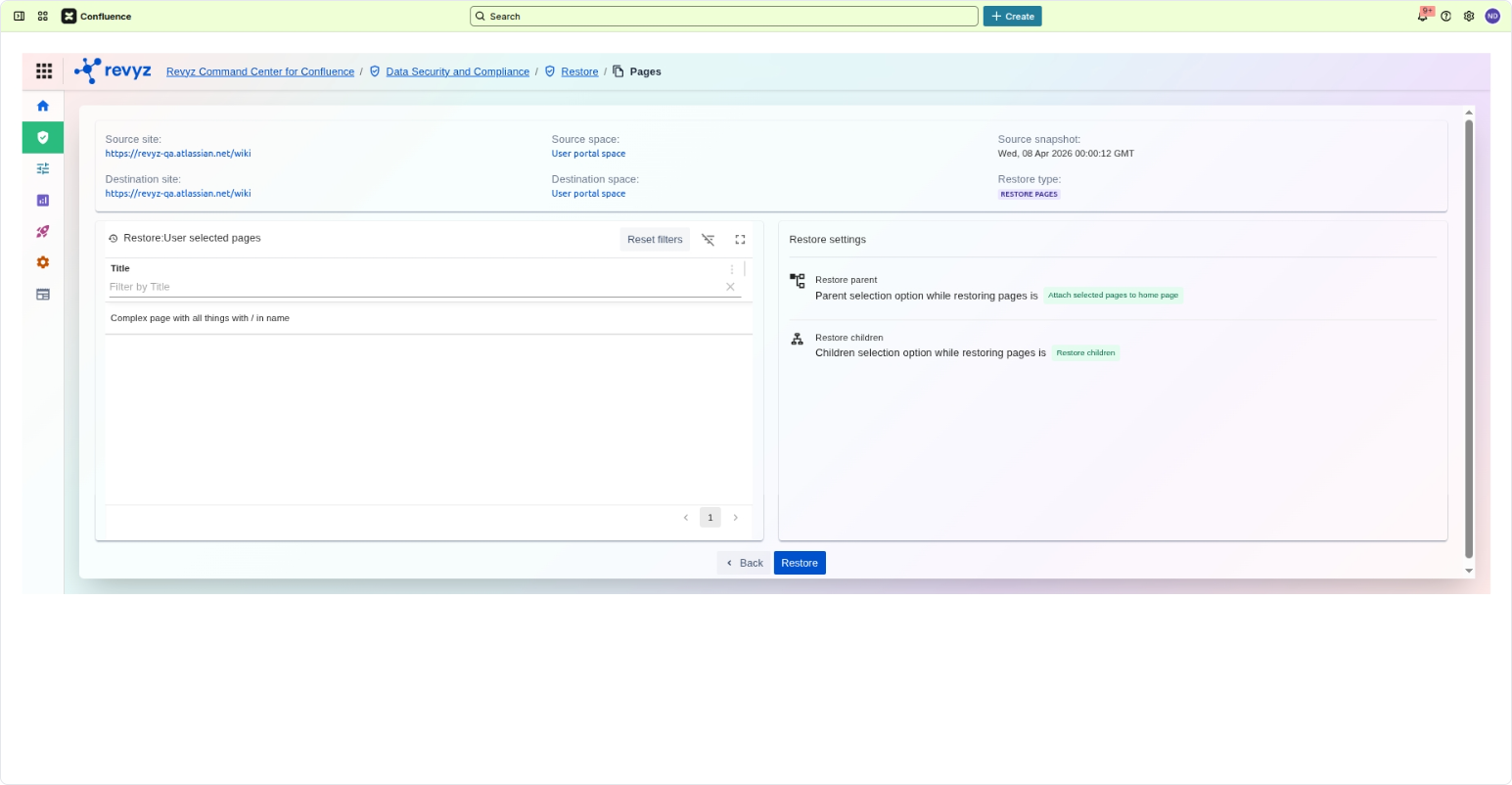
Step 5: Review the summary of your selected pages and restoration settings, then click Restore to initiate the process.
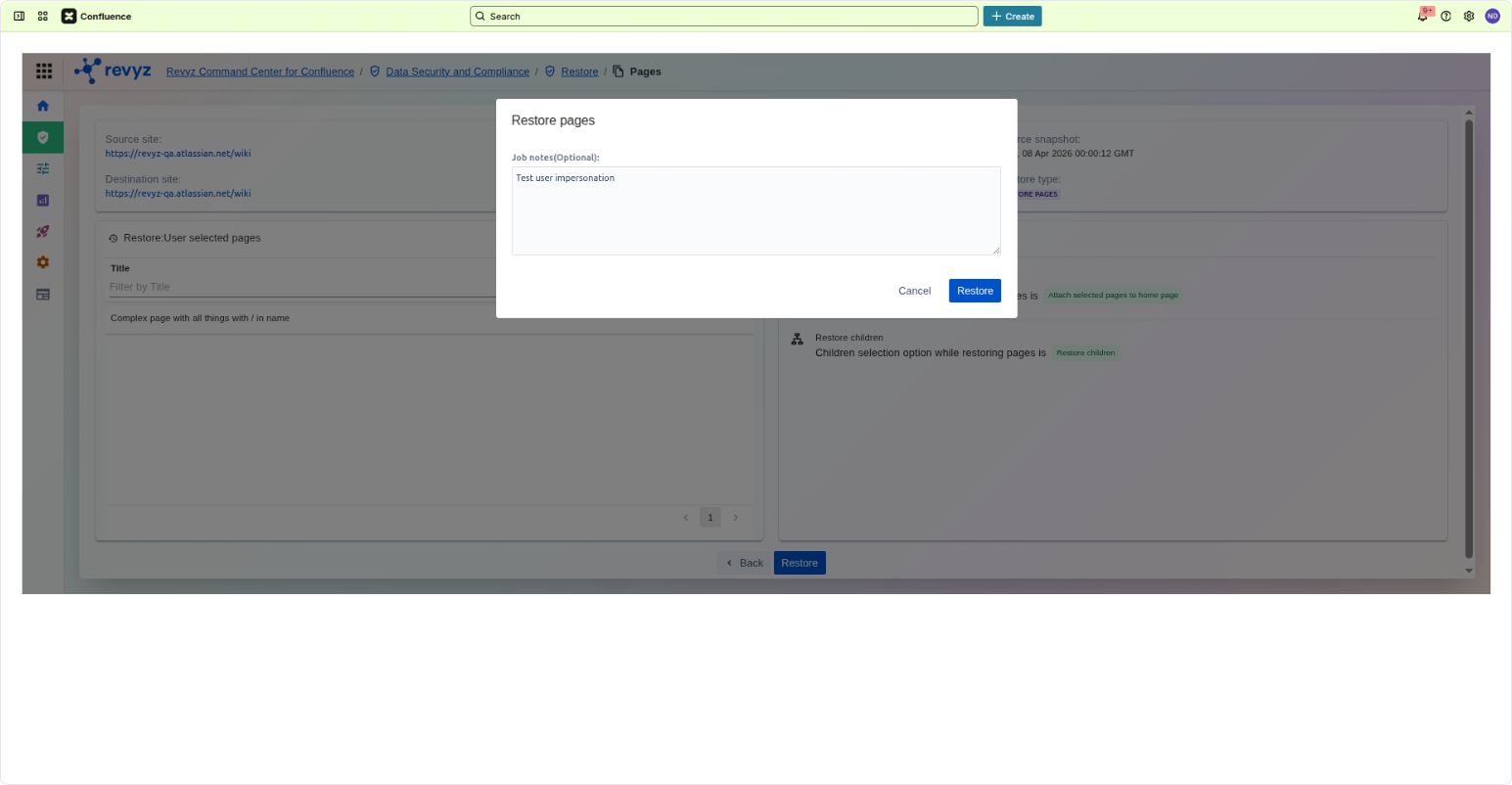
Step 6: Add job notes, if required.
Step 7: You’ll see the job running under “Restore and Deploy Jobs”. You can monitor the progress of these restores via the Restore Job Details page in the Revyz Command Center, where you can add job notes (e.g., "Testing User Impersonation") to track your administrative actions.
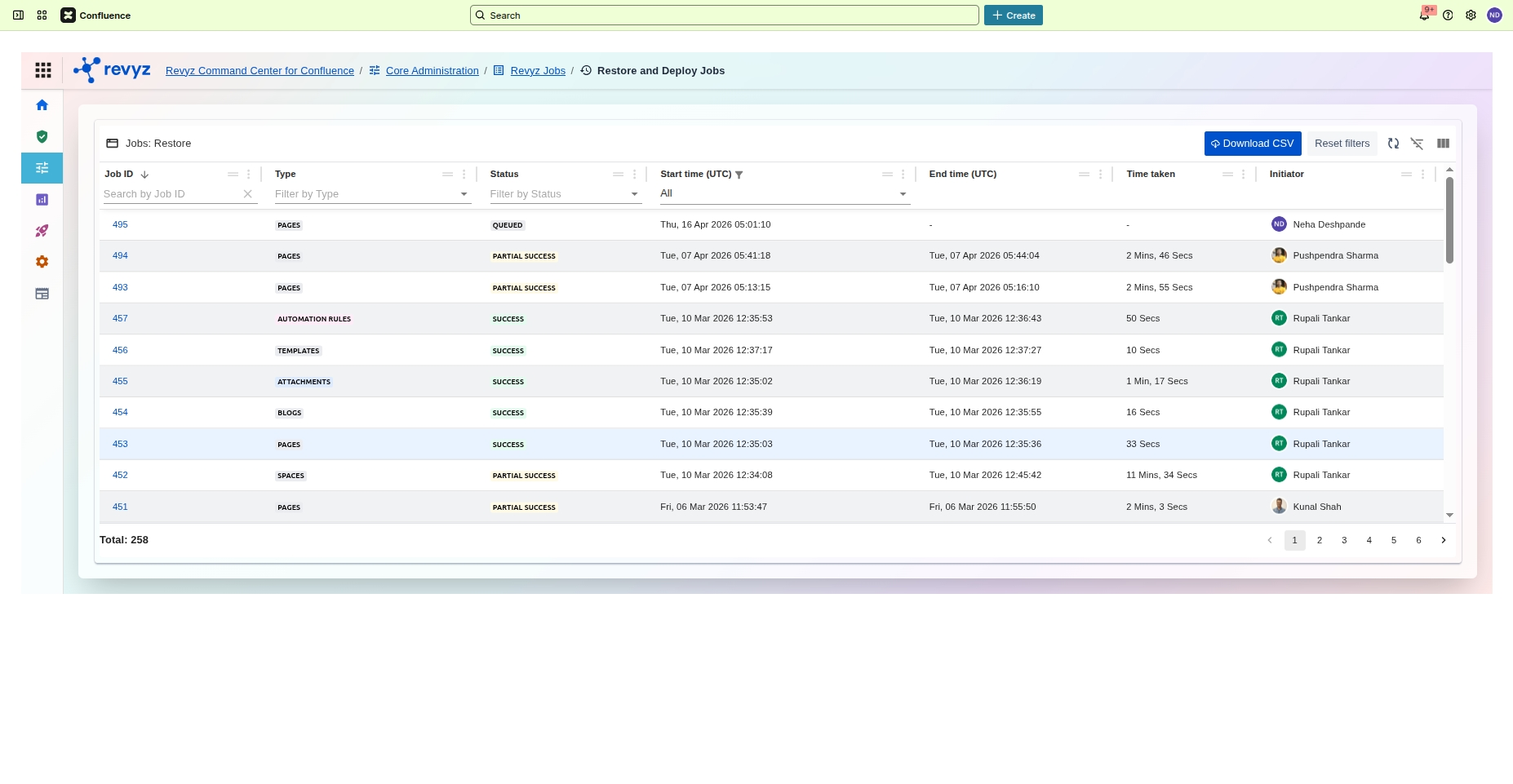
Step 8: The job will run from “Running” to “Success”.
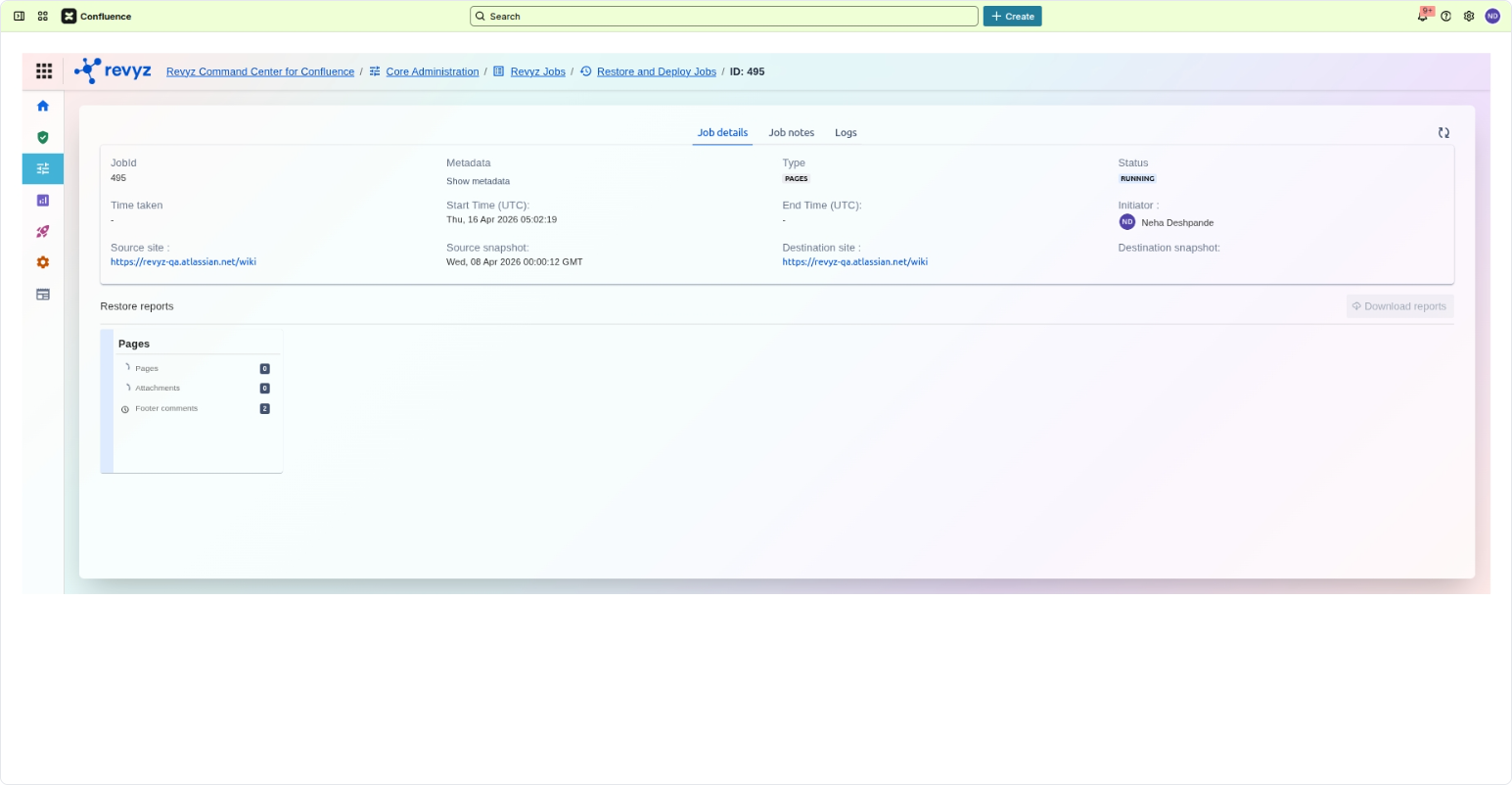
Step 9: Review the summary of your selected pages and restoration settings, then click Restore to initiate the process.
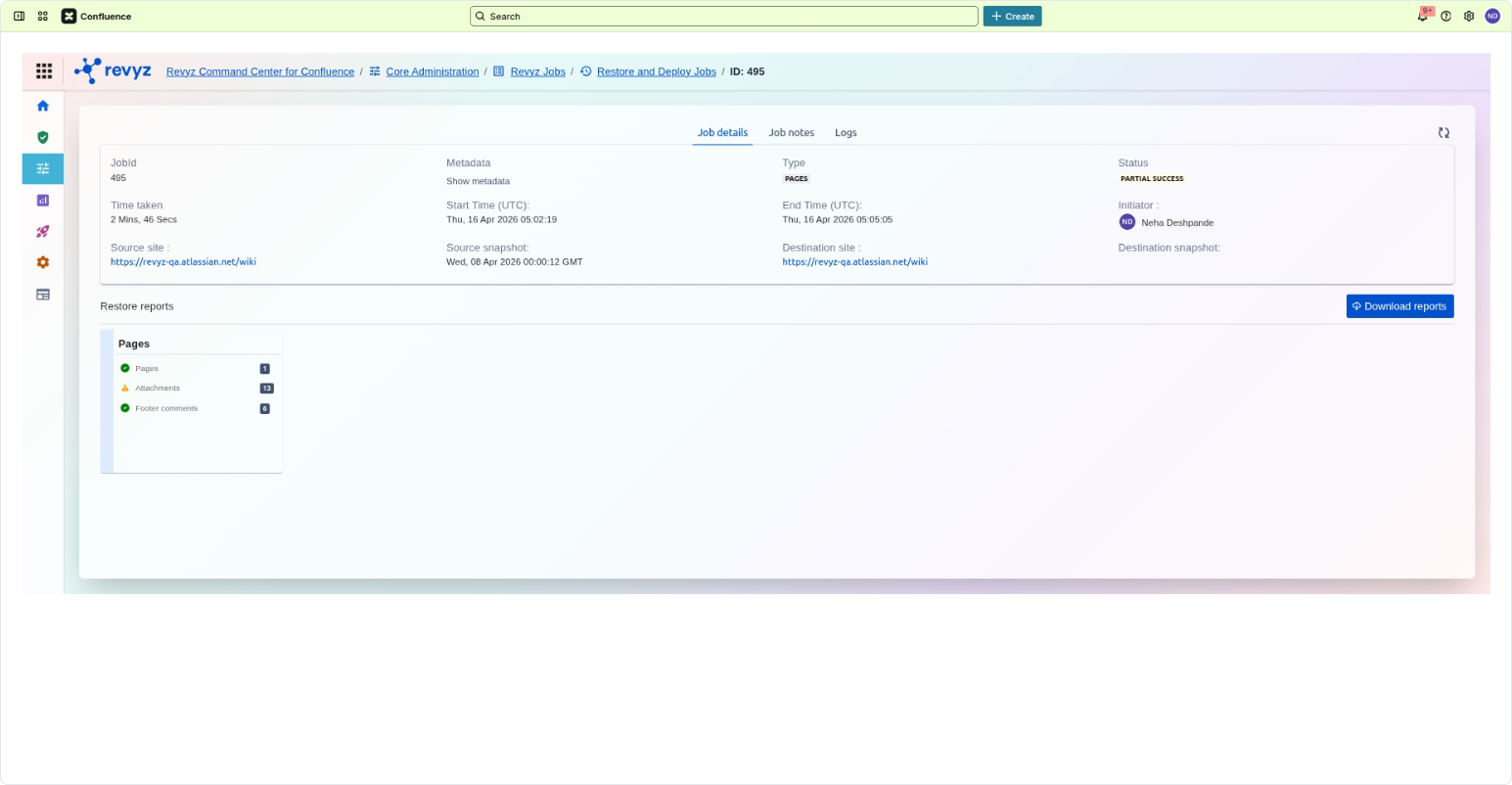
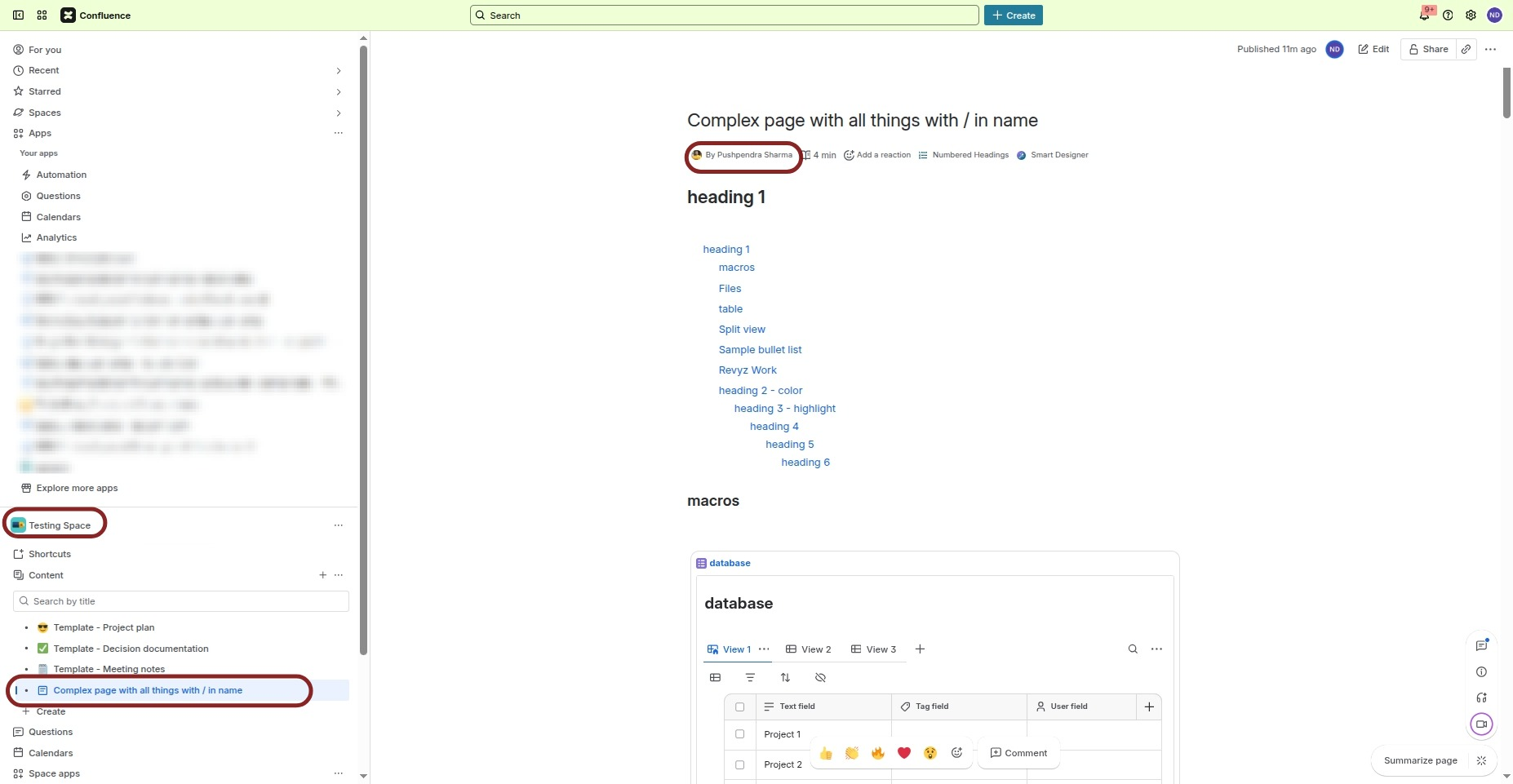
Step 10: Once the job moves from "In Queue" to "Successful," you can verify the impersonation in your Confluence destination space:
-
Page Ownership: Check the page metadata; the "Created by" section will reflect the original author rather than the admin who performed the restore.
-
Comments: Scroll to the footer comments; the avatars and names will mirror the original commentors, preserving the timeline of the conversation.
Frequently Asked Questions (FAQs)
Restoring Spaces
Restoring Pages
Restoring Blog posts
Restoring Attachments & Footer Comments