
Automation rules restore
-
Revyz do support Automation rules restore on same site.
-
You can download automation rule from restored jobs and import it on the site.
How to restore automation rules using Revyz app
-
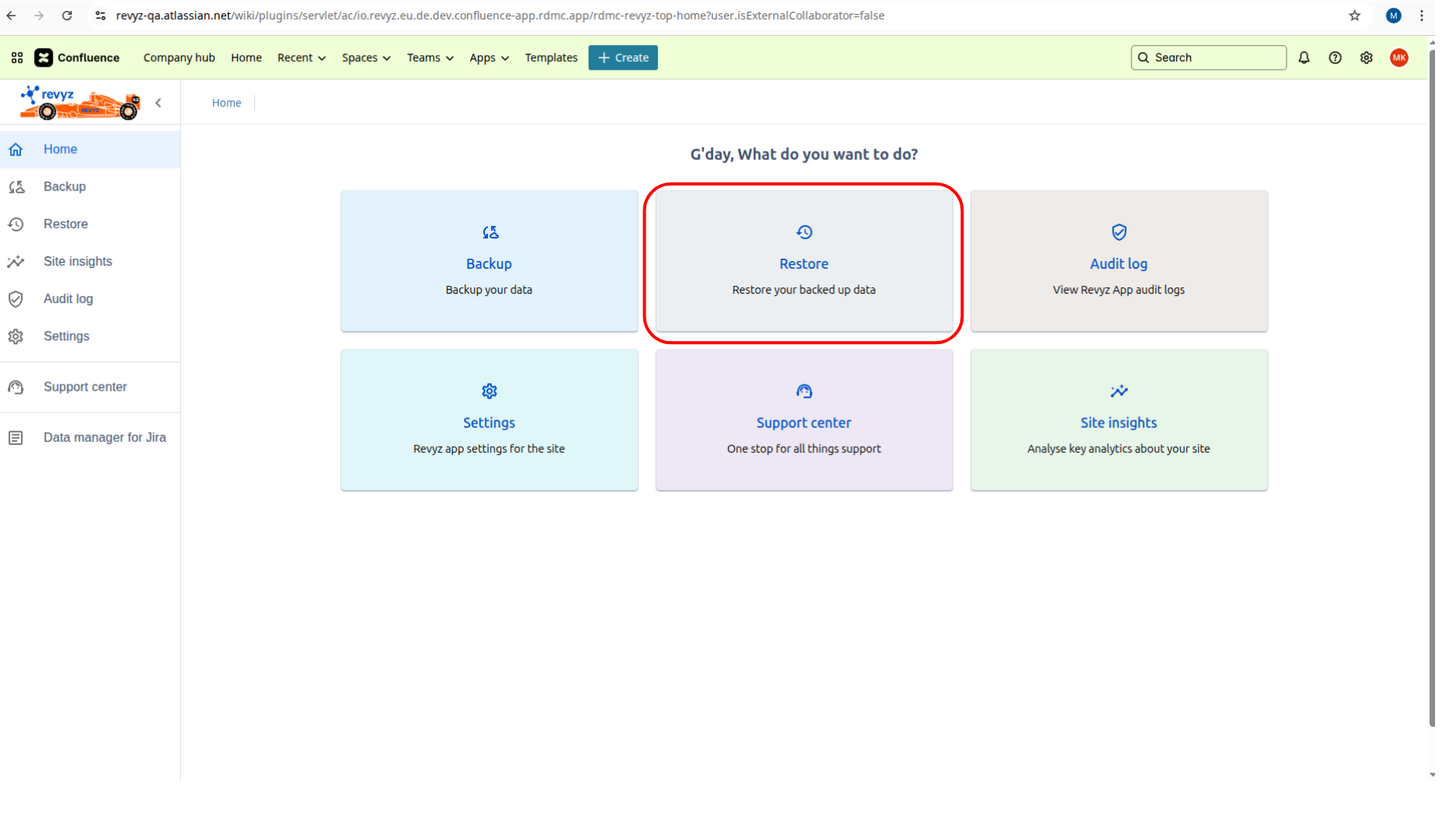
Click on 'Home' in left navbar.
-
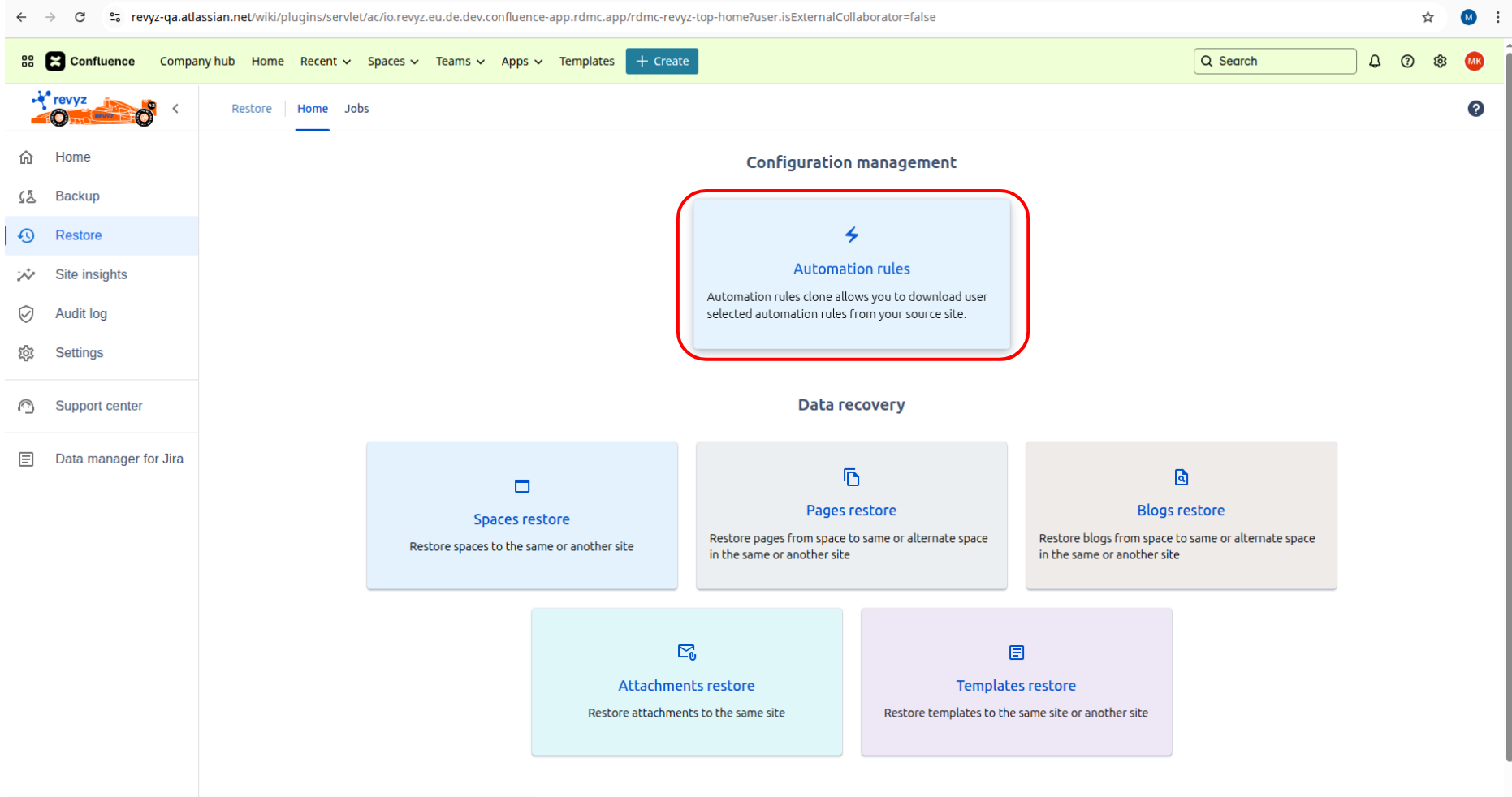
Click on ‘Restore' card and click on 'Automation rules’ card.
-
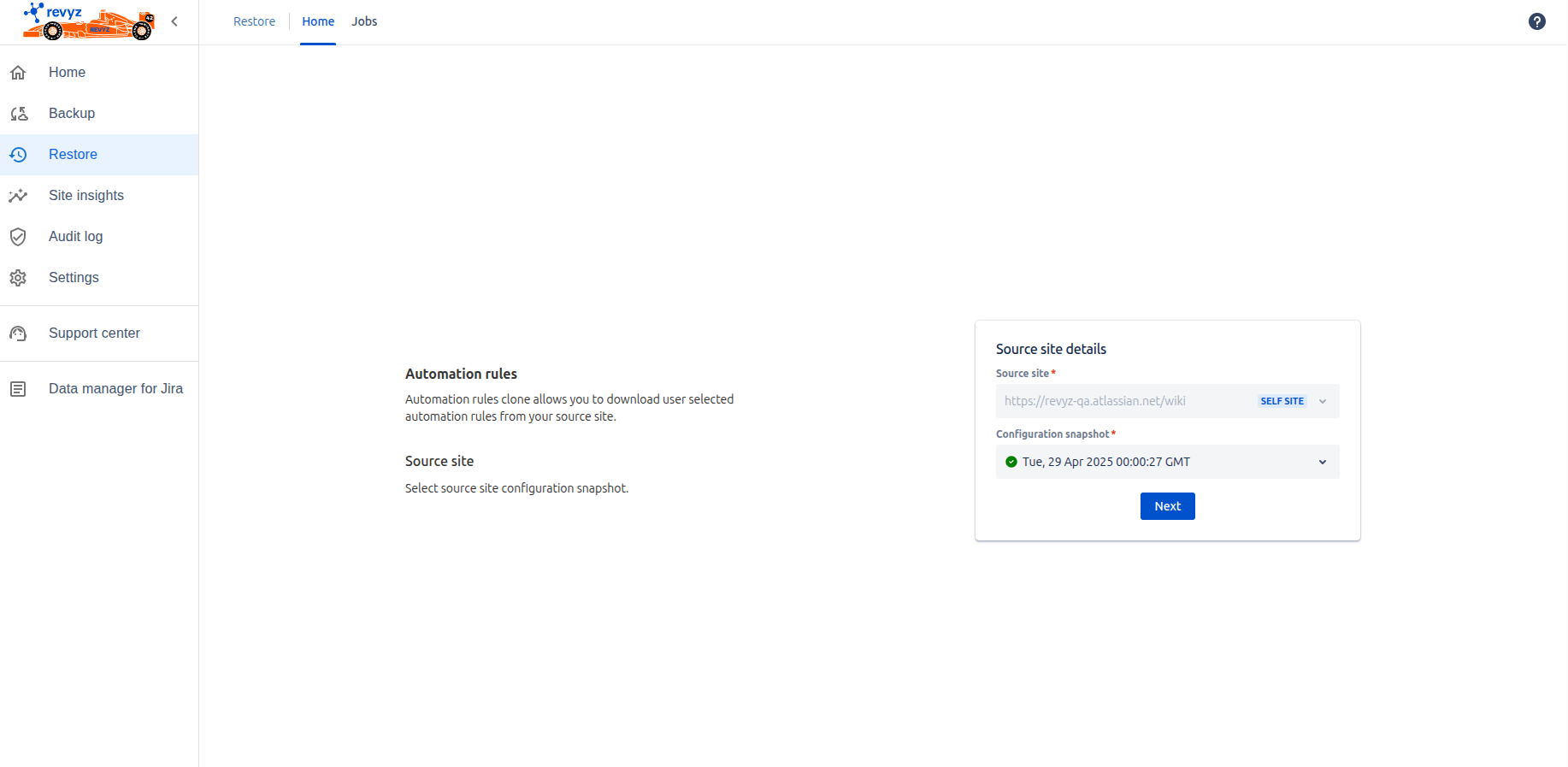
Select configurations snapshot.
-
Click on 'Next'.
-
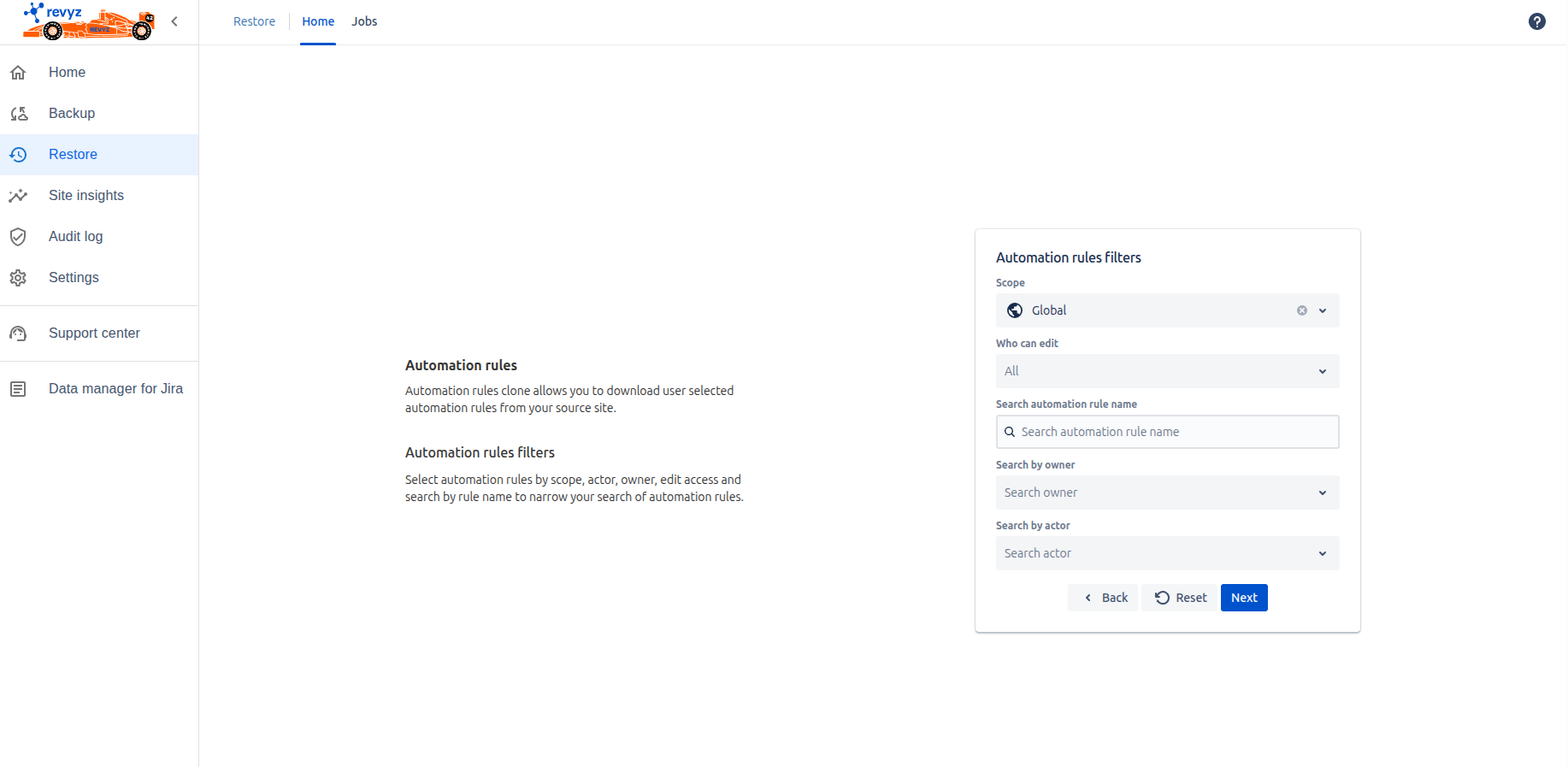
You can filter by scope, owner, actor.
-
Click on 'Next'.
-
Select the rules which you want to restore.
-
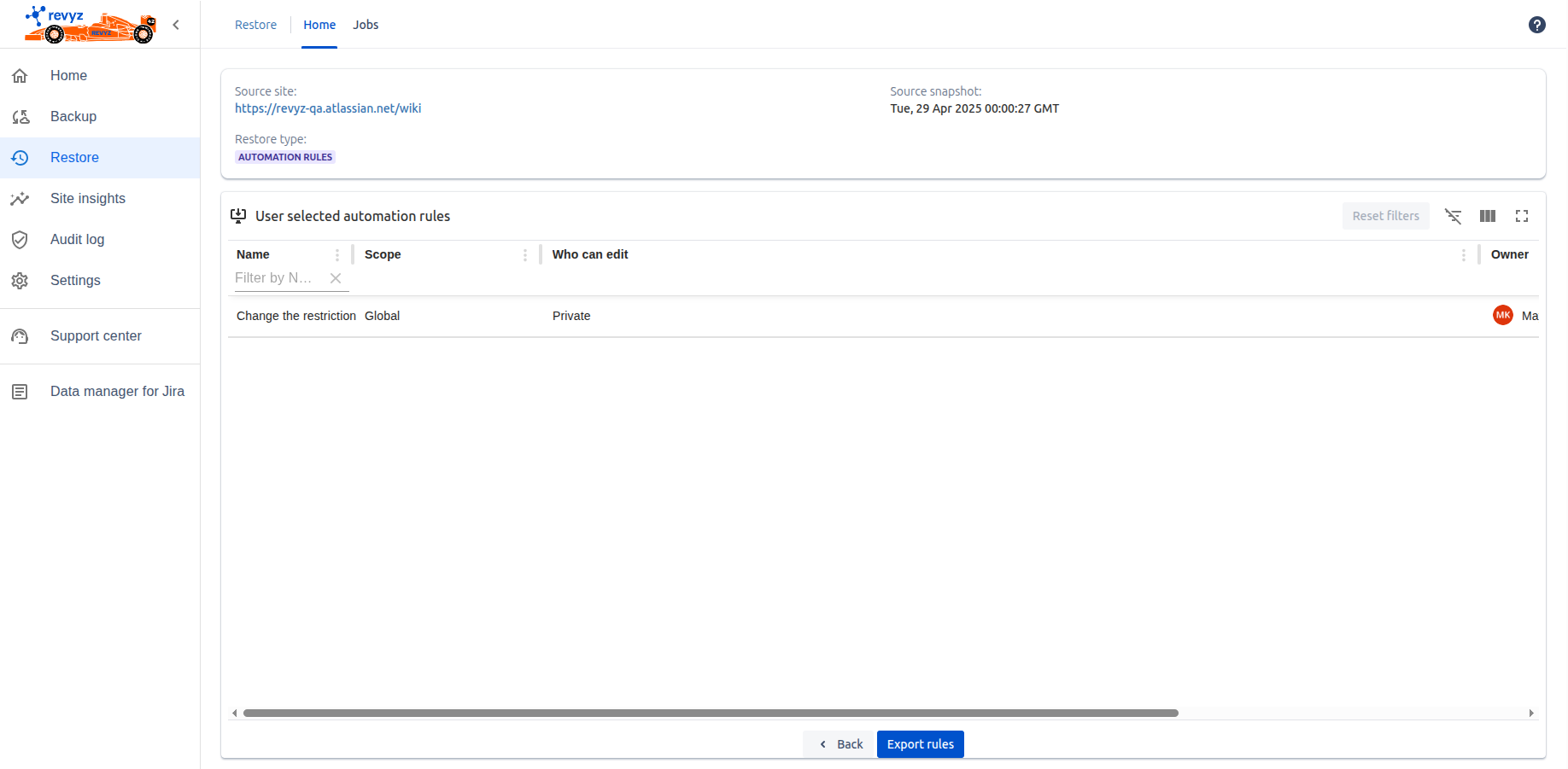
Click on 'View summary'. You can see the summary of selected automation rule.
-
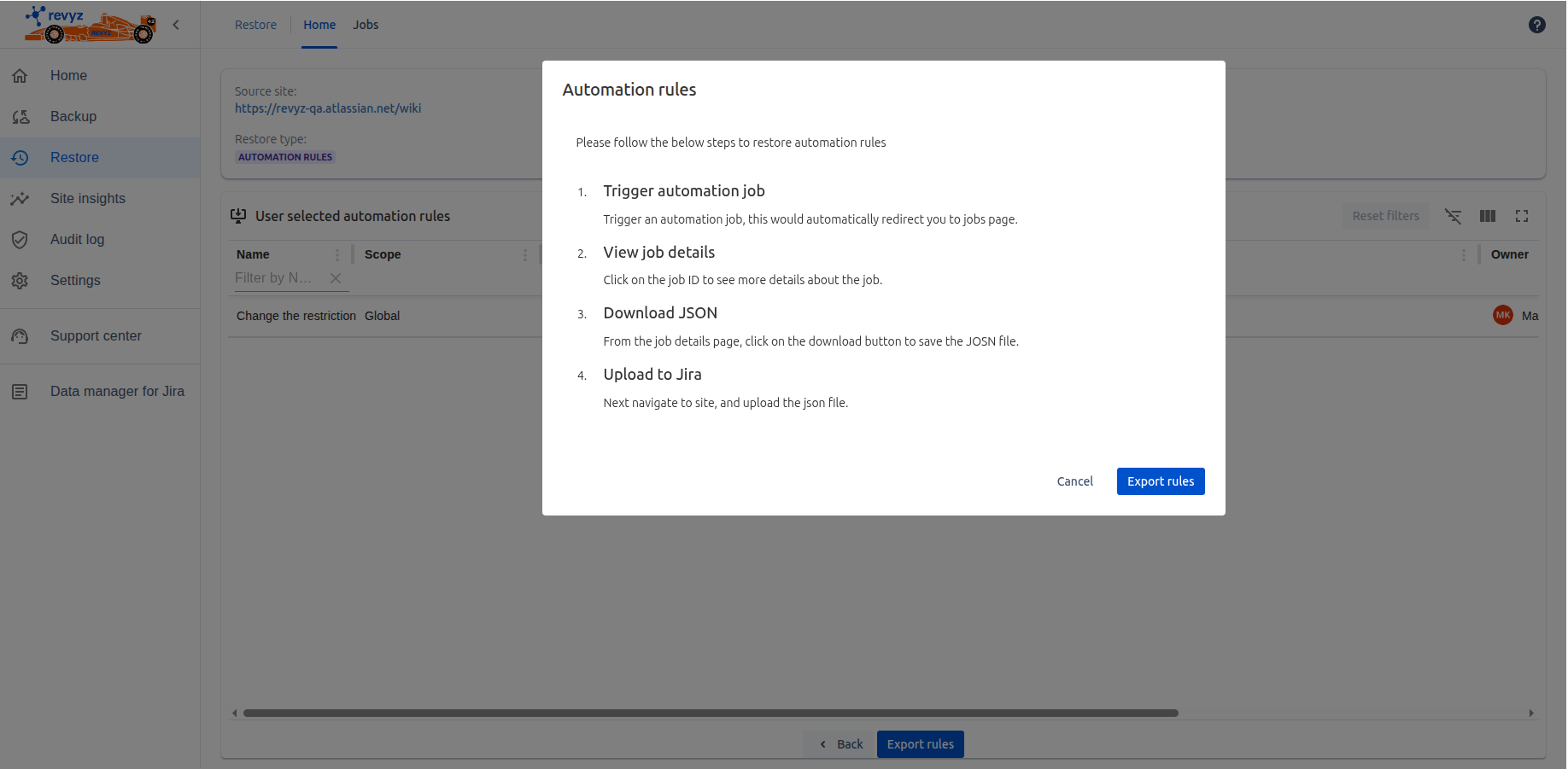
Click on 'Export rules' - You can see the prompt of steps to restore automation rules.
-
Click on 'Export rules'.
-
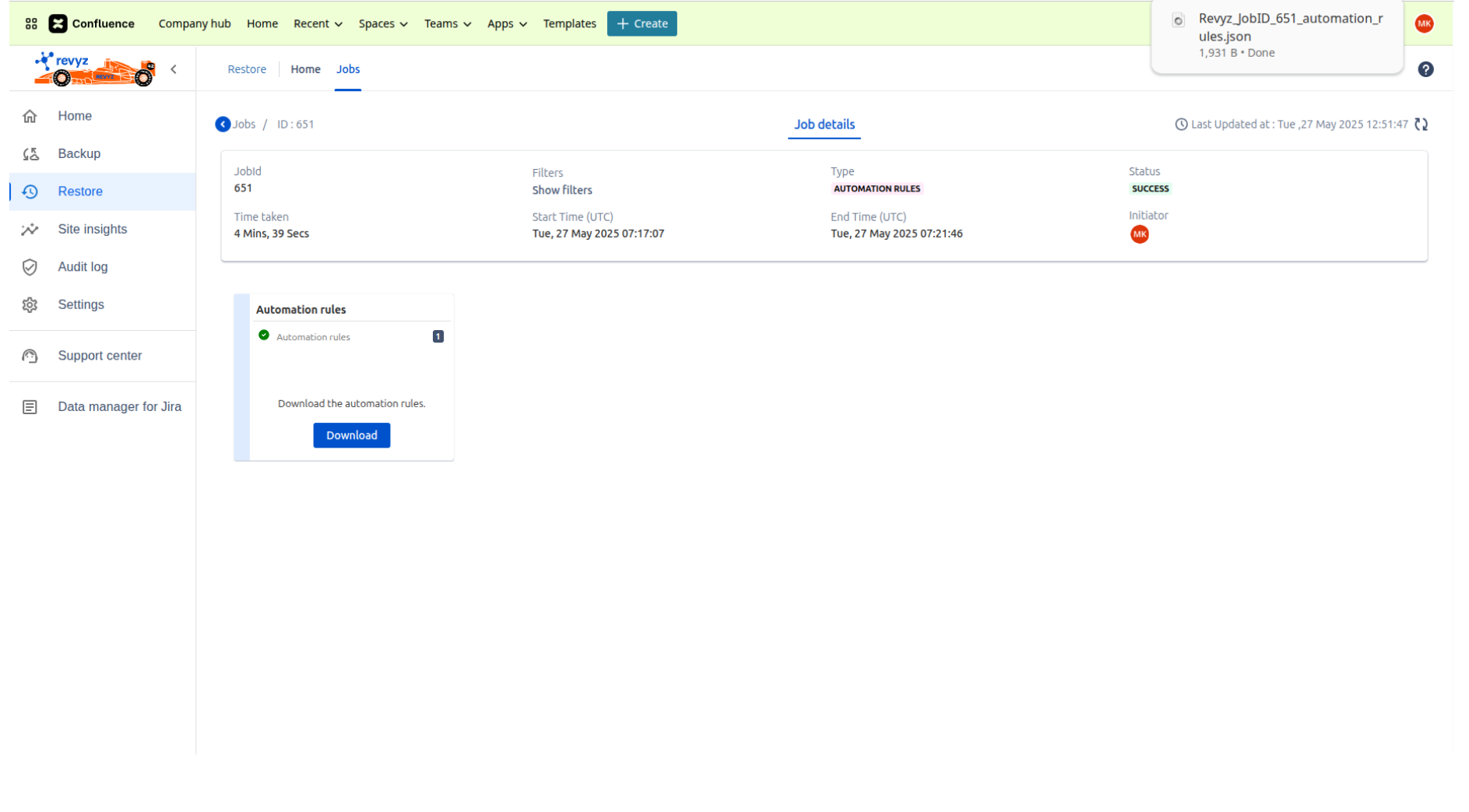
You will see ‘Action required’ status in job details.
-
Click on 'Download' which will download the Automation rule JSON.
-
It will download the JSON.
-
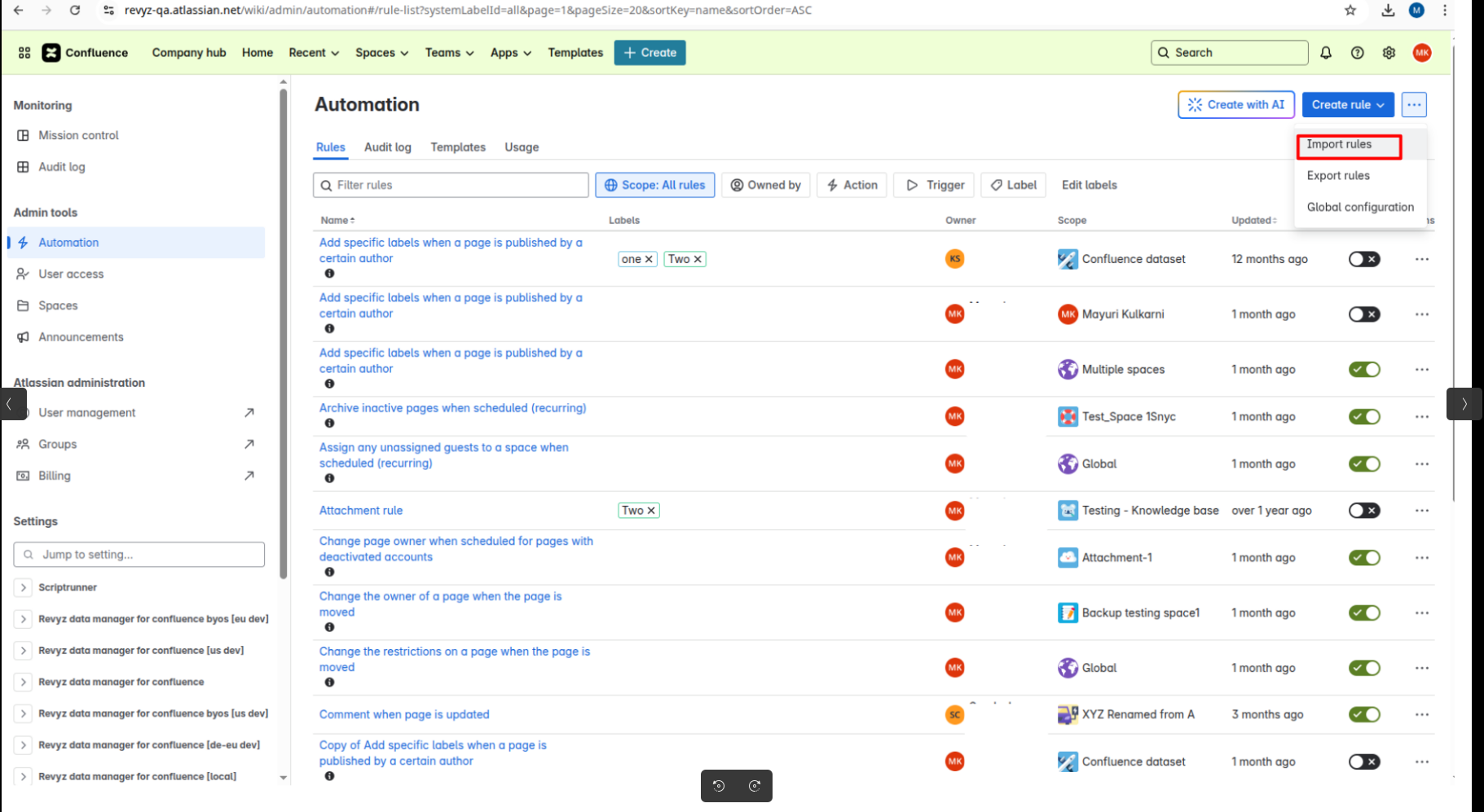
Go to your site - > Select space - > Select Automation - > Rules - >Click on 'Import rules'
-
Upload the downloaded JSON.