
About this Page
The Deploy Templates page is a specialized configuration tool within the Core Administration section designed for replicating standardized Confluence templates across your connected environments. This interface allows you to select specific global or user-created templates from a source backup and deploy them to a target site, ensuring documentation consistency across your organization.
What is the Use Case?
This feature is critical for configuration management and operational efficiency. Key use cases include:
-
Standardizing Documentation: Deploying approved corporate templates to new departmental sites to ensure all teams follow the same documentation standards.
-
Environment Synchronization: Moving custom templates from a sandbox environment to production once they have been finalized and tested.
-
Site Scaling: Rapidly provisioning a newly connected Confluence site with all the necessary templates required for immediate project kick-offs.
-
Audit Documentation: Adding Job notes to deployment tasks to maintain a record of why specific configuration changes were made.
How to Deploy Templates?
Step 1: Source Site Details
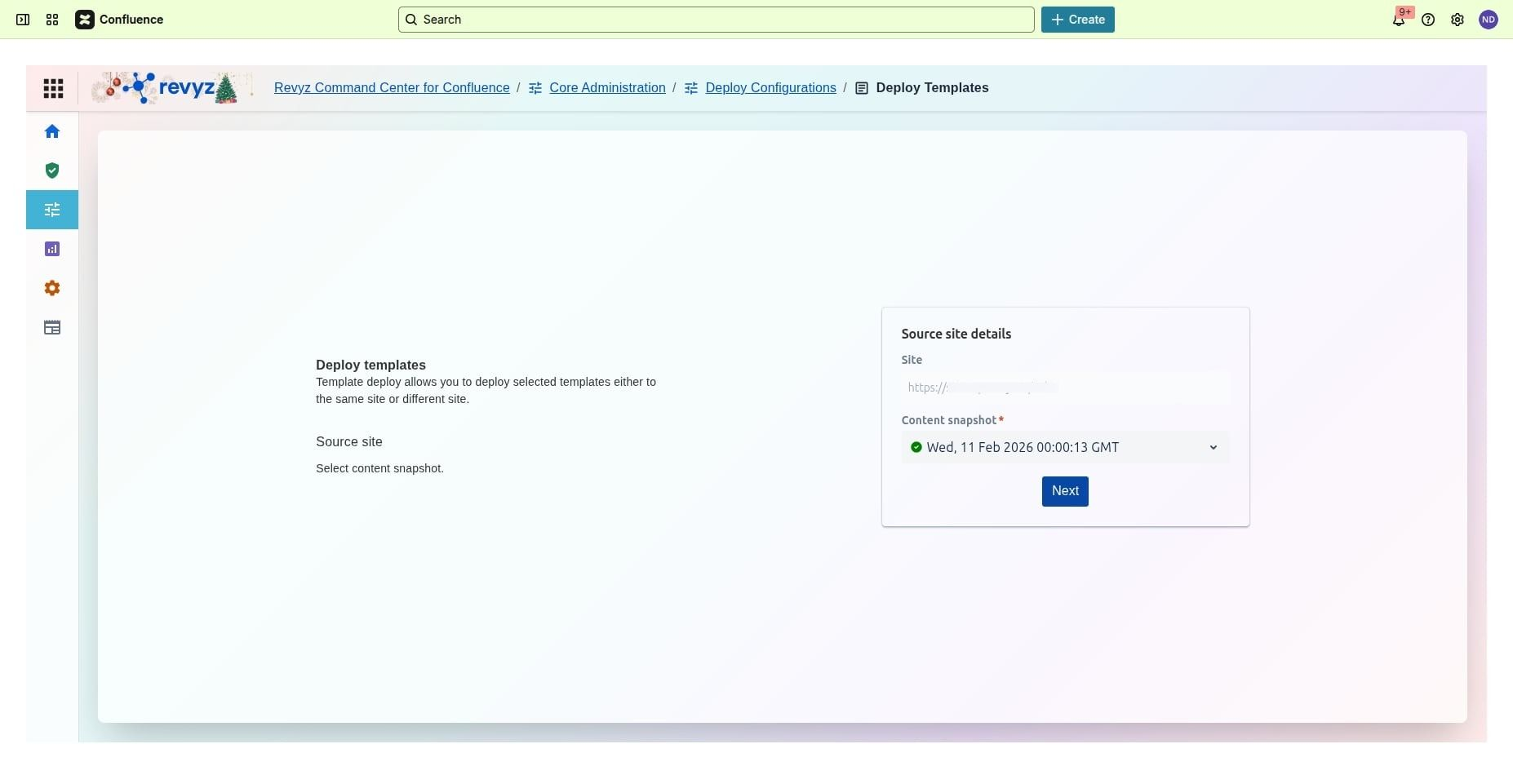
-
Source Site Details: Displays the specific Confluence instance from which the templates will be retrieved.
-
Content Snapshot: A mandatory selection that allows you to choose a specific backup date and time.
-
Selection Workflow: Once a snapshot is selected, clicking Next allows you to move to the granular selection of individual templates.
Step 2: Destination Configuration
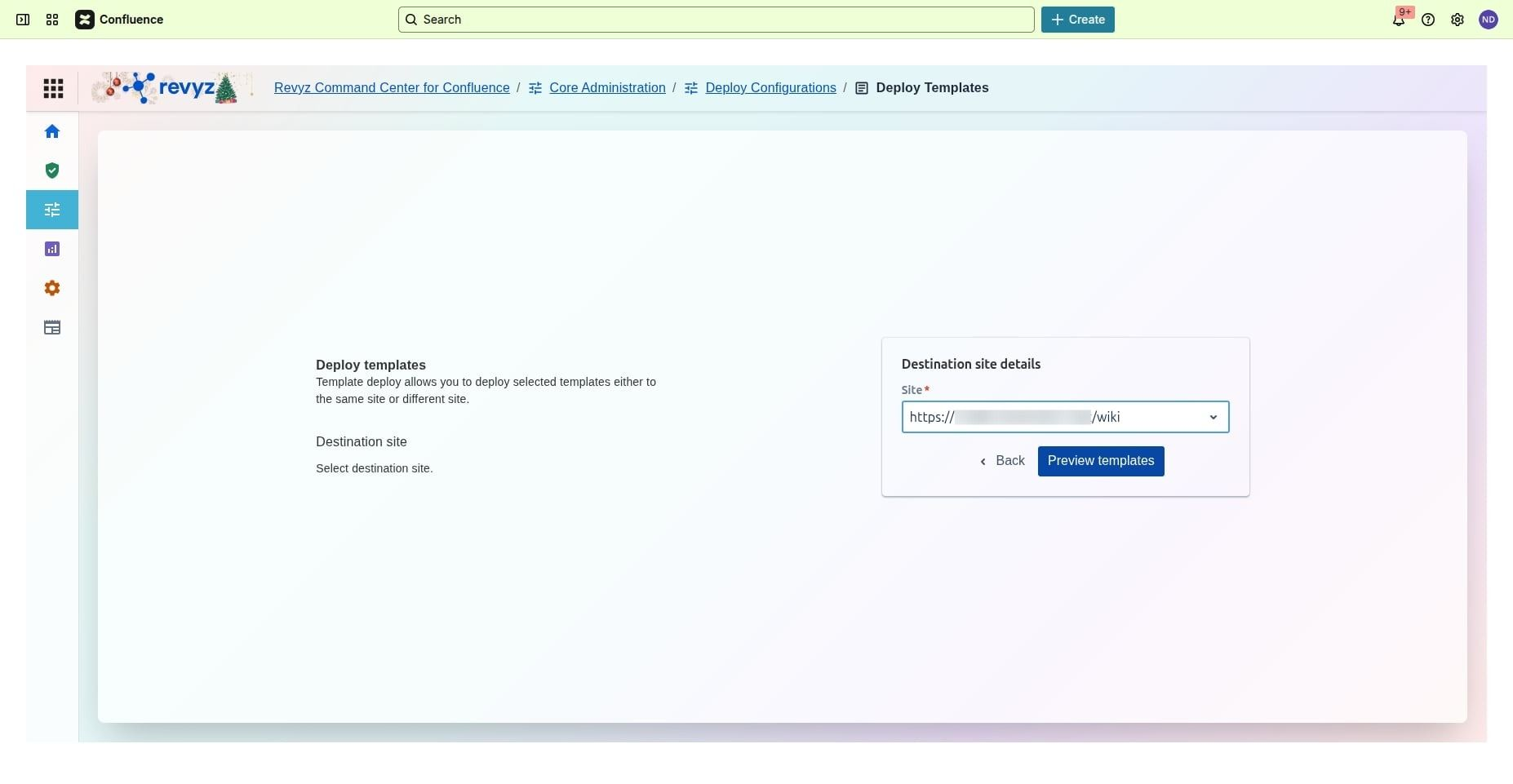
Select the destination site and click on preview templates.
Step 3: Selection of templates
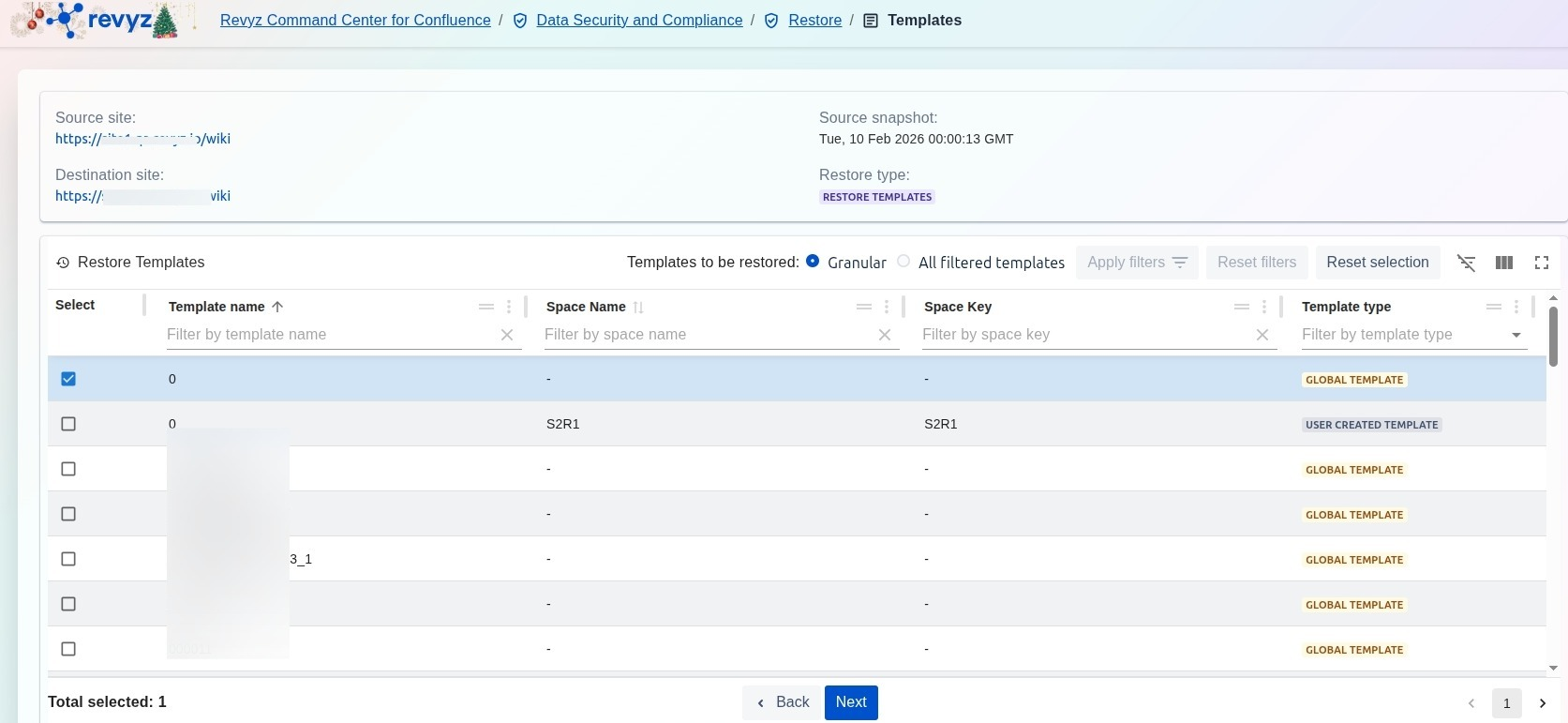
Select the templates you want to deploy and click on “Next”
Step 4: Select type of template
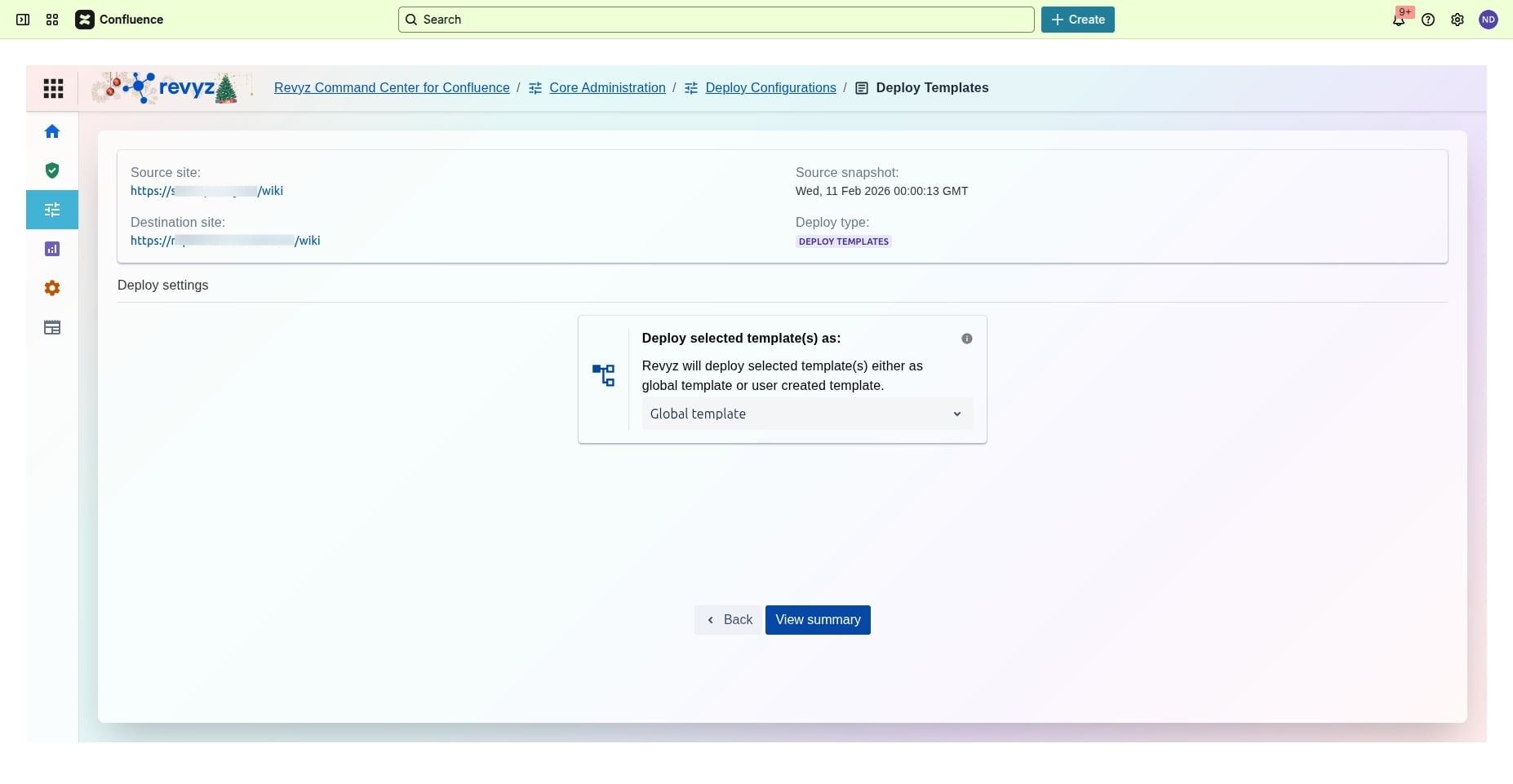
Select how you wish to restore your template as: Global or user created template. “Click on “View Summary” .
Step 5: Click on "Deploy"
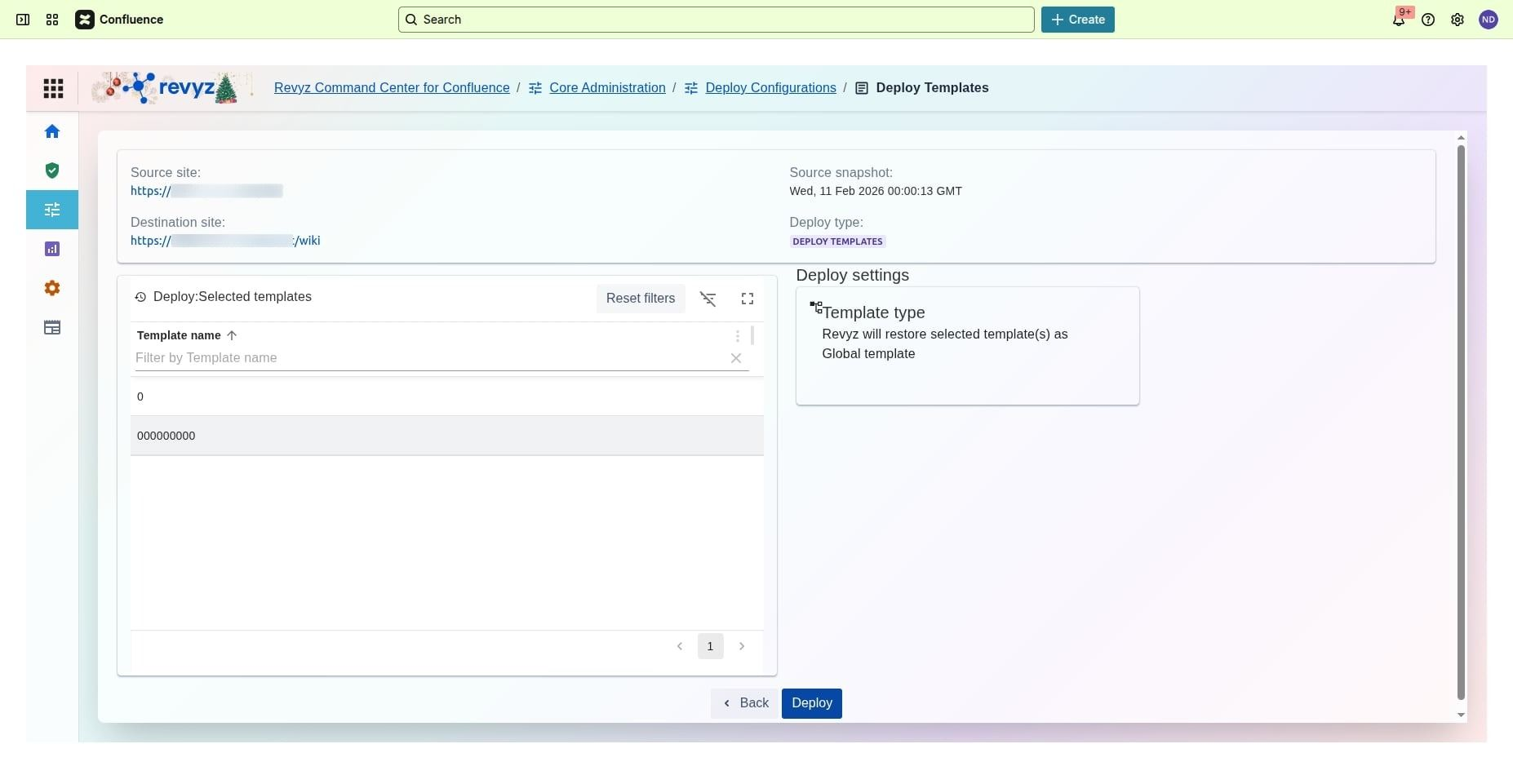
Click on “Deploy”.
Step 6: Give the job notes
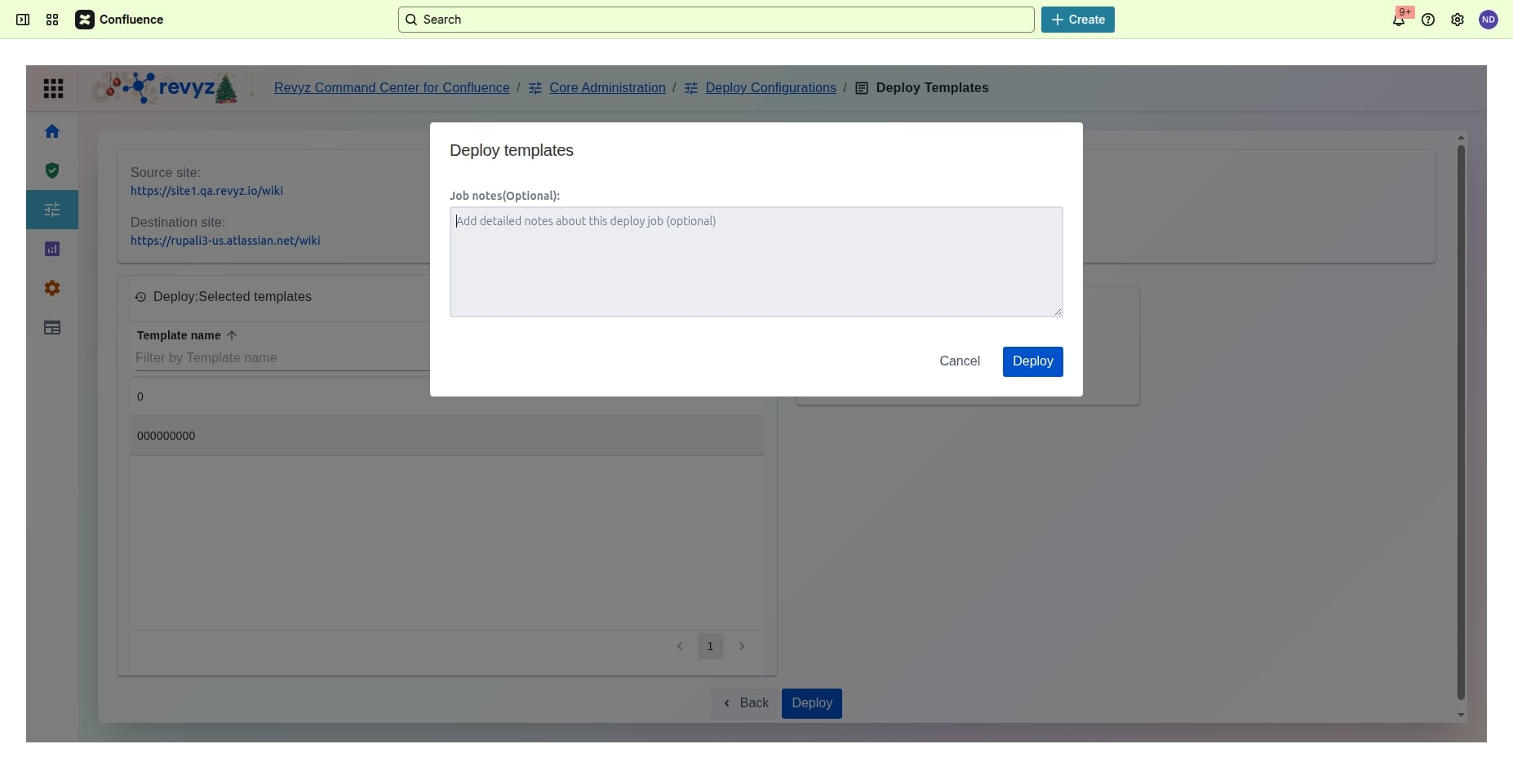
Write the job notes and click on the “Deploy”
Step 7: Check on Revyz Jobs
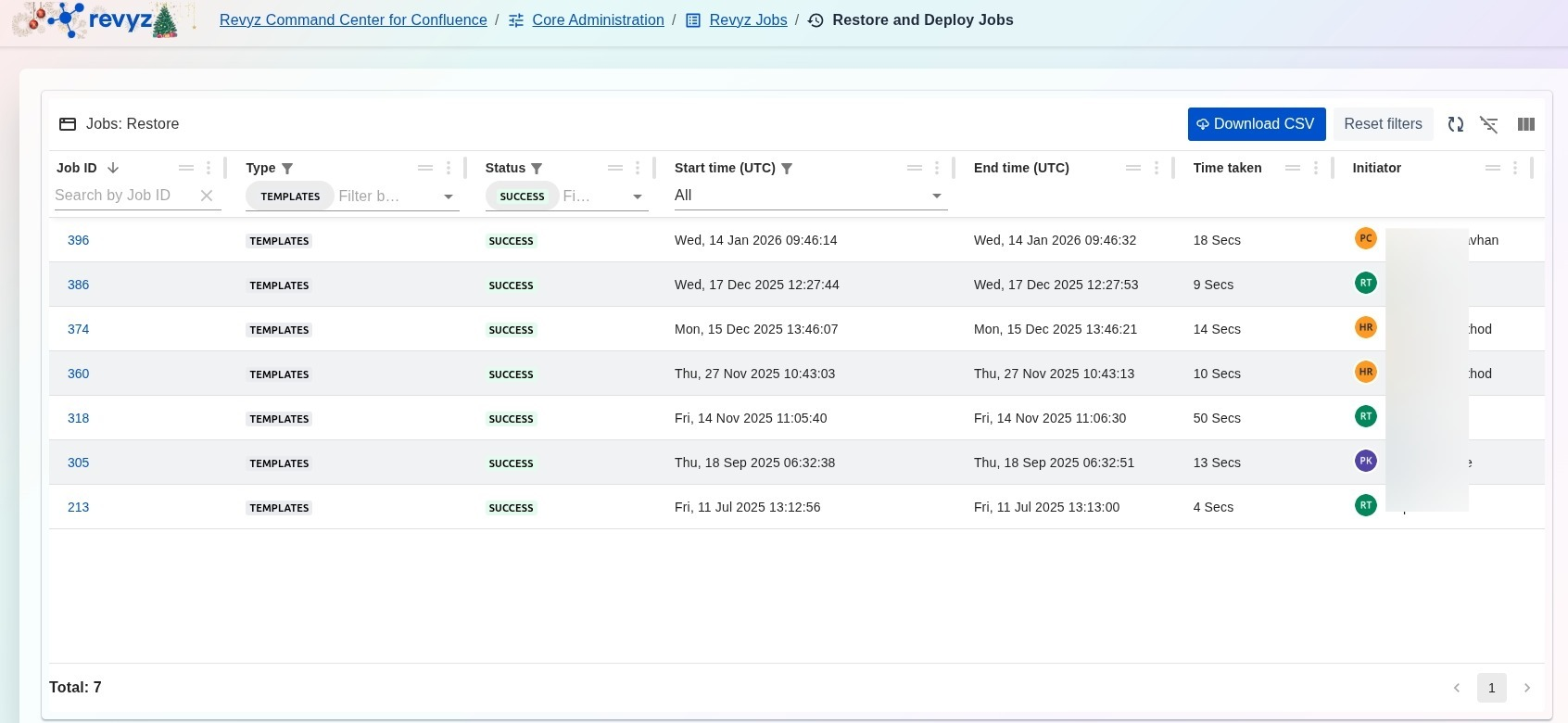
Select Core Administration > Revyz Jobs > Restore and Deploy Jobs to view the relevant job details.