
Revyz will create ticket for each action i.e after triggering backup jobs, restore jobs, Cleanup actions jobs & notify you through email. Revyz will create issue ticket and associated it to project you created. In that project you can check all the created issues.
-
To know more details about Notifications , Click on Settings in left navbar and click on Notifications in top navbar
-
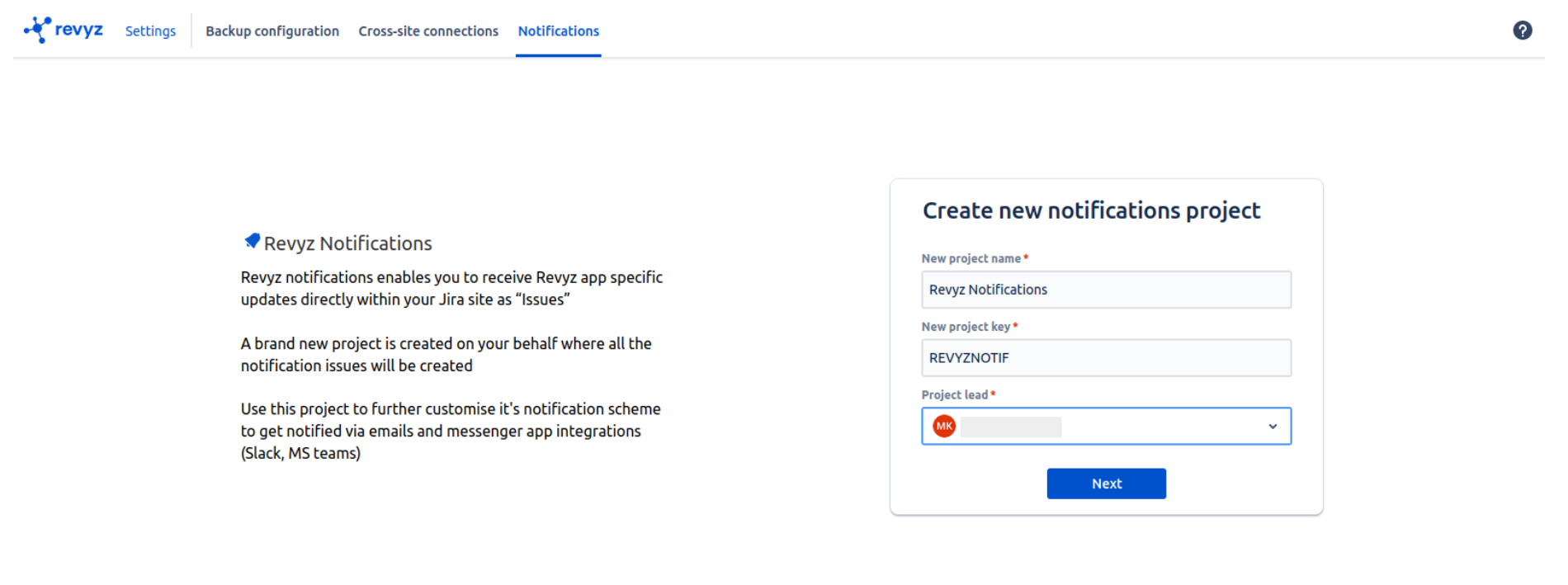
Create project for notifications
-
Enter project name, project key, project lead & Click on “Next”
-
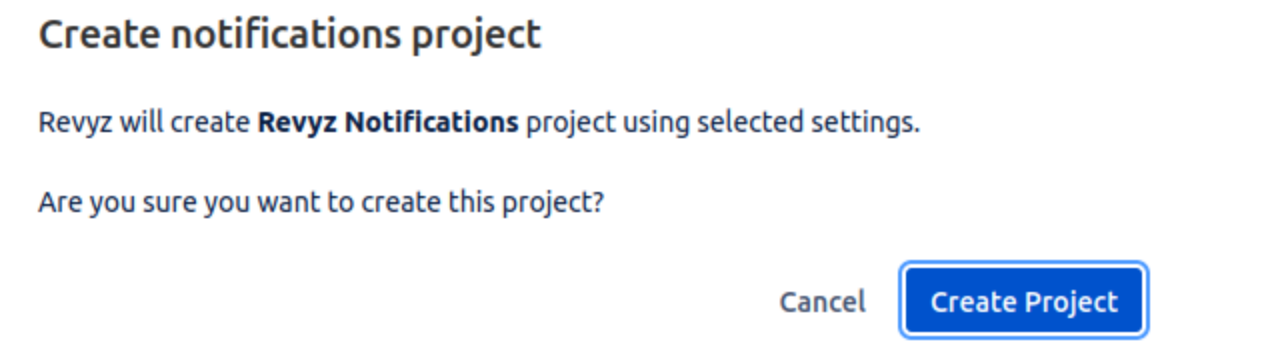
Confirm prompt message & click on Create project - Project will get created in your Jira site
-
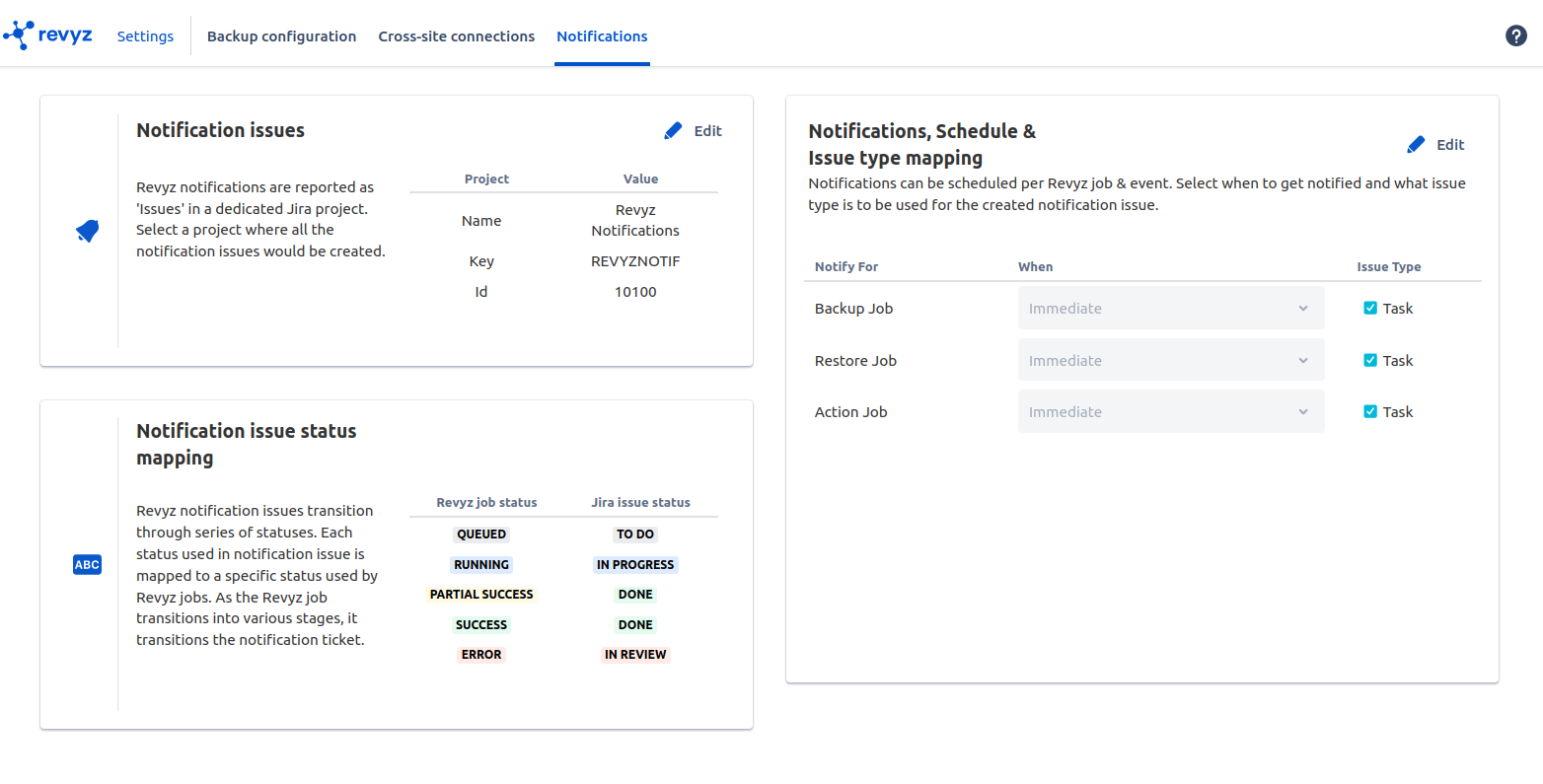
After creating the project, You can see Notifications related settings
-
Notification issues
-
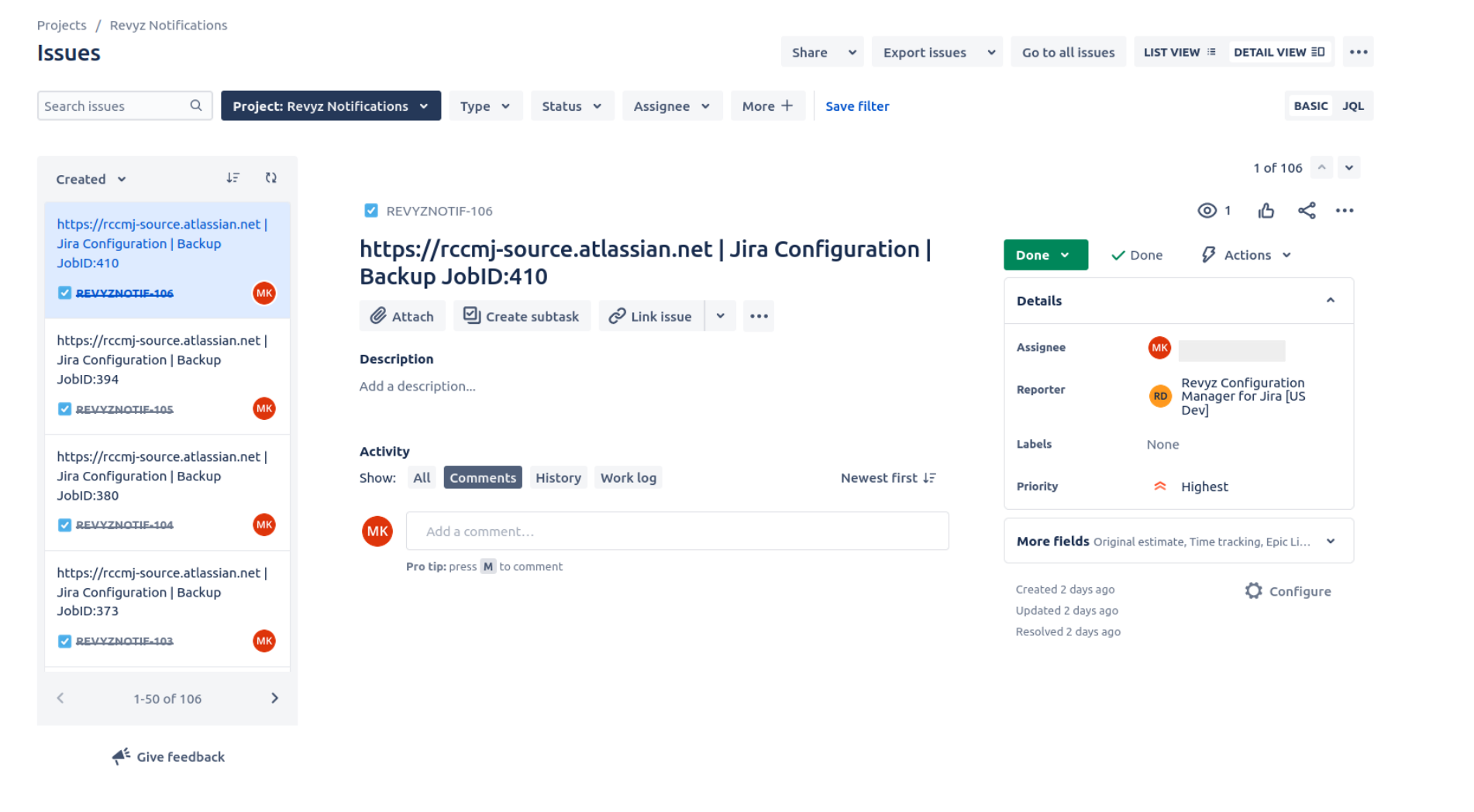
All created issues i.e tickets of each action will created in this project “Rezyz Notifications“
-
E.g. In following screenshot, User has created new project notifications & triggered two jobs so two issues are created in notifications project
-
Notification issue status mapping
-
After triggering job, Issue will get created in your project. so it will change the states as per your job state for e.g
Queued - > To Do
Running - > In progress
Success - > Done
Example:
In following screenshot, Backup is triggered and it is in queued state then Issue ticket created in project is in To Do state
-
Notifications,Schedule & Issue type mapping
-
You can select when to notified i.e Immediate or never
-
By clicking on Edit button, you can change the settings