
What is this feature?
-
This feature is a Site Optimization tool that scans your Jira instance and provides a complete list of all configured Issue Types. It analyzes each one to determine if it is unused and can be safely deleted.
-
Use Case: Use this to declutter your instance by identifying and removing "orphaned" or legacy issue types that are not part of any scheme. This simplifies project setup and makes Jira easier for users to navigate.
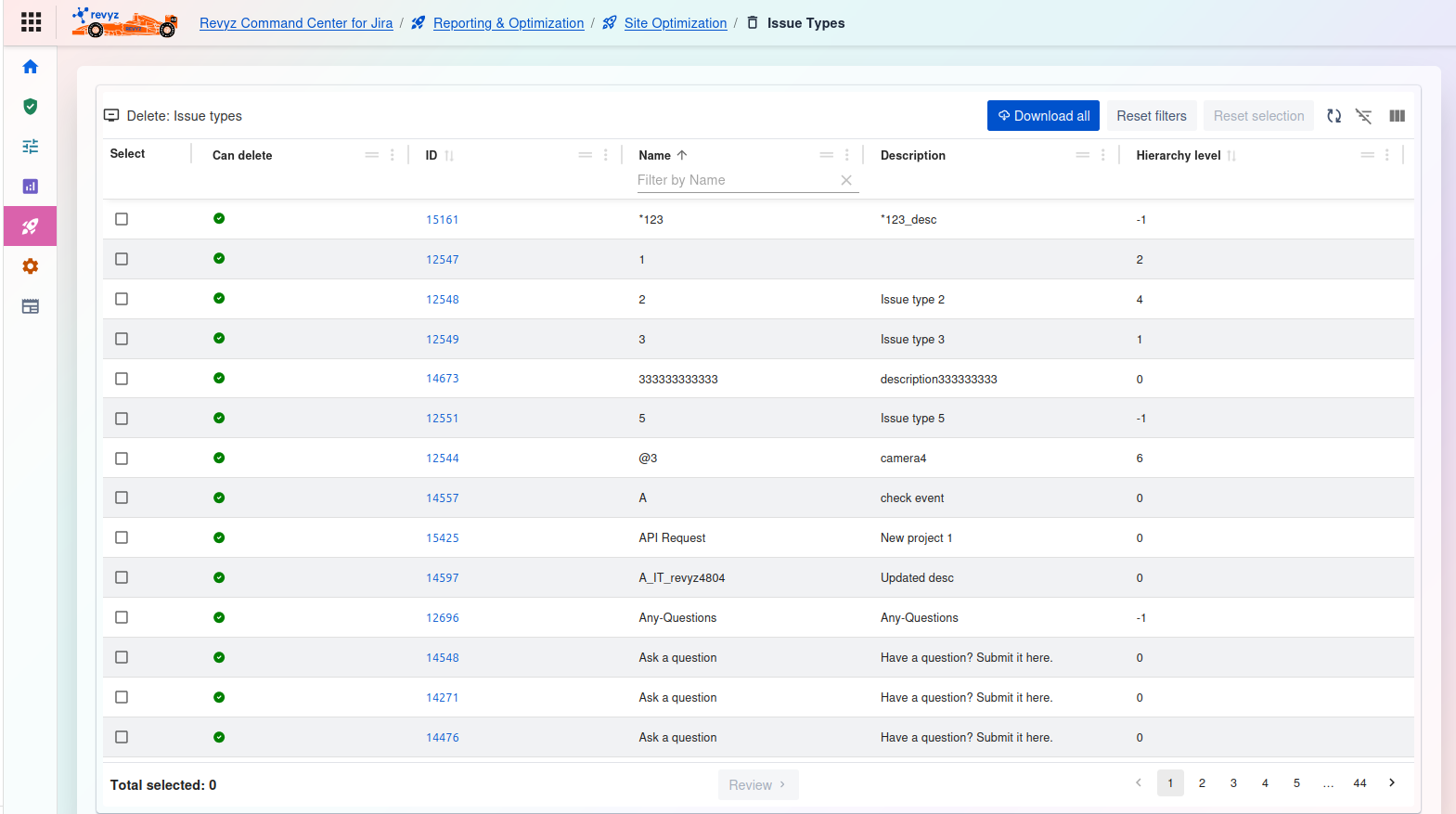
1) Delete: Issue types
This page displays a list of all Issue Types in your Jira instance, along with their status, allowing you to select unused ones for deletion.
Management and Filtering:
-
Download all: Exports a complete list of all issue types shown in the table.
-
Reset filters: Clears any filters you have applied to the table.
-
Reset selection: Un-checks any issue types you have selected in the list.
-
Table tools (right side): Use these icons to toggle the filter row or customize the visible columns.
Issue Types Table:
-
Select: A checkbox to select one or more issue types for review and deletion.
-
Can delete: A status icon indicating if the issue type can be safely deleted.
-
Green Checkmark: The issue type is "orphaned" (not used in any issue type scheme) and is safe to be deleted.
-
(No Icon/Other): The issue type is likely in use and cannot be deleted.
-
-
ID: The unique internal ID for the issue type (e.g.,
15161). -
Name: The name of the issue type as it appears to users (e.g.,
API Request,Ask a question). You can filter this column by name. -
Description: The description associated with the issue type.
-
Hierarchy level: The hierarchy level of the issue type (e.g.,
0for standard,-1for sub-task).
Actions:
-
Total selected: A counter at the bottom left showing how many items you have checked (e.g.,
0). -
Review: (Currently disabled) After selecting one or more items that "Can delete," this button becomes active. Click it to proceed to a confirmation screen to finalize the deletion.
-
Pagination: Use the page numbers to navigate through the complete list of issue types (e.g., pages
1,2,3,4...44).
2) Issue Type Schemes
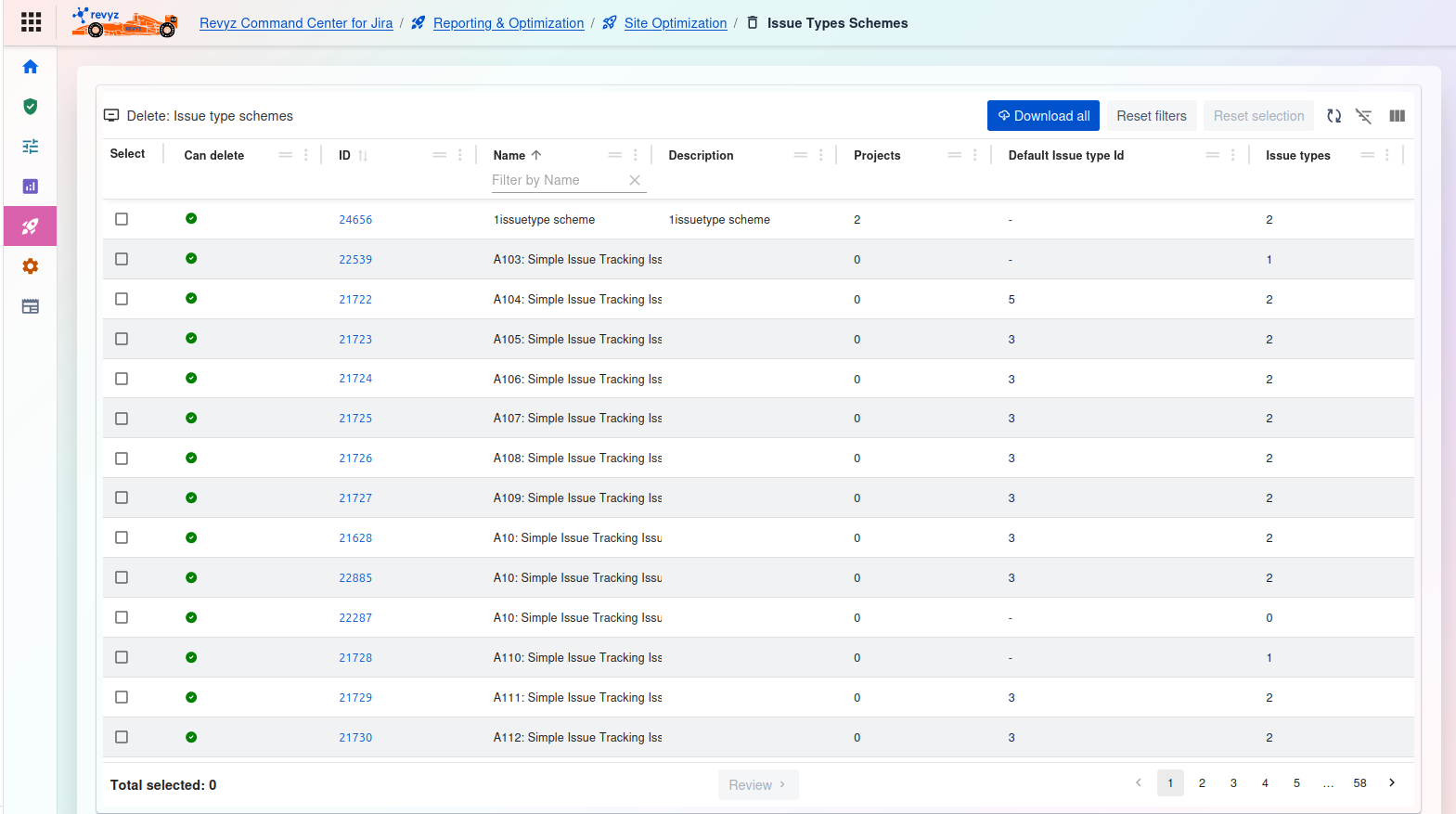
Delete: Issue type schemes
This page displays a list of all Issue Type Schemes in your Jira instance. It highlights schemes that are not associated with any projects and can be safely deleted.
Management and Filtering:
-
Download all: Exports a complete list of all issue type schemes shown in the table.
-
Reset filters: Clears any filters you have applied to the table.
-
Reset selection: Un-checks any issue type schemes you have selected in the list.
-
Table tools (right side): Use these icons to toggle the filter row or customize the visible columns.
Issue Type Schemes Table:
-
Select: A checkbox to select one or more schemes for review and deletion.
-
Can delete: A status icon indicating if the scheme can be safely deleted.
-
Green Checkmark: The scheme is not associated with any projects (see the "Projects" column is
0) and is safe to be deleted.
-
-
ID: The unique internal ID for the issue type scheme (e.g.,
24656). -
Name: The name of the scheme as it appears to users (e.g.,
A103: Simple Issue tracking Iss). You can filter this column by name. -
Description: The description associated with the scheme.
-
Projects: The number of projects currently using this scheme. A value of
0indicates it is unused and can be deleted. -
Default issue type id: The internal ID of the default issue type for this scheme.
-
Issue types: The number of issue types included in this scheme.