
About this Page
This page allows you to restore specific Tempo Timesheets worklog entries associated with your Jira work items.
Use Cases
The Tempo Timesheets worklogs restore feature is specifically designed for target scenarios where work log data needs to be recovered independently. This feature is applicable in the following scenarios:
-
Targeted Recovery: To selectively restore deleted worklogs without affecting the rest of the work item data.
-
Time-Tracking Accuracy: To ensure time-tracking accuracy by mapping restored worklogs to a default user if the original author is missing from the system.
If both the parent work item and its associated work logs have been deleted, you should utilize the standard "work item restore" feature instead, as it effectively restores the item and its logs together.
This feature is applicable to:
Command Center for Jira Advanced
Prerequisites
Before attempting to use the granular worklog restore, ensure the following requirements are met:
-
Advanced Plan: This feature is exclusively available to customers on the Advanced plan.
-
Backup Settings: The user must explicitly enable both the Tempo timesheet configuration and Tempo timesheet worklogs backup settings.
-
Valid Credentials: A fully authenticated and correct Tempo API token must be configured. Incorrect or missing tokens will result in an "invalid credential" error status.
-
Notifications: Customers can configure the frequency of deleted work log reports with three options: "never," "daily," or "weekly". Selecting "daily" or "weekly" triggers reports on deleted issues or spaces for the designated notification project, provided the feature is enabled.
How to Restore a Deleted Tempo Timesheet Worklog?
Follow these steps to selectively restore deleted Tempo work logs:
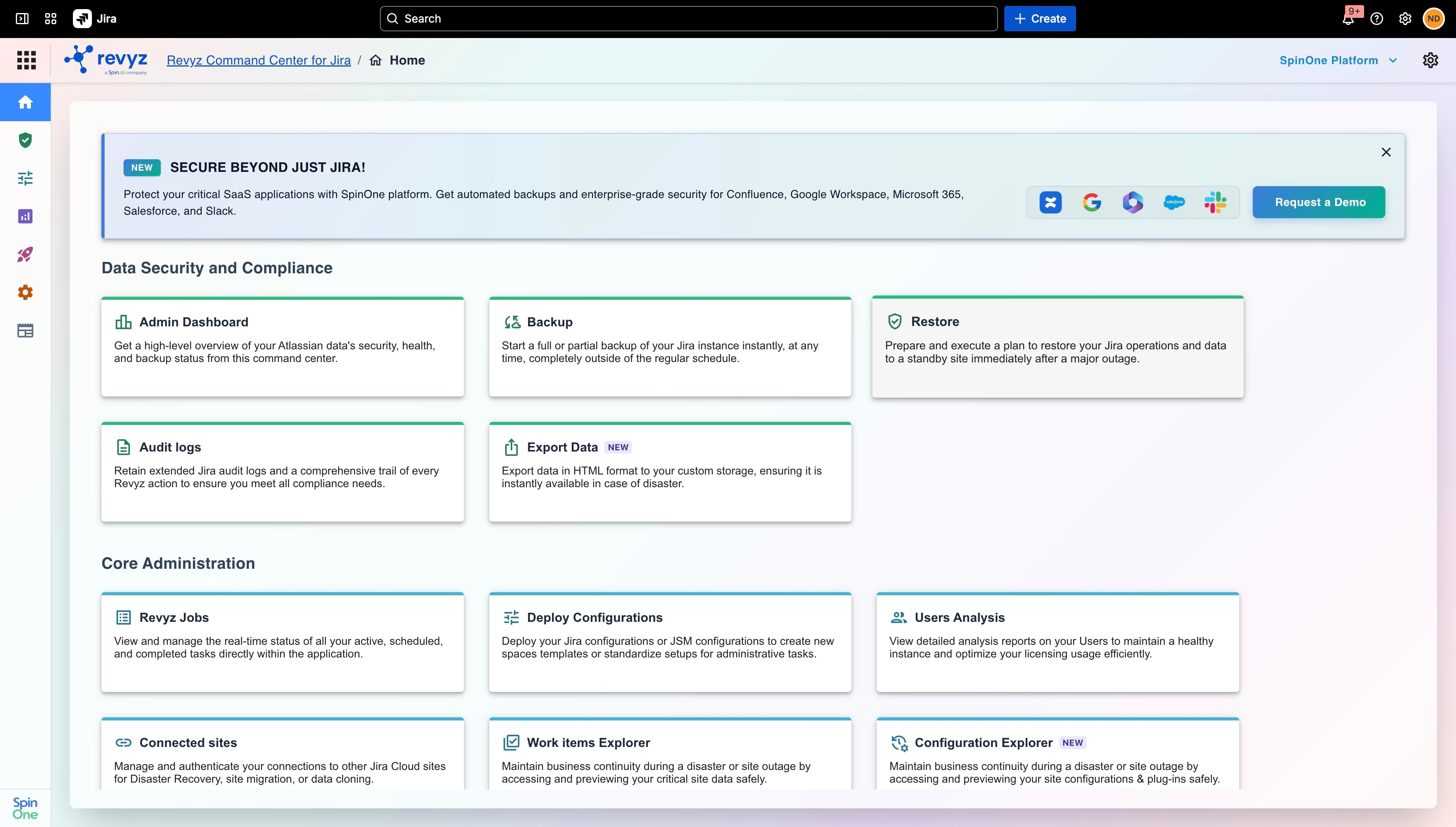
Step 1: Access the Feature
-
Navigate to the Revyz Command Center for Jira.
-
Go to Data Security and Compliance > Restore.
-
Click on the Tempo Timesheets worklogs restore card.
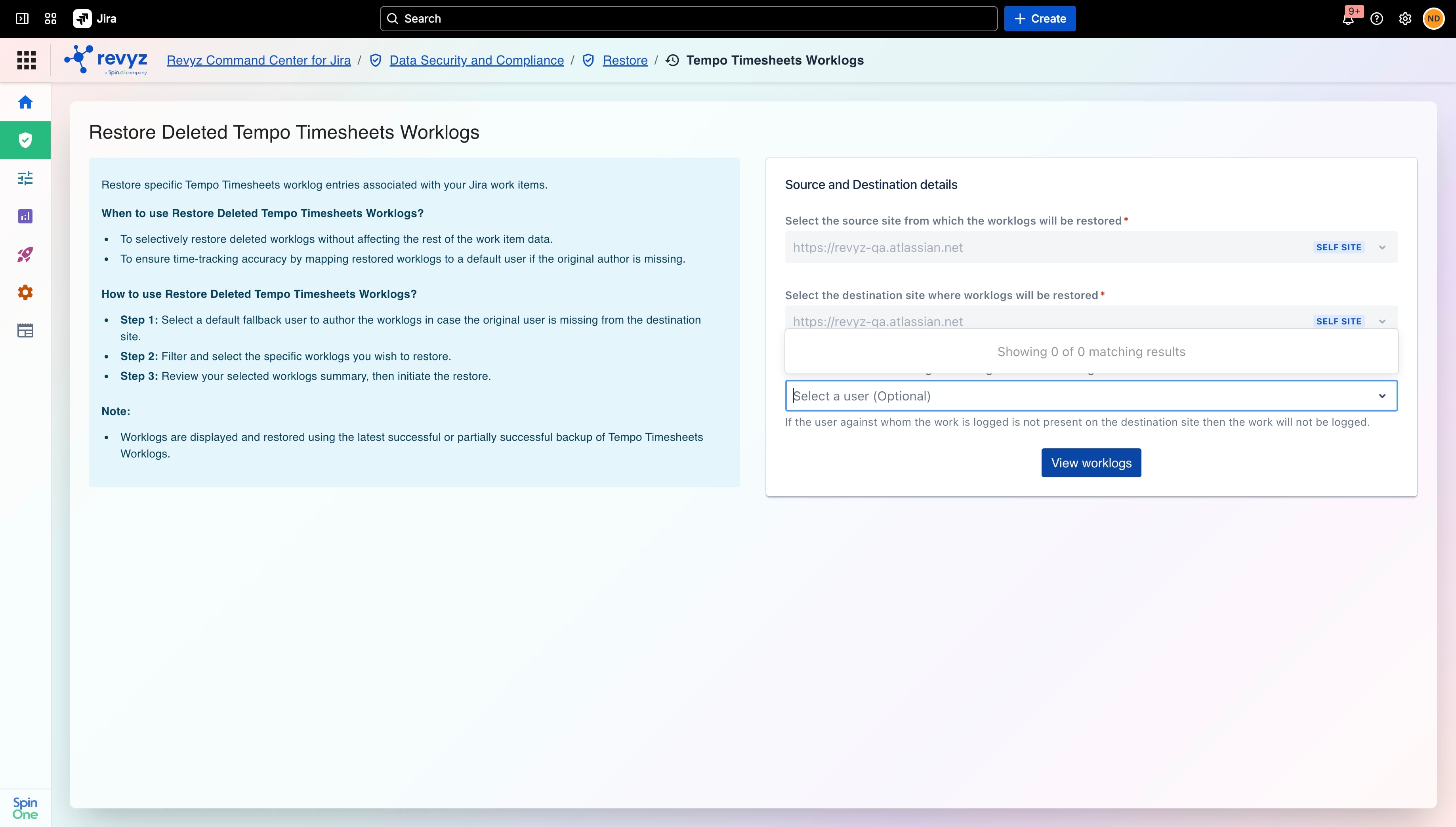
Step 2: Map Source, Destination, and Attribution
-
Select your Source and Destination sites (restricted to self-site restoration).
-
Select a User (Work Log Attribution): You must choose a fallback user/owner. If the original author of a work log is deactivated or has left the company, the system will attribute the log to this selected user to prevent the restoration job from failing.
-
Click on “View Worklogs”
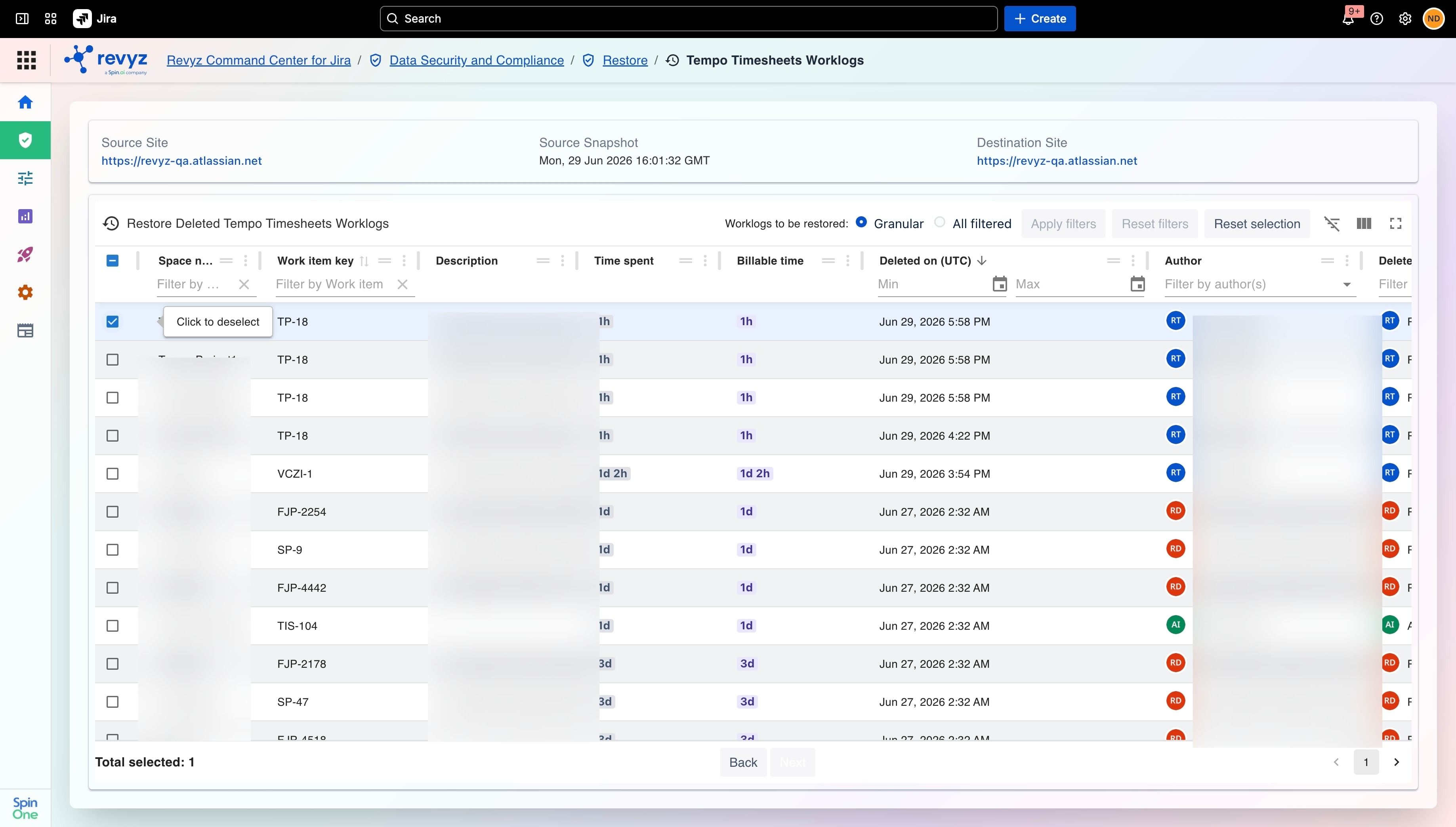
Step 3: Filter and Select Work Logs (Preview Mode)
-
On the preview page, choose one of the two available modes to identify your logs:
-
Granular mode: Allows you to check the boxes for specific, individual deleted work logs you want to restore.
-
All filtered mode: Selects all visible deleted work logs based on any filters you have applied.
-
-
Note: Existing, active work logs are not visible or available for selection in these views to prevent cloning issues.
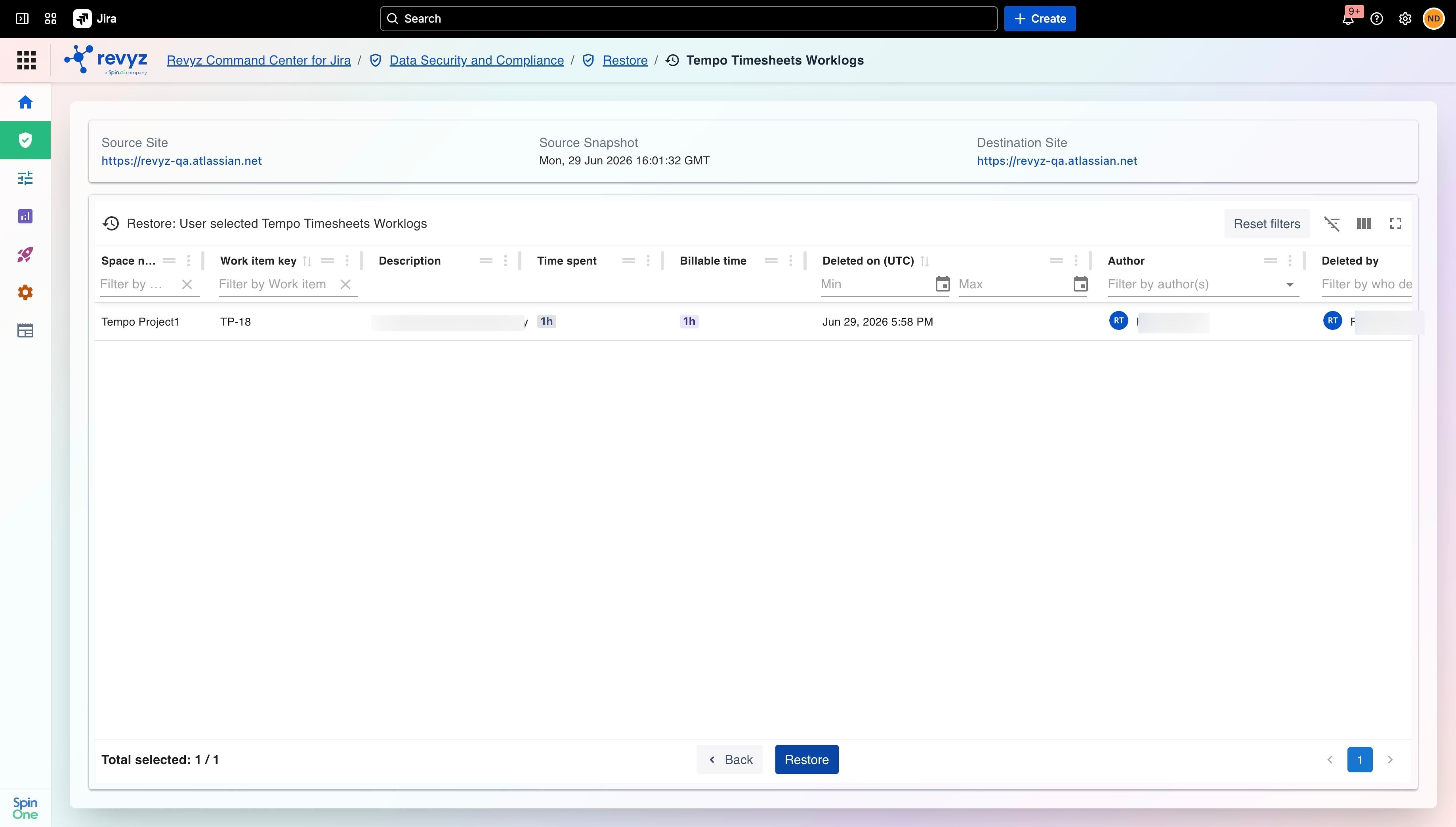
Step 4: Review and Confirm
-
Proceed to the summary page to review your selection.
-
Add optional job notes, complete the security captcha prompt, and click Restore / Confirm to execute the job.
Step 5: Track and Download Reports
-
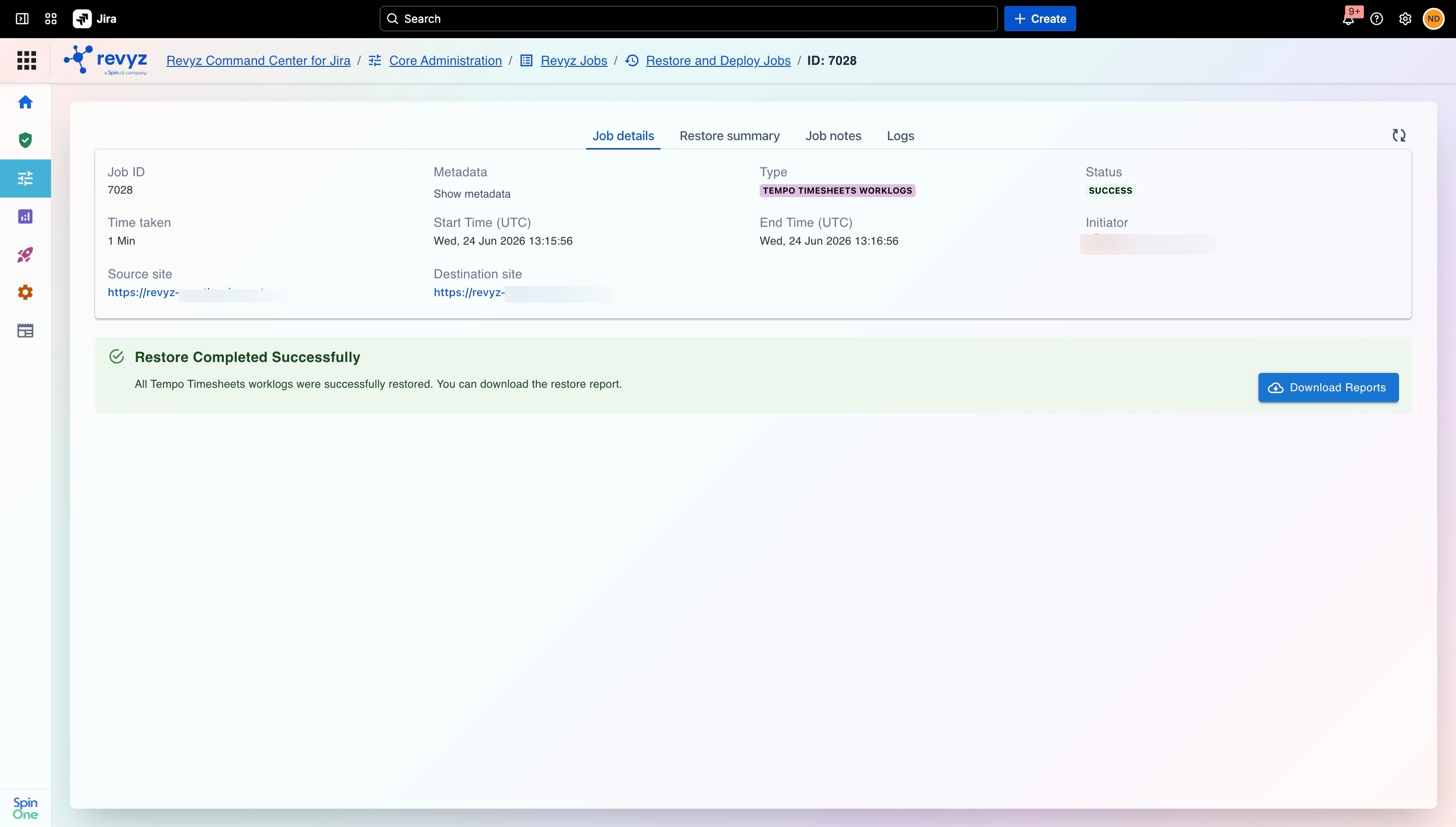
Once the restore job executes, you can monitor it via the Job Details page (Revyz Jobs >> Restore and Deploy Jobs).
-
Upon completion, click Download Reports to get a CSV file containing specific data points, including: deleted by account ID, work item key, space name, original and destination issue keys, and work log IDs.