
About this page
How to enable and run backups for JSM Operations Data (Alerts) in the Revyz app.
This feature is applicable to: Command center for jira
What is the Use Case?
Backs up JSM Alerts and their attachments so incident/alerting history is protected from accidental deletion or data loss, coverage Atlassian's native backup doesn't offer.
Prerequisites
-
Latest Revyz app version
-
Backup enabled for JSM Operations Data in Backup Settings
If a token is missing/expired, Revyz shows direct links in Backup Settings.
What Gets Backed Up
-
Alerts
-
Attachments
Running an On-Demand Backup
Enable settings
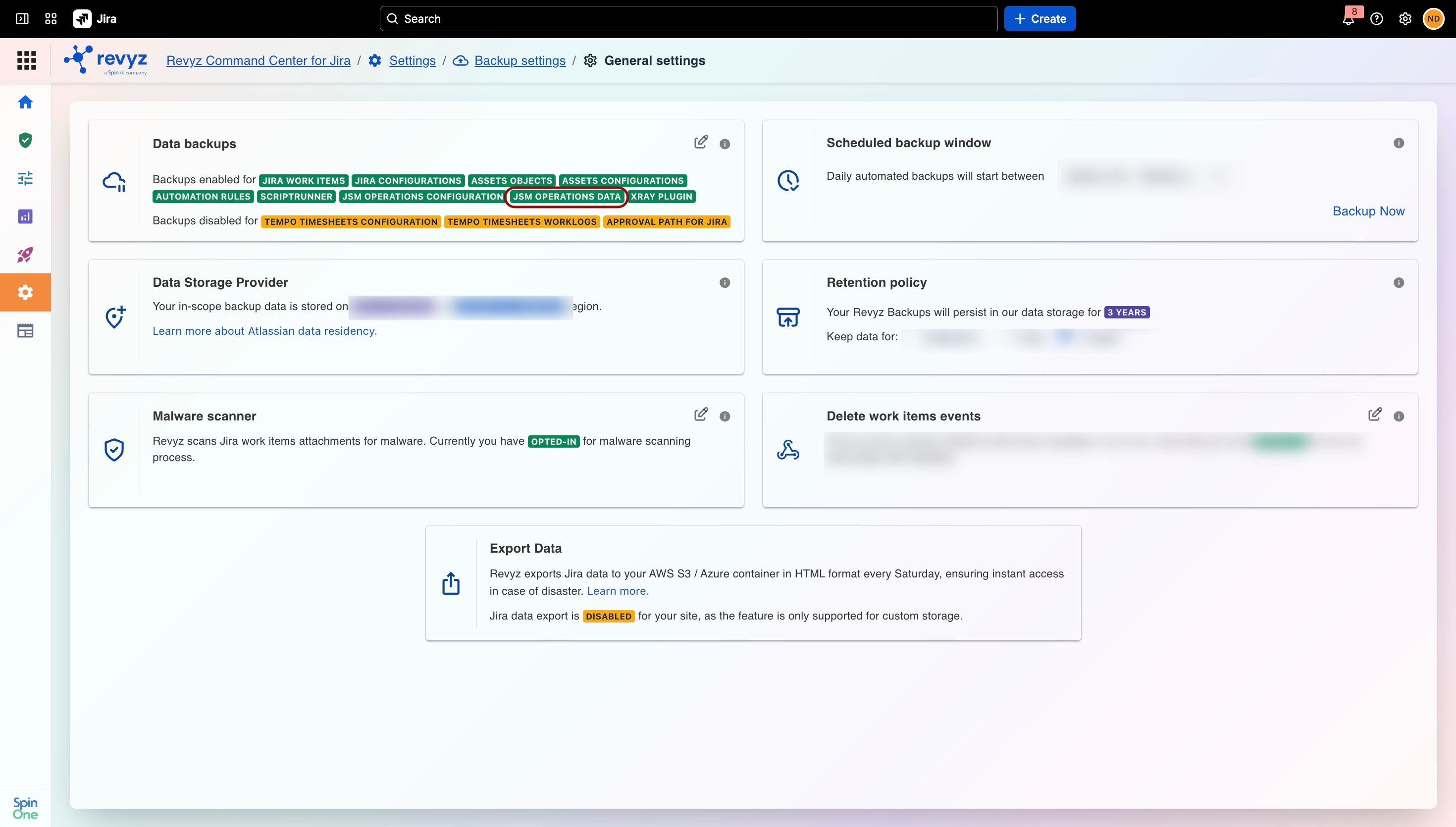
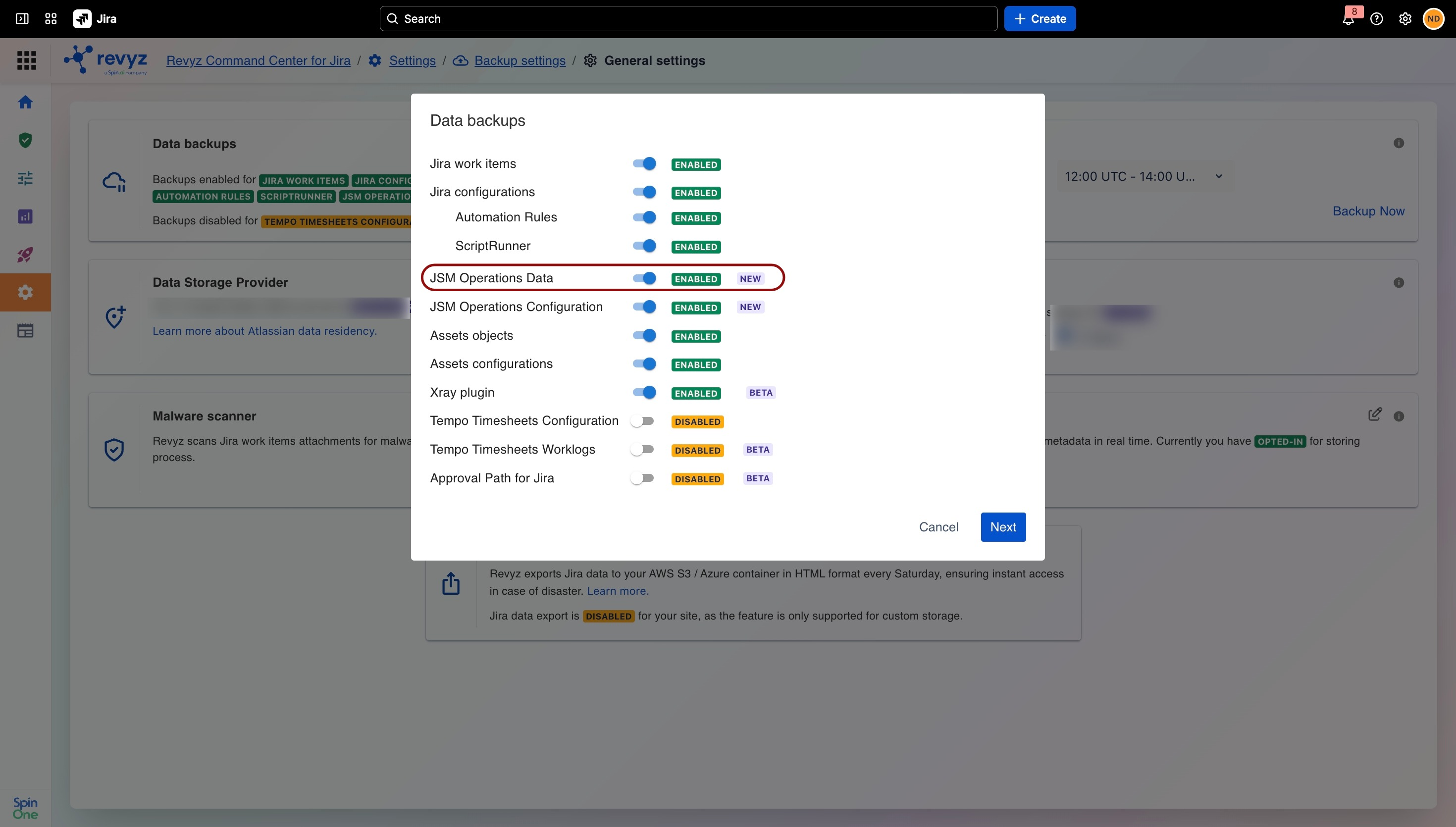
Ensure that backups are enabled for JSM Operations Data. For enabling, you need to ensure that both Atlassian API Token and Atlassian Admin API Key are enabled. If either or both of them are missing, you will be redirected to the settings to enable them.
Note that invalid or expired tokens may case the backup job to fail.
Select scope
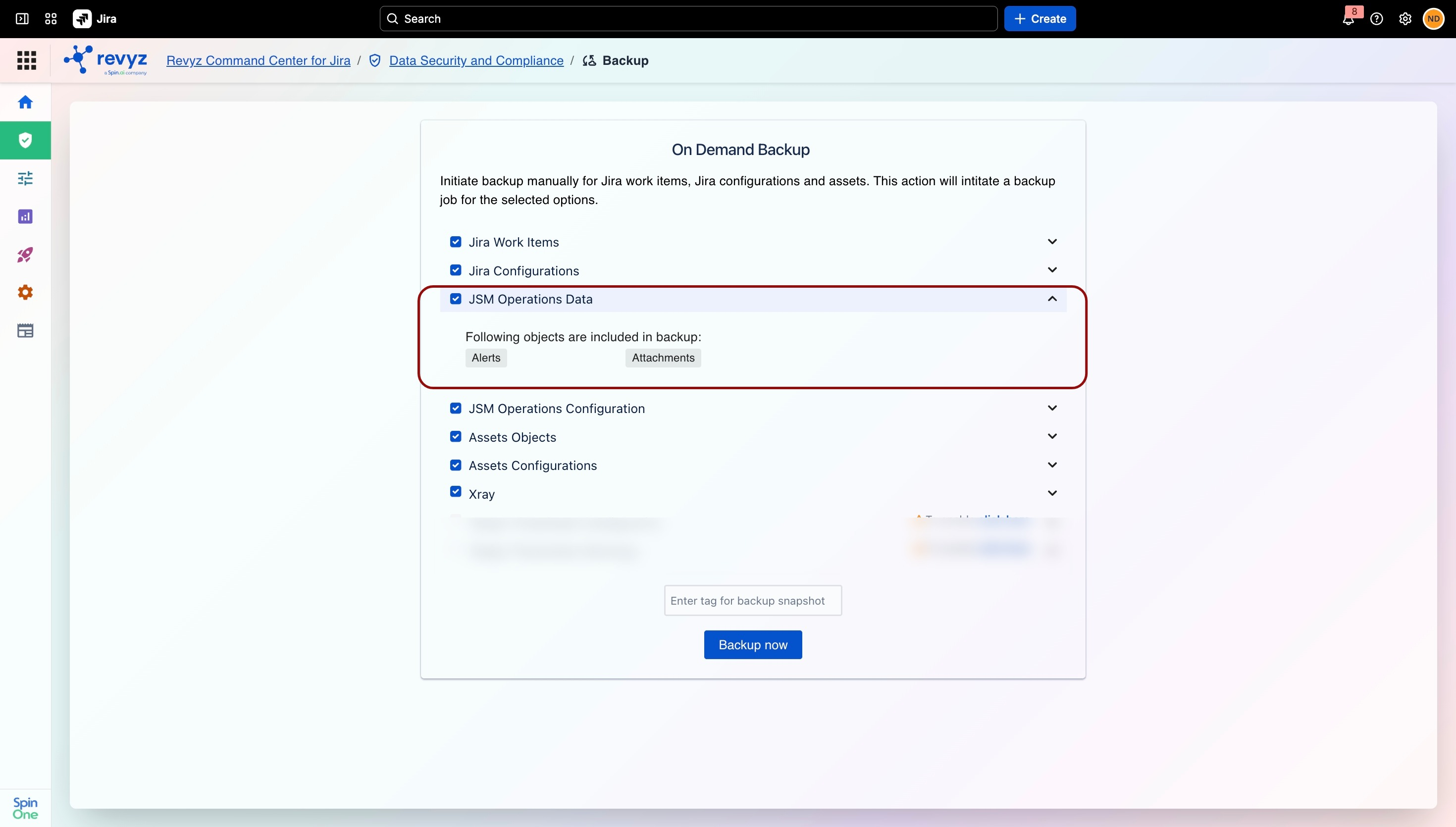
On the On Demand Backup screen, check JSM Operations Data (expand to see Alerts, Attachments), enter a snapshot tag. Click Backup now, then confirm.
Monitor
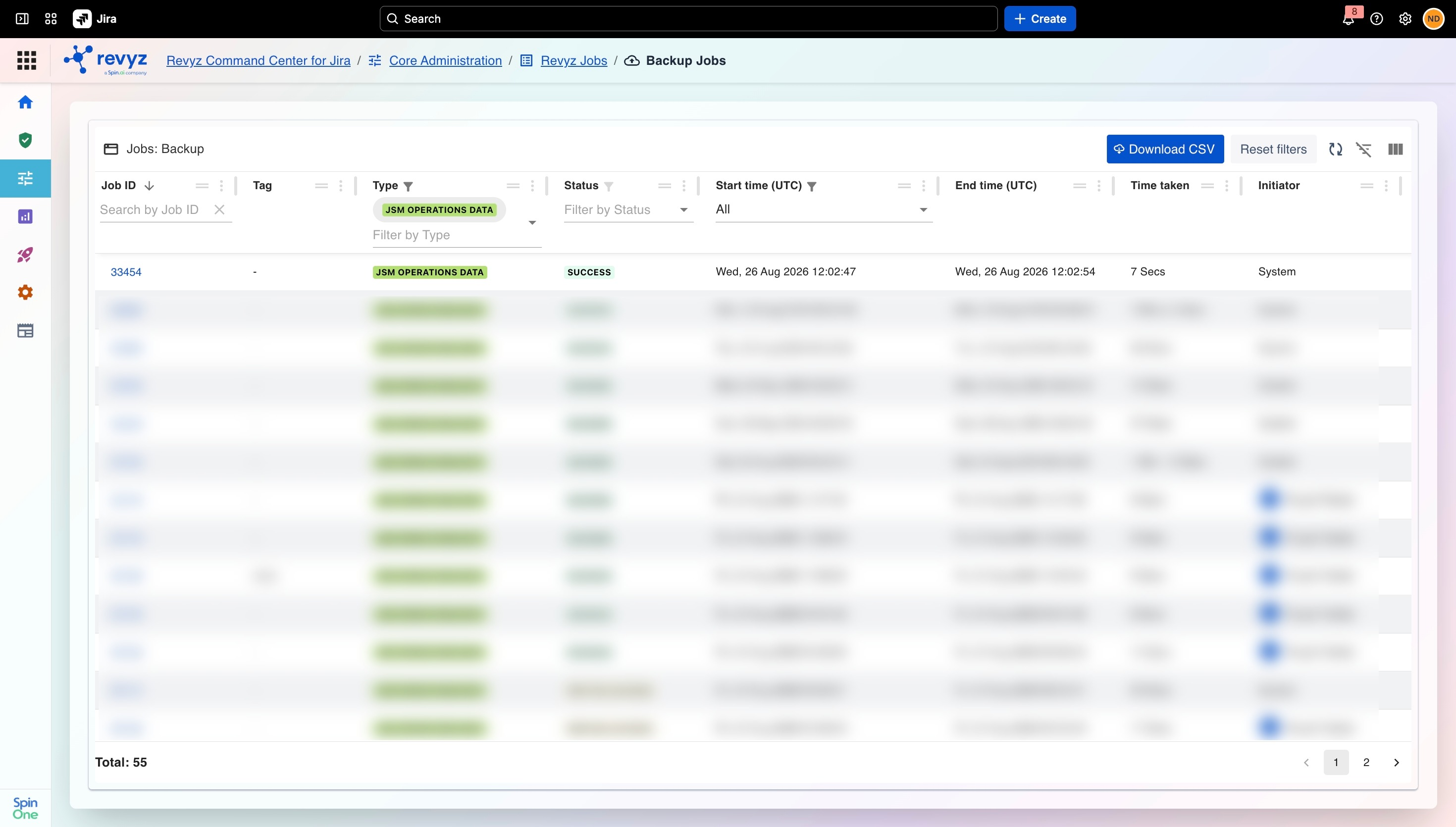
Core Administration → Revyz Jobs → Backup Jobs → open Job ID to check status.
Review snapshot
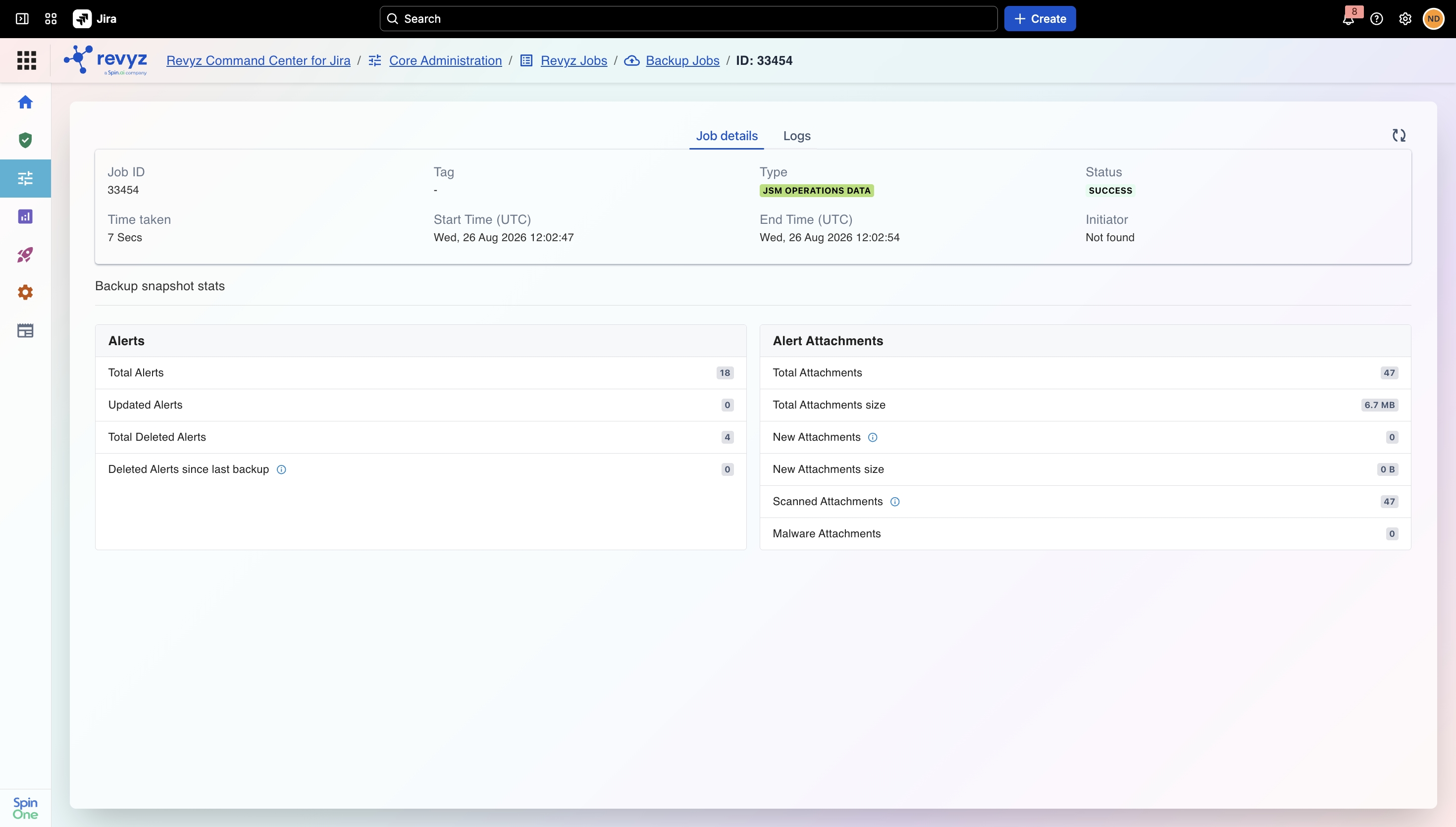
Job details show two cards:
-
-
Alerts: total/updated/deleted alert counts, latest deleted count
-
Alert Attachments: total/updated attachment counts, total/updated size, attachments scanned, malware count
-