
About this Page
This page provides an overview of the Snapshot Selection setting in Revyz app. It explains how to enable this feature to streamline your Jira configuration deployments and space restores by bypassing the lengthy "Analyzing" phase.
What is the Use Case?
In a standard deployment or restore, the system must analyze the destination site's Current State to identify dependencies and prevent configuration conflicts. For large Jira instances, this analysis can cause significant downtime or waiting periods for admins.
The snapshot selection is ideal when:
-
Speed is a Priority: You need to move directly to mapping and triggering a job without waiting for a live site analysis.
-
Stable Destination Environments: You are deploying to a site where you know the latest backup snapshot accurately reflects the current configuration.
-
Bulk Operations: You are performing multiple deployments and want to maintain a high-velocity workflow.
What is this Feature?
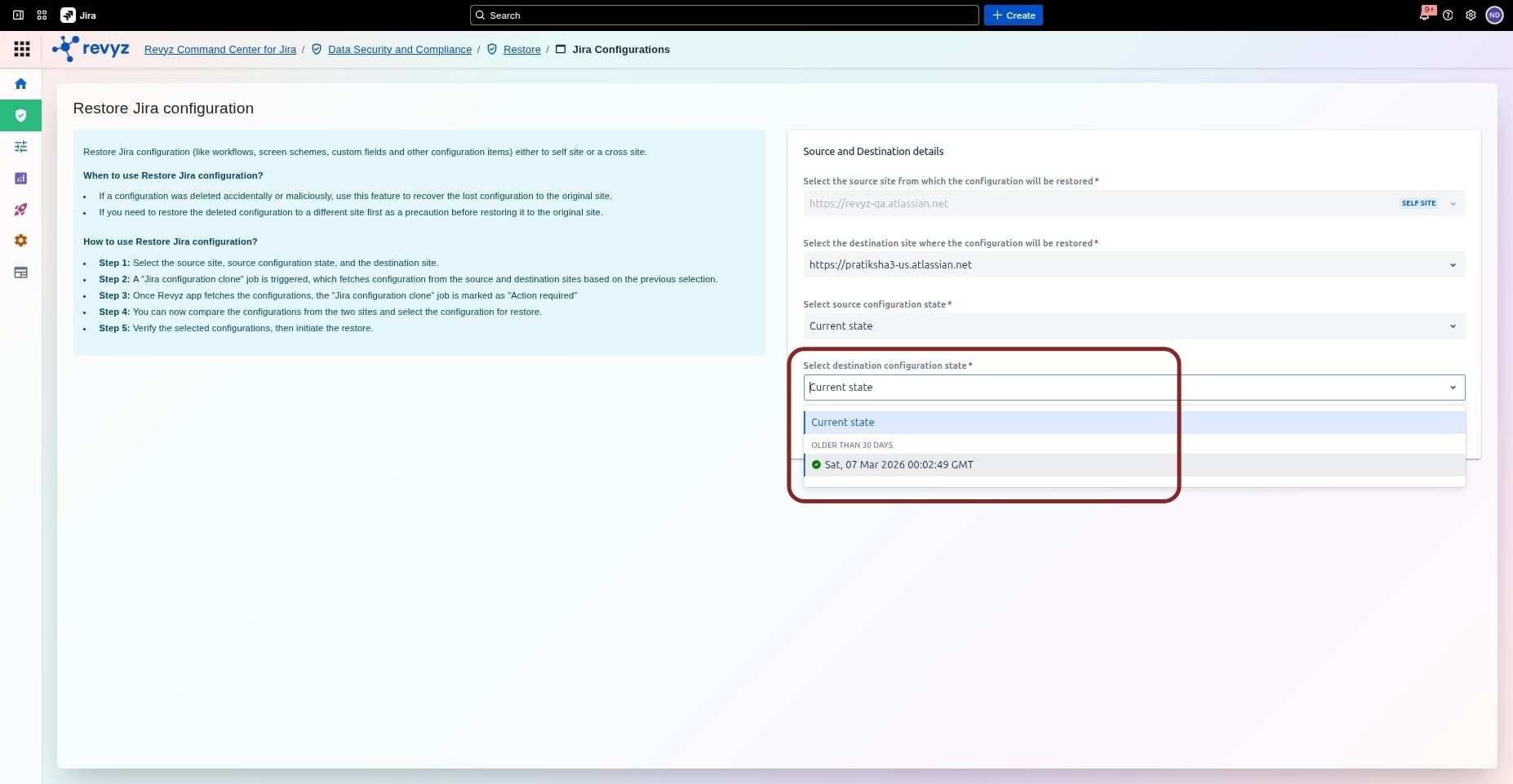
The Snapshot feature allows users to substitute the "Current State" analysis with data from a previously captured backup snapshot.
Key Functionalities:
-
Bypass Analyzing State: By selecting a snapshot, the job status moves immediately to Action Required, allowing you to perform mapping and dependency selection instantly.
-
Flexible Selection: Admins can choose the most recent snapshot or an older one depending on the specific recovery or deployment requirement.
-
Broad Compatibility: This feature is integrated into several core workflows:
-
Restores: Jira Configuration, Spaces (including work items), and Full Site Restores.
-
Deployments: Jira Configuration and Space Deployments (specifically "Create New Copy").
-
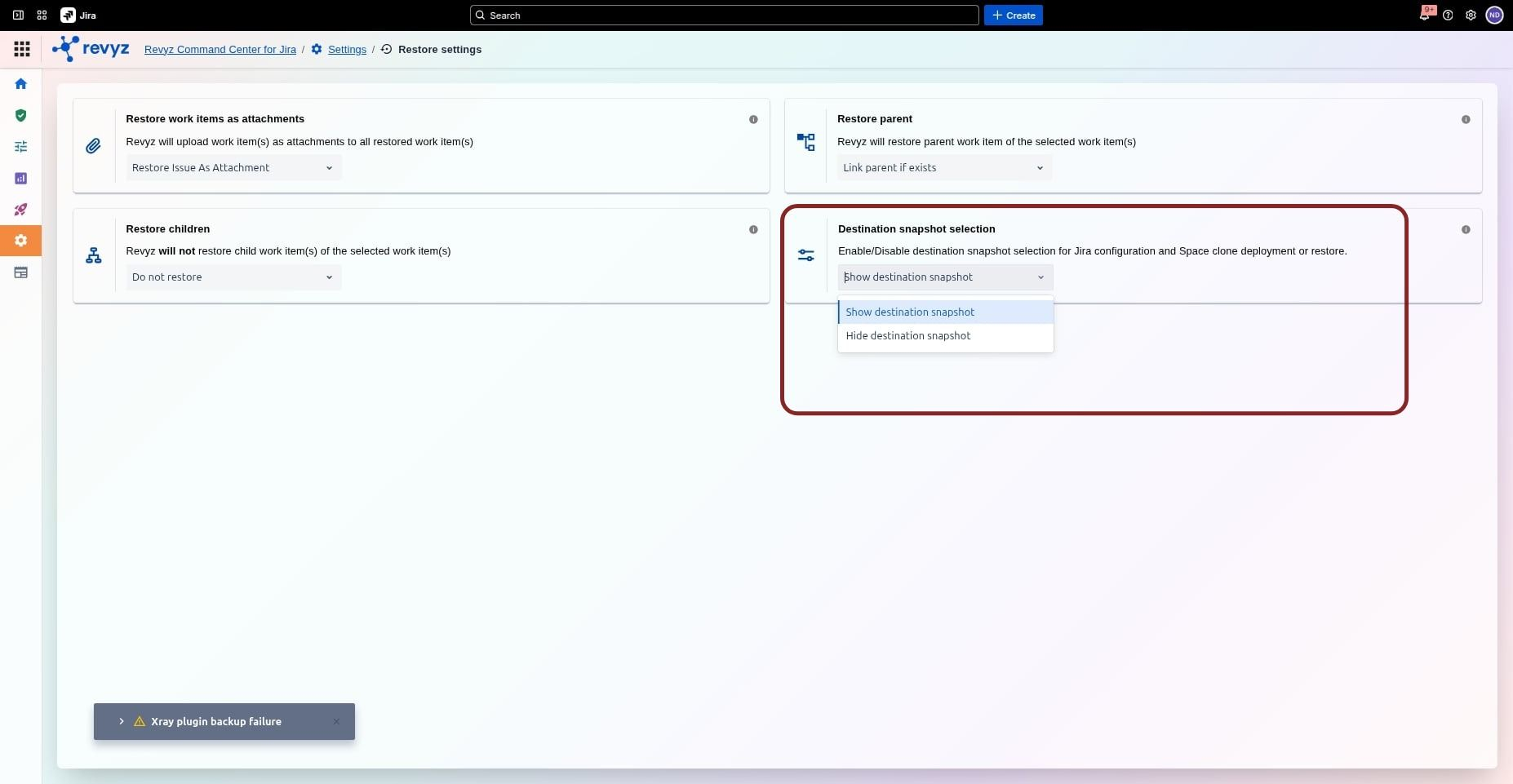
Note: This feature is toggled via the Restore Settings menu. When disabled, the app defaults to analyzing the "Current State" of the destination site for every job.
Applicability:
This feature is applicable to:
Restore
-
Jira Configurations
-
Spaces
-
Full Site
-
Space with Work Items
Deployment
-
Jira Configurations
-
Spaces (create new copy)