
About this Page
View-only historical snapshots of security perimeters to safely track access permissions without risking changes to live configurations.
What are the use cases?
-
Outage Continuity: Browse security rules if Atlassian goes down.
-
Compliance Auditing: Verify historical rules for security reviews.
-
Troubleshooting: Pinpoint rule changes causing user lockouts.
-
Pre-Restore Validation: Confirm snapshot accuracy before executing a rollback.
This feature is applicable to
command center for jira Advanced
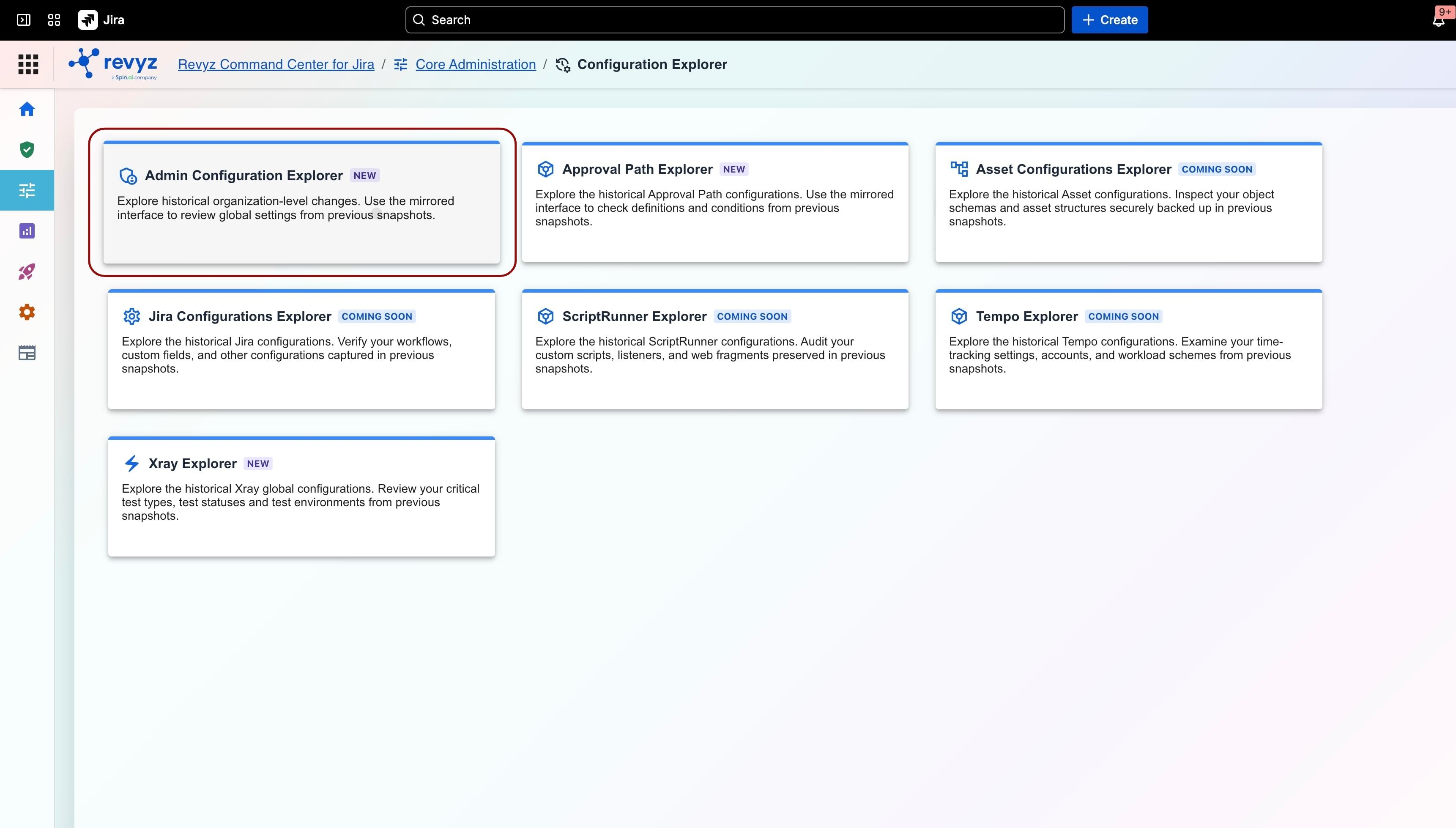
How to Navigate
To access the view-only console for your organization's historical IP allowlists, follow this step-by-step path within the user interface:
Navigation
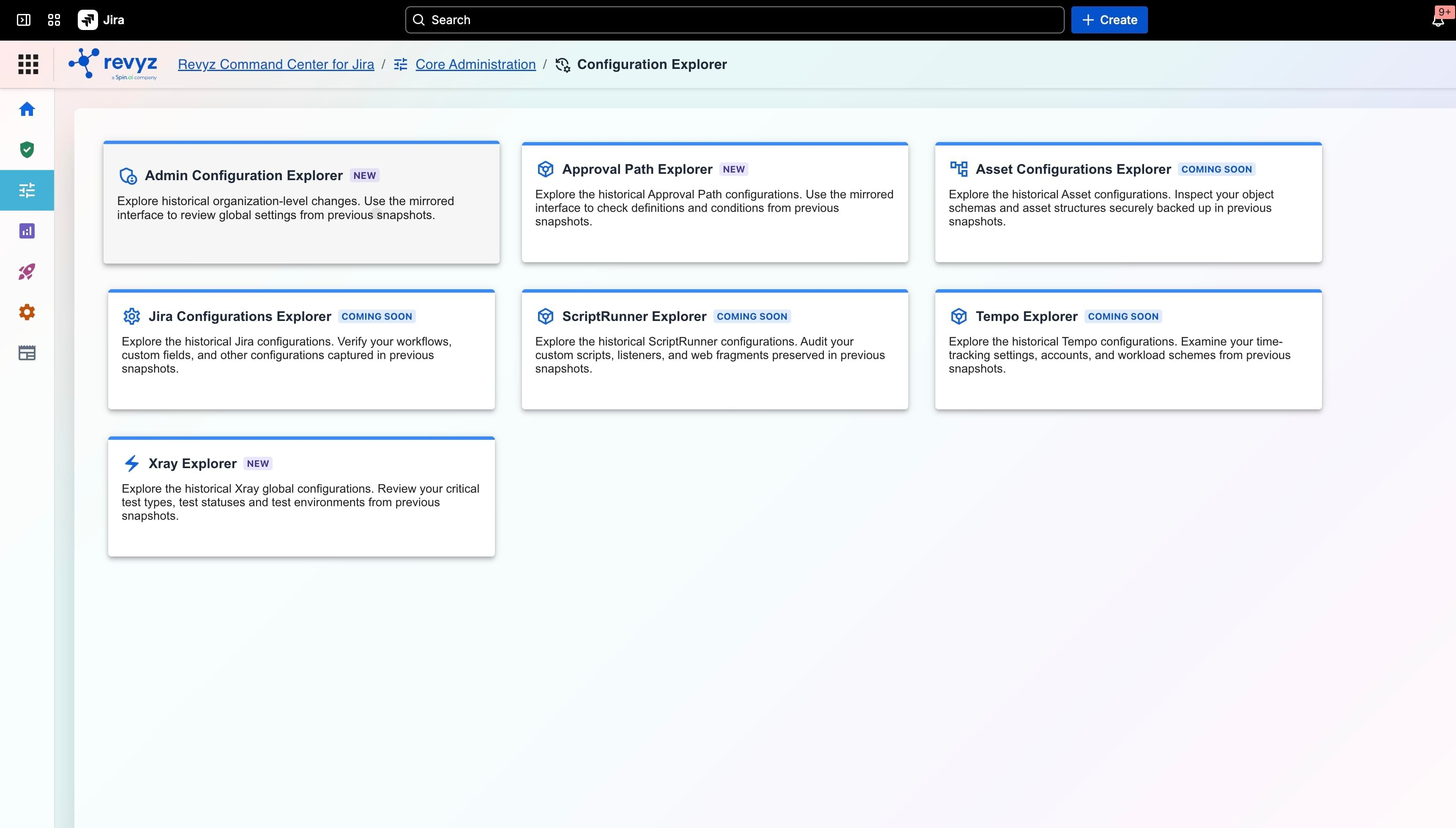
-
Log in to the Revyz Command Center for Jira.
-
From the left-hand primary navigation menu, locate and click on Core Administration.
-
Under the Core Administration dropdown options, click on Configuration Explorer.
-
Select Admin Configuration Explorer, and then select the IP Allowlists tab located on the left side of the explorer control pane.
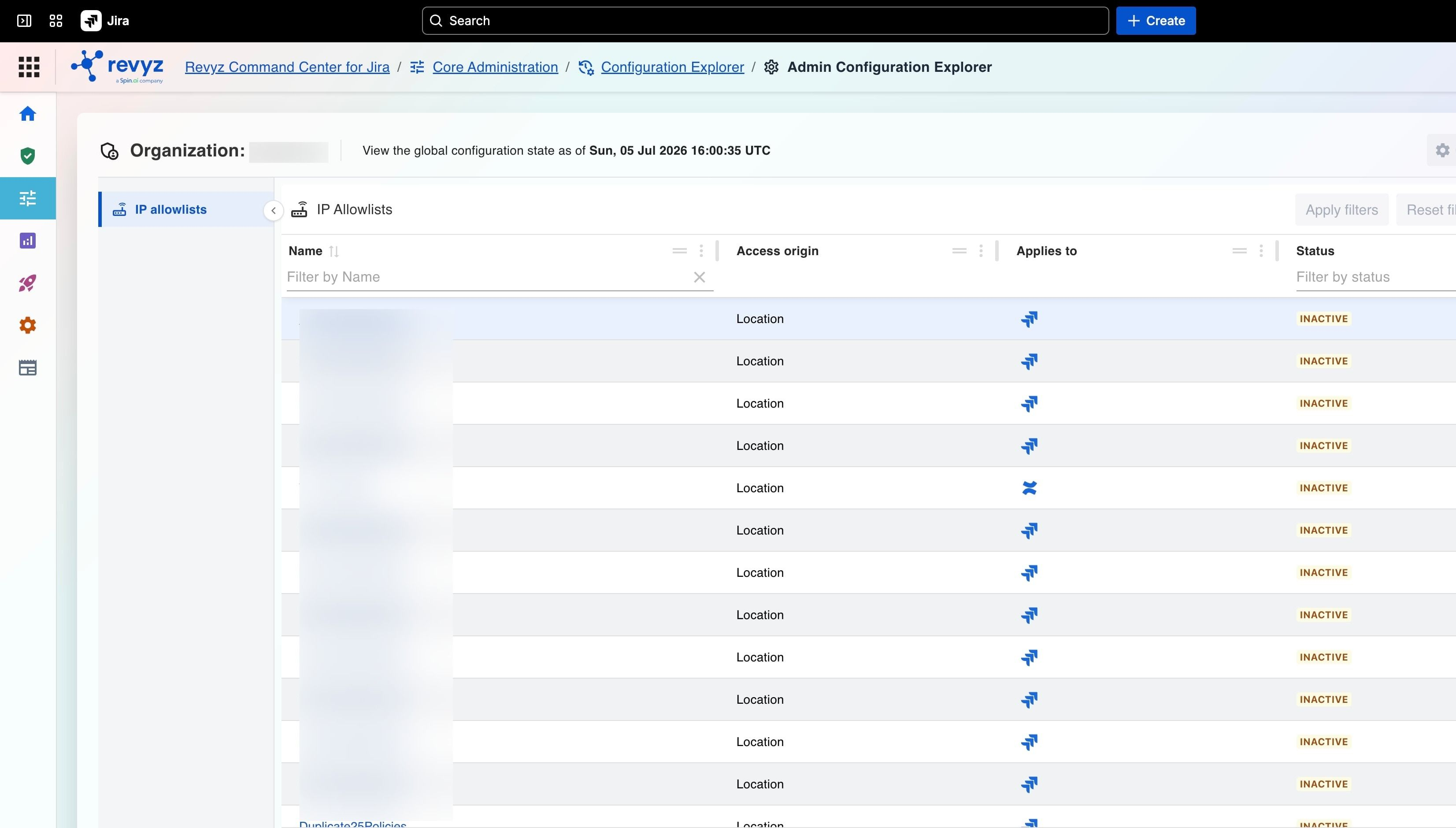
When viewing the active workspace, the interface is split into top-level metadata controls and a detailed data schema grid:
-
Global Configuration State Timestamp: Displays the exact date, time, and timezone context of the backup snapshot currently being explored (e.g., Sun, 05 Jul 2026 16:00:35 UTC).
-
Action Filter Bar: Includes contextual action utilities such as Apply filters and Reset filters to easily refine records when managing highly populated rule environments.