
What is this feature?
This feature is a data recovery tool that allows you to find and recover specific file attachments that have been deleted from your Jira issues. The restore process does not affect the issue itself, only the attachments.
Use Case Use this to recover one or more specific attachments that were accidentally deleted. You can restore the attachment back to its original issue or choose to attach it to an alternate, different issue.
This feature of the Revyz Command Center for Jira is unavailable for Revyz Assets Data Manager for Jira. To upgrade your version to Revyz Command Center for Jira, connect with support@revyz.io or install the app here.
How to Restore Attachments
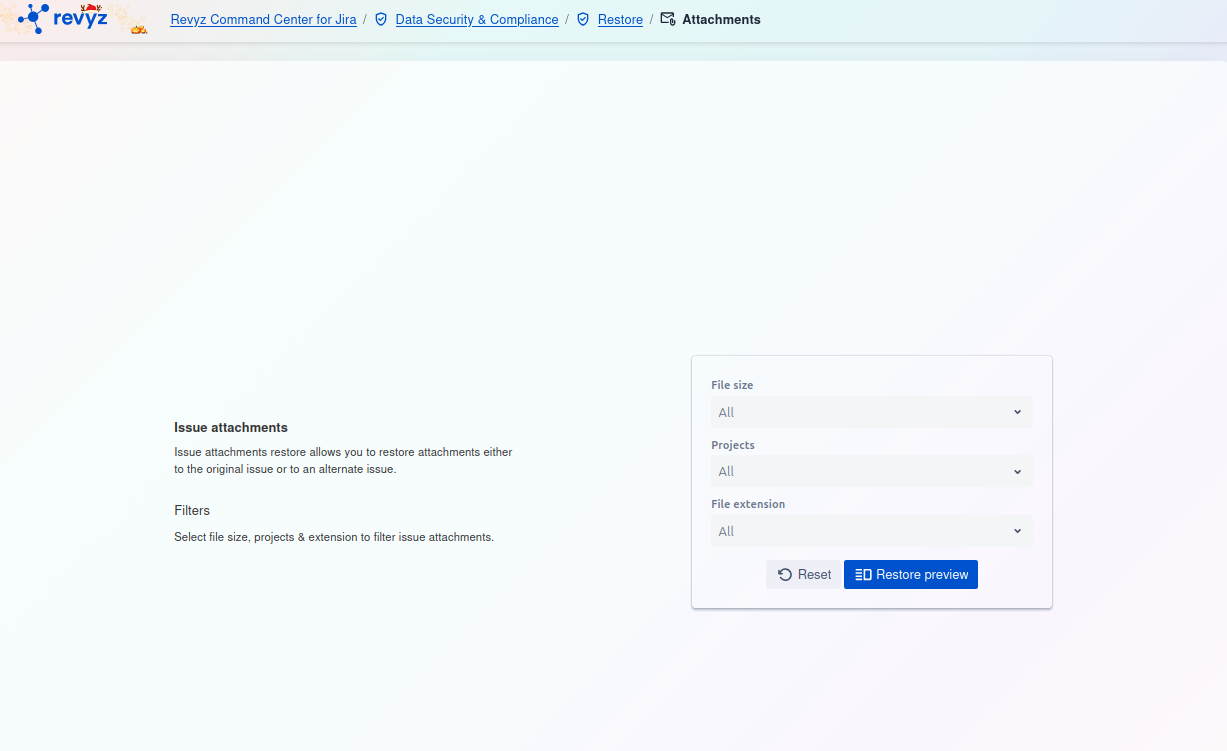
This page allows you to find and select the specific issue attachments you wish to restore. You must use the filters to build a search query to locate the files.
Page Description
-
Issue attachments: The text on the left explains that this feature allows you to restore attachments to either their original issue or an alternate issue.
-
Filters: You are prompted to use the filters for file size, projects, and file extension to find the attachments you want to restore.
Filter Card
On the right side of the screen, you will find the filter card. You can use these filters to narrow down your search:
-
File size:
-
This optional filter allows you to search for attachments based on their size (e.g., "Small," "Medium," "Large"). The default is "All."
-
-
Projects:
-
This optional filter lets you limit the search to attachments from one or more specific projects. The default is "All."
-
-
File extension:
-
This optional filter allows you to search for specific types of files (e.g., "pdf," "png," "zip"). The default is "All."
-
Actions
-
Reset: Click this button to clear all the filter fields and start your search over.
-
Restore preview: After setting your filters, click this button to run the search. This will show you a list of matching attachments, allowing you to select which ones to restore.