
About this Page
The Priorities page helps you identify and remove unused priority settings in your Jira instance. It includes two cleanup tools:
-
Priorities: Scans for work item priorities (e.g., High, Low) that are no longer linked to active issues or priority schemes.
-
Priority schemes: Scans for custom priority schemes that are orphaned or not assigned to any project.

What is the Use Case?
As Jira sites grow, legacy projects and migrations leave behind unused priorities and schemes.
Use this page to:
-
Reduce Administrative Clutter: Keep drop-down menus clean for admins and users.
-
Simplify Governance: Standardize configurations across your Jira site.
-
Prepare for Migrations: Streamline site configurations before running backups, restores, or project clones.
Optimization Tools
Clean Up Unused Priorities
-
-
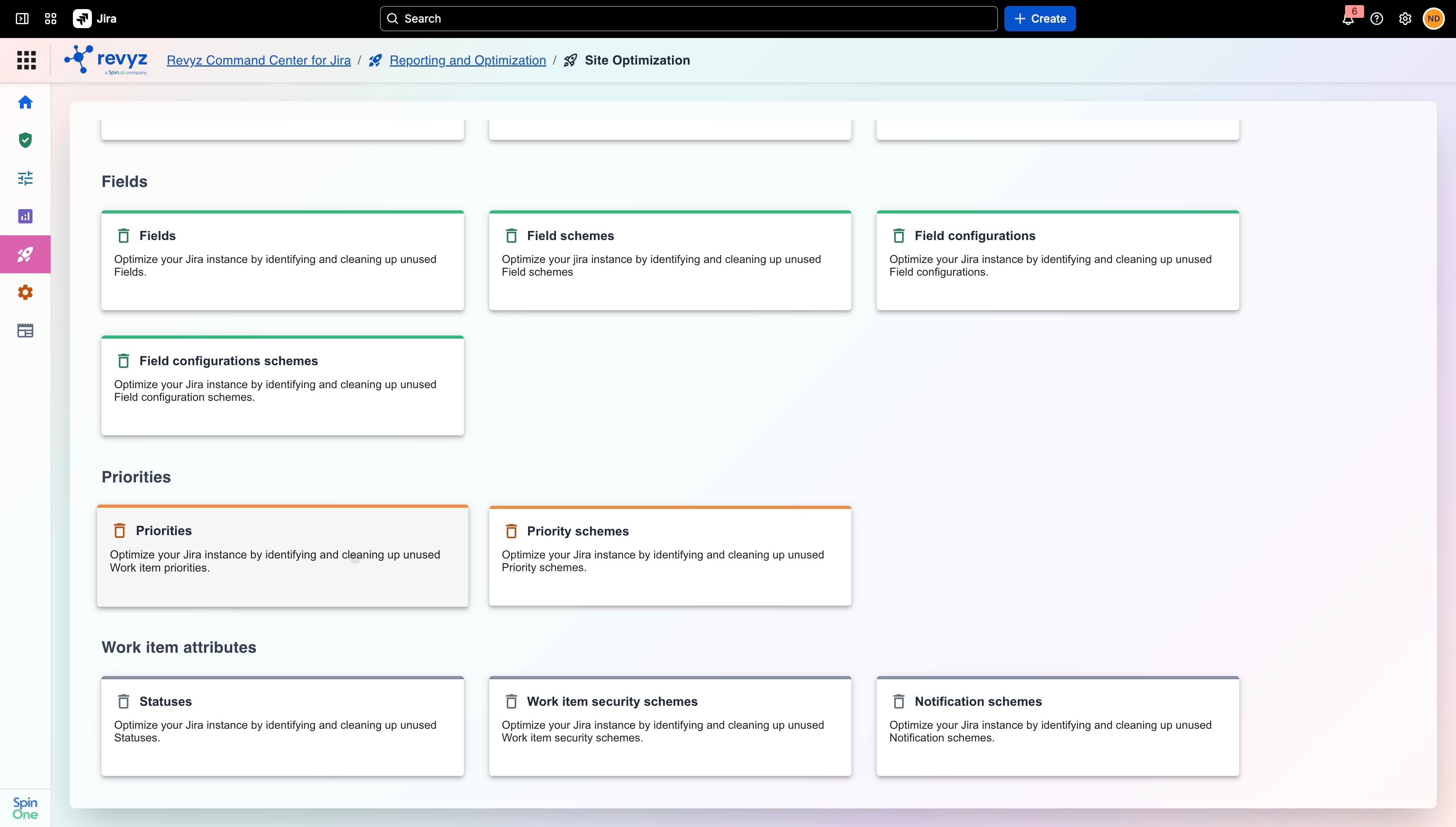
In Revyz Command Center for Jira, navigate to Reporting and Optimization > Site Optimization.
-
Under the Priorities section, click the Priorities card.
-
-
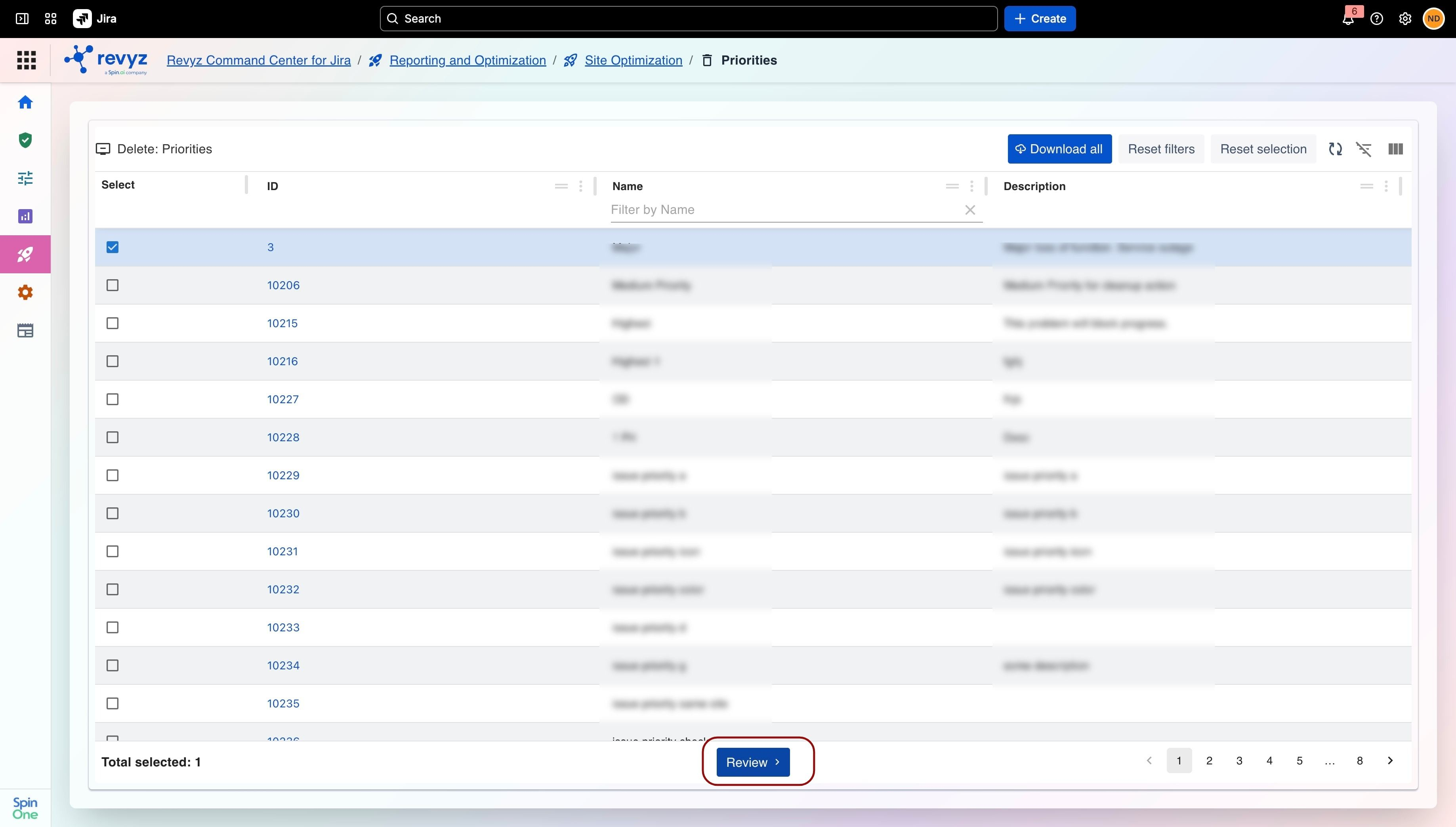
Review the list of detected priorities. You can filter by Name or use Download all to export the list.
-
Select the checkbox in the Select column for each priority you want to purge.
-
Click Review at the bottom of the page to review your selected items and finalize the deletion.
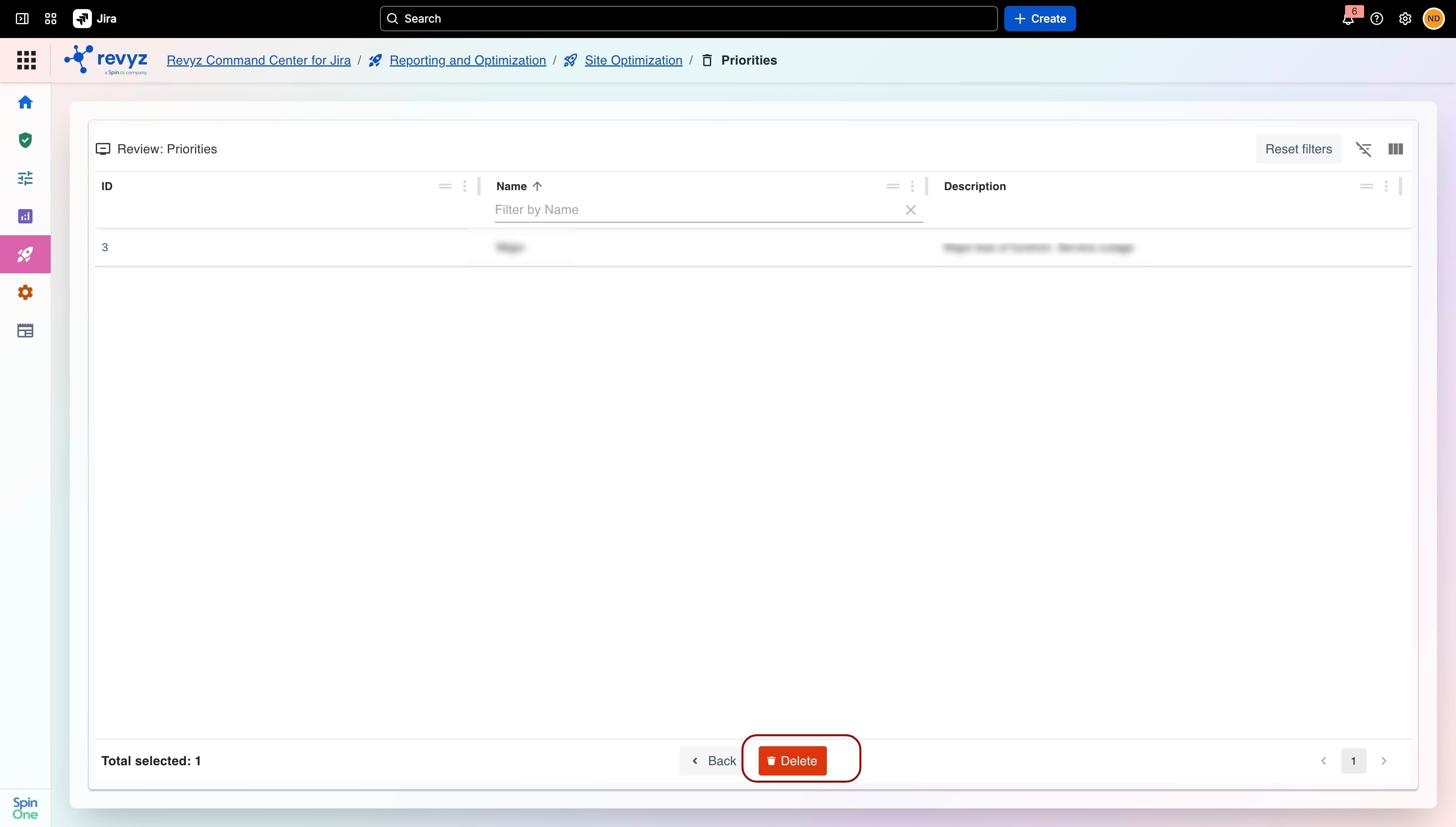
Click on Delete.
Clean Up Unused Priority Schemes
-
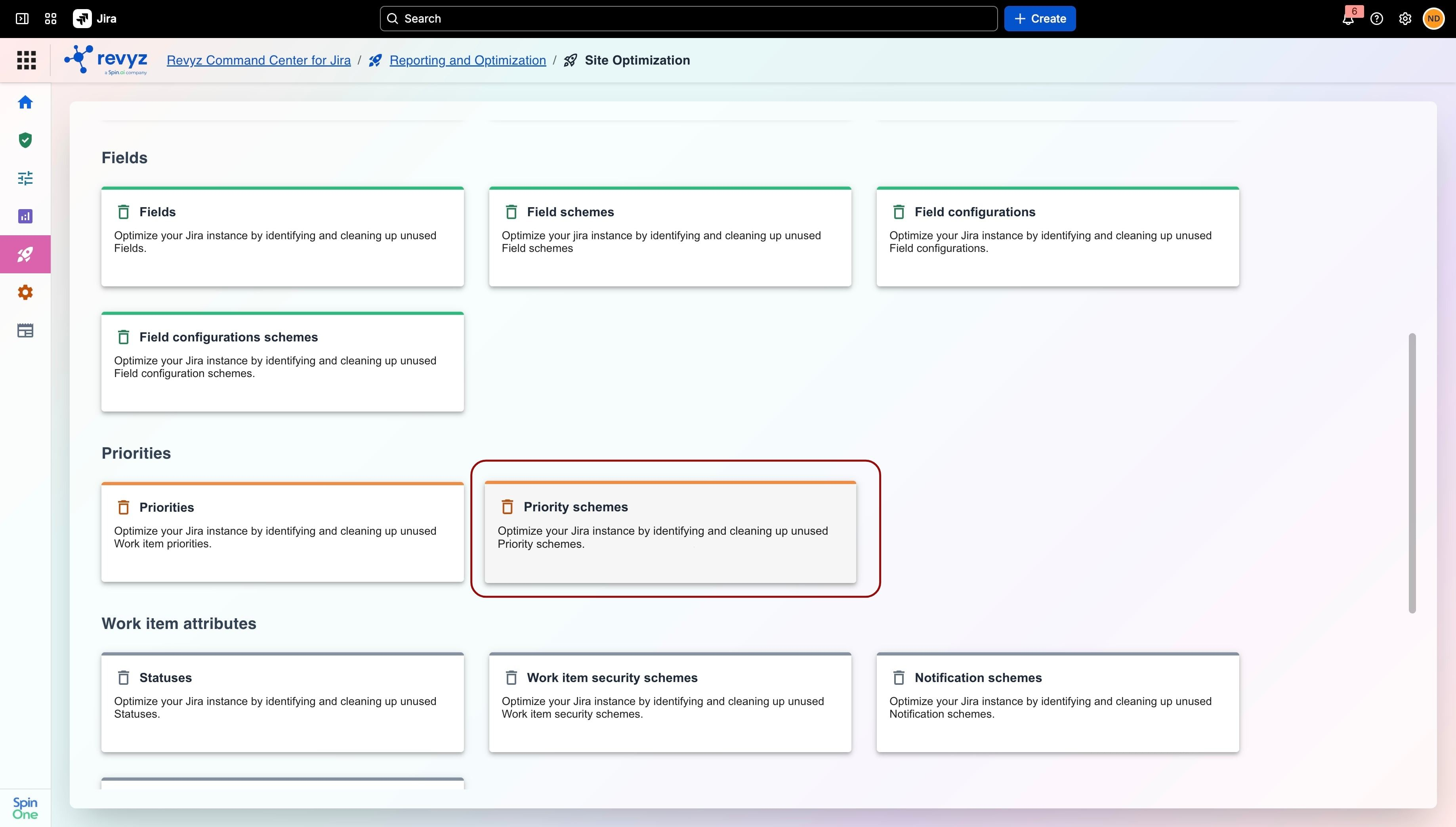
Navigate to Reporting and Optimization > Site Optimization in Revyz Command Center
-
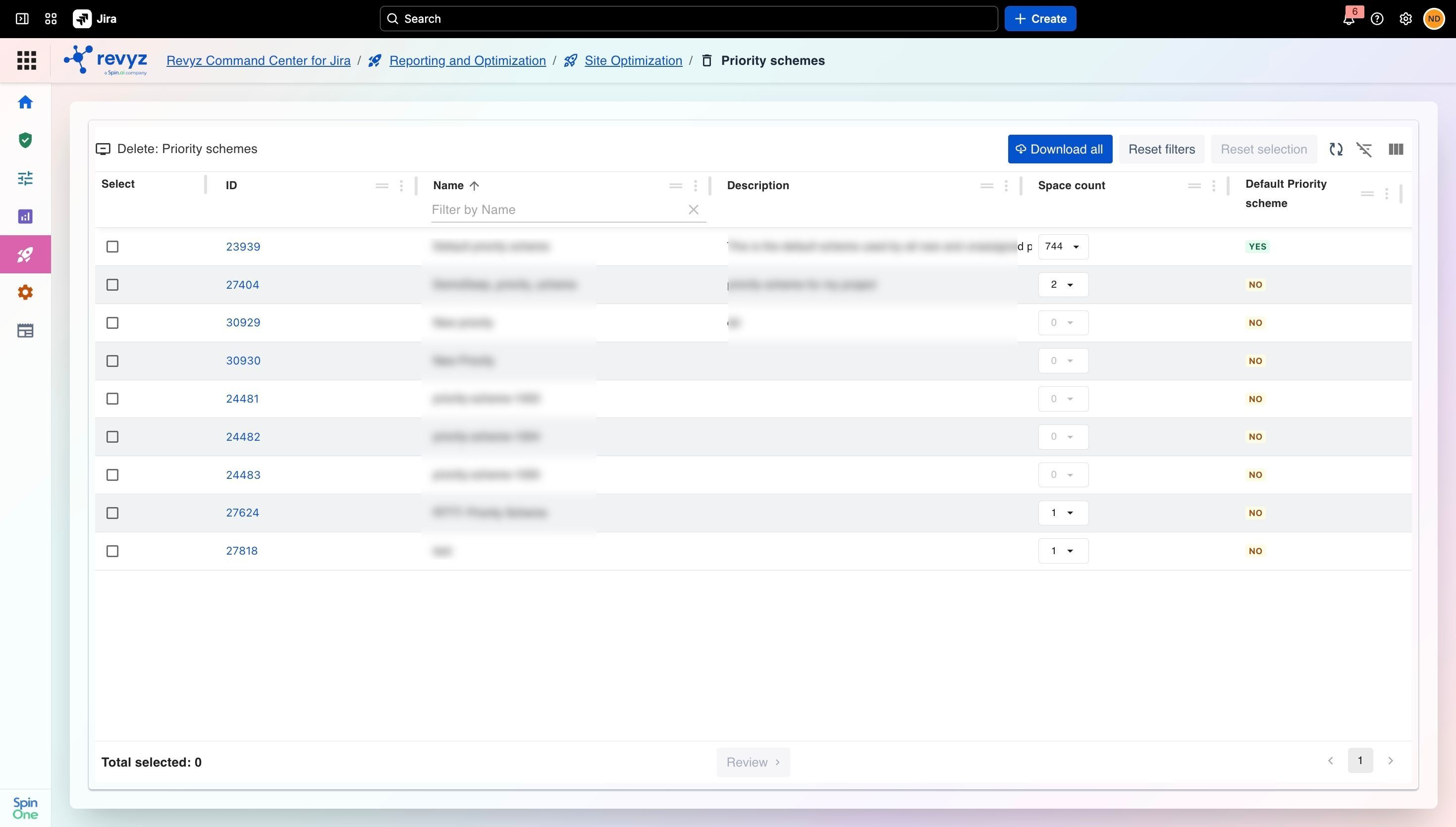
Select the Priority schemes card.
-
Review the list of detected prioritiy schemes. You can filter by Name or use Download all to export the list.
-
Select the checkbox in the Select column for each priority you want to purge.
-
Click Review at the bottom of the page to review your selected items and finalize the deletion
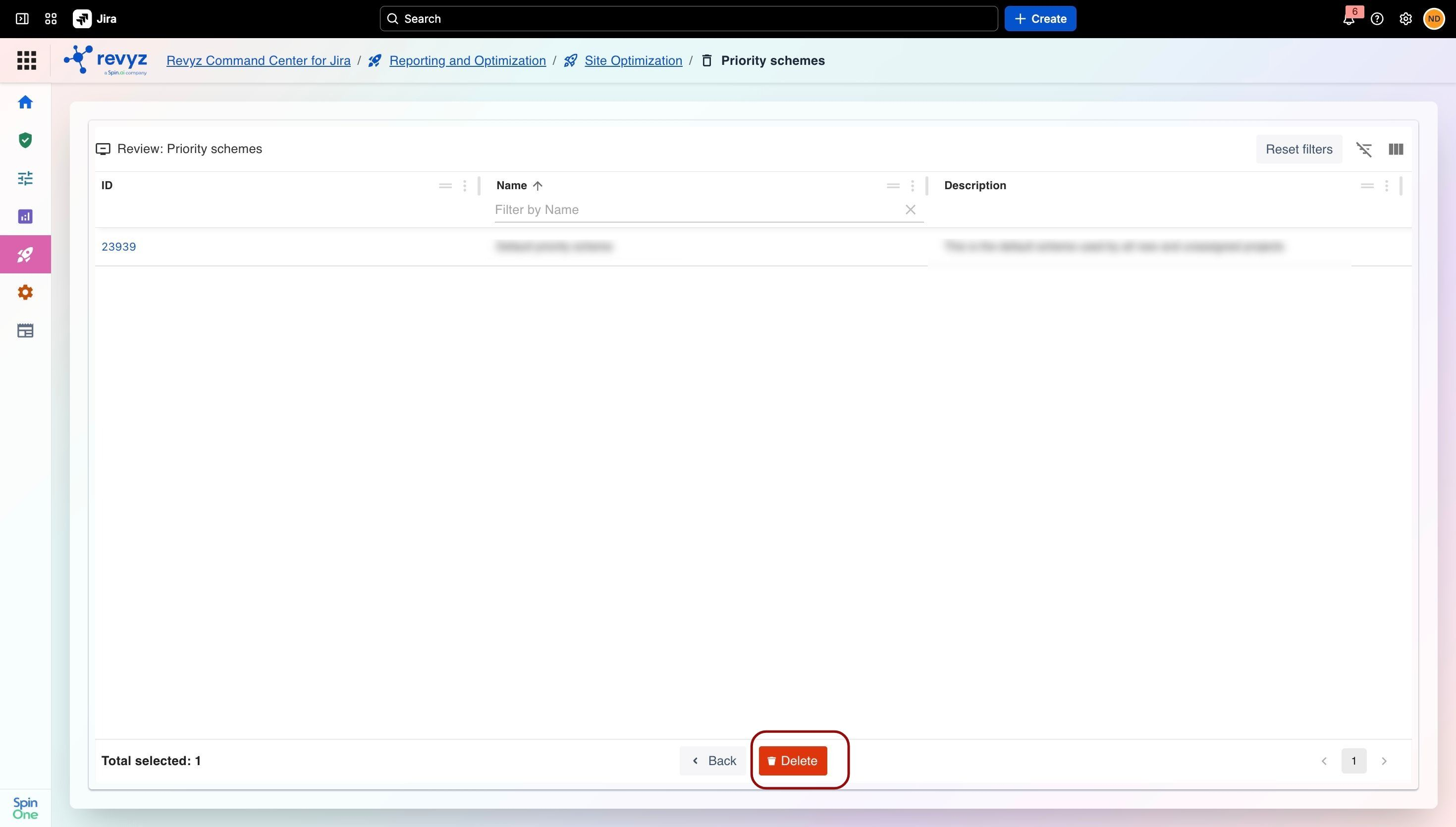
Click on Delete.