
What is this feature?
This feature allows you to clone your native Jira automation rules from a backup snapshot. It's designed to capture and preserve all your critical business process automation logic.
-
Use Case: Use this to move your automation logic to a new instance during a migration without having to rebuild every rule. It is also essential for restoring your business processes after a site recovery.
This feature of the Revyz Command Center for Jira is unavailable for Revyz Assets Data Manager for Jira. To upgrade your version to Revyz Command Center for Jira, connect with support@revyz.io or install the app here.
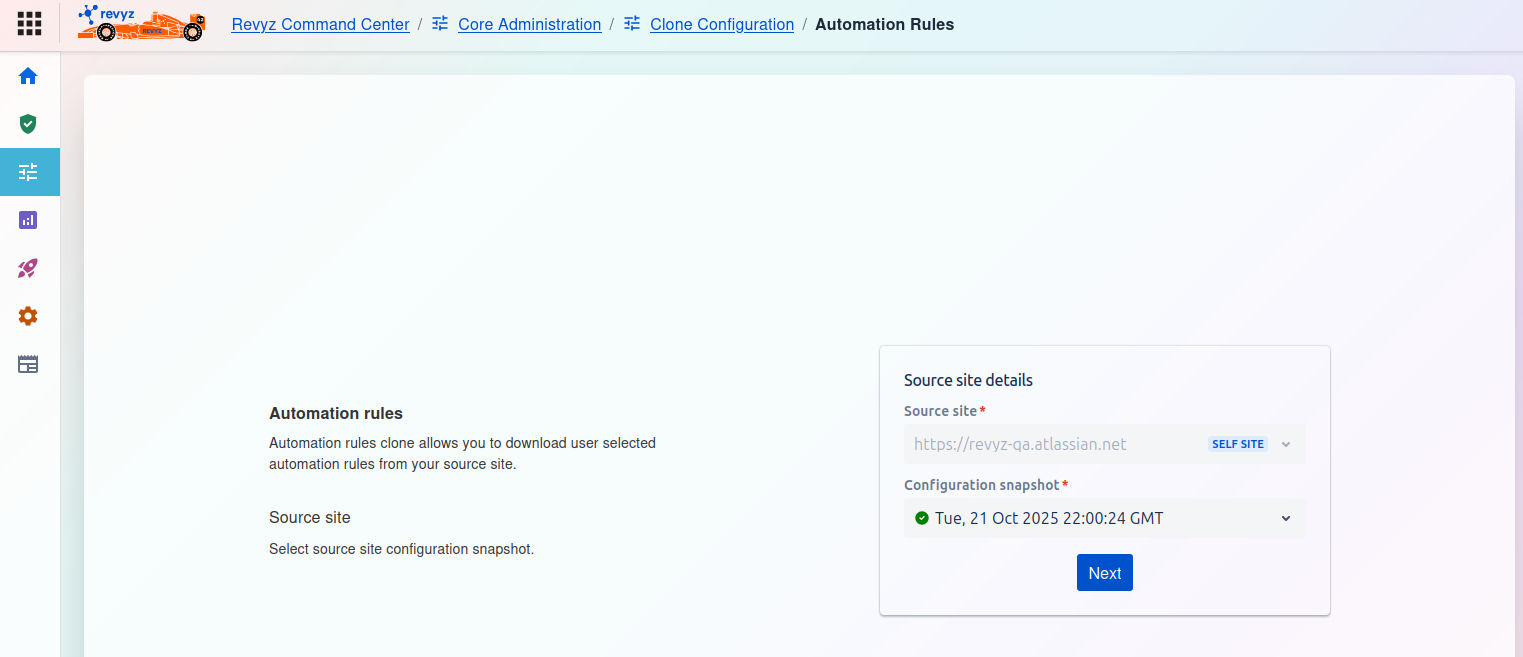
How to Clone Automation Rules:
This page is the starting point for the Automation rules clone process. This feature allows you to download a selection of your automation rules from a source site's backup.
Page Description
-
Automation rules: The text on the left explains that this tool allows you to download user-selected automation rules from your source site.
-
Source site: You must begin by selecting a source site configuration snapshot.
Source site details
On the right side of the screen, you must complete the Source site details card:
-
Source site
*:-
This is a required field. Click the dropdown to select the Jira instance you want to clone the rules from.
-
In the screenshot,
https://revvz-qa.atlassian.netis selected, which is tagged as theSELF SITE(the current instance).
-
-
Configuration snapshot
*:-
This is a required field. After selecting a source site, this dropdown menu will populate.
-
You must select the specific backup snapshot that contains the automation rules you wish to clone (e.g.,
Tue, 21 Oct 2025 22:00:24 GMT). The green checkmark indicates it is a valid snapshot.
-
Once you have selected both the Source site and the Configuration snapshot, click the Next button to proceed.