
About this Page
This page provides an overview of how Revyz Command Center supports the backup and management of Content Labels and Space Categories. While Confluence does not offer a native, centralized dashboard to view all labels and categories across an entire site, Revyz provides a unified view through its Site Health Reports, allowing admins to track, audit, and export this data.
What is the Use Case?
-
Centralized Visibility: View every content label and space category used across your entire Confluence instance in one single location.
-
Usage Auditing: Identify which labels or categories are being "heavily used" versus those created for testing purposes that may need cleanup.
-
Data Portability & Compliance: Export detailed reports of your labeling taxonomy and space categorization for offline auditing or compliance requirements.
-
Granular Mapping: Drill down to see exactly which pages, blogs, or attachments are associated with a specific label, or which spaces belong to a specific category.
How to Backup Labels and Space Categories
1. Verify Backup Status
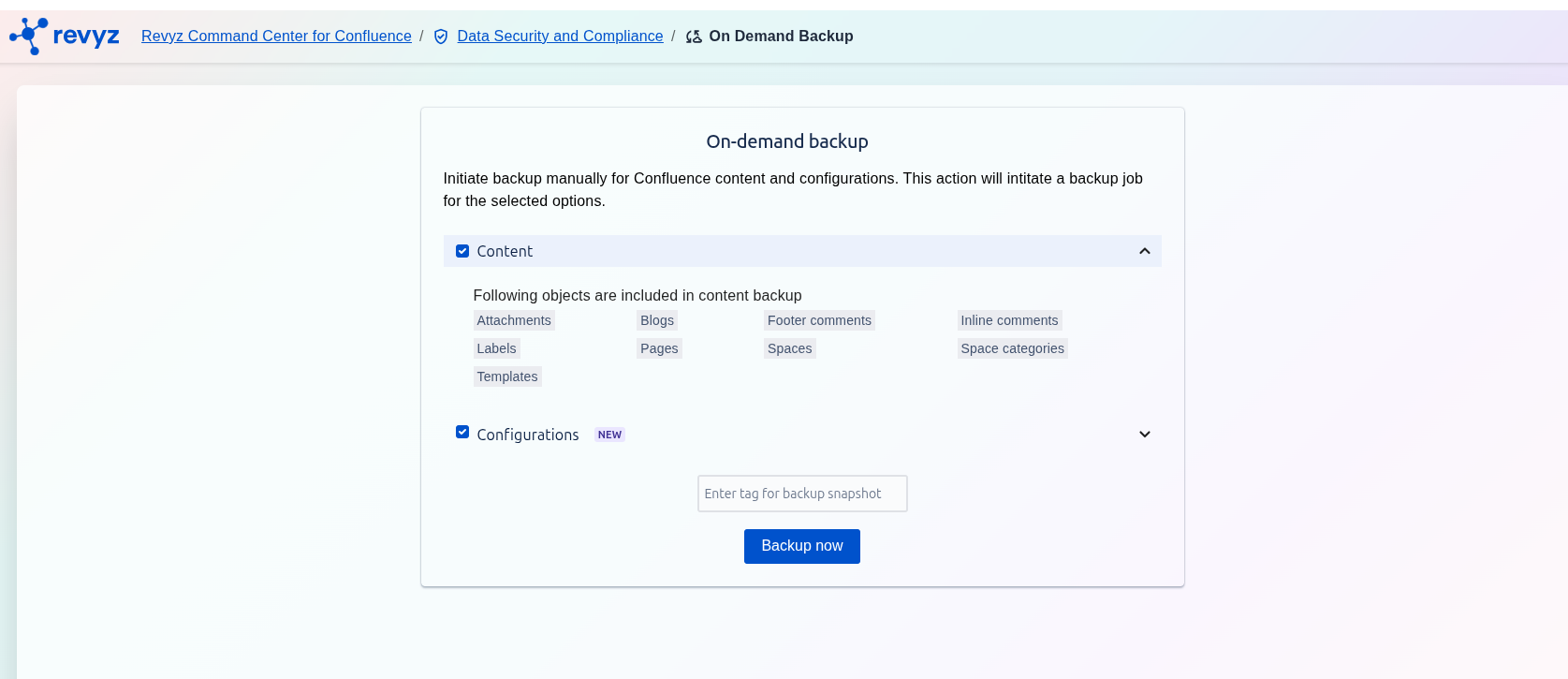
Navigate to your Backup page. Under the "Content" category, you will now see Labels and Space Categories listed as backed-up items.
2. Accessing Reports
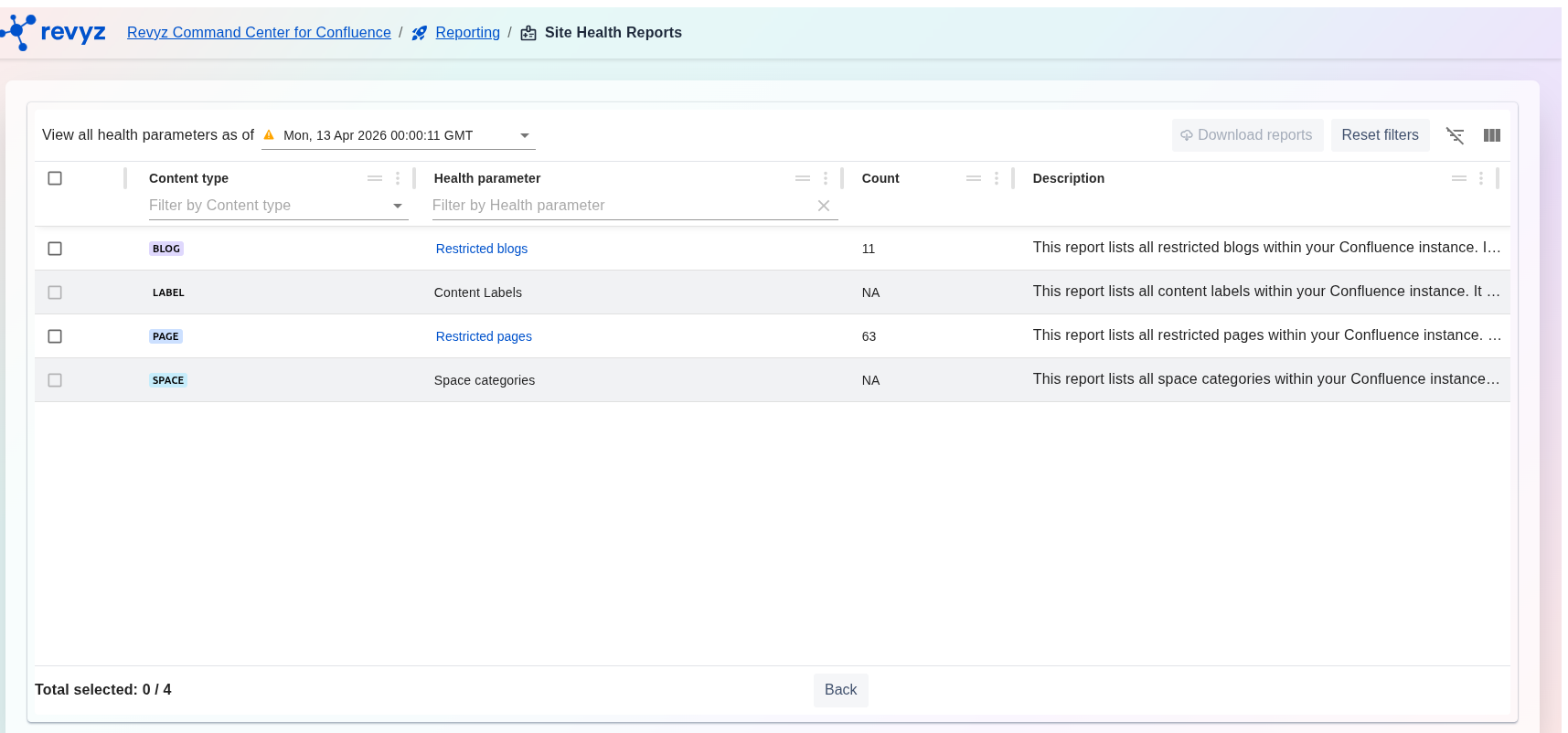
Go to the Site Health Reports section within the Revyz app.
3. Managing Content Labels
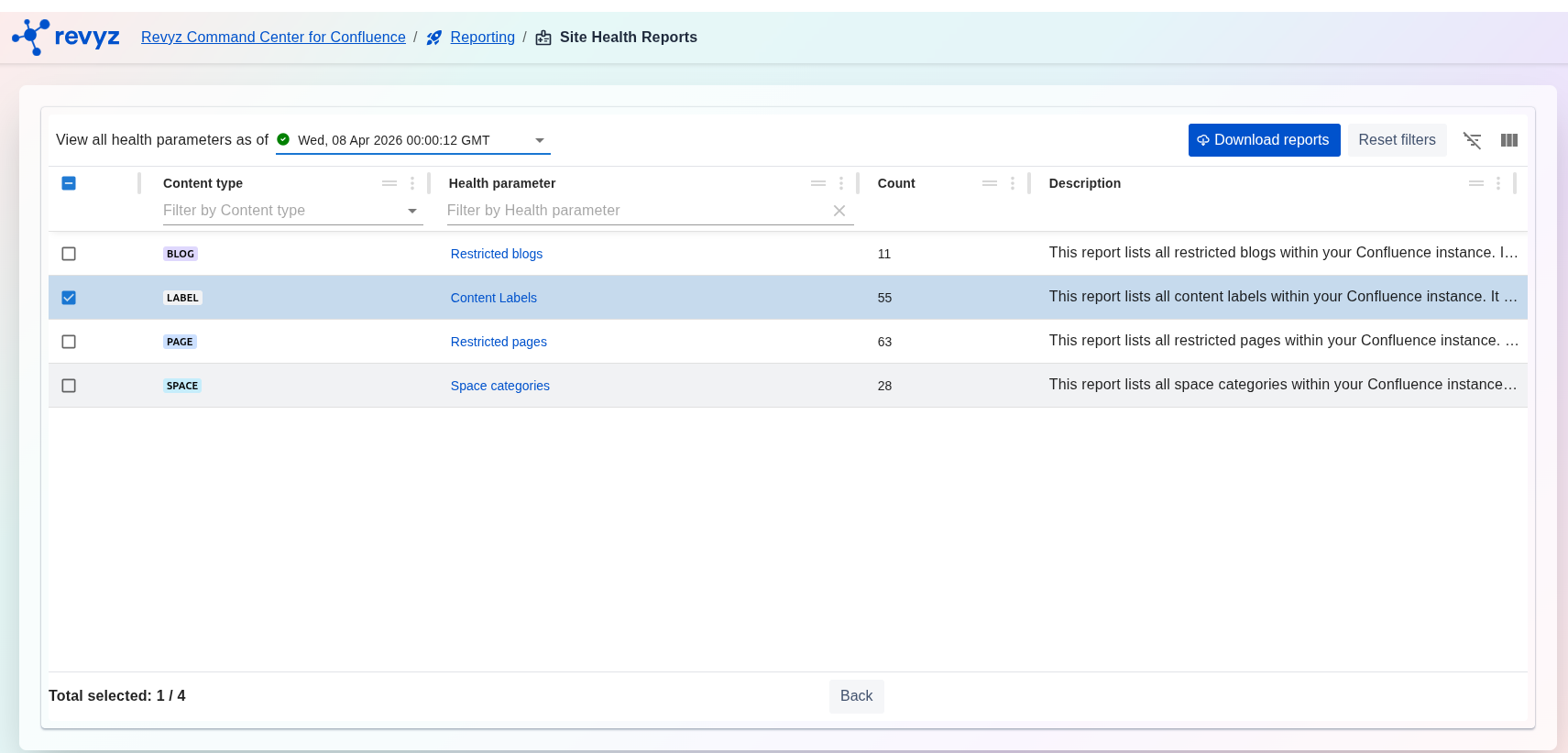
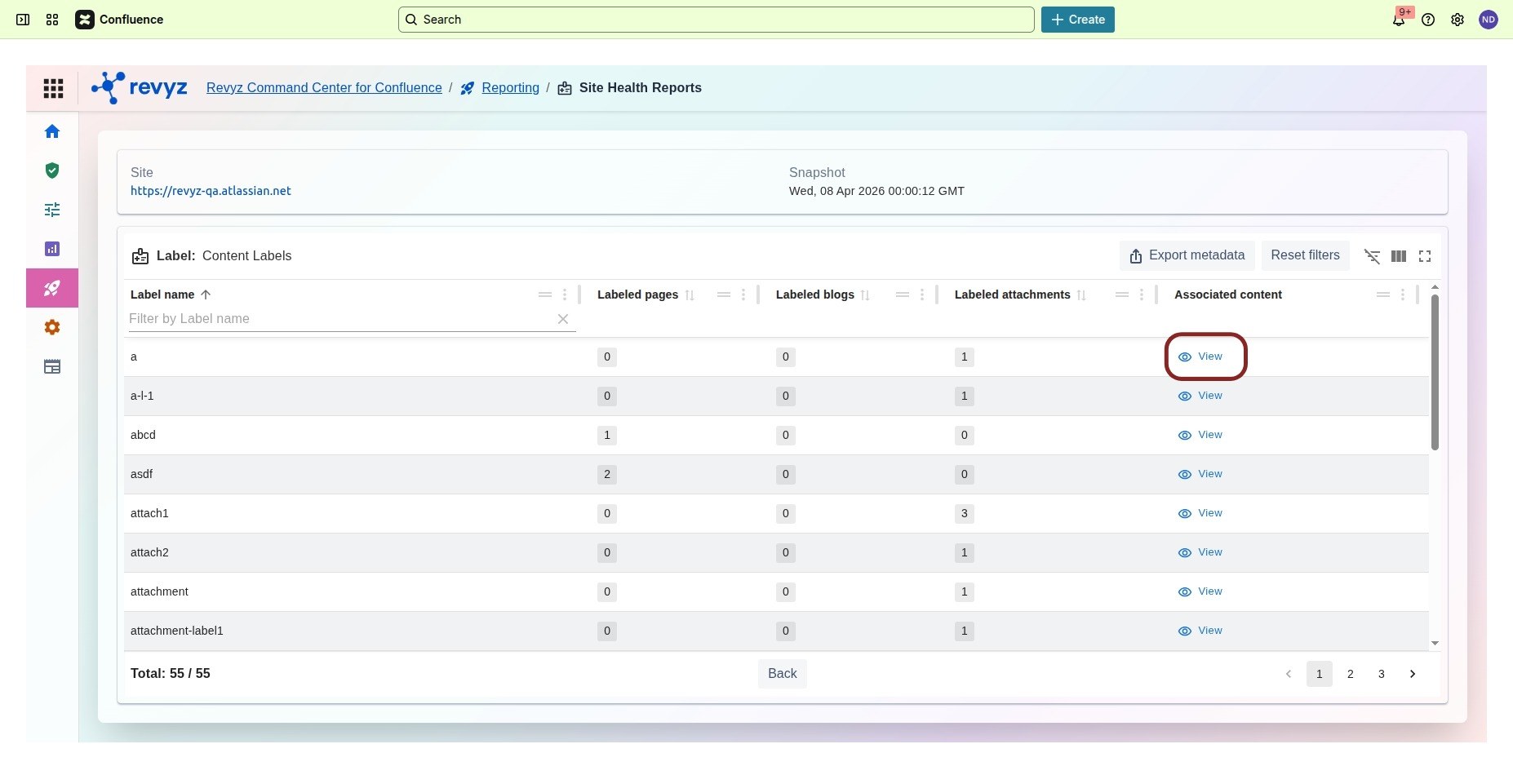
-
Select the Labels tab to see a list of all labels, their unique IDs, and the count of associated pages, blogs, and attachments.
-
Click the View button next to a label to see the specific pages it is attached to.
5. Exporting Data
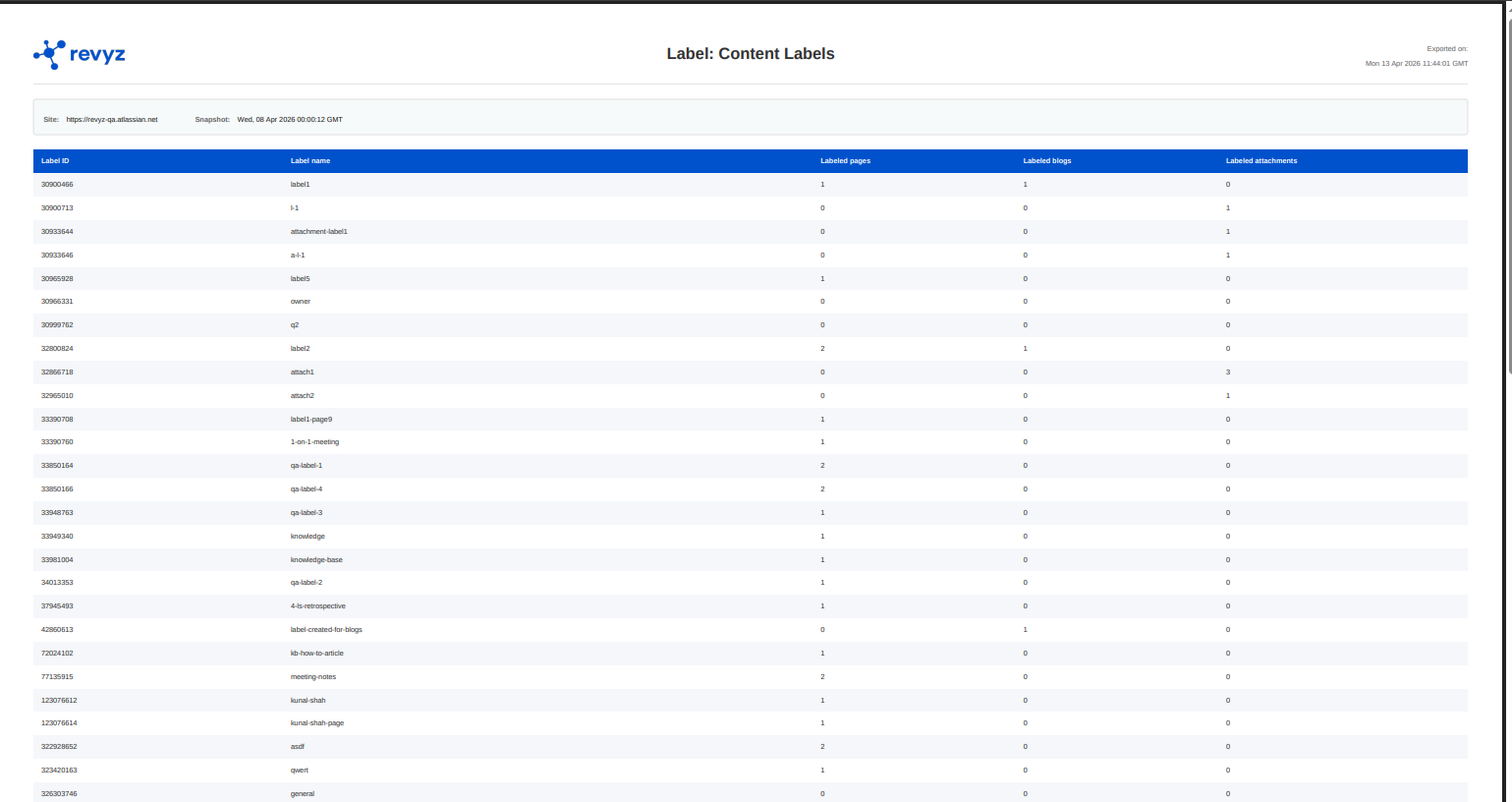
For any snapshot, you can export the Label or Space Category report in CSV or PDF format. These reports include Label IDs, Names, and metadata regarding associated content.