
Use case:
-
Admin wants to replace default Jira issue status with another one.
-
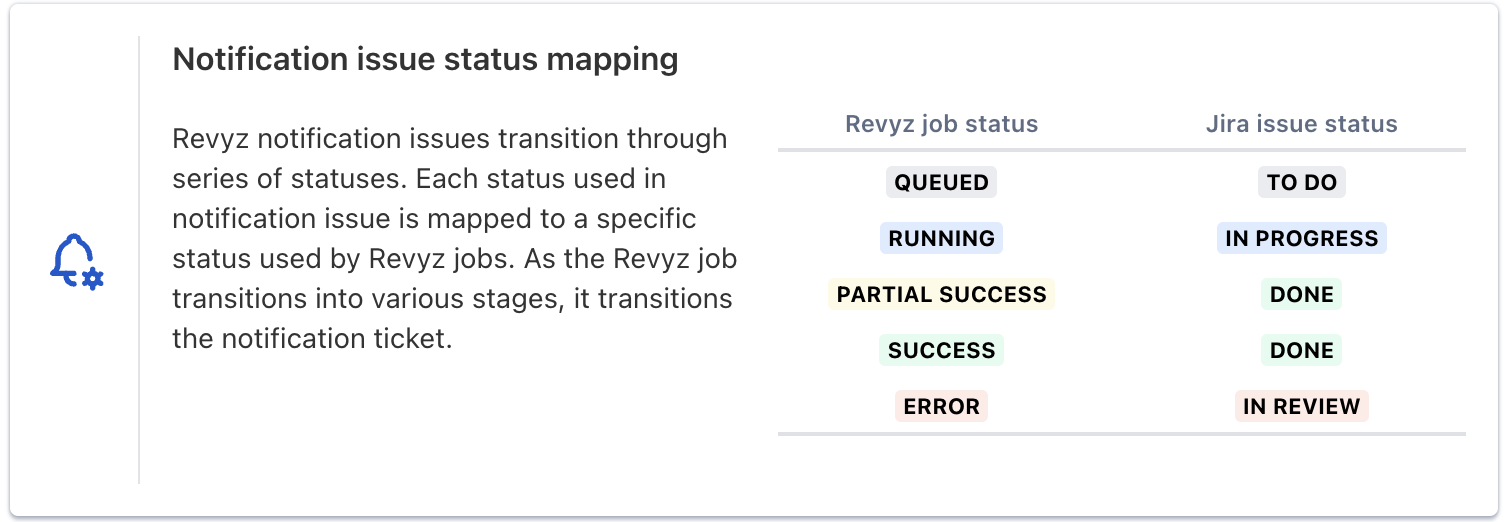
Ex: By default, When Revyz job transitions to ‘Partial Success’, the Notification issue transitions to ‘Done’ status.
-
Instead, Admin wants to replace the ‘Partial Success’ → ‘Done’ mapping to ‘Partial Success’ → ‘Partial Success’.
-
Steps:
-
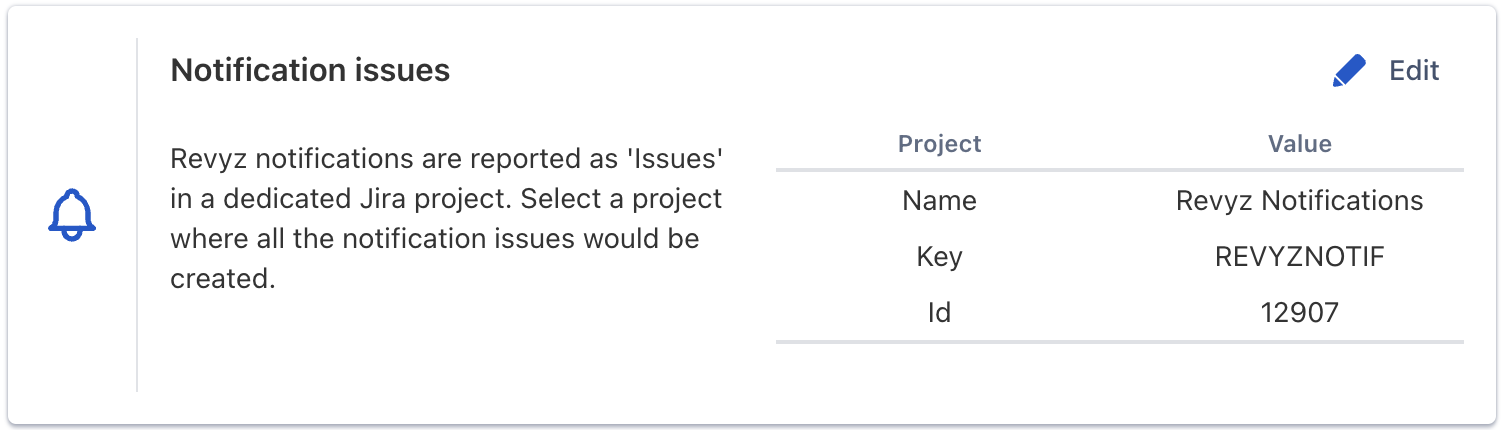
Identify the Revyz Notifications Project
-
Revyz Notifications Project can be found in Revyz app
-
-
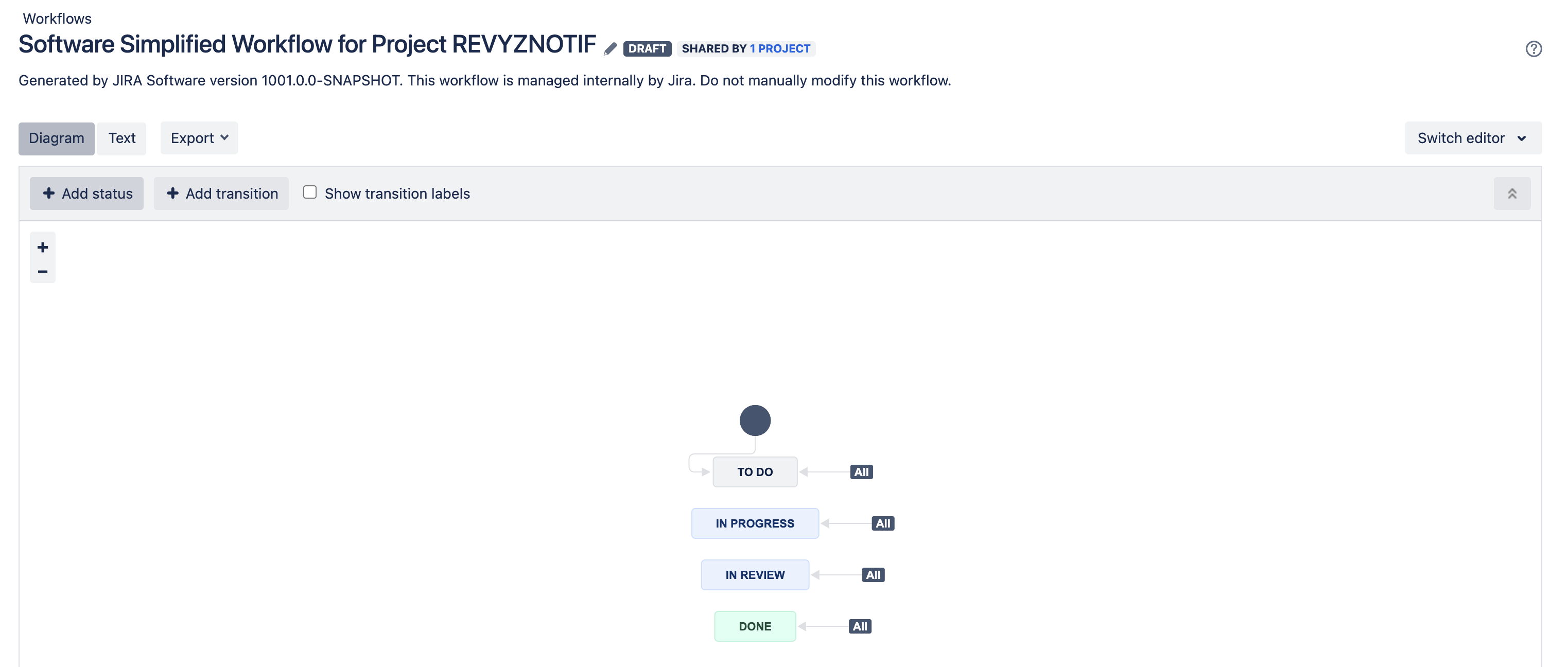
Identify the workflow which is being used by the Revyz Notification Project and edit it by navigating it to ‘Workflows’ page (‘https://<yourdomain>.atlassian.net/jira/settings/issues/workflows')
-
Define the new mapping for Revyz job status → Notification Issue status
-
Ex: 'Partial Success’ → ‘Partial Success’
-
-
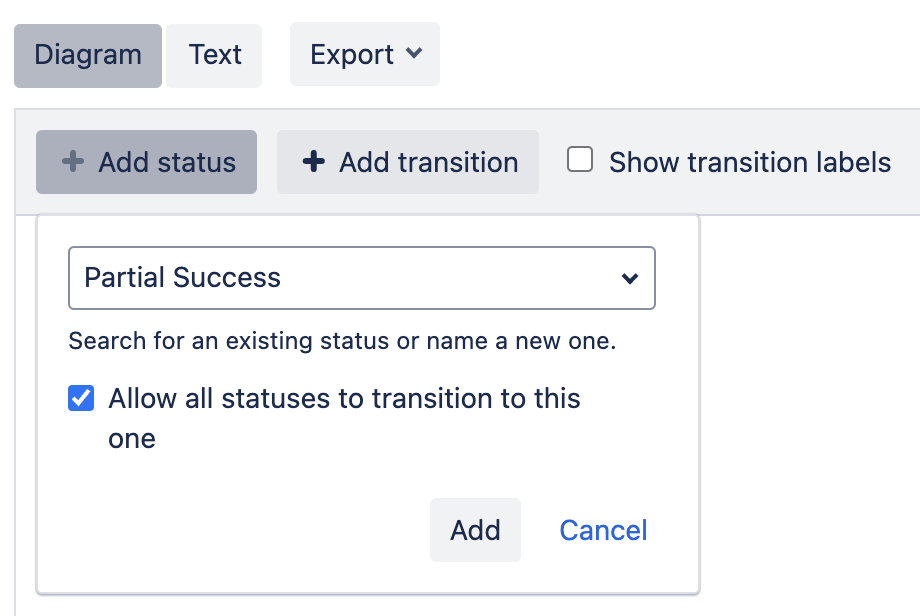
Select / Add the desired status to the workflow
-
Ex: Add ‘Partial Success’ status to the workflow
-

-
Ensure to check ‘Allow all statuses to transition to this one’ and add the status
-
Publish the draft workflow. It should reflect the newly added status.
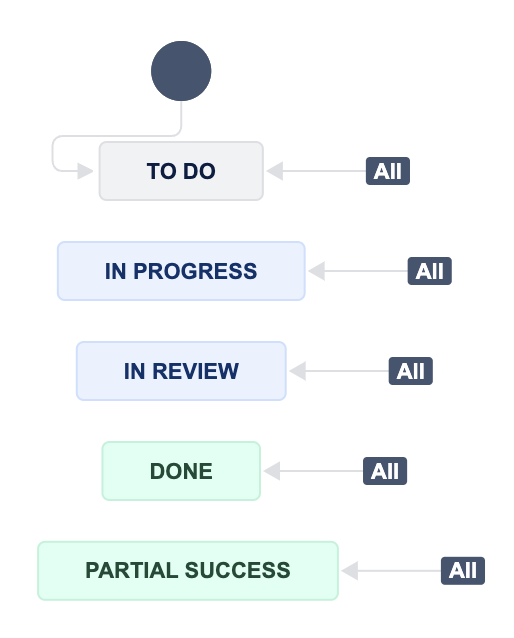
-
Reach out to Revyz support and share the new status name mapping
-
Ex: 'Partial Success’ → ‘Partial Success’
-
-
Revyz support will update the details on backend and confirm. Once confirmed the changes will start reflecting on Revyz app UI.